What this class covered
- Why test the API: the testing pyramid and the cost of a bug
- Mixing UI and API tests: the login example
- Shift-left testing, and what gets built first
- The API testing process is the STLC
- Where the requirement comes from: documentation, or none
- No documentation, but a UI: Copy as cURL on CURA
- AI turns the cURLs into documentation, a test plan and test cases
- Execution in Postman, and the tools like it
- Postman's AI and ChatGPT build the collections
- Tasks, and what comes next
- In the testing pyramid, unit tests sit at the bottom, then API tests, then UI tests: going up, a test costs more to write, and a bug found there costs more. A bug in production costs the most, because customers are impacted.
- API tests are cheaper and very fast, so test the login once through the UI and run the repeated logins and the negative cases through the API.
- Shift-left testing involves the QA early, at the PM stage, to test the APIs before there is a UI.
- API testing follows the STLC: requirement analysis, test plan, test cases, test execution and test closure. Automating the stable test cases is an optional sixth step.
- No documentation? With a UI, capture each request from the network tab with Copy as cURL and write your own high-level requirement; with no UI, ask the developers for the cURLs. Confirm the endpoints with the developers and the PM.
- AI can turn cURLs into API documentation, a test plan and test cases, but never upload company documents to a public AI tool: use the internal one.
- Postman runs the manual execution. The other API tools work like it, and Postman's AI or ChatGPT can build a collection for you.
Why test the API: the testing pyramid
Last class covered what an API is, client and server, the HTTP methods and the request fixture. Today opened with a short recap: API means application programming interface, and in client-server technology a client sends a request to a server, which has a database, and gets a response back. The client can be anything: Postman, a mobile, a browser or a desktop application.
Then the real question. Before asking how to test an API, ask why: the UI has already been tested, and automated directly with Playwright, so why test the API?
The answer is the testing pyramid. At the bottom are unit tests, mostly done by the developers: they check the input and the output, knowing the code, so the class is not concerned with them. The second level is the API, and the third the UI. Going up, the cost of writing a test case increases: writing a UI test case is an expensive process, and writing an API test case a cheaper one. The cost of a bug increases the same way. Let's suppose it is $1, $2 and $3, the instructor said. That is why many people will tell you to write your test cases in the API first.
What the cost of a bug means. Asked how that cost is calculated: it depends on where the bug is caught. In unit testing a developer is still coding, and can fix a bug caught there straight away. The API level comes when the backend is ready and the frontend is not, and the cost is still very low. Caught at the UI level, the cost is high, because now the frontend developer is involved too. And a bug caught in production has reached the customers, so the cost is very, very high: if you reach production, something is wrong with the system. The more developers involved, the more the cost increases.
The same walk-through, as a process. A business analyst writes a product requirement document, the product manager and the developers build from it, and the developers do the unit testing themselves: a bug caught here is very cheap, because nothing has been given to the QA or anyone else yet. Next the APIs are built, side by side, probably before the frontend is ready, and the QA can be included: double the cost, because the QA is involved now too. Once the UI is ready, with frontend and backend developers and the QA all involved and the build going to pre-prod, the cost is a little higher again. In production, the customer is involved, and that is what nobody wants. That is why people say that if you can catch the bug at the API level instead of the UI, that would be very good.
Asked which developers work on the unit tests, frontend or backend: you can say both, the instructor said.
Most companies, the instructor said, are migrating their UI test cases to the API. Another advantage: API test cases are very fast. UI test cases are a little slow, because they have to go through the UI, every part of it. API test cases have no UI involved, and test the business logic directly. That is why most companies want stable API test cases, and why you need to learn API testing too.
Mixing UI and API tests
Asked how to decide what to test through the UI and what through the API, the instructor gave a very simple formula, on the TTACart application: you log in, and then you see the items.
The UI test case for the login has been written once. But the login is required again and again, by test case two, test case three and more. Let's suppose a UI test case takes 10 minutes, and the login takes 5 minutes through the UI; a login through the API takes less than a minute. So, with the login already automated through the UI in one test case, the rest of the test cases use the API of the login, which takes them directly to the items page. There are hundreds of ways to get there, such as session storage and automatic logins.
Then the login itself. One UI test covers the invalid and the valid login, two test cases, and takes 5 minutes, let's suppose. The negative test cases are eight: an Arabic, a Chinese or a blank username, globalization testing, some negative value, SQL injections. Through the API they are cheaper:
| Approach | UI tests | API tests | Total time |
|---|---|---|---|
| The mix | valid and invalid login, 5 minutes | the eight negative cases, 1 minute | 6 minutes |
| UI only | all of them | none | 30 minutes |
In 6 minutes, the login is fully tested.
So usually, in a company, the login goes through the API and the rest through the UI, a learner offered, and the instructor agreed: most of the time the login goes through the API and the rest of the UI test cases continue, but some parts are mixed too, wherever the APIs can be. The login is only the example: the dashboard, or adding an item, can be done through the API as well.
Asked whether the login could use session storage instead of the API: that is also a little heavy, the instructor said, and a login through the API is very cheap. It also gives you the session storage.
Most of the API test cases you will see are around business logic verification.
Shift-left testing
With the stages clear, we are shifting towards the left: APIs are tested as soon as they are developed. The term is shift-left testing, a new thing happening in QA right now.
The normal process used to be: a BA (business analyst) writes a PRD, the PRD goes to the PM, the PM gives it to the developer, who develops it with the help of UI/UX. Then the QA is involved, then pre-prod, then production, which is given to the user.
What happens nowadays is that the QAs are involved at the PM stage. They are given the PRD, and the APIs that are going to be ready. There is no UI yet, but they have to test early, so that the cost is lower. Shift left says: involve the QA early. QAs who are there early know the documentation and can write their test cases. It is mostly because of the APIs: APIs can be tested early, and if your APIs are good, the instructor said, your UI will always be good.
Asked who develops the APIs: most of the time a backend developer. You can also develop your own APIs, by the way: everyone now has access to GitHub Copilot, Claude Code and many more tools. You just have to know the structure.
Asked at which stage API testing happens: API testing has its own software testing lifecycle, and generally it is done whenever the developer is ready with the database. Most of the time the database is built first, then the APIs, then the UI. Only then does the QA come in, and after the QA, the final user or customer.
The API testing process is the STLC
API testing is also similar to manual testing, and manual testing follows the STLC, the software testing lifecycle. The same process is followed for APIs:
- Requirement analysis.
- A test plan.
- Test cases.
- Test execution.
- Test closure.
- Automate the stable test cases. This step is optional.
Last class's page draws the same steps, from the deck, as a process diagram. Today went through them one by one, with an example, starting with where the requirement comes from.
Where the requirement comes from
For requirement analysis, you have two options: a requirement is given to you, or there is none. With none, the next question is whether the UI is ready.
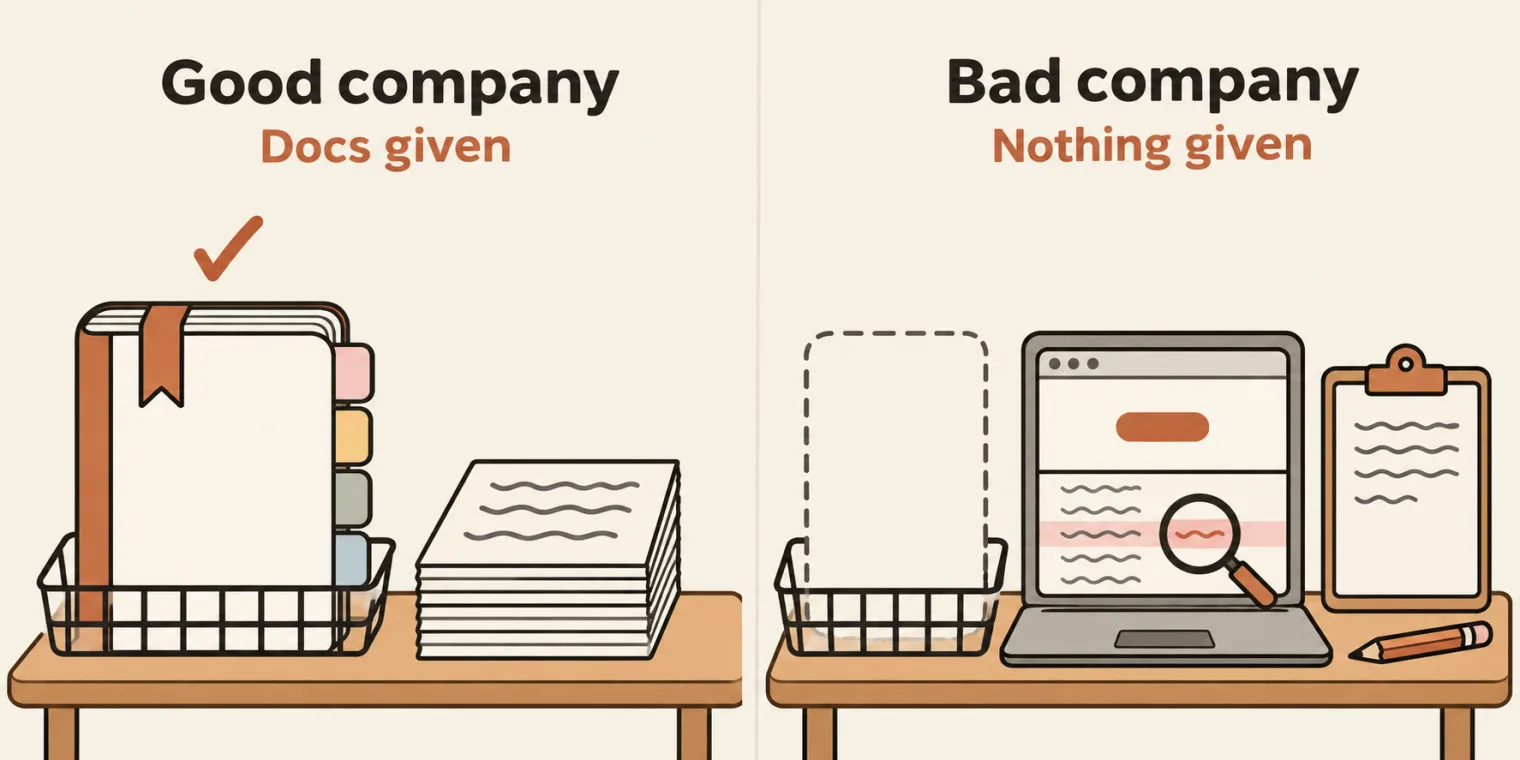
A requirement is given. It can come as API documentation, a Google document, or a Jira or Confluence doc; some people use a Google Sheet, and depending on the company you may get Swagger API documentation. Sometimes a company gives you a Postman collection directly. If you work for a good company, the instructor said, it gives you API documentation. The deck lists four examples, restful-booker's first, and the class opened the Imgur, Spotify and Google Maps docs too. httpbin, shared in the chat, is the Swagger type of documentation. However it comes, your next task is the same: a test plan.
If the company is bad, it will not give you anything at all.
No requirement, and no UI. Ask the developers to give you the cURL requests, at least: the APIs you have to test. cURL is a command-line utility to perform any type of HTTP request, and apart from HTTP it supports other protocols too; the deck links its site, curl.se. API documentation gives you cURLs as well. Each endpoint in restful-booker's docs has one, and its health check is the shortest:
curl -i https://restful-booker.herokuapp.com/ping
Run for these notes, not in class, a GET like this needs no login. Here -s keeps curl quiet, and -w prints the status code after the body:
curl -s -w ' %{http_code}\n' https://restful-booker.herokuapp.com/ping
Created 201
Created is the body, and 201 the status code, the same response the docs give for it: HTTP/1.1 201 Created.
In the end, what you need to get is the feature to test, the URL, the payload, the HTTP method, the status, what to verify, the headers, the authentication and the token.
Asked how to find out the endpoints when you do not know how many there are: talk to your developers and your product managers. Tell them which endpoints you have figured out, and ask about any you do not know. They tell you what has to be tested, and you receive a proper Jira ticket for the API, a product requirement document with everything you need in it.
Asked whether an AI agent can be created for exploratory testing: it can, there are ways, to be discussed later.
No documentation, but a UI: Copy as cURL
A lot of companies have no requirements. You may join one where a lot is already happening. If the UI is ready, you have to know the flow and create your own high-level requirement, by yourself.
The instructor showed it on CURA, Katalon's demo healthcare app (katalon-demo-cura.herokuapp.com), which has no requirement:
- Open the browser's network tab, and clear it with its clear button.
- Enter a username and a password and click login. The request that appears is
authenticate.php, carrying the username and the password. - Right-click it, then Copy, then Copy as cURL.
- The second feature: fill in an appointment and click make appointment. That is an API too, with its own payload. Copy it as cURL the same way.
Two features, so two APIs to test: login and make appointment. You can confirm them with your developers and your PM.
The instructor pasted the copies into a requirement document for the CURA project, with an objective and the two features. This is the login request from that document, which the deck links, trimmed to four of its twenty lines (the other sixteen are browser headers such as accept and user-agent), with the session ID, the username and the password replaced by placeholders:
curl --url 'https://katalon-demo-cura.herokuapp.com/authenticate.php' \
  -H 'content-type: application/x-www-form-urlencoded' \
  -b 'PHPSESSID=<session-id>' \
  --data-raw 'username=<username>&password=<password>' ;
| Part | What it carries |
|---|---|
--url |
the URL: the endpoint |
-H |
a header: here, that the body is form data |
-b |
a cookie: the session ID |
--data-raw |
the payload, the username and the password, sent as the request body: a POST |
The second request in the document is a POST to appointment.php, with the appointment form's five fields: facility, hospital_readmission, programs, visit_date and comment.
The instructor had done the same for VWO: on its sign-in page, the login request, copied as cURL, then the registration and a validate-domain request, which you can capture too. Keep capturing every request: for the login, the registration, the dashboard loading, a support ticket. Then put them into your high-level requirement document. The deck links the instructor's high-level requirement template: an objective, then, for a module such as registration, the URL, payload, HTTP method, status, what to verify, request body, response body, header, auth, cookie and token.
If there is no UI either, go to the developers and ask them for the cURL requests. But if you are lucky, you get API documentation.
AI turns the cURLs into documents
Asked whether you can create your own API documentation with the help of AI: you can. If you have access to Claude, the instructor said, you can ask it to create API documentation; give an AI a cURL, or a number of cURLs, and it creates proper documentation for you. The class's demo, for CURA, ran in one ChatGPT conversation, which the deck links:
- API documentation, from the cURLs and the app's URL: the project, the endpoints, the base URL and the details. This is our own documentation, created by AI, so now our own requirement is ready.
- A test plan. The instructor downloaded the test plan template as a PDF and gave it to the AI, which read it and created a very similar test plan for CURA's two APIs, login and make appointment, as an editable Word version. By the deck's link, the template is the restful-booker test plan last class showed as an example.
- Test cases, as an Excel sheet for login and make appointment, in the format of a sample: the columns of the test cases sheet the deck links. A screenshot of the format would do too.
The instructor used AI, but you can do the same manually. This is all the process before the Playwright API tests start, the process everyone has to follow before even starting the APIs. Postman comes in at the execution, the step after these three.
In the same conversation, the instructor then gave it restful-booker's documentation as a new URL, and it made a test plan and test cases for that too: the conversation was already trained to create them.
Company documents stay out of public AI tools. Asked whether it is safe to upload a requirement provided by the company to AI: no. Do not upload your company documents to ChatGPT or anything similar. Always use the internal tool the company provides.
Execution in Postman, and the tools like it

Requirement, test plan, test cases: that much is done. The execution is done manually, with one tool: Postman. The class will not automate with Postman, though: Postman automation is not part of this, the instructor said at the start.
Other tools? Yes, there are hundreds of API testing tools. These were named in class, some of them typed into the chat by learners and confirmed: Swagger, Katalon, Bruno, Apidog, ReadyAPI, Fiddler, SoapUI and Insomnia. Newman, also suggested, is Postman's own. But the class uses only one, the big daddy: all the others, the instructor said, are copy clones of Postman. If you know Postman, you know everything.
Postman is free, 100% free for normal use, the instructor said, and community editions are there; to use it in your company, for API documentation and more, you need to buy licences. Download it from Postman's downloads page, which the deck links, and pick the Mac or the Windows version.
In Postman, the instructor created a blank workspace named Playwright 3X batch and made it public, so the class could see it. In your company it will be internal: those APIs are internal to your team, and public means available to the internet.
Postman's AI and ChatGPT build the collections
Because AI is so powerful now, the instructor said, you do not have to do anything at all.
Postman's AI. Ask it to create a collection for all the endpoints. It asks for certain permissions: click approve, and it creates every request by itself, all of them in a second. Then the same for CURA, from its new documentation: a second collection, with an auth request for the login page and one for the appointment page. You do not get unlimited usage of Postman's AI, though.
Asked whether that was Claude inside Postman: no, Postman provides access to its own AI. The instructor thinks they may be using Claude, but is not sure.
That is the execution part: requests such as get booking and create booking, done automatically. What create booking and get booking are, the instructor will discuss next class.
ChatGPT. The same can be done in the conversation that made the test plan: ask it to create a Postman collection for restful-booker. It gives you a collection file to download, and Postman can import it, with its Import button. This complete collection, created by ChatGPT, has both positive and negative test cases. ChatGPT made a better version, the instructor said. With GitHub Copilot, Claude Code or anything else, you can make one the same way.
Tasks and announcements
- Download Postman today. That is a task.
- Today's task: reach this level. Using restful-booker's documentation, write a test plan and test cases for all its APIs, the same way as for CURA (with AI, if you like), and add everything to a collection in Postman. Meeti, the TA, was asked to add the task and to post a screenshot of the level to reach. Create it by yourself: the instructor's Postman workspace will be shared later, not right now. The ChatGPT conversation is being shared with the class.
- The eight endpoints. The instructor counted eight, and restful-booker's API documentation lists eight, in three groups. CURA, for comparison, had two: login and make appointment.
| Group | In the docs | Method | Path |
|---|---|---|---|
| Auth | CreateToken | POST | /auth |
| Booking | GetBookingIds | GET | /booking |
| Booking | GetBooking | GET | /booking/:id |
| Booking | CreateBooking | POST | /booking |
| Booking | UpdateBooking | PUT | /booking/:id |
| Booking | PartialUpdateBooking | PATCH | /booking/:id |
| Booking | DeleteBooking | DELETE | /booking/1 |
| Ping | HealthCheck | GET | /ping |
The docs give the delete path with an example ID, /booking/1.
- Watch the two free AI Tester Blueprint lessons, for the fundamentals: AI Engineering, Foundation Model and Foundation, Base and Chat models, as the course page names them. The instructor highly recommended them to everyone. The study notes for both classes are on this site: 31 October and 1 November.
- Next class: what each request is, such as get booking and create booking, what the JSON is, what you send and what you get back, and how to verify it with Playwright.
- The recording will be available about an hour after the class.
- Classes: there is a class on Thursday, and on Saturday too.
- Diwali: asked whether there is a Diwali break, the instructor said not exactly, because the course does not clash with Diwali, so no.
Task. Download Postman today. Then, using restful-booker's documentation, write a test plan and test cases for its eight endpoints, using AI the way the class did for CURA if you like, and add every endpoint to a collection in Postman.
How do you determine which scenario to test via the UI, and which via the API?
Worth practising too: What is the testing pyramid, and why does a bug cost more the higher it is found? What is shift-left testing? An API has no documentation: how do you find what to test?
Show the answer
Answer. Test a flow once through the UI, then use the API wherever it can be mixed in. In the class's example, one UI test covers the valid and the invalid login, and the eight negative cases (an Arabic, a Chinese or a blank username, SQL injections and the rest) go through the API: 6 minutes instead of 30, and the other tests log in through the login API. The pyramid runs from unit tests to API tests to UI tests: going up, a test costs more to write and a bug found there costs more, most of all in production, where customers are impacted. Shift-left testing involves the QA early, at the PM stage, to test the APIs before there is a UI. With no documentation, explore the UI and capture each request from the network tab with Copy as cURL, or, with no UI, ask the developers for the cURLs; then write a high-level requirement and confirm the endpoints with the developers and the PM.