What this class covered
- From plan to project: a new repo, built with a mix of commands and AI
- Step 1: npm init, or npm init playwright@latest
- Step 2: the framework's dependencies
- Step 3: the folder structure, made by AI from the architecture picture
- Copying the reporter, data readers, page objects and login spec from the 3x project
- The copied login spec on three browsers: a pass on Chromium that checked nothing
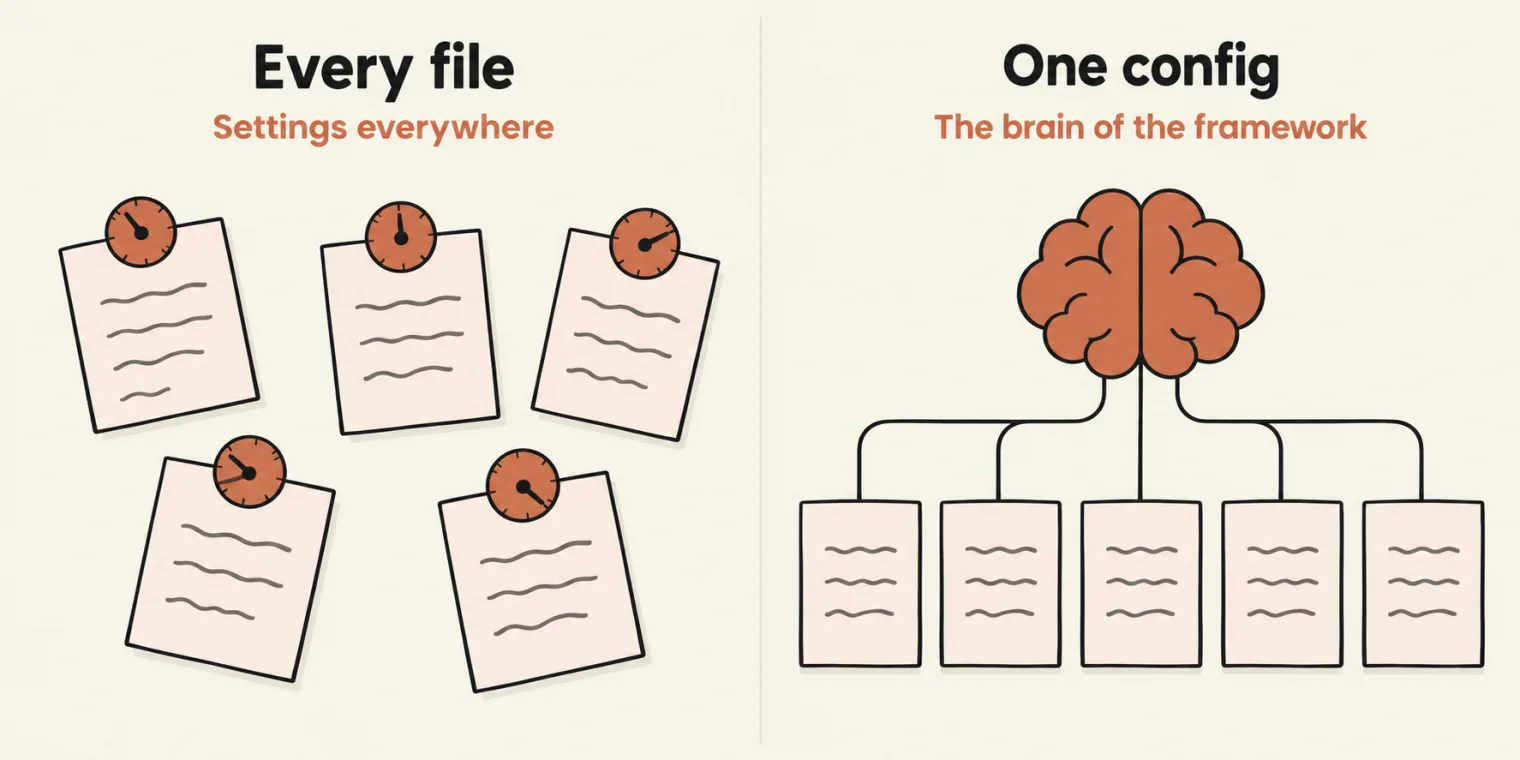
- Step 4: playwright.config.ts, the brain of the framework
- Headless on CI with !!process.env.CI
- Step 5: the .env file, and why it exists
- Step 6: switching the base URL by environment
- Step 7: page objects, by hand or by AI
- AI in the build, and in interviews
- Version 0.5 now, 1.0 next, 2.0 after
- Tasks: bring your framework to this level before the next class
From plan to project
Last class was the plan: what a framework is, why it matters, the tech stack and the folder structure. This class builds it, in a new window and a new project, Advanced Playwright Framework.
Manually or with AI? A mix. The batch learned the fundamentals by hand, so now AI is fair game for the repetitive parts. Whether you may use AI in an interview is another matter: it depends on the interviewer.
The target is the architecture picture from the notes (page objects, fixtures, utilities, test data, observability, configuration, execution) and its folder structure: an .env file, a GitHub workflows folder for GitHub Actions, Docker for running in containers, package.json because it is an npm project, a Playwright config because it is a Playwright project, tsconfig.json because it is a TypeScript project, and under src: config, fixtures, pages, test data, tests and utils. Sharding and the end-to-end flows come later. The steps from the class notes, and where each one landed:
| Step | In the notes | In the repo |
|---|---|---|
| 1 | Structure of the Playwright test | npm init playwright@latest: package.json, the config, a GitHub Actions workflow |
| 2 | Install framework dependencies | package.json |
| 3 | Create the folder structure | the src folders, made by AI |
| 4 | Create playwright.config.ts |
playwright.config.ts |
| 5 | Create .env |
.env.example; .env itself is gitignored |
| 6 | Add environment switching | resolveBaseURL() in the config |
| 7 | Create the page object model | LoginPage, InventoryPage, CartPage |
Step 1: create the project
There are two ways, and both work. From the class notes, the normal way:
npm init -y
npm install -D @playwright/test typescript @types/node
npx playwright install --with-deps
Or the direct Playwright setup:
npm init playwright@latest
The instructor prefers the second, because it sets up the folder structure for you. It asks a few questions (TypeScript or JavaScript, where the tests live, whether to add a GitHub Actions workflow, whether to install the browsers), then writes a config, an example test and the workflow. The repo shows its marks: @playwright/test at 1.64.1, @types/node, and .github/workflows/playwright.yml. The example test was deleted later. If an interviewer bans AI, these commands are all you need.
No typescript package. npm init playwright@latest does not install TypeScript, because Playwright compiles .ts files itself, so package.json has none. To type-check, the repo's learnings note runs TypeScript without installing it:
npx -y -p typescript@5.9 tsc --noEmit -p .
On the pushed repo it prints nothing and exits with 0: no type errors.
Step 2: the dependencies
From the class notes:
npm install -D dotenv
npm install -D csv-parse
npm install -D xlsx
npm install -D winston
npm install -D @faker-js/faker
npm install -D jsonpath-plus
npm install -D ajv
npm install -D ajv-formats
npm install -D allure-playwright
| Package | For |
|---|---|
dotenv |
reading the .env file |
csv-parse, xlsx |
CSV and Excel test data |
winston |
the logger |
@faker-js/faker |
fake test data |
jsonpath-plus |
JSON paths, for the API tests |
ajv, ajv-formats |
JSON schema validation, for the API tests (the tech stack in the last class named Zod for this) |
allure-playwright |
optional, for anyone who wants Allure reports |
How do you remember them all? Experience: the instructor has built this framework many times. The package.json as pushed:
{
  "name": "advanceplaywrightframework3x",
  "version": "1.0.0",
  "description": "",
  "main": "index.js",
  "scripts": {},
  "keywords": [],
  "author": "",
  "license": "ISC",
  "devDependencies": {
    "@faker-js/faker": "^10.6.0",
    "@playwright/test": "^1.64.1",
    "@types/js-yaml": "^4.0.9",
    "@types/node": "^26.6.5",
    "ajv": "^8.20.0",
    "ajv-formats": "^3.0.1",
    "allure-playwright": "^3.14.0",
    "csv-parse": "^7.0.3",
    "dotenv": "^18.0.8",
    "exceljs": "^4.4.0",
    "js-yaml": "^5.5.0",
    "jsonpath-plus": "^11.2.1",
    "mysql2": "^3.24.6",
    "winston": "^3.19.0",
    "xlsx": "^0.18.5"
  }
}
Besides the list, it has exceljs, js-yaml, @types/js-yaml and mysql2: the data readers copied in later need them. Nothing imports winston, csv-parse, xlsx, ajv, jsonpath-plus or Faker yet: they are installed for the classes ahead.
Step 3: the folder structure, made by AI
For the folders, the instructor used what he called a cheating method: copy the architecture picture from the notes, give it to the AI, and ask for a folder structure like it, with API, configuration, fixtures, pages, test data, documentation, utilities, rules and GitHub folders. You could right-click and create each folder yourself, but, as the instructor put it, we are not typists. A plain prompt without the picture works too, and so does creating the folders by hand. The AI layer gets its own folder later; for now src/ai holds only what the copied reporter imports.
Copying from the 3x project
Several pieces already existed in the batch's fundamentals project, LearningPlaywrightFundamentals3x, so they were copied across rather than rewritten: the custom reporter, the data readers, the page objects for login, inventory and cart, and the login spec from the page object model class. Then one prompt to the AI:
fix the project and run it. Run it via the custom reporter and open the HTML file of custom report.
Moving files between projects breaks imports, and the AI fixed them. The note it wrote in the repo's learnings folder lists what it found: the reporter imports its AI modules and a self-heal file, which had not come across; the readers needed exceljs, js-yaml and mysql2; and the spec imported ./pages/LoginPage, which became ../pages/LoginPage now that specs live in src/tests and pages in src/pages.
Compared with the 3x project, the page objects, the AI modules and the four readers arrived byte for byte. The Excel generator got its new output path, the reporter now strips terminal colour codes from errors, and the spec changed the most, as the next section shows.
The copied login spec on three browsers
The AI ran the login spec on the three browsers the generated config listed, and it passed on Chromium and failed on Firefox and WebKit. The repo's learnings note records why: the spec from the page object model class checked the login page's own title after the click. This is its line 16 in the 3x project:
await expect(page).toHaveTitle("TTACart - Login");
Put that assertion back into the pushed spec and run the three browsers:
Running 3 tests using 1 worker

  ✓  1 [chromium] › src/tests/login.spec.ts:5:9 › POM with Login Page Simple › Login with valid credns (878ms)
  ✘  2 [firefox] › src/tests/login.spec.ts:5:9 › POM with Login Page Simple › Login with valid credns (6.5s)
  ✘  3 [webkit] › src/tests/login.spec.ts:5:9 › POM with Login Page Simple › Login with valid credns (5.8s)

  1) [firefox] › src/tests/login.spec.ts:5:9 › POM with Login Page Simple › Login with valid credns

    Error: expect(page).toHaveTitle(expected) failed

    Expected: "TTACart - Login"
    Received: "TTACart - Products"
    Timeout:  5000ms

    Call log:
      - Expect "toHaveTitle" with timeout 5000ms
        13 × locator resolved to <html lang="en">…</html>
           - unexpected value "TTACart - Products"

       8 |             await loginPage.login("<username>","<password>");
       9 |             // A valid login lands on the inventory page.
    > 10 |             await expect(page).toHaveTitle("TTACart - Login");
         |                                ^
      11 |     });
      12 | });
        at src/tests/login.spec.ts:10:32

    Error Context: test-results/login-POM-with-Login-Page-Simple-Login-with-valid-credns-firefox/error-context.md

  2) [webkit] › src/tests/login.spec.ts:5:9 › POM with Login Page Simple › Login with valid credns ─

    Error: expect(page).toHaveTitle(expected) failed

    Expected: "TTACart - Login"
    Received: "TTACart - Products"
    Timeout:  5000ms

    Call log:
      - Expect "toHaveTitle" with timeout 5000ms
        - waiting for navigation to finish...
        - navigated to "https://app.thetestingacademy.com/playwright/ttacart/inventory"
        13 × locator resolved to <html lang="en">…</html>
           - unexpected value "TTACart - Products"

       8 |             await loginPage.login("<username>","<password>");
       9 |             // A valid login lands on the inventory page.
    > 10 |             await expect(page).toHaveTitle("TTACart - Login");
         |                                ^
      11 |     });
      12 | });
        at src/tests/login.spec.ts:10:32

    Error Context: test-results/login-POM-with-Login-Page-Simple-Login-with-valid-credns-webkit/error-context.md

  2 failed
    [firefox] › src/tests/login.spec.ts:5:9 › POM with Login Page Simple › Login with valid credns ─
    [webkit] › src/tests/login.spec.ts:5:9 › POM with Login Page Simple › Login with valid credns ──
  1 passed (14.5s)
Why the green run was false. toHaveTitle retries until the title matches or the timeout ends. In Chromium the click returns while the browser is still on the login page, so the first read already sees TTACart - Login, and the check passes before the inventory page has loaded. In Firefox and WebKit the navigation finishes first, the title is TTACart - Products, and the check fails after its 5-second timeout. The pass on Chromium only proved the login page had a title.
Each failure also left an error-context.md, the file for AI from the last class. Its top half, from the Firefox run (the rest is a snapshot of the page and the test's source):
# Instructions

- Following Playwright test failed.
- Explain why, be concise, respect Playwright best practices.
- Provide a snippet of code with the fix, if possible.

# Test info

- Name: login.spec.ts >> POM with Login Page Simple >> Login with valid credns
- Location: src/tests/login.spec.ts:5:9

# Error details

```
Error: expect(page).toHaveTitle(expected) failed

Expected: "TTACart - Login"
Received: "TTACart - Products"
Timeout:  5000ms

Call log:
  - Expect "toHaveTitle" with timeout 5000ms
    13 × locator resolved to <html lang="en">…</html>
       - unexpected value "TTACart - Products"

```
The fix asserts the page a valid login reaches. The spec as pushed (line 8 passes TTACart's demo login, shown here as placeholders; the login details are in the task post):
import { test, expect } from '@playwright/test';
import { LoginPage } from '../pages/LoginPage';

test.describe('POM with Login Page Simple', () => {
    test('Login with valid credns', async ({ page }) => {
            const loginPage = new LoginPage(page);
            await loginPage.goto();
            await loginPage.login("<username>","<password>");
            // A valid login lands on the inventory page.
            await expect(page).toHaveTitle("TTACart - Products");
    });
});
Running 3 tests using 1 worker

  ✓  1 [chromium] › src/tests/login.spec.ts:5:9 › POM with Login Page Simple › Login with valid credns (1.2s)
  ✓  2 [firefox] › src/tests/login.spec.ts:5:9 › POM with Login Page Simple › Login with valid credns (1.6s)
  ✓  3 [webkit] › src/tests/login.spec.ts:5:9 › POM with Login Page Simple › Login with valid credns (1.7s)

  3 passed (6.0s)
The rule the AI wrote into the learnings note:
When an assertion passes on one browser and fails on others, suspect it is checking the state before an action took effect. Read the call log for where the page actually ended up, and assert that destination.
Step 4: playwright.config.ts, the brain of the framework
The instructor calls the Playwright config the brain of the framework. From the class notes, it controls where tests live, the timeout, the browser, retries, reports, screenshots, videos, traces, the environment, and an API project if there is one. Lines 33 to 78 of the pushed config:
/**
 * See https://playwright.dev/docs/test-configuration.
 */
export default defineConfig({
  testDir: './src/tests',
  /* Run tests in files in parallel */
  fullyParallel: true,
  /* Fail the build on CI if you accidentally left test.only in the source code. */
  forbidOnly: !!process.env.CI,
  /* Retry on CI only */
  retries: process.env.CI ? 2 : 0,
  /* Opt out of parallel tests on CI. */
  workers: process.env.CI ? 1 : undefined,
  /* Reporter to use. See https://playwright.dev/docs/test-reporters */
  reporter: [
    ['line'],
    ['html', { open: 'never' }],
    /* TTA custom report, written to tta-report/ (index.html always points to the latest run). */
    ['./src/utils/CustomReporter.ts'],
  ],
  /* Shared settings for all the projects below. See https://playwright.dev/docs/api/class-testoptions. */
  use: {
    /* Base URL to use in actions like `await page.goto('')`. */
    baseURL: resolveBaseURL(),

    /* Media for the custom report. 'on' captures for every test, pass or fail.
       For a real suite prefer 'only-on-failure' / 'retain-on-failure'. */
    screenshot: 'on',
    video: 'on',
    trace: 'on',

    /* Headed locally. CI runners have no display, so stay headless there. */
    headless: !!process.env.CI,
  },

  /* Configure projects for major browsers */
  projects: [
    {
      name: 'chromium',
      /* Full HD. Set after the device spread, because devices['Desktop Chrome']
         carries its own 1280x720 viewport and project-level `use` wins. */
      use: {
        ...devices['Desktop Chrome'],
        viewport: { width: 1920, height: 1080 },
      },
    }
testDiris./src/tests, andfullyParallelruns the tests in parallel.forbidOnly,retriesandworkersdepend onprocess.env.CI: on CI a leftovertest.onlyfails the build, failures retry twice, and one worker runs. They came withnpm init playwright; workers and CI get their own class later.- Reporters:
line, Playwright'shtmlreport, and the TTA custom reporter, which writestta-report/. The learnings note explainsopen: 'never': without it the HTML reporter starts a server that blocks whenever a test fails. baseURLcomes fromresolveBaseURL(), step 6.- Screenshot, video and trace are all
'on', so the custom report always has something to show. The comment suggests'only-on-failure'and'retain-on-failure'for a large suite. - One browser for now. The generated config ran Chromium, Firefox and WebKit; the class keeps Chromium. Lines 80 to 108 keep Firefox, WebKit, mobile and branded browsers, commented out.
- 1920 × 1080. The class asked for a full HD window, as in earlier classes. The viewport goes after
...devices['Desktop Chrome'], because that device carries its own 1280 × 720 viewport and the later key wins.
The config in the notes (step 6) differs from the pushed one in a few settings:
| Setting | In the notes | As pushed |
|---|---|---|
| Test timeout | 60_000 |
Playwright's default, 30 seconds |
expect timeout |
10_000 |
Playwright's default, 5 seconds |
| Reporters | html, list |
line, html, the TTA reporter |
| Screenshot | 'only-on-failure' |
'on' |
| Trace | 'on-first-retry' |
'on' |
headless, viewport |
not set | !!process.env.CI, 1920 × 1080 |
forbidOnly, workers |
not set | set on CI |
Run under a minimal headless config with the same Chromium project at 1920 × 1080:
Running 1 test using 1 worker

  ✓  1 [chromium] › src/tests/login.spec.ts:5:9 › POM with Login Page Simple › Login with valid credns (1.8s)

  1 passed (2.3s)
Headless on CI with !!process.env.CI
The class asked the AI for two settings: headless false, and a 1920 × 1080 window. For headless, it wrote line 65: headless: !!process.env.CI. A visible browser on your machine, and headless on a CI server, which has no display. Why two exclamation marks? "This is a new thing for me also," said the instructor, and read the AI's answer: one ! flips a value, and two turn it into a plain true or false without flipping it.
The first ! converts any value to a boolean and flips it; the second flips it back. So !!x is simply "x as a boolean". GitHub Actions sets CI to true, and on your machine CI is not set. Run with Node for each value CI can take, the middle column is !process.env.CI and the last is !!process.env.CI:
| CI is | With one ! | With two !, so headless is |
|---|---|---|
| not set (your machine) | true |
false: a visible browser |
"true" (GitHub Actions) |
false |
true: headless |
"false" |
false |
true: headless |
"" (empty) |
true |
false: a visible browser |
With a single ! you get the reverse: headless on your machine, and a headed browser on a CI runner that has nowhere to show it.
The mechanism, stated plainly. In class the double ! was also described as flipping the value. It does not: it leaves truth as it is and only makes it a real boolean. The conclusion stands (headed locally, headless on CI). One edge case follows from it: environment variables are strings, so CI=false is the non-empty string "false", which is truthy, and the run is headless.
The repo's own GitHub Actions workflow, the one npm init playwright generated, ran on the push. The test lines of its log:
Running 1 test using 1 worker
[1/1] [chromium] › src/tests/login.spec.ts:5:9 › POM with Login Page Simple › Login with valid credns
  1 passed (2.2s)
AI writes code like this all the time, code that works and that you may not understand. That is why the batch met Ponytail in the data-driven class.
Step 5: the .env file, and why it exists
Why a .env file? Different environments have different URLs: QA, staging and the rest. Configuration and credentials belong outside the framework, so the same framework can point at another site just by changing the file. It is like a property file. The usernames and passwords go there too, and the file is never committed: .gitignore lists .env. The repo ships a template instead:
# Copy to .env and fill in:  cp .env.example .env

# Which environment to target: qa | stg | prod | dev | api
# Ignored when BASE_URL is set, so leave BASE_URL empty to switch with TTA_ENV.
TTA_ENV=qa
BASE_URL=

QA_BASE_URL=https://app.thetestingacademy.com
STG_BASE_URL=https://stage.thetestingacademy.com
PROD_BASE_URL=https://app.thetestingacademy.com
DEV_BASE_URL=http://localhost:3000
API_BASE_URL=https://restful-booker.herokuapp.com

LOG_LEVEL=info

# Shown in the header of the TTA custom report
TEST_ENV=QA
TEST_AUTHOR=your_name

USERNAME=your_username
PASSWORD=your_password

# Optional: enables the AI Verdict tab in the TTA report (any one key)
# ANTHROPIC_API_KEY=
# OPENAI_API_KEY=
# GOOGLE_API_KEY=

# Optional: MySQL for data-driven tests (src/utils/dbReader.ts)
# MYSQL_HOST=localhost
# MYSQL_PORT=3306
# MYSQL_USER=root
# MYSQL_PASSWORD=
# MYSQL_DATABASE=playwright_ddt
Leave BASE_URL empty. The .env in the class notes sets BASE_URL, and a set BASE_URL wins over TTA_ENV (step 6), so changing TTA_ENV would change nothing. The repo's template leaves it empty, as its comment says. And on Windows, the README warns, USERNAME is already set to your Windows login name, and dotenv does not overwrite a variable that exists, so process.env.USERNAME is not the value in .env.
Step 6: switching the base URL by environment
The base URL should follow the environment you want to test. So the config gets a function, written above defineConfig. Can a config file hold a function? Yes. Lines 1 to 31:
import { defineConfig, devices } from '@playwright/test';

/**
 * Read environment variables from file.
 * https://github.com/motdotla/dotenv
 */
import dotenv from 'dotenv';
import path from 'path';
dotenv.config({ path: path.resolve(__dirname, '.env') });

function resolveBaseURL(): string {
  if (process.env.BASE_URL) return process.env.BASE_URL;
  const env = (process.env.TTA_ENV || 'qa').toLowerCase();
  switch (env) {
    case 'api':
      return process.env.API_BASE_URL || 'https://restful-booker.herokuapp.com';
    case 'dev':
    case 'local':
      return process.env.DEV_BASE_URL || 'http://localhost:3000';
    case 'stg':
    case 'stage':
    case 'staging':
      return process.env.STG_BASE_URL || 'https://stage.thetestingacademy.com';
    case 'prod':
    case 'production':
      return process.env.PROD_BASE_URL || 'https://app.thetestingacademy.com';
    case 'qa':
    default:
      return process.env.QA_BASE_URL || 'https://app.thetestingacademy.com';
  }
}
dotenv.config()loads.envintoprocess.env, so every value in it is available in the config.- If
BASE_URLis set, it wins. - Otherwise
TTA_ENVnames the environment,qaif it is unset, and.toLowerCase()is a safeguard for anyone who typesQA. - A
switchpicks the variable for that environment. Each one readsprocess.env.X || 'https://...': the value from.env, or the URL written here as a fallback. Without the fallback, a missing.envleaves the base URL empty, and the tests that rely on it fail.
TTA_ENV runs against QA.What it returns for each value of TTA_ENV, with no .env file present, run against the class's own config:
| Environment | Base URL |
|---|---|
| not set | https://app.thetestingacademy.com |
qa |
https://app.thetestingacademy.com |
QA |
https://app.thetestingacademy.com |
stg |
https://stage.thetestingacademy.com |
Staging |
https://stage.thetestingacademy.com |
prod |
https://app.thetestingacademy.com |
dev |
http://localhost:3000 |
local |
http://localhost:3000 |
api |
https://restful-booker.herokuapp.com |
uat |
https://app.thetestingacademy.com |
Two more runs show which value wins. With TTA_ENV=stg and BASE_URL=https://app.thetestingacademy.com, the base URL is https://app.thetestingacademy.com: a set BASE_URL beats TTA_ENV. With TTA_ENV=qa and QA_BASE_URL=https://app.thetestingacademy.com/playwright/, it is https://app.thetestingacademy.com/playwright/: a value from the environment beats the fallback.
Nothing uses baseURL yet. The page objects copied from the POM class open full URLs (this.page.goto('https://app.thetestingacademy.com/playwright/ttacart/') in LoginPage), so the switch does not reach the spec: run the pushed spec with TTA_ENV=stg and it still passes, against the same site. It starts to matter once page objects open relative paths. Note too that the staging and dev URLs in the code are placeholders: stage.thetestingacademy.com does not resolve, and localhost:3000 is your own machine.
Running 1 test using 1 worker

  ✓  1 [chromium] › src/tests/login.spec.ts:5:9 › POM with Login Page Simple › Login with valid credns (1.5s)

  1 passed (1.9s)
Step 7: page objects, by hand or by AI
From the class notes, the TTACart pages to model: LoginPage, InventoryPage, Cart Page, CheckOne, CheckTwo and OrderConfirmation. Login, inventory and cart are in, copied unchanged from the page object model class. Checkout one, checkout two and order confirmation remain.
Should the next page object be written by hand or by AI? Now that LoginPage exists, the AI knows how you write a page object, so either works. Use AI to replicate and to do repetitive work, once you understand what it writes: where a page object lives, what goto and login do, what async and await mean. If AI does the thinking, it thinks and you do not; with your base ready, AI can replicate it and make it better.
AI in the build, and in interviews
Interviews and day-to-day work with agents are different worlds right now. When the agent is on, everyone looks senior; when it is off, nobody does. Learners report interviews where every AI tool is banned outright, and code is written in Notepad++ or a plain IDE such as PyCharm or IntelliJ. Those are coding exercises, such as reversing a string or finding a substring, not frameworks. So understand what you type.
Want a prompt that builds a whole framework? The skills on QA Skills can generate a similar structure, but what the class builds goes further, and a prompt of your own comes at the end of the course.
Version 0.5 now, 1.0 next, 2.0 after
Today's framework is a beta, version 0.5. From the class notes, version 1.0 needs three things: finish the fixture, page objects of all pages, and a base page, through single inheritance, the OOP idea from earlier in the course. Then the next level, version 2.0, over three to five more classes:
- Fixtures
- API testing
- Cucumber
- The AI agent factory, and running via Docker with sharding
- Jenkins, continuing: Git and GitHub Actions in live classes, and a GitLab tutorial to follow on your own
Tasks and announcements
- Today's task: build the framework to this level, version 0.5, before the next class. It is the minimum: the next classes build on it, and without it they will not make sense.
- The repo: AdvancePlaywrightFramework3x, pushed with a README as the class ended. Meeti shares the link.
- Doubts go in the doubt thread, which Meeti shares again.
- Manual testing course: access is being given to learners who need the basics, after a question on regression against functional testing. In short: regression testing checks that existing features still work after a new feature is added, and the real distinction is functional against non-functional testing.
- Next class: the base page, fixtures and the remaining page objects. A shortcut command to start the framework can come later.
Task, version 0.5. Build your framework to this level: create the project with npm init playwright@latest, install the dependencies, create the folder structure, bring in the reporter, the page objects and the login spec, and write playwright.config.ts with the .env file and resolveBaseURL(). Then get the login spec passing.
Interview questions. What does playwright.config.ts control? What does !!process.env.CI evaluate to on your machine, and on a CI runner? Why keep URLs and credentials in .env, and what happens when a value is missing?