What this class covered
- Where the batch stands: the page object model done, the framework next
- What a framework is: reusable, maintainable, scalable
- Why a flat folder of specs breaks at fifty tests
- The tech stack, an interview answer in thirteen lines
- Fixtures: one you already use, the rest to come
- Layer 1: every page, with its locators and actions
- Layer 3: the element utility, then a file reader, a data factory and the Winston logger
- Layer 4: test data
- Why the theory comes first
- Layer 5: observability, from logs to HAR files and traces
- Layers 6 and 7: configuration and execution
- Layer 8: reports, and the error-context.md file
- Layers 9 and 10: CI/CD, visual testing and quality checks
- The finished framework's folders, and the files written for AI agents
- The recap: eleven layers, in the order you explain them
- Tasks: read the framework document and find its steps
Where the batch stands
The fundamentals are done. The page object model was the last of them and its code is pushed, so the batch's fundamentals project, LearningPlaywrightFundamentals3x, is complete and rests. Over the next two or three classes the batch builds an advanced Playwright framework in a new project, folder by folder, and fixtures come with it. This class is the theory: what to build and why, before a single line is written.
Two short recorded lessons, on window handles and on date pickers, are being added to the course.
What a framework is, and why
Asked why anyone builds a framework, the class offered: to organise the tests, to structure them, to keep them easy to maintain, to make them reusable. The answer in one line: a framework is a structured way of writing and managing your code. Remember three words for why you want one: reusable, maintainable and scalable. The class notes put it as organising your source code into folders that are all three.
A flat folder of specs is fine for ten or twelve tests, and breaks at fifty. From the class notes:
- A flat folder of
.spec.tsfiles works for ten tests. It breaks at fifty. - When tests grow, the same locator gets re-typed in twelve places.
- The login flow gets re-implemented for every spec. Hard-coded URLs leak into the code.
- CSVs of users get pasted inline.
And a CI run gets slower the less order the code has. A framework is the discipline that stops this. It gives you one place each for locators (pages/), data (testdata/), environment config (.env and config/), utilities (utils/), and custom reporters and fixtures. Add Docker and the suite runs the same way everywhere, on GitHub Actions or on Jenkins; shard it across four GitHub Actions runners and, in the notes' example, a 40-minute suite runs in 10.
The tech stack, as an interview answer
"What is your tech stack?" comes up in interviews, and a vague answer costs you. The class's first answers were JavaScript, TypeScript, Playwright, the page object model, Node.js, env files, Excel and JSON, APIs and logs. The full answer, from the class notes, with what was said about each:
| # | In the notes | What was said |
|---|---|---|
| 1 | Playwright | |
| 2 | TypeScript | |
| 3 | Page Object Model | |
| 4 | JSON fixtures, test data (page) | page is a fixture you already use |
| 5 | Custom TTA Reporter, Allure Reporter, built-in HTML and JSON reporters | the batch's own reporter, or Allure or the built-in ones, whichever you prefer |
| 6 | Faker JS, dotenv, Zod (APIs) | Zod validates API schemas |
| 7 | ESLint and Prettier | ESLint holds your TypeScript to a quality bar; Prettier formats it |
| 8 | Database: an SQL package from npm to connect | |
| 9 | XLocator, an open-source project for locators | or the Snap Locator strategies |
| 10 | CI and CD: GitHub and Git, Jenkins, GitHub Actions, Docker | |
| 11 | AI wrapper: an LLM gateway (OpenRouter, Groq, the OpenAI API, or a local LLM such as Ollama or LM Studio), failure RCA, visual regression, AI test data | the newest part, and "where the things will get interesting": agents |
| 12 | Playwright MCP, AI agents, CLI | optional extras |
| 13 | API testing, Cucumber (BDD) | added after the core |
Codegen is not part of the stack: it only generates code. BDD means Cucumber. And the order of work is fixed: the core framework first, then API testing, Cucumber and the AI part.
Fixtures: one you already use. Line 4 notes page, because every test so far has asked for page, and page is a fixture. Fixtures are an old idea, common to Cypress and to many other languages, not something new in Playwright. The class left the rest of them for later.
Layer 1: every page, with its locators and actions
The framework is built against TTACart, a practice shop on the Testing Academy site. Its pages, in the order a buyer meets them: login, inventory, item detail, cart, checkout one, checkout two and checkout complete.
For each page, write down the two halves from the page object model class: the page locators and the page actions. For the login page, the locators are the username input, the password input, the login button and the error banner. There is no logout button here; that is on the pages after login. The actions are open, log in as a user, and expect the error after an invalid login. The inventory page gets the same treatment: sort the products, add to cart, open the cart.
Why start here? Because it is the right order for any framework, and because it gives AI a direction. Copilot and Claude Code can write all of it, but an agent without direction builds things you never asked for. A list like this is the context that says "build only this": hand it to an AI tool and it produces the page object structure you wanted. Work out the pages, their locators and their actions, and half the task is done.
Layer 2 is fixtures, left for later.
Layer 3: the element utility, and the other helpers
Every page object clicks, fills and reads text. The element utility is one class that makes those actions generic: click, fill, getText, getAttribute and isVisible all live in it, and every page object calls it.
Asked why, the class said reusability, and not writing the same code twice. Close, but the reason given was narrower: when an action changes, one file changes. If click needs a log line, or any other change, you edit the util element locator file and not one page object.
The other helpers in this layer:
- File reader. Tests read data from JSON, CSV and XLS files, and sometimes write JSON, so there are reader utilities for each.
- Data factory. A utility that generates fake data: a username, a card, a random zip code (a PIN code, in India), or a product picked at random. The checkout steps need details like these, and when a test needs thousands of users, the factory makes them.
- Logger. The framework logs with Winston, a well-known logger on npm. Logging is for debugging, and for knowing what the framework did: whether an element was clicked, whether the click worked but the assertion failed, whether a file failed to load. It writes to the console and to a file, at different levels, and does not slow a run down much.
Page factory is not used in Playwright; the page object model is enough.
Layer 4: test data
Test data is what the tests need to know: the users, with their usernames and passwords; the products, each with an id, a name and a price; registration details. Each kind can sit in its own file, and values can also come from a database or from Faker.
Why the theory comes first
"Why are we learning this?" came up mid-class, and the answer is the interview: one day someone will say "explain your framework", and these layers are what you explain.
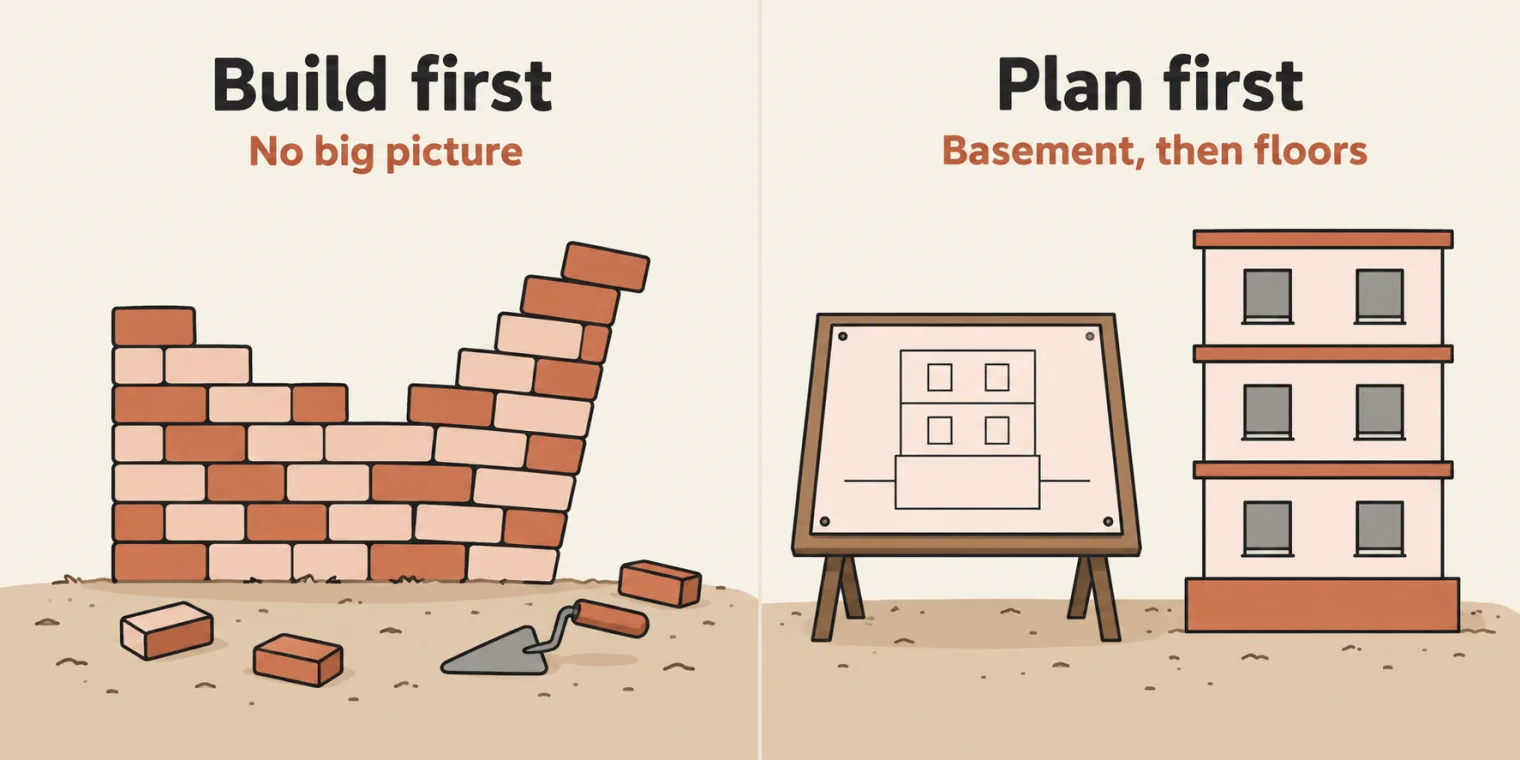
The instructor's analogy: before you put up a building, you need to know what its basement looks like and what its floors look like. See the big picture first, then build. Most people now type straight into an AI tool and start there, and they are the ones getting rejected. The instructor interviews candidates and has sat on hiring teams, and the people rejected most often are those who use GitHub Copilot or Codex blindly: they ask for "a framework for Playwright" and cannot explain what came back. The agent did the work, not them.
Layer 5: observability
Observability is what every run leaves behind: the logs from the logger, every network request in a HAR file (HTTP Archive format), the browser's console errors in a text file, and a report with every step, screenshot and video, as evidence. Playwright's traces are there by default, along with the failing locator and its selector chain. The point of all of it: when something breaks later, you can debug it from what the run captured.
You can see a HAR file yourself. Open the browser's developer tools, go to the Network tab, refresh, and save all the requests as a HAR file. It is used for debugging, nothing more, and since Playwright's traces already capture the network requests, most of this comes for free.
Layers 6 and 7: configuration and execution
Configuration lives in playwright.config: the environments, the reporters and the projects. Each environment has its own URL: QA is app.thetestingacademy.com, and staging, dev and production each have a different one. The projects are the browsers to test on: Chromium, Firefox, WebKit and Mobile Chrome.
Execution is how a run is chosen: set the environment, then run, for example, the smoke tests on Chromium, four in parallel, in debug mode, or sharded. Sharding and workers are explained with CI/CD, at the end. Suites are picked by tags on the tests: smoke, regression, end-to-end, visual and flaky.
Layer 8: reports, and error-context.md
Playwright's default HTML report is not much use, in the instructor's view, and Allure is not great either. The framework uses Trace Viewer and its own custom reporter, the TTA report.
On a failure, the artifacts are a screenshot, the trace, the video, and, in recent Playwright versions, an error-context.md file, written automatically. It is context for AI: give it to GitHub Copilot or Claude Code, and it can fix your test.
Layers 9 and 10: CI/CD and quality
CI/CD runs the suite somewhere other than your laptop: on GitHub Actions, in Docker containers, or through Jenkins. The batch sees Jenkins first, then GitHub Actions, then Docker. Cloud grids such as BrowserStack and LambdaTest, which run tests across many browsers, come later. Visual testing fits here too: compare two screenshots, and any change in the UI shows up.
Quality is checked by scripts: ESLint, Prettier and the TypeScript compiler with tsc --noEmit. The dependencies for all of it: @playwright/test, Faker, a CSV parser, XLSX, dotenv, Winston, Allure, TypeScript, ESLint and Prettier. Version control is Git, on GitHub.
The finished framework
The class then toured the end goal, the 2x batch's finished framework, AdvancePlaywrightFramework2x. The 3x build starts from scratch, but this is where it ends up.
- utils holds the custom reporter, the data generator, the schema validator, the element locator utility,
logger.ts, the self-healing code and the visual step helper. - tests has login and end-to-end tests, API tests and AI tests. One AI test shows self-healing: when a locator fails, a heal-locator function finds one that works.
- testdata holds login data, booking data and schemas.
- pages has every page from layer 1, plus a base page, because the framework uses the OOP ideas from earlier in the course: inheritance, abstraction and polymorphism.
- fixtures holds the test base, and a fixture for the API.
- config holds credentials, and an environment file that reads the
.envfile. - api is for API utilities. ai holds an LLM client, an agent factory and the four agents to be built: a self-healer, an RCA agent, a flaky-test agent and a data generator.
Then the files that are not for you at all, but for AI agents, which most companies are now adding:
- docs describes how the framework runs CI/CD, adds the AI factory and checks quality, and holds the Postman collection and other assets.
- learnings records how to add a custom reporter, use dotenv, structure the project, and write a test for a new feature, so an agent can do the same.
- CLAUDE.md tells Claude what it needs to know, such as how to run the tests and the folder structure. AGENTS.md does the same for GitHub Copilot. Skill files can go alongside.
- Next to them sit
tsconfig.json,playwright.config.ts,.gitignoreand.env.example.
The framework supports every agentic development environment, so it carries one folder per AI tool: one for Cursor, the .github folder for GitHub Copilot, one for Windsurf, and others. Keep the folder for the tool you use and delete the rest. Command Code and OpenCode share one.
Questions from the class, answered briefly: the Postman collection lives in docs; the API tests automate REST APIs only; once the base framework is ready, an existing Selenium framework can be converted to Playwright; a database connection is just one more utility file; and mobile automation is a separate topic.
The recap: eleven layers
To finish, the whole structure in order. When an interviewer says "explain your framework", start here: the layers first, then the files.
The instructor shared a link to the framework document, with a screenshot of it. The same layered architecture also exists as a skill that can build the framework from scratch, but the batch builds it by hand.
Tasks and announcements
- Today's task: go through the framework document Meeti shares, with its screenshot, and work out the thirteen or fourteen steps the framework will be built in.
- Next class: fixtures, and the build starts in a new project.
- Recorded lessons on window handles and date pickers are being added to the course.
- Tuesday's class goes ahead despite the festival; any change will be announced.
Interview question: explain your framework. Answer it out loud, in order: the pages with their locators and actions, fixtures, utilities, test data, observability, configuration, execution, reports, CI/CD, quality and AI. Then give the tech stack, line by line.
Task. Go through the framework document and work out the thirteen or fourteen steps the framework will be built in.