What this class covered
- Where the framework stands, and the plan: a util element locator, a logger and a base page, then fixtures and the first end-to-end test
- Why a util element locator: one file to change, not fifty pages
- The logger first: Winston, the line format and createLogger
- Line 27 as pushed: a logger that cannot load, and the one-line fix
- Log levels, from error at 0 to silly at 6
- The utility's imports, and what @utils means
- Flex: one type for a CSS or XPath string and a Playwright locator
- toLocator, describe and the scope
- click, step by step, and the rest of the actions
- The 15-second default timeout, and why there is no assertion utility
- BasePage: the page, the utility and the logger, ready before any page action
- Every page extends BasePage: super(), protected and private
- Seven page objects from Snap Locator, found by walking the flow
- The first end-to-end test, planned: a data generator and a fixture come first
- Today's task, the login spec: it never opens the page, and the fix
- Tasks: run the login spec, then build the utility yourself
Where the framework stands
Last class built the project: the TypeScript and Playwright configs with resolveBaseURL(), the first login spec and the page objects. The fixtures, config and API folders are still empty, and of the utilities only the reporter and the data readers copied from the 3x project are in.
This class sets out three major pieces: the util element locator, fixtures and the end-to-end tests. With those, the instructor said, the framework is 95 to 97 percent ready. A logger goes in alongside, and after that API testing, Cucumber or the AI part can go on top. One more piece comes first: a base page that the login page inherits from, single inheritance from the OOP classes.
What was pushed as the class ended:
| File | In the commit |
|---|---|
src/utils/logger.ts |
new: the Winston logger |
src/utils/UtilElementLocator.ts |
new: every action in one class |
src/pages/BasePage.ts |
new: the parent of every page object |
LoginPage, InventoryPage, CartPage |
rewritten to extend BasePage |
ItemDetailPage and the three checkout pages |
new |
src/tests/login.spec.ts |
changed: one loginAs() call |
src/tests/e2e/e2e-checkout.spec.ts |
new: the plan, as comments |
test-base.ts, DataGenerators.ts |
new and empty, for the next class |
README.md, .gitignore |
the layers documented; /logs/ ignored |
Last class listed three things for version 1.0: the fixture, page objects for every page, and a base page. This class delivered the base page and the page objects. The fixture and the data generator moved to the next class.
Why a util element locator
Every page object has two halves: the page locators and the page actions. The actions are the same on every page: click, fill, submit. Now suppose click changes, say you want a log line on every click. With fifty pages, that is fifty edits. So the generic actions move into one utility, the util element locator, and the page objects call it. When click changes, one file changes.
What goes in it? The class listed the common element actions: click, double click, right click and hover; fill, type, clear and press sequentially; get text, get inner text, get attribute and get value; count; is visible and is enabled. The theory class drew this layer; now it is code.
Why "locator" in the name, when the file holds functions? Because every function works on an element you hand it. Give click the login button and it clicks the login button; give it an element of the inventory page and it clicks that. The file holds the common utilities for elements, and the page objects consume it.
The logger: Winston and createLogger
The logger comes first, because the utility uses it. The framework logs with Winston, a well-known logger on npm, installed with the other dependencies in last class's step 2 (npm install -D winston). Logs help you debug: whenever the framework clicks or fills something, a line records it.
You do not write a logger from scratch. Winston's documentation gives a ready-made createLogger, and the class reused it. The file as pushed:
/**
 * logger - Winston-backed logging for the TTACart framework.
 *
 * Two ways to use it:
 *   - `logger`              -> the shared root logger (framework-wide messages)
 *   - `createLogger(scope)` -> a child logger tagged with a scope label, so
 *                              every line shows WHERE it came from. Page Objects
 *                              pass their class name as the scope, e.g.
 *                              `createLogger('LoginPage')`.
 *
 * Level is driven by the LOG_LEVEL env var (default 'info'). Output goes to the
 * console (pretty, colourised) and to `logs/combined.log` (plain text) so CI
 * runs leave an artifact behind.
 */

import winston from 'winston';

const { combine, timestamp, printf, colorize, errors } = winston.format;

/** `YYYY-MM-DD 07:40:01 [info] [LoginPage] clicked #login-button` */
const lineFormat = printf(({ level, message, timestamp: ts, scope }) => {
    const tag = scope ? ` [${scope as string}]` : '';
    return `${ts as string} [${level}]${tag} ${message as string}`;
});

export const logger = winston.createLogger({
    level: LOG_LEVEL,
    format: combine(
        errors({ stack: true }),
        timestamp({ format: 'YYYY-MM-DD HH:mm:ss' }),
        lineFormat,
    ),
    transports: [
        new winston.transports.Console({
            format: combine(
                colorize({ level: true }),
                timestamp({ format: 'YYYY-MM-DD HH:mm:ss' }),
                lineFormat,
            ),
        }),
        new winston.transports.File({ filename: 'logs/combined.log' }),
    ],
});

/**
 * Build a scoped child logger. Every line it emits carries the `scope` label.
 * Use the calling class name as the scope.
 */
export function createLogger(scope: string): winston.Logger {
    return logger.child({ scope });
}

export type Logger = winston.Logger;

export default logger;
- Line 18 takes five helpers from
winston.format:combine,timestamp,printf,colorizeanderrors. lineFormat, lines 21 to 24, is the shape of every line: the timestamp, the level in brackets, the scope in brackets when there is one, then the message. Line 20 is an example.winston.createLogger, lines 26 to 43, takes the level, the format and two transports: the console, with the level in colour, and a plain-text file,logs/combined.log, which the commit adds to.gitignore.createLogger(scope), lines 49 to 51, returnslogger.child({ scope }): a child of the shared logger that stamps every line with its scope, such as[LoginPage]. It is exported, so any utility or page can make one.
In class, the level on line 27 was set aside for later. That is where the push breaks.
Line 27: the logger as pushed cannot load
Line 27 sets the level to LOG_LEVEL, and nothing in the file declares that name. The header comment, line 11, says what it should be: the LOG_LEVEL environment variable, with info as the default. The type check catches it, along with one more error that comes up with the end-to-end test:
src/pages/CheckoutStepOnePage.ts(3,52): error TS2307: Cannot find module '@utils/DataGenerator' or its corresponding type declarations.
src/utils/logger.ts(27,12): error TS2304: Cannot find name 'LOG_LEVEL'.
Run the login spec, today's task, and it stops before a single test starts:
ReferenceError: LOG_LEVEL is not defined

   at ../utils/logger.ts:27

  25 |
  26 | export const logger = winston.createLogger({
> 27 |     level: LOG_LEVEL,
     |            ^
  28 |     format: combine(
  29 |         errors({ stack: true }),
  30 |         timestamp({ format: 'YYYY-MM-DD HH:mm:ss' }),
    at Object.<anonymous> (src/utils/logger.ts:27:12)
    at Object.<anonymous> (src/utils/UtilElementLocator.ts:10:1)
    at Object.<anonymous> (src/pages/BasePage.ts:15:1)
    at Object.<anonymous> (src/pages/LoginPage.ts:2:1)
    at Object.<anonymous> (src/tests/login.spec.ts:2:1)
Error: No tests found.
Make sure that arguments are regular expressions matching test files.
You may need to escape symbols like "$" or "*" and quote the arguments.
The slip. Line 27 uses LOG_LEVEL, but the line that declares it is missing. TypeScript reports the name (TS2304), but Playwright does not type-check: it strips the types and runs the file, and logger.ts builds its logger the moment it is imported. So the name is looked up as the file loads, and the run fails with a ReferenceError. The stack trace is the import chain. Every page object extends BasePage, so every spec that uses a page object fails the same way.
The fix is the line the header describes. The 2x batch's framework, which this logger follows, has it in the same place:
import winston from 'winston';

const { combine, timestamp, printf, colorize, errors } = winston.format;

const LOG_LEVEL = process.env.LOG_LEVEL ?? 'info';
?? takes the right-hand side when the left is undefined or null, so with no LOG_LEVEL set the level is info. Last class's .env.example already has LOG_LEVEL=info. With the line in, the type check is down to one error, on a checkout page's import:
src/pages/CheckoutStepOnePage.ts(3,52): error TS2307: Cannot find module '@utils/DataGenerator' or its corresponding type declarations.
Every other output on this page uses the logger with this line restored.
Log levels
Winston has seven levels, each with a number. The class's list: error at 0, then warning, information, HTTP, verbose and debugging, up to silly at 6. Use error for errors, debug (5) for debugging detail, and info most of the time. The levels, printed from the class's logger:
{"error":0,"warn":1,"info":2,"http":3,"verbose":4,"debug":5,"silly":6}
A logger prints a line when the line's number is at or below the number of the level it is set to. One call at each of the seven levels, run once for every value of LOG_LEVEL:
| Level set | Number | Lines that print |
|---|---|---|
error |
0 | error |
warn |
1 | error, warn |
info (the default) |
2 | error, warn, info |
http |
3 | error, warn, info, http |
verbose |
4 | error, warn, info, http, verbose |
debug |
5 | error, warn, info, http, verbose, debug |
silly |
6 | all seven |
So at the default, info, a normal run shows errors, warnings and info lines, and hides the utility's debug lines: the clicking ... lines appear only with LOG_LEVEL=debug.
The utility's imports and the @utils alias
Back to the utility. Lines 1 to 12 of src/utils/UtilElementLocator.ts:
// Whatever the common utilities are there,
// it will be present in the util element locator.

/**
 * This is UtilElementLocators - Contains all the util we can reuse direclty
 *
 **/

import { expect, Locator, Page } from '@playwright/test';
import { createLogger, type Logger } from '@utils/logger';

export const DEFAULT_ACTION_TIMEOUT_MS = 15_000;
It imports expect, Locator and Page from Playwright, and the logger from @utils/logger. The @, the instructor said, means this folder. It is a path alias, lines 14 to 21 of tsconfig.json, already in last class's commit:
    "paths": {
      "@api/*": ["./src/api/*"],
      "@config/*": ["./src/config/*"],
      "@fixtures/*": ["./src/fixtures/*"],
      "@pages/*": ["./src/pages/*"],
      "@testdata/*": ["./src/testdata/*"],
      "@utils/*": ["./src/utils/*"]
    }
So @utils/logger is src/utils/logger.ts from any file, with no ../../ chains, and Playwright reads the same aliases when it runs. Line 12 is the default timeout for every action: 15_000 milliseconds, 15 seconds. The underscore is only a digit separator.
Flex: a string or a locator
Playwright has two kinds of locators, the class recalled. CSS selectors and XPath are plain strings, such as '[data-test="username"]'. Playwright's own, from page.getByRole() and the other getBy methods, are Locator objects. Some people write one kind and some the other, so how can one utility take both? With a new type that can be either: Flex, for flexibility. Lines 14 to 23:
/**
 *  Flex - a selector can be a CSS string or an already-built Locator.
 *
 * The TTACart suite uses `data-test` attributes everywhere, so most call sites
 * pass either:
 *   - `'[data-test="username"]'`  (a CSS, XPath string), or
 *   - `page.getByTestId('username')` (a Locator object).
 */

export type Flex = string | Locator;
string | Locator is a union type: a Flex value is a string or a Locator, and TypeScript accepts either wherever a Flex is expected. One caution on the comment's second example: TTACart tags its elements with data-test, and getByTestId looks for data-testid unless the config says otherwise, so on TTACart page.getByTestId('username') matches no elements, as the page object model class found. The probes below use getByRole instead. Questions from the class: an XPath is a string too, yes; a dynamic locator is still one of the two kinds; and a target that matches more than one element is for a later class.
toLocator, describe and the scope
Lines 25 to 42 start the class:
export class UtilElementLocator {
    private readonly page: Page;
    private readonly log: Logger;


    constructor(page: Page, scope: string = 'UtilElementLocator') {
        this.page = page;
        this.log = createLogger(scope);
    }

    private toLocator(target: Flex): Locator {
        return typeof target === 'string' ? this.page.locator(target) : target;
    }

    /** Human-readable label for a target, used only in log lines. */
    private describe(target: Flex): string {
        return typeof target === 'string' ? target : target.toString();
    }
- The constructor takes the page and a
scope, and makes the logger withcreateLogger(scope). The scope says which file a log line belongs to: scope is like a context. Left out, it is'UtilElementLocator'. A page object passes its own name, so its lines read[LoginPage]. toLocatorturns any target into aLocator. A string goes throughthis.page.locator(target); anything else is already a locator, and comes back as is.describeis the label for a log line: a string as it is, a locator throughtoString(). It is used only in logs.
Both are private: only code inside the class can call them.
UtilElementLocator.ts as a flow. Every other action in the class follows the same two steps: toLocator, then one Playwright call.What they make of each kind of target, on TTACart's login page, with the utility created on its own (new UtilElementLocator(page)) and the level at debug. Checked for these notes with a diagnostic spec, which reached the private methods around the type checker:
| Passed in | Its type | Becomes | Matches |
|---|---|---|---|
'[data-test="username"]' |
string |
locator('[data-test="username"]') |
1 |
'//*[@data-test="password"]' |
string |
locator('//*[@data-test="password"]') |
1 |
page.getByRole('button', { name: 'Login' }) |
object |
itself, as is | 1 |
The debug lines from clicking each one (in log lines on this page, the date is shown as YYYY-MM-DD):
YYYY-MM-DD 14:08:54 [debug] [UtilElementLocator] clicking [data-test="username"]
YYYY-MM-DD 14:08:54 [debug] [UtilElementLocator] clicking //*[@data-test="password"]
YYYY-MM-DD 14:08:54 [debug] [UtilElementLocator] clicking getByRole('button', { name: 'Login' })
The three labels are describe at work, and [UtilElementLocator] is the default scope. Created by a page object, the same utility logs as [LoginPage], as the section on today's task shows.
click, and the rest of the utility
Every action has the same shape. click, lines 44 to 48:
    async click(target: Flex, timeout: number = DEFAULT_ACTION_TIMEOUT_MS): Promise<void> {
        const loc = this.toLocator(target); // Checking if it is a normal locator or a Playwright locator.
        this.log.debug(`clicking ${this.describe(target)}`);
        await loc.click({ timeout });
    }
It takes a Flex target and a timeout that defaults to line 12's 15 seconds. It is async and returns Promise<void>: it does its work and hands nothing back. Inside, three steps: convert the target, write a debug line, await the click.
Walked through in class: pass a CSS string such as '[data-qa="x"]', and toLocator makes it this.page.locator('[data-qa="x"]'), which can be clicked. Pass a page.getBy... locator, and it is already a locator, used as is, and clicked the same way. One method takes both kinds: the code is flexible.
Then the same for double click, right click and hover, and the rest, group by group, as pushed:
| Group | Methods | Writes a debug line |
|---|---|---|
| Clicks | click, doubleClick, rightClick, hover |
all but hover |
| Input | fill, type, clear, pressSequentially |
fill |
| Read | getText, getInnerText, getAllTexts, getAttr, getValue, count |
none |
| State | isVisible, isEnabled, isChecked |
none |
| Waits | waitForVisible, waitForHidden, waitForPageLoad |
all but waitForVisible |
| Selects | selectByText, selectByValue, selectByIndex |
none |
type and pressSequentially both call Playwright's pressSequentially, which presses one key at a time: A, then B, then C. The comment in type explains that Playwright deprecated .type(), and the name stays because it reads naturally. The waits use Playwright's own expect, lines 145 to 154:
    async waitForVisible(target: Flex, timeout: number = DEFAULT_ACTION_TIMEOUT_MS): Promise<void> {
        const loc = this.toLocator(target);
        await expect(loc).toBeVisible({ timeout });
    }

    async waitForHidden(target: Flex, timeout: number = DEFAULT_ACTION_TIMEOUT_MS): Promise<void> {
        const loc = this.toLocator(target);
        this.log.debug('waitingForHidden');
        await expect(loc).toBeHidden({ timeout });
    }
More, such as scrolling, can be added later. And which actions log is up to you: asked why some functions log and others do not, the instructor said it depends on you, and nothing stops you adding a log line anywhere. waitForHidden got its log line in class that way. As pushed, six of the twenty-three methods write one.
Do you have to memorise all this? Not exactly. AI can generate this code now, but go through it yourself at least once or twice, so you know what it does.
The 15-second default, and no assertion utility
Asked whether a timeout inside the click method is good practice, the instructor called it a best practice: every action waits at most 15 seconds. The default applies whenever a caller passes no timeout, and a caller can pass a different number. What it changes, on an element that does not exist (checked for these notes):
| Call on a missing element | Test fails after | First error line |
|---|---|---|
a plain locator.click() |
30.0 s | Error: locator.click: Test timeout of 30000ms exceeded. |
el.click(target) |
16.1 s | TimeoutError: locator.click: Timeout 15000ms exceeded. |
The batch config sets no action timeout, so a plain locator call waits until the whole test times out, at 30 seconds. The utility's call fails at 15 seconds, at the action, with the locator in the message.
Has the class made a common assertion method too? Not yet. Coming from Selenium, you may be used to keeping assertions in a utility of their own. Playwright does not need one: it has its assertions built in, expect.
BasePage
The pages need one more thing before they use the utility: a base page. Every page, login, inventory or cart, needs the same set-up, so that set-up lives in one class, src/pages/BasePage.ts:
/**
 * BasePage - shared scaffolding for every TTACart Page Object.
 *
 * The TTACart suite is intentionally thin. We only inherit:
 *  - `page`     -> Playwright Page handle
 *  - `el`       -> UtilElementLocator wrapper for actions
 *  - `log`      -> a per-page Logger (scope = the subclass name)
 *  - `goto(p)`  -> small navigation helper that respects baseURL
 *
 * Subclasses still declare their own `private readonly` Locator fields; the
 * base class deliberately does NOT pre-build any locators.
 */

import { Page } from '@playwright/test';
import { UtilElementLocator } from '@utils/UtilElementLocator';
import { createLogger, type Logger } from '@utils/logger';

export abstract class BasePage{
    protected readonly page: Page;
    protected readonly el: UtilElementLocator;
    protected readonly log: Logger;

       protected constructor(page: Page, scope: string) {
        this.page = page;
        this.el = new UtilElementLocator(page, scope);
        this.log = createLogger(scope);
    }

     protected async goto(relativePath: string): Promise<void> {
        await this.page.goto(relativePath);
        await this.page.waitForLoadState('domcontentloaded');
    }
}
Its job, as the instructor put it: initialise the page, initialise the util element locator as el, initialise the logger as log, and get to the page's URL. It is the set-up to do before you use the login page, the inventory page or the cart page.
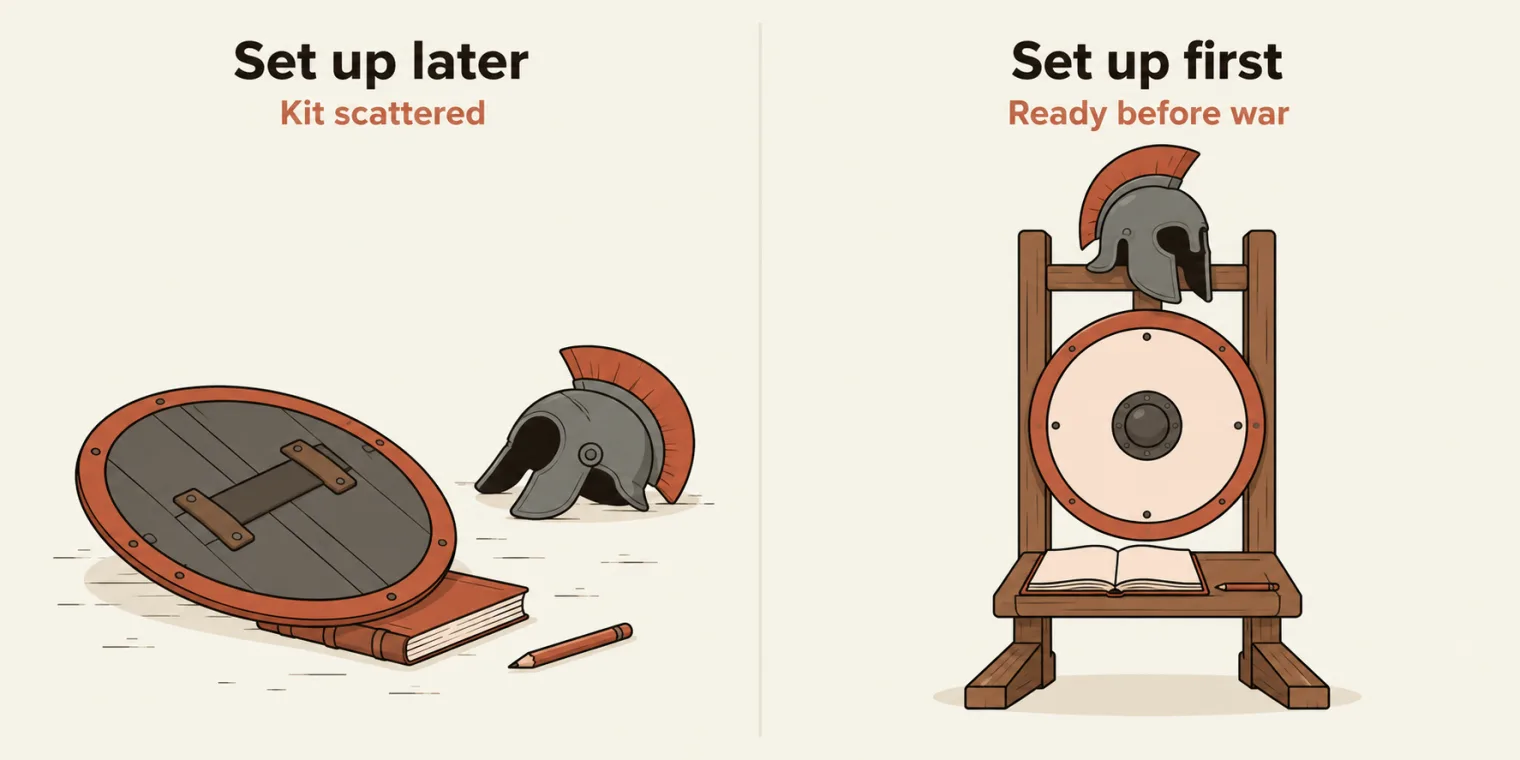
The analogy from class: before you go to war, your gun is ready, your shield is ready, your logger is ready. Before the login even starts, the page, the utility and the logger are ready.
abstract, the instructor's "incomplete class":BasePageis never created on its own, only extended. Its constructor isprotectedas well, so only a subclass can call it, throughsuper().- The three fields are
protected:LoginPageand the other subclasses can usethis.page,this.elandthis.log; a spec cannot. - The constructor gives the utility and the logger the same
scope, so a page's actions and its own log lines carry its name. goto(relativePath)opens a path relative to thebaseURLand waits fordomcontentloaded. The constructor does not call it: each page object calls it from itsopen().
BasePage.ts and LoginPage.ts as pushed. The about:blank detail was checked for these notes: right after new LoginPage(page), page.url() is about:blank.Every page extends BasePage
LoginPage changes first. It now extends BasePage, and its path is relative. src/pages/LoginPage.ts, with TTACart's demo login in the comment on line 9 shown as placeholders (the login details are in the task post):
import { expect, Locator, Page } from '@playwright/test';
import { BasePage } from './BasePage';

/**
 * TTACart login screen.
 *
 *   const login = new LoginPage(page);
 *   await login.open();
 *   await login.loginAs('<username>', '<password>');
 */


export class LoginPage extends BasePage {

    static readonly PATH = '/playwright/ttacart/index.html';

    private readonly usernameInput: Locator;
    private readonly passwordInput: Locator;
    private readonly loginButton: Locator;
    private readonly errorBox: Locator;
    private readonly loginCredentialsHint: Locator;

    constructor(page: Page) {
        super(page, 'LoginPage');
        this.usernameInput = page.locator('[data-test="username"]');
        this.passwordInput = page.locator('[data-test="password"]');
        this.loginButton = page.locator('[data-test="login-button"]');
        this.errorBox = page.locator('[data-test="error"]');
        this.loginCredentialsHint = page.locator('[data-test="login-credentials"]');
    }

    async open(): Promise<void> {
        this.log.info("Open login pgae");
        await this.goto(LoginPage.PATH);
    }

    async loginAs(username: string, password: string): Promise<void> {
        this.log.info(`loginAs ${username}`);
        await this.el.fill(this.usernameInput, username);
        await this.el.fill(this.passwordInput, password);
        await this.el.click(this.loginButton);
        await expect.poll(async () => (
            this.page.url().includes('/inventory') || await this.errorBox.isVisible()
        )).toBe(true);
    }

    async waitForLoginButtonHidden(): Promise<void> {
        await this.el.waitForHidden(this.loginButton);
    }

}
super(page, 'LoginPage')calls the parent constructor,BasePage's: that is what thesuperkeyword does. So creating aLoginPagealso sets up its page, its utility and its logger, all for theLoginPagescope.PATHis/playwright/ttacart/index.html, the TTACart login page, relative to thebaseURLthatresolveBaseURL()picks. Last class's page objects opened full URLs, so the base URL switch never reached them; these do.- The five locators are
private: nobody else should use them, said the instructor. Precisely, only code insideLoginPagecan. open()logs and goes toPATH.loginAs()logs the username, fills both fields and clicks throughthis.el, then polls until the URL has/inventoryor the error box shows, so it returns only once the login has gone one way or the other.
The page objects never import the utility or the logger themselves: BasePage hands them this.el and this.log. What the compiler allows from outside, from a probe written for these notes that creates a BasePage and reaches into a LoginPage:
zz_diag/access.probe.ts(7,18): error TS2674: Constructor of class 'BasePage' is protected and only accessible within the class declaration.
zz_diag/access.probe.ts(9,15): error TS2341: Property 'usernameInput' is private and only accessible within class 'LoginPage'.
zz_diag/access.probe.ts(10,15): error TS2445: Property 'el' is protected and only accessible within class 'BasePage' and its subclasses.
Then the same change for every other page: InventoryPage extends BasePage, then the cart page, checkout one (its title, first name, last name, postal code, continue button and error message), checkout two, checkout complete, and the item detail page, which was missing at first. All of them extend BasePage.
Seven page objects from Snap Locator
How were all these written so fast? With Snap Locator, the instructor's Chrome extension from the page object model class. Pick an element and press plus, pick the next one (a fallback locator where that suits better) and press plus, then generate the class. For the login page, that is the username field, the password field and the login button, then generate. The code is not created out of thin air, and most of the page objects came from it. They can be written by hand too, as the batch did before: every page object has its locators, a constructor and its functions.
Is Snap Locator allowed in companies, and is it secure? It has no security issues: it is 100% open source and free, the source code and the install steps are in its repository, and you can build your own from the prompts the instructor shared.
How many page objects? Walk the user's flow, from login to the finished order: every screen you pass is one page. Login, the inventory, an item's detail page, the cart, checkout step one, checkout step two, and the complete page: seven. Logout and the back button come later. The seven, with each path (under /playwright/ttacart/) and its public methods, as pushed:
| Page object | Path | Methods |
|---|---|---|
LoginPage |
index.html |
open, loginAs, waitForLoginButtonHidden |
InventoryPage |
inventory.html |
open, assertLoaded, productNames, addToCart, removeFromCart, openCart, openItem |
ItemDetailPage |
inventory-item.html |
back, addToCart, removeFromCart, price, name, assertLoaded, openById |
CartPage |
cart.html |
open, assertLoaded, itemNamesList, rowCount, remove, continueShopping, checkout |
CheckoutStepOnePage |
checkout-step-one.html |
assertLoaded, fillGuest, continue, cancel, expectErrorContains, firstNameValue |
CheckoutStepTwoPage |
checkout-step-two.html |
assertLoaded, subtotal, tax, total, finish, cancel |
CheckoutCompletePage |
checkout-complete.html |
assertLoaded, assertOrderComplete, confirmationText, backHome |
Checked for these notes: every one of those methods was run on the live TTACart, in journey order, with a diagnostic spec. All of them worked except the item detail page's URL check, lines 38 to 46 of ItemDetailPage.ts:
    async assertLoaded(id: string): Promise<void> {
        await expect(this.page).toHaveURL(new RegExp(`inventory-item\\.html\\?id=${id}`));
        await expect(this.itemName).toBeVisible();
    }

    async openById(id: string): Promise<void> {
        await this.goto(`${ItemDetailPage.PATH}?id=${id}`);
        await this.assertLoaded(id);
    }
Error: expect(page).toHaveURL(expected) failed

Expected pattern: /inventory-item\.html\?id=tta-practice-backpack/
Received string:  "https://app.thetestingacademy.com/playwright/ttacart/inventory-item?id=tta-practice-backpack"
Timeout: 5000ms
The slip. The pattern asks for .html in the URL, but the site drops it: inventory-item.html?id=... is served at inventory-item?id=..., so assertLoaded and openById fail after 5 seconds. CheckoutCompletePage already allows both forms, with /checkout-complete(\.html)?$/. No spec in this commit uses ItemDetailPage, so nothing failed in class.
With (\.html)? in the pattern, as in CheckoutCompletePage, line 39 becomes:
await expect(this.page).toHaveURL(new RegExp(`inventory-item(\\.html)?\\?id=${id}`));
Running 1 test using 1 worker

YYYY-MM-DD 14:09:52 [info] [LoginPage] Open login pgae
YYYY-MM-DD 14:09:53 [info] [LoginPage] loginAs <username>
  ✓  1 [chromium] › zz_diag/item.spec.ts:7:5 › ItemDetailPage.openById (2.2s)

  1 passed (2.6s)
The first end-to-end test, planned
With every page in place, the class started the first end-to-end test: a new e2e folder under src/tests, and e2e-checkout.spec.ts. The plan: log in as a standard user, go to the inventory page, add the first item, go to the cart, enter the customer's details and complete the order. As pushed, the file is that plan, as comments (line 3's login shown as placeholders):
/**
 * End-to-end checkout flow:
 *   1. Log in as a standard user (<username> / <password>).
 *   2. Navigate to the inventory page.
 *   3. Add the first item to the cart.
 *   4. Navigate to the cart page.
 *   5. From the cart, proceed through checkout step one and checkout step two.
 *   6. Enter the customer details and complete the order.
 */

// DataGenerated
// Fixture. - loginPage
It has no test yet, so running it finds none:
Error: No tests found.
Make sure that arguments are regular expressions matching test files.
You may need to escape symbols like "$" or "*" and quote the arguments.
Two things come first. Test data: the checkout form needs a first name, a last name and a postal code, a PIN code in India, so the framework needs a data generator utility. And a fixture, a small concept, so that the login page is available to a test automatically; the fixture sets up the test base. Both come next class, to keep this one from getting too heavy: they are among the last pieces of the framework. Two empty files hold their places, src/fixtures/test-base.ts and src/utils/DataGenerators.ts.
One page object already expects the data generator. Line 3 of CheckoutStepOnePage.ts:
import type { CheckoutCustomer as GuestUser } from '@utils/DataGenerator';
That is the type check's other error: there is no src/utils/DataGenerator.ts (the empty stub is DataGenerators.ts, with an s), and nothing exports CheckoutCustomer yet. It does not stop a run, because import type is removed when the file is compiled, and the checkout page object ran on TTACart for these notes. The type check stays red until a DataGenerator file exports CheckoutCustomer, or the import changes.
Today's task: run the login spec
The task: run your login spec. Its new version, as pushed (line 7's login shown as placeholders):
import { test, expect } from '@playwright/test';
import { LoginPage } from '../pages/LoginPage';

test.describe('POM with Login Page Simple', () => {
    test('Login with valid credns', async ({ page }) => {
            const loginPage = new LoginPage(page);
            await loginPage.loginAs("<username>","<password>");
            // A valid login lands on the inventory page.
            await expect(page).toHaveTitle("TTACart - Products");
    });
});
Last class's version called goto(), then login(); now one loginAs() call does the login. Who opens the page? In class, the answer was the base page, automatically. With the logger's line 27 fixed, the spec loads, and fails:
Running 1 test using 1 worker

YYYY-MM-DD 14:08:27 [info] [LoginPage] loginAs <username>
  ✘  1 [chromium] › src/tests/login.spec.ts:5:9 › POM with Login Page Simple › Login with valid credns (15.1s)

  1) [chromium] › src/tests/login.spec.ts:5:9 › POM with Login Page Simple › Login with valid credns

    TimeoutError: locator.fill: Timeout 15000ms exceeded.
    Call log:
      - waiting for locator('[data-test="username"]')

       at ../utils/UtilElementLocator.ts:69

      67 |         const loc = this.toLocator(target);
      68 |         this.log.debug(`fill ${this.describe(target)}`);
    > 69 |         await loc.fill(value, { timeout });
         |                   ^
      70 |     }
      71 |     async type(target: Flex, value: string, timeout: number = DEFAULT_ACTION_TIMEOUT_MS): Promise<void> {
      72 |         // Note: Playwright deprecated .type() in favour of .pressSequentially().
        at UtilElementLocator.fill (src/utils/UtilElementLocator.ts:69:19)
        at LoginPage.loginAs (src/pages/LoginPage.ts:40:23)
        at src/tests/login.spec.ts:7:29

    Error Context: test-results/login-POM-with-Login-Page-Simple-Login-with-valid-credns-chromium/error-context.md

  1 failed
    [chromium] › src/tests/login.spec.ts:5:9 › POM with Login Page Simple › Login with valid credns
The slip. BasePage opens nothing on its own. Its constructor only sets page, el and log; goto() is a helper that LoginPage.open() calls. Without open(), the browser is still on about:blank, so the first fill waits for [data-test="username"] until the utility's 15-second timeout. Logged for these notes, before and after open():
URL after new LoginPage(page): about:blank
YYYY-MM-DD 14:08:55 [info] [LoginPage] Open login pgae
URL after await loginPage.open(): https://app.thetestingacademy.com/playwright/ttacart/
The fix is to open the page first, the job last class's goto() call did:
import { test, expect } from '@playwright/test';
import { LoginPage } from '../pages/LoginPage';

test.describe('POM with Login Page Simple', () => {
    test('Login with valid credns', async ({ page }) => {
            const loginPage = new LoginPage(page);
            await loginPage.open();
            await loginPage.loginAs("<username>","<password>");
            // A valid login lands on the inventory page.
            await expect(page).toHaveTitle("TTACart - Products");
    });
});
Running 1 test using 1 worker

YYYY-MM-DD 14:08:43 [info] [LoginPage] Open login pgae
YYYY-MM-DD 14:08:44 [info] [LoginPage] loginAs <username>
  ✓  1 [chromium] › src/tests/login.spec.ts:5:9 › POM with Login Page Simple › Login with valid credns (2.0s)

  1 passed (2.4s)
The two info lines are LoginPage's own. With LOG_LEVEL=debug, the utility's lines appear too, tagged [LoginPage], because BasePage gave the utility the page's scope:
Running 1 test using 1 worker

YYYY-MM-DD 14:08:45 [info] [LoginPage] Open login pgae
YYYY-MM-DD 14:08:46 [info] [LoginPage] loginAs <username>
YYYY-MM-DD 14:08:46 [debug] [LoginPage] fill locator('[data-test="username"]')
YYYY-MM-DD 14:08:46 [debug] [LoginPage] fill locator('[data-test="password"]')
YYYY-MM-DD 14:08:47 [debug] [LoginPage] clicking locator('[data-test="login-button"]')
  ✓  1 [chromium] › src/tests/login.spec.ts:5:9 › POM with Login Page Simple › Login with valid credns (1.7s)

  1 passed (2.1s)
The same lines land in logs/combined.log, as plain text, so every run leaves a record behind:
YYYY-MM-DD 14:08:45 [info] [LoginPage] Open login pgae
YYYY-MM-DD 14:08:46 [info] [LoginPage] loginAs <username>
YYYY-MM-DD 14:08:46 [debug] [LoginPage] fill locator('[data-test="username"]')
YYYY-MM-DD 14:08:46 [debug] [LoginPage] fill locator('[data-test="password"]')
YYYY-MM-DD 14:08:47 [debug] [LoginPage] clicking locator('[data-test="login-button"]')
Tasks and announcements
- Today's task: run your login spec. As pushed, it needs the two fixes on this page: the
LOG_LEVELline in the logger, andopen()beforeloginAs(). - Build it yourself: rewatch the video, then create the utility and its locator code on your own. Today was a tough one, and it sticks once you have written it yourself.
- The repo: AdvancePlaywrightFramework3x, pushed as the class ended.
- Doubts go in the doubt thread.
- Next class: the fixture and the data generator, then the end-to-end checkout spec gets finished.
Task. Run the login spec. Then build logger.ts, UtilElementLocator.ts and BasePage.ts yourself, make LoginPage extend BasePage, and get the spec passing.
Interview questions. Why do page objects call a utility class for click and fill instead of calling Playwright directly? What is string | Locator, and what does toLocator do with each kind? What does super(page, 'LoginPage') set up? Which Winston levels print when the level is info, and how do you see the debug lines?