What this class covered
- The brain: Groq, DeepSeek and a sample .env
- A subscription is not an API brain
- Research, then write: two agents in sequence
- The bug triage crew: three dependent agents
- Writing the agents properly
- Fetching the ticket from Jira
- The run, and the report
- A minimal web UI, then JQL
- Questions while it built
- Tasks and announcements: the QA pipeline capstone by next Saturday, LangChain next
- The brain is three settings the code reads: the model, the API key and the base URL. For DeepSeek, change those three; the extra
openai/prefix is for Groq. - A chat subscription such as Copilot, Claude Code or Codex gives you no API: an agent needs a separate API account.
Process.sequentialruns the tasks in the order of the crew'staskslist, and each task's prompt carries the earlier answers as context.print(result)shows only the last task's output.Process.hierarchicalis not parallel: CrewAI asks for amanager_llmor amanager_agent, which delegates the tasks.context=[...]names the earlier tasks a task gets: the root cause task gets the triage verdict, the test task gets both.- Write goals and backstories in detail, never as one-liners, and change the triage rules to your company's.
- A crew takes minutes, so the web UI runs it in a background thread and the page polls; the JQL page sends only the first
TRIAGE_LIMITresults to the crew.
The brain: Groq, DeepSeek and a sample .env
Last class built the first CrewAI agent. As a quick recap, the instructor said: step number one was giving it a brain, then defining the agent, defining the task, and kicking it off directly, and it can be made into a pytest test too. Today, two more things get built.
The first crew uses Agent, Task, Crew and, new this time, the Process class, the instructor said, with the LLM and dotenv to load the environment. The environment file already has everything, with Groq available, so this configuration remains the same. The research crew's file opens with it:
# QA Research Analyst
# QA Documentation Writer

from crewai import Agent, Task, Crew, Process
from crewai import LLM
from dotenv import load_dotenv
import os

load_dotenv()

groq_llm = LLM(
    model=f"openai/{os.getenv('GROQ_MODEL')}",
    api_key=os.getenv("GROQ_API_KEY"),
    base_url=os.getenv("GROQ_BASE_URL"),
)
Line 9 loads the .env file, and lines 11 to 15 build the brain from three settings: the model, the API key and the base URL. Every crew file in this class builds groq_llm the same way, and every agent takes it as llm=groq_llm.
Question. If we are using DeepSeek, what can we change in the model name?
Show the answer
Answer. Anyone who is using DeepSeek just has to change a couple of configurations, the instructor answered: the DeepSeek API key, the base URL and the model. The pushed line 12 still puts openai/ in front of the model name; a DeepSeek model name does not itself start with openai/, so CrewAI sends it unchanged, as the probe in the next answer shows.
Question. In the code, the OpenAI prefix will be there too, right?
Show the answer
Answer. I think this issue exists with Groq only, the instructor answered: this bit was tested, and for other models, OpenAI or Claude models, there is no issue, I am sure. So you can try with or without it, and use whichever works. Here, lines 1 to 15 of the class's file were run on their own, with each value and no model called, to see the name CrewAI 1.15.44 sends:
| GROQ_MODEL | Line 12 | CrewAI sends |
|---|---|---|
openai/gpt-oss-120b, Groq's |
f"openai/{...}", as pushed |
openai/gpt-oss-120b |
openai/gpt-oss-120b, Groq's |
os.getenv(...), no prefix |
gpt-oss-120b |
your-deepseek-model, a placeholder |
f"openai/{...}", as pushed |
your-deepseek-model |
your-deepseek-model, a placeholder |
os.getenv(...), no prefix |
your-deepseek-model |
A name that does not itself start with openai/ goes out unchanged either way. Only a Groq name such as openai/gpt-oss-120b needs the extra prefix; without it, Groq gets gpt-oss-120b, the 404 of last class.
Question. Which one is the best model, and what is the temperature we need to set for this task?
Show the answer
Answer. You do not have to set a temperature for this task, the instructor answered, and there is no best model: whichever is available in your company, you are going to use it.
Can we add OpenAI, Claude, Command Code and OpenCode settings to the env file, a learner asked; OpenRouter came up too. The instructor had an AI assistant add the same configuration for each, next to the one for DeepSeek, and created a sample env file that can be pushed: you will find it in the same folder, to use and change according to your organization. In the repo it is chapter 16's .env.example; the README notes that the real .env is gitignored. Can Command Code be used as well? I hope so, the instructor said, but I have not tried it.
A subscription is not an API brain
An agent's brain has to come through an API, with a key, a base URL and a model name. A chat subscription is not that.
Question. In my organization we have Microsoft Copilot licences. How can we add that?
Worth practising too: what does an agent need from a provider that a chat subscription does not give you?
Show the answer
Answer. You cannot, the instructor answered: Microsoft Copilot does not allow you to use it as an API; Copilot itself is using an API. If you have GitHub Copilot, you cannot use it; Claude Code, Codex or Kilo, you cannot use them either, nor Visual Studio with GitHub Copilot. You need a separate API account for that: you need to borrow the brain. The account gives you the three settings of the figure above, an API key, a base URL and a model name, and those are all the code reads.
Research, then write: two agents in sequence
The first crew is research and write, another category of agent, the instructor said: two agents that work together, one QA researcher who researches, and a second who writes documentation around it. A hypothetical situation: we have to find bugs, and write documentation around them. The rest of the file, after the brain:
researcher_agent = Agent(
    role="QA Research Analyst",
    goal="Find the common bugs in the web application",
    backstory="You are a QA researcher who has analyzed "
    "thousands of bug reports across web applications. "
    "You specialize in identifying patterns and trends in software defects.",
    llm=groq_llm,
    verbose=True,
)

researcher_task = Task(
    description="""Research and list the top 5 most common bug
    categories in modern web applications. For each category,
    provide: name, frequency (percentage), example, and impact level.""",
    expected_output="""A ranked list of 5 bug categories with
    name, frequency, example, and impact for each.""",
    agent=researcher_agent
)


writer_agent = Agent(
    role="QA Documentation Writer",
    goal="Create clear, actionable bug prevention guidelines",
    backstory="""You are a technical writer specializing in QA
    documentation. You turn complex bug data into simple,
    actionable checklists that developers can follow.""",
    llm=groq_llm,
    verbose=True
)

writing_task = Task(
    description="""Based on the research provided, create a
    'Bug Prevention Checklist' that developers can use before
    submitting a pull request. Make it practical and actionable.""",
    expected_output="""A formatted checklist with 5-10 items
    that developers can quickly review before code submission.""",
    agent=writer_agent
)

crew = Crew(
    agents= [researcher_agent,writer_agent],
    tasks=[researcher_task,writing_task],
    process=Process.sequential,
    verbose=True
)

result = crew.kickoff()
print(result)
The two agents: lines 17 to 25 and 37 to 45. The researcher's role is a QA research analyst, whose goal is to find the common bugs in the web application; its backstory, a QA researcher who has analysed thousands of bug reports of web applications, specialised in finding patterns in software defects. The writer is a technical writer who writes proper documentation: clear bug prevention guidelines.
The two tasks: lines 27 to 34 and 47 to 54. The researcher's task: research and list the top common bugs, as a ranked list of five categories with the details of name, frequency and examples. The writer's: based on the research provided, create a bug prevention checklist. In Python, whenever we have multiple lines, we use triple quotes, the instructor reminded the class: the descriptions and expected outputs are triple-quoted strings. Line 20's backstory is three strings side by side instead, which Python joins into one.
The crew: lines 56 to 61. When your agents and tasks are ready, you have to bind them into a crew, the instructor said: the first agent and the second, the first task and the second, and the process, sequential, with verbose on. Sequential means the researcher finishes first, then the writer: one after another.
Hierarchical is not parallel. In class, hierarchical was described as both agents starting in parallel. In CrewAI, Process.hierarchical puts a manager agent over the crew, which delegates the tasks and checks the results, and the crew will not even build without one. Tasks run in parallel only when they are marked async_execution=True.
With line 59 changed to hierarchical, the class's file stops at the Crew on line 56, before any model is called:
crew = Crew(
    agents= [researcher_agent,writer_agent],
    tasks=[researcher_task,writing_task],
    process=Process.hierarchical,
    verbose=True
)
Traceback (most recent call last):
  File "chapter_16_AI_Agent_Crew_AI/test_03_Research_Write_AIAgent.py", line 56, in <module>
    crew = Crew(
        agents= [researcher_agent,writer_agent],
    ...<2 lines>...
        verbose=True
    )
  File ".venv/lib/python3.13/site-packages/pydantic/main.py", line 250, in __init__
    validated_self = self.__pydantic_validator__.validate_python(data, self_instance=self)
pydantic_core._pydantic_core.ValidationError: 1 validation error for Crew
  Attribute `manager_llm` or `manager_agent` is required when using hierarchical process. [type=missing_manager_llm_or_manager_agent, input_value={'agents': [Agent(role=QA...ical'>, 'verbose': True}, input_type=dict]
Question. Sequential depends on the sequence of the methods in the code, right?
Worth practising too: what does print(result) on line 64 print, after both agents have answered?
Show the answer
Answer. No, the instructor answered: sequential means the sequence given with the agents, how your crew was created; the methods can be anywhere. And since a task requires an agent, the agent is created first, then the task, and then they are combined into the crew. In CrewAI the order is the crew's tasks list on line 58: researcher_task, then writing_task, as the run below shows. print(result) prints the last task's output only, the writer's checklist; the README adds that every agent's output is in result.tasks_output.
How do I run it? With uv run, the instructor said, as last time:
cd chapter_16_AI_Agent_Crew_AI
uv run python test_03_Research_Write_AIAgent.py
The class ran it on Groq. These notes run the pushed file unchanged, in the class's toolchain, against a local open model, gpt-oss:20b, served by Ollama on the same machine, with the three settings set in the run's environment, no .env file and a placeholder where the key goes. The run took 62.6 seconds and sent 2 requests to the model, one per task. Its verbose output runs to 301 lines; the two requests, from the guard's log of what was sent:
| Request | Agent | Its prompt holds | Its answer starts |
|---|---|---|---|
| 1 | QA Research Analyst | the research task, and no context | ### 1 - Input Validation & Injection Vulnerabilities |
| 2 | QA Documentation Writer | the writing task, and the researcher's whole answer as context | **Bug Prevention Checklist (Pull‑Request Pre‑Submit)** |
So the writer's prompt carries the researcher's whole answer, under CrewAI's line "This is the context you're working with:". The last lines, from print(result) on line 64:
**Bug Prevention Checklist (Pull‑Request Pre‑Submit)**
(Quickly review before you mark the PR clean and submit)

| # | Category | Checklist Item | Practical Actions |
|---|----------|----------------|--------------------|
| 1 | Input Validation & Injection | **Sanitize all externally‑supplied data** | • Use parameterized/Prepared statements for SQL, queries, or ORM methods.<br>• If manual string interpolation is unavoidable, escape every token using the database driver’s escape function.<br>• Run a security scanner (e.g., OWASP ZAP) against any endpoint that consumes user input. |
| 2 | Broken Authentication & Authorization | **Enforce strict auth/role checks on every protected route** | • Centralize auth middleware; never duplicate logic in handlers.<br>• Verify privilege tokens on sensitive operations (admin, reset‑password, etc.).<br>• Include unit tests that assert access is denied for non‑admin users. |
| 3 | Performance Bottlenecks / Timeouts | **Benchmark critical queries and set reasonable timeouts** | • Add a profiling step for any DB call >200 ms during CI.<br>• Ensure queries reference indexed columns; otherwise add indexes or revisit schema.<br>• Set server‑side timeout (e.g., 5 s) and fail fast if exceeded. |
| 4 | UI Rendering & Responsiveness | **Cross‑browser & device visual test** | • Run Cypress screenshots on at least Chrome, Firefox, Safari, Edge (desktop+mobile).<br>• Verify modal/dialog centering, grid breakpoints, font scaling, color contrast.<br>• Push failing tests to a staging environment before merge. |
| 5 | API Contract / Backend Integration Errors | **Validate responses against the documented contract** | • Use JSON schema validation in both server and consumer test suites.<br>• Test edge cases: zero totals, null values, empty arrays.<br>• Ensure non‑200 status codes return a well‑structured error JSON (not raw stack trace). |
| 6 | Unit & Integration Tests | **Add or update tests covering new paths** | • For each new endpoint/class write at least one test that covers typical and edge scenarios.<br>• Use mocking to isolate DB/API layers; don't rely on hitting live services. |
| 7 | Static Analysis & Linting | **Run automated code scans pre‑commit** | • Configure eslint, pylint or equivalent to flag dangerous functions (`eval`, `exec`), unhandled promises, and insecure regex.<br>• Enforce style rules that avoid code smells (e.g., overly long query strings). |
| 8 | Documentation & Communication | **Update API docs / README for new changes** | • Add examples in OpenAPI/Swagger if the endpoint changed.<br>• If a UI component gained responsive behavior, note its breakpoints.<br>• List any known limitations or backward‑compatibility notes. |

---

### Quick Roll‑Call Before PR Merge
- ☐ **SQL injection safe?** (parameterized / escaped)
- ☐ **Auth/role checks enforced on every route?**
- ☐ **Query performance benchmarked & >200 ms flagged?**
- ✅ **Cross‑browser screenshots passed?**
- ✅ **Response schema validated?**
- ✅ **Tests pass locally + CI?**
- ✅ **Linting passes with no warnings?**
- ✅ **Docs updated accordingly?**

If any “☐” remains, revisit the corresponding line in the checklist. This process turns complex risk data into actionable steps developers can follow and ensures that critical defects are caught before code touches production.
This is all static, the instructor said: it just shows how the agents work. The README adds a warning about the research: it is LLM recall, not a real dataset, so the frequency percentages are plausible, not measured.
The bug triage crew: three dependent agents
Let's make it a little complex, the instructor said: a crew which can do bug triaging. A full team, which is going to replace the manual tester; not exactly, I'm just kidding, the instructor added, but it does the manual task you are doing, the bug triaging. Suppose there is a shortage, and 50 bugs are coming per day: how can we use this?
What does a bug triaging analyst actually do? First, organise the reported facts, the instructor said; assess the severity and give a recommendation; record the impact and the missing evidence; and give a triage summary with a rationale, which means your thoughts, your comments, the risk. The root cause investigator uses the report and the triage findings, separates the hypotheses from the confirmed causes, and gives hypotheses with verification steps. The test recommender takes the triage and the hypotheses and proposes which tests to write, so that you do not find this kind of bug in the future.
Now you are entering the territory of agentic AI, the instructor said, where most of the tasks will be done by AI agents. Of course, a human in the loop is required: it is a QA team with human review. Remember this.
The skeleton opens with the same aim, and with a sum of the time triage takes:
# Define Your QA Team
# # Our task of BugTriageCrew is to
# prioritize, analyze, find RCA (root cause analysis)
# for these applications.
# In short -> Why bug occurs?

# Daily - MT - 30min for 30 people( target 10-20 Bugs)
# Man hours per month -> 30*30*20 -> 18000/60 ->
Daily, 30 minutes for 30 people, with a target of 10 to 20 bugs: 30 × 30 × 20 minutes is 18,000 a month, and divided by 60, 300 hours. This is the beauty of this AI agent, the instructor said, and when you introduce it to your manager, your manager will be very happy. Done by hand, one bug takes a lot of time, almost like 10 to 15 minutes for one person, to understand it, triage it, and set the severity, priority and comments.
The sample bug report is a hypothetical example, the instructor said: the shopping cart total shows zero after applying a discount code. Add three items and the coupon: it should be 20% off, but it becomes zero. It happens only when the cart has three items, works with one or two, started after the Friday deployment, and there is no console error. In the file:
# # Sample bug report
# bug_report = """
# Bug Title: Shopping cart total shows $0.00 after applying discount code
# Bug ID: BUG-4521
# Reporter: manual_tester_jane
# Environment: Production, Chrome 120, Windows 11
# Severity (Reporter): High

# Steps to Reproduce:
# 1. Add 3+ items to shopping cart (total > $50)
# 2. Apply discount code "SAVE20" (20% off)
# 3. Observe the cart total

# Actual Result: Cart total shows $0.00 instead of discounted price
# Expected Result: Cart total should show original price minus 20%

# Additional Info:
# - Happens only when cart has 3+ items
# - Works fine with 1-2 items
# - Started after last Friday's deployment (v2.4.1)
# - No errors in browser console
# - API response shows correct discounted amount
# """
The three agents depend on each other, the instructor said: this is a sequential process, and the context is handed on. When the bug triaging is done, the root cause agent uses the triaging data to find the root cause, and the test recommender uses the RCA to recommend tests. The triaging task requires only the bug report; the root cause analysis requires the context from the triaging; and the test recommender requires the context of both of them.
The first fetch function was a dummy: you give a bug ID, and as of now it has pass, which means it does not return anything at all. Then empty agents, their tasks, and the crew, all sequential in nature, with the final report published at the end: a rough structure, the instructor said.
""" QA Bug Triage Agents - Each agent is a specialist."""

from crewai import Agent,Task, Crew, Process
from crewai import LLM
from dotenv import load_dotenv
import os
load_dotenv()
groq_llm = LLM(
    model=f"openai/{os.getenv('GROQ_MODEL')}",
    api_key=os.getenv("GROQ_API_KEY"),
    base_url=os.getenv("GROQ_BASE_URL"),
)

# Agent 1: Bug Triage Analyst
# Agent 2: Root Cause Investigator
# Agent 3: Test Recommendation Agent


# Task 1: Classify the bug
# Task 2: Investigate root cause (uses triage output as context)
# Task 3: Recommend tests (uses both previous outputs)

# How to fetch from the JIRA?
# JIRA API, JIRA MCP (yes)

def fetch_jira_ticket(bug_id):
    pass

# Agent 1: Bug Triage Analyst
bug_analyst = Agent()
# Agent 2: Root Cause Investigator
root_cause_agent = Agent()
# Agent 3: Test Recommendation Agent
test_recommender = Agent()

# Task 1: Bug Triage
triage_task = Task()

# Task 2: Investigate root cause (uses triage output as context)
root_cause_task = Task()

# Task 3: Recommend Test
test_task = Task()


crew = Crew(
    agents=[bug_analyst, root_cause_agent, test_recommender],
    tasks=[triage_task, root_cause_task, test_task],
    process=Process.sequential,
    verbose=True
)

print("🔍 QA Bug Triage Crew - Starting Analysis")
print("=" * 60)

result = crew.kickoff()
print("\n" + "=" * 60)
print("📋 FINAL TRIAGE REPORT")
print("=" * 60)
print(result)
Question. This one we have not run?
Show the answer
Answer. We do not have to run it, the instructor answered: this is just a structure, and it is actually not a real agent, because you have not given it anything at all. The run below shows what happens if you do.
Run here, the skeleton stops at the first empty Agent(), on line 66, before any model is called; the README says the same, that it fails pydantic validation until you fill it in:
uv run python test_04_BugTraigeCrew.py
Traceback (most recent call last):
  File "chapter_16_AI_Agent_Crew_AI/test_04_BugTraigeCrew.py", line 66, in <module>
    bug_analyst = Agent()
  File ".venv/lib/python3.13/site-packages/pydantic/main.py", line 250, in __init__
    validated_self = self.__pydantic_validator__.validate_python(data, self_instance=self)
pydantic_core._pydantic_core.ValidationError: 3 validation errors for Agent
role
  Field required [type=missing, input_value={}, input_type=dict]
    For further information visit https://errors.pydantic.dev/2.12/v/missing
goal
  Field required [type=missing, input_value={}, input_type=dict]
    For further information visit https://errors.pydantic.dev/2.12/v/missing
backstory
  Field required [type=missing, input_value={}, input_type=dict]
    For further information visit https://errors.pydantic.dev/2.12/v/missing
Question. If my bug report is in an MD file?
Show the answer
Answer. If it is an MD file, then you just have to read the file, the instructor answered.
Writing the agents properly
Now I'm going to make this production ready, the instructor said, and the file became test_05_BugTraigeCrew.PROD.py. It is time to use a small part of AI, too: the full prompts had already been written, and the instructor went through them.
Question. Why do you always call it production ready?
Show the answer
Answer. Because you can use it in production, the instructor answered: when you can give it to another person, who can use it in production, it means production ready.
The first agent is the bug triaging analyst, which decides how bad and how urgent the bug is:
# ---------------------------------------------------------------------------
# Agent 1: Bug Triage Analyst - decides HOW BAD and HOW URGENT
# ---------------------------------------------------------------------------
bug_analyst = Agent(
    role="Senior Bug Triage Analyst and Defect Classification Specialist",

    goal=(
        "Read the raw bug report and return one defensible triage verdict for it: "
        "exactly one SEVERITY, exactly one PRIORITY, and exactly one CATEGORY. "
        "Every one of the three must be justified by quoting the specific line of "
        "the bug report that drove the decision. Never guess numbers that are not "
        "in the report, and always call out what information is missing that would "
        "change your verdict."
    ),
Do you see, it's a huge goal, the instructor said: not one simple goal. Read a raw bug report and return one defensible triage verdict, with exactly one severity, exactly one priority and exactly one category, every one of the three justified by quoting a specific line. Never guess, and always call out what is missing. Do not write one-liners, the instructor said: give as much detail as you can in the goal. I am assuming all of you are professional, and you will write this properly.
The backstory: a veteran QA engineer with 15 years of experience, who has personally triaged more than 20,000 defects; triage is not paperwork, it is a responsibility. Then the severity scale, blocker, critical, major, minor and trivial, the priority scale, the categories, how to decide, and the rules to follow. Each backstory is built from headed sections; their headings, from the file:
| Agent | Lines | Its backstory's sections |
|---|---|---|
| Agent 1, the triage analyst | 150 to 222 | THE ONE RULE PEOPLE ALWAYS GET WRONG; SEVERITY SCALE (technical impact); PRIORITY SCALE (business urgency and fix order); CATEGORY TAXONOMY (pick exactly one, the closest root fit); HOW YOU ACTUALLY DECIDE (your triage checklist); RULES OF YOUR DESK |
| Agent 2, the root cause investigator | 245 to 307 | YOUR MENTAL MODEL: TRACE THE LAYERS; YOUR METHOD; COMMON ROOT-CAUSE ARCHETYPES FOR MONEY AND TOTALS BUGS; RULES OF YOUR DESK |
| Agent 3, the test strategy advisor | 330 to 388 | YOUR CORE BELIEF; THE PYRAMID IS A BUDGET, NOT A DECORATION; TEST DESIGN TECHNIQUES YOU APPLY BY REFLEX; YOUR PLAYWRIGHT TYPESCRIPT STANDARDS (non-negotiable); HOW YOU DELIVER |
Your triaging method will be different in your company, the instructor said: it will change from company to company. This one is generic in nature; you can modify it according to your company. The root cause agent is a principal engineer, using a differential diagnosis, the five whys, layer isolation and the timeline; the test strategy advisor, the test recommender, recommends the Playwright tests in the end, based on unit and API tests, with boundary values and negative cases.
This looks a little difficult, and yes, it is difficult, the instructor said: we have to write this properly. But there is a simple hack: if you have access to a better model, you can take help from the AI itself to write this, and then modify that part by yourself. If you think all this was written by AI, you are wrong, the instructor said: some part of it was written by the AI, some part by us, and we made it more proper.
Each task lists what its agent must deliver. The triage task, with the bug report put into its description:
# ---------------------------------------------------------------------------
# Task 1: Bug Triage
# ---------------------------------------------------------------------------
triage_task = Task(
    description=f"""Triage this bug report from Jira:

{bug_report}

Work through your triage checklist and deliver:
1. SEVERITY: one of S0-S4, with the exact line of the report that justifies it.
2. PRIORITY: one of P0-P4, with the business reasoning (users affected, money at
   risk, workaround available or not). If severity and priority differ, explain why.
3. Do you AGREE with the reporter's severity and the Jira priority as filed? If not,
   state your override and the reason.
4. CATEGORY: exactly one from your taxonomy.
5. AFFECTED COMPONENT / MODULE and the most likely system layer.
6. BUSINESS IMPACT: what it costs if this ships as-is.
7. MISSING INFORMATION: what you would ask the reporter for, and the assumption you
   triaged under in the meantime.
8. CONFIDENCE: High / Medium / Low.""",

    expected_output="""A structured triage verdict in markdown with these headed
    sections: Severity, Priority, Reporter Disagreement, Category, Affected Component,
    Business Impact, Missing Information, Confidence. Each rating must quote the
    evidence line from the bug report that drove it.

    HARD LIMIT: 400 words. This verdict is handed to two more agents, so every
    word you spend costs them room. Use compact bullets, not wide tables.
    Finishing every section matters more than depth in any one of them.""",
    agent=bug_analyst,
)
Severity, priority, whether you agree with the reporter, category, affected component: all of these are required, the instructor said. The root cause task asks for eight parts, and you can remove and add according to your company. How root cause analysis is done will be different in your company; in the instructor's company it is a differential diagnosis, five whys, two alternative hypotheses, a kill test, a layer verdict, investigation steps and the blast radius. If you do not know how to do it, then you need to read about it, the instructor said.
Do you see this variable being injected, the instructor asked: the bug report is common to all of them. The f before each description's triple quotes, on lines 400, 433 and 472, puts the fetched report into all three when the file loads, and context= on lines 464 and 501 hands the earlier answers on.
Fetching the ticket from Jira
But there is one more thing pending, the instructor said: how do I fetch from Jira? You have two options: the Jira API, which we know, or the Jira MCP, whichever works with you. The environment file gets the Jira configuration, the Jira API token, the email and the base URL; the names can be changed. The bug ID will come from the command line option.
To fetch a Jira ticket, you can create a function around it, the instructor said, which reads from the ENV file; you can ask an AI assistant to complete it, and a medium effort is more than enough. You do not have to write it yourself: this fetch Jira function has already been written hundreds of times, in previous classes too. We can use MCP also, do not worry about it; but as of now, since we already have the API token, the email ID and the URL, we can use that.
def fetch_jira_ticket(bug_id):
    """Fetch a Jira issue by key (e.g. BUG-4521) and return it as a plain-text
    bug report that the agents below can read.

    Uses the Jira Cloud REST API v2, which returns the description as plain text
    (v3 returns Atlassian Document Format JSON, which needs extra parsing).
    Needs JIRA_BASE_URL, JIRA_EMAIL and JIRA_API_TOKEN in .env.
    """
    base_url = os.getenv("JIRA_BASE_URL", "").rstrip("/")
    email = os.getenv("JIRA_EMAIL")
    token = os.getenv("JIRA_API_TOKEN") or os.getenv("JIRA_TOKEN")
    if not (base_url and email and token):
        raise SystemExit("Set JIRA_BASE_URL, JIRA_EMAIL and JIRA_API_TOKEN in .env")

    url = f"{base_url}/rest/api/2/issue/{bug_id}"
    response = requests.get(
        url,
        auth=(email, token),
        headers={"Accept": "application/json"},
        timeout=30,
    )
    if response.status_code == 404:
        raise SystemExit(f"Jira ticket {bug_id} not found (or no permission to view it)")
    if response.status_code == 401:
        raise SystemExit("Jira rejected the credentials. Check JIRA_EMAIL and JIRA_API_TOKEN")
    response.raise_for_status()

    fields = response.json()["fields"]

    def name_of(field):
        # Jira returns objects like {"name": "High"} or None when the field is empty
        value = fields.get(field)
        if not value:
            return "Not set"
        return value.get("displayName") or value.get("name") or "Not set"

    def names_of(field):
        values = fields.get(field) or []
        return ", ".join(v.get("name", "") for v in values) or "None"

    labels = ", ".join(fields.get("labels") or []) or "None"

    return f"""
Bug Title: {fields.get("summary", "")}
Bug ID: {bug_id}
Issue Type: {name_of("issuetype")}
Status: {name_of("status")}
Reporter: {name_of("reporter")}
Assignee: {name_of("assignee")}
Priority (Jira): {name_of("priority")}
Components: {names_of("components")}
Affects Versions: {names_of("versions")}
Labels: {labels}
Created: {fields.get("created", "")}
Environment: {fields.get("environment") or "Not provided"}

Description:
{fields.get("description") or "No description provided"}
""".strip()


# Bug ID comes from the command line, e.g.
#   uv run python test_05_BugTraigeCrew.PROD.py --bug-id BUG-4521
parser = argparse.ArgumentParser(description="Run the QA Bug Triage Crew on a Jira ticket")
parser.add_argument("--bug-id", required=True, help="Jira issue key, e.g. BUG-4521")
args = parser.parse_args()

BUG_ID = args.bug_id.strip().upper()
bug_report = fetch_jira_ticket(BUG_ID)
print(f"\n📥 Fetched {BUG_ID} from Jira:\n{bug_report}\n")
The fetch: lines 64 to 122. Line 78 asks Jira's REST API for one issue, with the email and the API token as the login on line 81; the docstring explains why version 2: it returns the description as plain text, where version 3 returns Atlassian Document Format JSON. A 404 or a 401 ends the run with a plain message, lines 85 to 88. Lines 93 to 104 read the names out of Jira's objects, "Not set" or "None" when a field is empty, and lines 106 to 122 write the bug report the agents read.
The bug ID: lines 125 to 133. argparse makes --bug-id required, line 131 trims it and upper-cases it, and line 132 fetches the ticket before any agent exists. Without the option, and with an ID that is not in Jira:
uv run python test_05_BugTraigeCrew.PROD.py
uv run python test_05_BugTraigeCrew.PROD.py --bug-id vwo-999
usage: test_05_BugTraigeCrew.PROD.py [-h] --bug-id BUG_ID
test_05_BugTraigeCrew.PROD.py: error: the following arguments are required: --bug-id
Jira ticket VWO-999 not found (or no permission to view it)
These notes never contact Jira. Every run here points JIRA_BASE_URL at a stub on 127.0.0.1, with placeholder values for the email and the token, and the stub holds one issue, BUG-4521, the ID the file's usage comment names, built from the sample bug report on lines 12 to 33. The second command above asked it for VWO-999, upper-cased by line 131, and the stub answered 404, as Jira does for a missing issue.
Question. For the Jira fetch, are the Groq credentials required?
Show the answer
Answer. No, the instructor answered: the Groq credentials are required for the LLM, for the agents to work. These agents use a brain, and it is Groq. The fetch needs only the three Jira settings: in the run below, the ticket is fetched and printed before any request goes to the model.
The first run fetched the ticket, then stopped on an error: triage LLM. Triage LLM is nothing but our own LLM, the instructor said: it is not a triage LLM, it's the Groq LLM. The other agents had the same slip, and once they were fixed it ran. The pushed file uses groq_llm in all three agents. Re-created here with line 224 changed back, the run prints the fetched ticket, then:
    llm=triage_llm,
    verbose=True,
    allow_delegation=False,  # This agent handles its own work
)
Traceback (most recent call last):
  File "chapter_16_AI_Agent_Crew_AI/test_05_BugTraigeCrew.PROD.py", line 224, in <module>
    llm=triage_llm,
        ^^^^^^^^^^
NameError: name 'triage_llm' is not defined
The run, and the report
To have an example, the instructor looked for this bug in Jira and found it there already, VWO-48, and ran the crew on it, with the bug ID as the argument. The README's command:
uv run python test_05_BugTraigeCrew.PROD.py --bug-id VWO-48
In class, the first agent's final answer was a blocker, P0, with the reporter disagreement, the category, the affected components, the business impact and the missing information. The second part was the root cause analysis: the differential diagnosis, the primary hypothesis with its evidence, the working case with one or two items against three, and the investigation steps, which tell you how to check all this in your application. Then the last part hit a rate limit: Groq has rate limits, the instructor said, and the instructor did not think there was a test plan; still, it gave some strategies, a couple of test cases you can execute.
if __name__ == "__main__":
    print(f"\n🔍 QA Bug Triage Crew - Starting Analysis on {BUG_ID}")
    print("=" * 70)

    result = crew.kickoff()

    # crew.kickoff() returns only the LAST task's output when printed directly.
    # result.tasks_output holds every agent's output, in order.
    labels = [
        "AGENT 1 - Senior Bug Triage Analyst (Severity / Priority / Category)",
        "AGENT 2 - Root Cause Investigator (Why it broke, and where)",
        "AGENT 3 - Test Strategy Advisor (How we prove it is fixed)",
    ]

    print("\n\n" + "=" * 70)
    print(f"📋 FINAL TRIAGE REPORT - {BUG_ID}")
    print("=" * 70)

    for label, task_output in zip(labels, result.tasks_output):
        print("\n\n" + "#" * 70)
        print(f"# {label}")
        print("#" * 70 + "\n")
        print(task_output.raw)

    usage = result.token_usage
    print("\n\n" + "=" * 70)
    if usage and usage.total_tokens:
        print(f"✅ Done. Tokens used: {usage}")
    else:
        # FallbackLLM wraps the provider, so CrewAI's usage collector sees the
        # wrapper rather than the provider that actually made the call.
        print("✅ Done. (Token usage is not tracked through the fallback wrapper.)")
    print("=" * 70)
Lines 523 to 537 print each agent's answer under its label, from result.tasks_output, and lines 539 to 547 print the token usage, which you can ignore, the instructor said. The README names the fix for a cut-off last agent: it gets cut off if earlier ones ramble, which is why each task has a hard word limit and the test agent is told to write one complete spec.
These notes ran the pushed file once, unchanged, on the stand-in model, and on BUG-4521 from the stub:
uv run python test_05_BugTraigeCrew.PROD.py --bug-id BUG-4521
It took 187.2 seconds, with 3 requests to the model and one to the Jira stub. It opens with the ticket, as the agents will read it:
📥 Fetched BUG-4521 from Jira:
Bug Title: Shopping cart total shows $0.00 after applying discount code
Bug ID: BUG-4521
Issue Type: Not set
Status: Not set
Reporter: manual_tester_jane
Assignee: Not set
Priority (Jira): Not set
Components: None
Affects Versions: None
Labels: None
Created:
Environment: Production, Chrome 120, Windows 11

Description:
Severity (Reporter): High

Steps to Reproduce:
1. Add 3+ items to shopping cart (total > $50)
2. Apply discount code "SAVE20" (20% off)
3. Observe the cart total

Actual Result: Cart total shows $0.00 instead of discounted price
Expected Result: Cart total should show original price minus 20%

Additional Info:
- Happens only when cart has 3+ items
- Works fine with 1-2 items
- Started after last Friday's deployment (v2.4.1)
- No errors in browser console
- API response shows correct discounted amount


🔍 QA Bug Triage Crew - Starting Analysis on BUG-4521
======================================================================
The three verbose agents fill the next 1,104 lines. From the guard's log, each request's prompt:
| Request | Agent | Holds the bug report | Holds as context |
|---|---|---|---|
| 1 | Senior Bug Triage Analyst | yes | nothing |
| 2 | Principal Root Cause Analysis Engineer | yes | the triage verdict |
| 3 | Principal SDET | yes | the triage verdict and the root cause analysis |
Then the report. The first agent's verdict, in full:
======================================================================
📋 FINAL TRIAGE REPORT - BUG-4521
======================================================================


######################################################################
# AGENT 1 - Senior Bug Triage Analyst (Severity / Priority / Category)
######################################################################

**Severity**
S1 **Critical** – “Cart total shows $0.00 instead of discounted price” (financial data is wrong, blocking correct revenue capture).

**Priority**
P0 **Fix now** – Production issue with a hard‑coded discount affecting all carts over $50 with 3+ items; no user‑side workaround and risk of lost revenue/false accounting.

**Reporter Disagreement**
- Reporter severity: “High” (not mapped) – overriden to S1 because it touches price data.
- Jira priority: Not set – overridden to P0.

**Category**
Data and Calculation

**Affected Component / Module & Layer**
Cart‑summary front‑end component (JavaScript/React), Presentation layer – API returns correct value but UI renders $0.00.

**Business Impact**
- Direct revenue loss for every affected order ($50+).
- Potential return or refund costs, customer support tickets.
- Incorrect financial reporting downstream.

**Missing Information & Assumptions**
- **Order processing outcome:** Does checkout succeed with $0 total?
- **Browser/device coverage:** Is the issue exclusive to Chrome 120 / Windows 11 or cross‑platform?
- **Volume data:** How many carts use this discount code and have >3 items?
- **Logging evidence:** Any server logs showing amount mismatch.

Assumed that there is no workaround; customers rely on displayed total for purchase decisions, so incorrect UI causes financial loss.

**Confidence**
High – clear production defect, financial data impacted, API correct but UI wrong, and severe business risk.
The stand-in's verdict is S1 and P0, where the class's run on VWO-48 gave a blocker, P0: the model and the ticket differ. The second agent opens with the differential diagnosis, the first step of its method:
######################################################################
# AGENT 2 - Root Cause Investigator (Why it broke, and where)
######################################################################

**Root‑Cause Analysis – BUG‑4521**

---

## Differential Diagnosis
- **Working case:** 1–2 items → cart total is correct, UI displays discounted amount.
- **Failing case:** ≥3 items → API returns the right discounted value, but the DOM shows `$0.00`.
- The delta: *cart payload length* (≤ 2 vs ≥ 3).
The third agent reached its exit criteria, and the run ends:
## EXIT CRITERIA
1. **VT01** passes on all supported browsers (Chromium, WebKit, Firefox).
2. Regression set R01–R04 are green in the CI pipeline.
3. All boundary/edge cases execute without flakiness; no false positives.
4. Manual checks for cross‑browser currency formatting report “no deviations”.

When all criteria above are met and PR is merged, BUG‑4521 can be closed.


======================================================================
✅ Done. Tokens used: total_tokens=38841 prompt_tokens=20676 cached_prompt_tokens=0 completion_tokens=18165 reasoning_tokens=0 cache_creation_tokens=0 successful_requests=9
======================================================================
Two things to check before you trust a report like this. It is a QA team with human review, as the instructor said. The stand-in's verdict calls the discount hard-coded, which the bug report never says, though the analyst's backstory says it never invents facts; and its Playwright spec sets page.route() after page.goto('/cart'), so the stubbed response cannot change the page that has already loaded. Read every claim against the report, and every test before you run it.
The token count is three times too high. The run sent 3 requests, by the guard's log, yet the last line says successful_requests=9. CrewAI adds up each agent's LLM usage, and all three agents share one LLM object, groq_llm, so the same totals are added three times. The comment and the message on lines 544 to 546 are about a fallback wrapper this file does not have.
Now everything is a command line, and that's why a lot of people will get confused, the instructor said: so we will create a UI out of it too.
A minimal web UI, then JQL
The instructor asked an AI coding agent for a lightweight UI in the same folder, where the user gives the bug ID, asks for the triaging, and gets the triaged report from CrewAI at the end, to copy: a very minimal UI, fast and usable. It is test_05_BugTraigeCrew.PROD_UI.py, the CLI file without its argument parsing, plus a small server:
# ---------------------------------------------------------------------------
# Lightweight web UI (Python standard library only, no extra installs)
#   uv run python test_05_BugTraigeCrew.PROD_UI.py
#   then open http://127.0.0.1:8000
# ---------------------------------------------------------------------------
import json
import threading
import time
import uuid
from http.server import BaseHTTPRequestHandler, ThreadingHTTPServer

LABELS = [
    "AGENT 1 - Senior Bug Triage Analyst (Severity / Priority / Category)",
    "AGENT 2 - Root Cause Investigator (Why it broke, and where)",
    "AGENT 3 - Test Strategy Advisor (How we prove it is fixed)",
]

JOBS = {}                       # job_id -> {"status", "bug_id", "report", "error", ...}
CREW_LOCK = threading.Lock()    # one crew run at a time (the crew object is shared)


def run_triage(bug_id):
    """Fetch the Jira ticket, run the crew, and return one copy-ready report."""
    bug_report = fetch_jira_ticket(bug_id)
    with CREW_LOCK:
        result = crew.kickoff(inputs={"bug_report": bug_report})

    parts = [f"FINAL TRIAGE REPORT - {bug_id}", "=" * 70]
    for label, task_output in zip(LABELS, result.tasks_output):
        parts += ["", "#" * 70, f"# {label}", "#" * 70, "", task_output.raw]
    return bug_report, "\n".join(parts)


def triage_worker(job_id):
    job = JOBS[job_id]
    try:
        job["status"] = "running"
        job["bug_report"], job["report"] = run_triage(job["bug_id"])
        job["status"] = "done"
    except SystemExit as e:          # fetch_jira_ticket uses SystemExit for clean errors
        job["status"], job["error"] = "error", str(e)
    except Exception as e:
        job["status"], job["error"] = "error", f"{type(e).__name__}: {e}"
    finally:
        job["finished"] = time.time()
The repo's learnings note explains the two changes. The three task descriptions lose their f, so {bug_report} stays a placeholder, and crew.kickoff(inputs=...) on line 530 fills it in for each request; before doing that, grep every agent and task string for braces, since CrewAI fills in every {name} it finds. Checked here on the class's file, with no model called: filling the crew with one input changes exactly the three placeholders.
placeholders before: [1, 1, 1]
placeholders after:  [0, 0, 0]
report text in each: [1, 1, 1]
And the crew never runs inside the HTTP request, because three agents take 1 to 3 minutes, the note says: the request starts a thread and returns a job ID at once, and the page polls for the status every 1.5 seconds. Line 529's lock keeps runs one at a time, since every request shares the one crew:
    def do_POST(self):
        if self.path != "/api/triage":
            return self._send(404, {"error": "Not found"})
        try:
            length = int(self.headers.get("Content-Length", 0))
            bug_id = json.loads(self.rfile.read(length) or b"{}").get("bug_id", "")
        except (ValueError, json.JSONDecodeError):
            return self._send(400, {"error": "Invalid request body"})
        bug_id = bug_id.strip().upper()
        if not bug_id:
            return self._send(400, {"error": "Bug ID is required"})

        job_id = uuid.uuid4().hex
        JOBS[job_id] = {"status": "queued", "bug_id": bug_id, "started": time.time()}
        threading.Thread(target=triage_worker, args=(job_id,), daemon=True).start()
        self._send(202, {"job_id": job_id})

    def log_message(self, fmt, *args):
        pass  # keep the terminal for CrewAI's verbose agent output


if __name__ == "__main__":
    port = int(os.getenv("TRIAGE_UI_PORT", "8000"))
    server = ThreadingHTTPServer(("127.0.0.1", port), TriageHandler)
    print(f"\n🔍 QA Bug Triage Crew UI running at http://127.0.0.1:{port}  (Ctrl+C to stop)\n")
    try:
        server.serve_forever()
    except KeyboardInterrupt:
        print("\nStopped.")
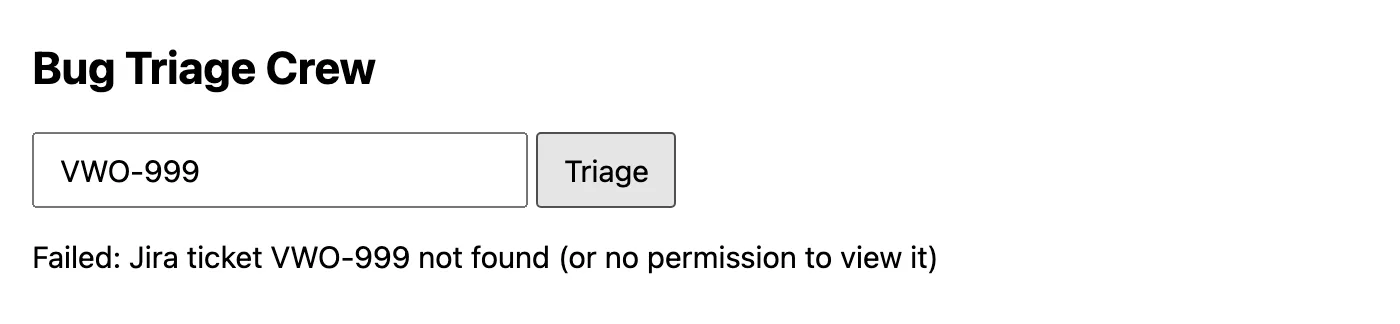
The port number is 8000, I think, the instructor said. Minimum UI, no fancy UI: give VWO-48, click on triage, and the report comes in the end, ready to copy. It is taking 12 seconds, the instructor said as it ran: it will take time, we don't care; I think CrewAI takes time. The assistant reported that it had been tested with an unknown ID too. Started here with no key, the page, and an unknown ID, which stops at the Jira fetch, so the crew never starts:
Then a second version, which supports a JQL or several Jira IDs. The instructor gave the assistant an image of how the list should look, with a triage button in the last column: triage only the first two, don't do it for all, and clicking a triaged row opens its triage details. It is test_07_BugTraigeCrew.PROD_UI_JQL.py, on port 8001:
TRIAGE_LIMIT = int(os.getenv("TRIAGE_LIMIT", "2"))
MAX_RESULTS = 50
KEY_RE = re.compile(r"[A-Z][A-Z0-9_]+-\d+")
def to_jql(query):
    """'VWO-48, VWO-141' -> key in (...). Anything else is used as JQL as-is."""
    tokens = [t.upper() for t in re.split(r"[\s,]+", query.strip()) if t]
    if tokens and all(KEY_RE.fullmatch(t) for t in tokens):
        keys = list(dict.fromkeys(tokens))          # dedupe, keep typed order
        return f"key in ({', '.join(keys)})", keys
    jql = query.strip()
    if "order by" not in jql.lower():
        jql += " ORDER BY created DESC"   # same default as Jira's list, so "first 2" is stable
    return jql, None
to_jql() turns a list of IDs into a key in (...) query, and leaves real JQL as it is, sorted newest first. On the file's own examples, imported with no model and no Jira:
| Typed in the search box | The JQL sent | IDs kept |
|---|---|---|
VWO-48, VWO-141 |
key in (VWO-48, VWO-141) |
VWO-48, VWO-141 |
vwo-48 VWO-48 |
key in (VWO-48) |
VWO-48 |
project = VWO AND status = "To Do" |
project = VWO AND status = "To Do" ORDER BY created DESC |
none: it is JQL |
The search returns up to 50 rows, and only the first TRIAGE_LIMIT, 2 unless the environment says otherwise, are queued for the crew, which one worker runs one ticket at a time:
        for row in rows[:TRIAGE_LIMIT]:
            enqueue_triage(row)
        for row in rows:
            row["triage"] = triage_state(row["key"])
        self._send(200, {"jql": jql, "rows": rows, "triage_limit": TRIAGE_LIMIT})
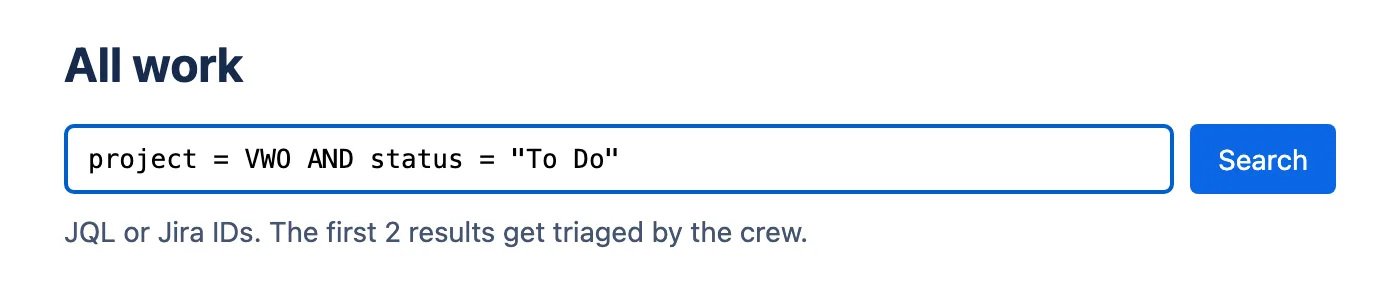
In class, the search found all the bugs and started triaging automatically, the first two only, because there is a limitation of APIs: we don't have an unlimited number of API calls. This demo you can showcase to your company, the instructor said: based on Jira, triaging is happening automatically, by an AI agent running on my system. We can deploy it to the cloud too, and it can run 24 by 7.
How long would triage take by hand? The instructor's JQL had more than 140 bugs: one person who knows the rules would need around one week, around four to five days, a minimum of four to five days, the instructor said. A learner worked it out at 15 minutes a bug, 2,100 minutes.
Questions while it built
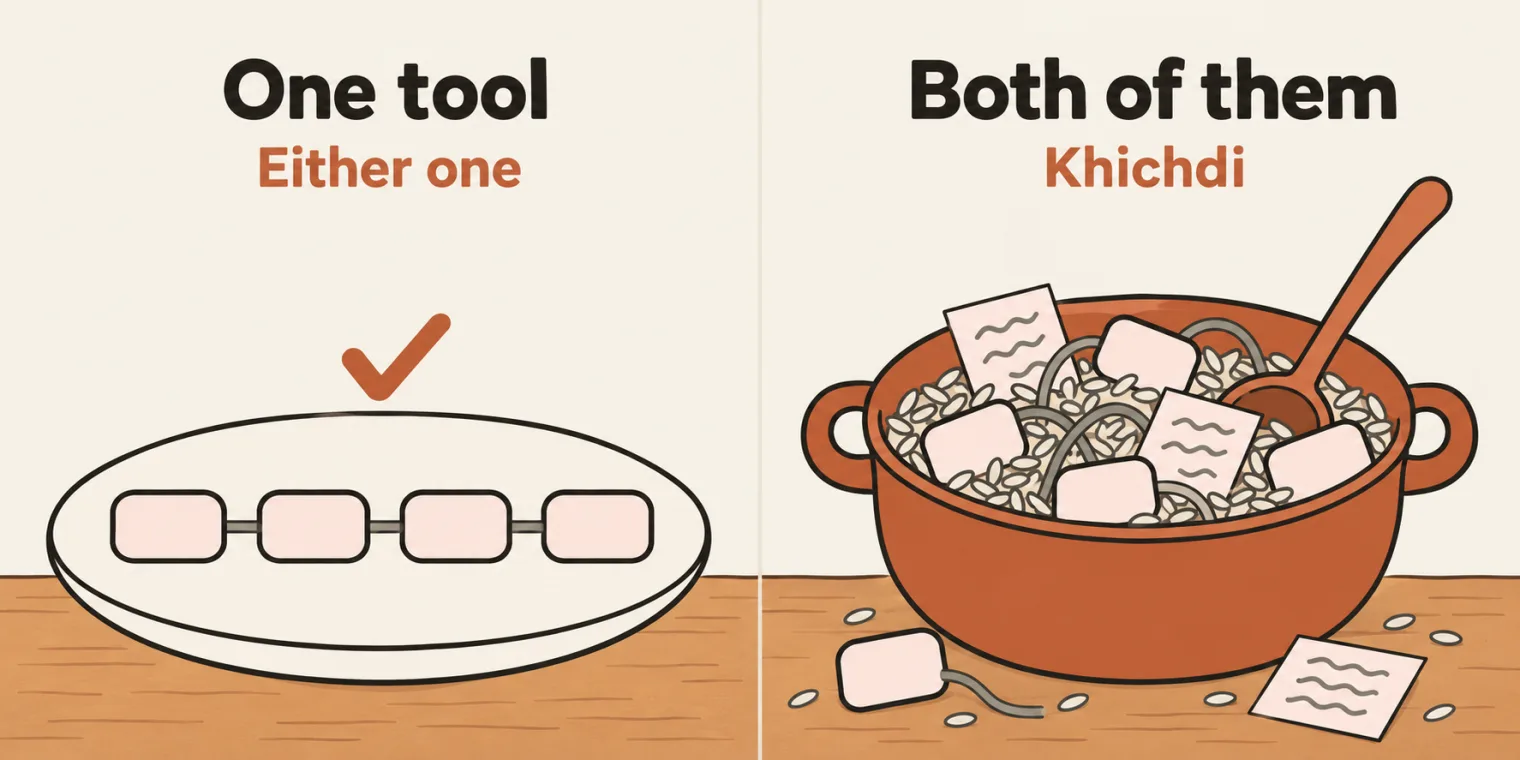
Question. How do I use n8n in CrewAI?
Show the answer
Answer. Why do you want to use n8n with CrewAI, the instructor asked: both of them create AI agents. Either use n8n or use CrewAI; do not use both of them. It will be khichdi.
Question. Can we add a RAG here, to find the root causes from our bugs too?
Show the answer
Answer. Yes, you are right, the instructor answered: if you are storing all your bugs in a RAG, you can give the crew access to the RAG too.
Question. In the example you took only one bug. How will we give all the bugs in one shot?
Show the answer
Answer. You give a JQL, the instructor answered; you have to figure out what the JQL is for that. Then you can run it with a for loop: if a JQL finds all the bugs, like 140 bugs, can we not use a for loop for that? The JQL version above queues its results for one worker, the first TRIAGE_LIMIT of them.
Question. Is it a good idea to use CrewAI to create an agent that builds a pipeline using Jenkins, or the BLAST framework for vibe coding? How do we integrate Jenkins using GitHub Copilot?
Show the answer
Answer. Use the Jenkins MCP, the instructor answered: Jenkins also has MCPs, and you can use that, if you want to integrate it with GitHub Copilot.
Question. Can this agent have a PDF version to download too?
Show the answer
Answer. Yes, it can, the instructor answered.
In my company, triage is used for multiple purposes: can I generate my own triage for it, a learner asked? You are right, the instructor said. Can we get traces too? That also can be implemented. A company had asked a learner for an estimate to build an agent that gets the RCA for a list of defects using a JQL: very good, find the JQL, the instructor said, for example the VWO project with the bug type. Is CrewAI a Python version? Yes, the instructor said.
Tasks and announcements
- This week's must-do task: the QA pipeline. I call this a complete Jira CrewAI generator, the instructor said; I call this a QA pipeline. You fetch Jira, generate a test plan, generate test cases, and generate Playwright scripts at the end. The input is a Jira ticket, and the output a test plan, test cases and Playwright test cases, with the Jira MCP or the API, any of them. There will be three agents. There should be a UI too, where the user can add a single Jira ID or multiple, or a JQL, and if the user enters a JQL, it does everything by itself. All of you have to complete it: it is the capstone project, and I want to see it next week, Saturday; before that, everyone should complete it. You will know the power of AI afterwards, the instructor said.
- The same with skills. The same problem statement can also be done with skills, the instructor said: if your company does not allow you to create AI agents, you can create a bug triaging skill, a root cause analysis skill and a Playwright test case suggestion skill.
- DeepSeek for the task. For that, I would recommend you use DeepSeek, if you can, the instructor said: with a top-up, you will learn a lot of things.
- The test. The class opened with the test, 50 MCQs: trust me, you will be able to finish it in less than 30 minutes, the instructor said, and if you have not done it, I would suggest you complete it.
- Command Code settings. Meeti, the TA, was asked for the same configuration for Command Code, to share with the class.
- The code, the demo and the prompts. The code would be pushed at the end, the instructor said, and this demo put on Vercel, as dummy triage; the prompts, asked for in chat, would be given at the end in one go. The code is in chapter 16 of the batch repository, pushed later the same day, and the prompts are the goals, backstories and task descriptions in
test_05_BugTraigeCrew.PROD.py. - Next class: LangChain. The same kind of setup and the same kind of agents, built with LangChain directly: things will change a little bit, and they will be added as different versions. In LangChain, a Jira MCP connection will be added too, the instructor said.
- The week after: DeepEval and LangGraph. Next to next week, the DeepEval framework, plus LangGraph.
Task: the QA pipeline capstone. A Jira ticket in, a test plan, test cases and Playwright scripts out, from three agents, with the Jira MCP or the API, and a UI that takes one or several Jira IDs, or a JQL. Complete it before next Saturday.
Show the answer
Answer. The parts are on this page: a fetch like fetch_jira_ticket(), three agents chained with context= like the triage crew, a word budget for each task so the last agent is not cut off, and the JQL page's search and queue for several tickets. If your company does not allow agents, the instructor said, the same can be built as skills.