What this class covered
- match and case: Python's switch, with
case _,|and tuple patterns - for loops and range(): start, stop and step, and counting down
- The while loop: initialization, condition and update
- Four loops to predict: the word Five, break, continue and a nested loop
- The loop else, which runs only when no break happened
- pass, and how it differs from continue
- Functions: the definition and the call, built-in and user-defined
- Parameters and arguments, and the four types of functions
- Default arguments, multiple return values and keyword arguments
- Input inside a function, and every type in one file
- An interview question on defaults and keywords, and any number of arguments with *args
- Scope: local and global variables, and nested functions
- Tasks and announcements: three programs, 50 practice questions by 25 November, and what comes next
match and case: Python's switch
The class picked up from the last one: the seven kinds of operators, and decisions with if and else. Next on the list was the switch statement. Python has no switch keyword. Its version is the match statement.
match came in Python 3.10, so check your version first, with two hyphens (python --version on Windows):
python3 --version
Python 3.12.7
Anything from 3.10 up runs match. The instructor's machine had 3.12, and the versions reported in class ran from 3.11 to 3.13.
The day of the week. File 47 opens the new folder, ex_07_Match:
day = int(input("Enter the day from 1 to 7"))

match day:
    case 1:
        print("Monday")
    case 2:
        print("Tuesday")
    case 3:
        print("Wednesday")
    case 4:
        print("Thursday")
    case 5:
        print("Friday")
    case 6 | 7:
        print("Weekend")
    case _:
        print("Invalid day")
match day:takes the value to check. No brackets around it, and no semicolons anywhere: Python does not need them.- Each
casegives one value.case 6 | 7:gives two, and|means or. case _:is the default. Python has nodefaultkeyword: the underscore matches anything, so it goes last.int()wraps theinput(), because the cases are numbers andinput()returns text.
Programs that read input run from a terminal, as in class:
python3 chapter_15_Python_PyTest/ex_07_Match/47.py
Typing 3:
Enter the day from 1 to 73
Wednesday
The prompt ends in 7 with no space after it, so the 3 you type shows up as 73. Python reads 3 and prints Wednesday.
No break. In a switch statement in Java or JavaScript, each case ends with break, or the cases below it run too. Python needs none: it runs the first case that matches, then leaves the match.
The prompt asks for a day from 1 to 7, so test each of them and one value past each end:
| You type | 47 prints |
|---|---|
| 0 | Invalid day |
| 1 | Monday |
| 2 | Tuesday |
| 3 | Wednesday |
| 4 | Thursday |
| 5 | Friday |
| 6 | Weekend |
| 7 | Weekend |
| 8 | Invalid day |
1 is Monday in this file, and 6 and 7 share the weekend line. 0 and 8 match none of the numbers, so case _ answers.
Why the int(). Without it, no number case can match: input() returns the string "3", and the string "3" is not the number 3. With int() taken out, typing 3:
Enter the day from 1 to 73
Invalid day
It is the lesson of the last class's sum program, which printed 1030: convert typed numbers before you use them as numbers.
match: status codes and tuple patterns
File 48 checks an HTTP status code, as an API test would:
status = 900

match status:
    case 200 | 201:
        print("Request successful")
    case 400:
        print("Bad request")
    case 401:
        print("Unauthorized")
    case 500:
        print("Server error")
    case _:
        print("Unknown status")
Unknown status
900 matches none of the listed codes, so case _ prints Unknown status. case 200 | 201: puts two values on one case: either one means the request succeeded. Change the first line and each case gets its turn:
| Status | 48 prints |
|---|---|
200 |
Request successful |
201 |
Request successful |
400 |
Bad request |
401 |
Unauthorized |
500 |
Server error |
900 |
Unknown status |
File 49. A case can describe a shape, not only one value:
point = (10, 20)

match point:
    case (0, 0):
        print("Origin")
    case (0, y):
        print("Y-axis:", y)
    case (x, 0):
        print("X-axis:", x)
    case (x, y):
        print("Point:", x, y)

# Here, x and y capture values from the tuple.
Point: 10 20
The point (10, 20) is not (0, 0), it does not start with 0, and it does not end with 0. The last case, (x, y), fits any pair: Python puts 10 into x and 20 into y, then prints them. That is capturing: a name in a pattern takes whatever value sits in its place, as the comment at the end of the file says. There is no case _ here; the last case takes any pair. Change the point in line 1 and each case gets its turn:
| Point | The case that fits | 49 prints |
|---|---|---|
(10, 20) |
case (x, y): |
Point: 10 20 |
(0, 0) |
case (0, 0): |
Origin |
(0, 20) |
case (0, y): |
Y-axis: 20 |
(10, 0) |
case (x, 0): |
X-axis: 10 |
match or if/else? Many people say match is just if/else written differently. The differences, as listed in class:
| Feature | The match statement | if, elif and else |
|---|---|---|
| Added in | Python 3.10 | every version |
| Exact values, such as 200 | yes | yes |
| A shape, such as a pair, and the values inside it | yes: case (x, y): captures them |
by hand, with point[0] and point[1] |
| The default | case _: |
else: |
Five questions from class.
Q1. Which keyword does Python use for structural pattern matching? Answer: match.
Q2. Which pattern is the default? Answer: _, the underscore.
Q3. day is 2, and case 2: prints Tuesday. What is printed? Answer: Tuesday, as the table for file 47 shows.
Q4. What does | mean in case 6 | 7:? Answer: either value. It is not a syntax error, and inside a case it is not the bitwise OR either.
Q5. Does a case need break? Answer: no.
for loops and range()
A loop runs a block of code again and again. Python has two, the for loop and the while loop, plus nested loops, the keywords break, continue and pass, and an optional else on a loop. Loops are everywhere from here on, CrewAI, LangChain and LangGraph included.
The counting loop of Java, for (int i = 0; i < n; i++), is not Python. Python's for loop takes the items of a sequence one at a time, with no data type: for i in range(1, 6):. For counting, the sequence comes from range(), a built-in function. File 50, the class's fiftieth exercise, in the new folder ex_08_Loops:
# for i in range(1, 6):
#     print(i)

# range(start, end-1, step) - G


for i in range(1, 6, 2):
    print(i)
1
3
5
The commented loop at the top was the first version. Switched on by itself, it prints 1 to 5:
1
2
3
4
5
range(1, 6)starts at 1 and stops before 6. The stop is never included: "always n minus 1", as the class put it, and "end-1" in the file's comment.- Hover over
rangein VS Code and it shows its three parts: start, stop and step. The step is 1 unless you give one. range(1, 6, 2)steps by 2: 1, 3, 5.
The class worked out the second loop on the iPad. Each value is checked against the stop itself, 6, not against 5:
| Value | Below the stop? | Prints |
|---|---|---|
| 1 | 1 < 6: yes |
1 |
| 3 | 3 < 6: yes |
3 |
| 5 | 5 < 6: yes |
5 |
| 7 | 7 < 6: no |
nothing: the loop ends |
7 is not below 6, so the loop ends there.
Starting at 0. File 51_Loop.py, one of two files numbered 51:
# for i in range(1,10,1):
#     print(i)

# # 1 TO 9, -> 1

for i in range(0,10,1):
    print(i)
Its commented loop starts at 1, so 0 never appears, and it stops before 10:
1
2
3
4
5
6
7
8
9
To include 0, start at 0, as the live loop does:
0
1
2
3
4
5
6
7
8
9
Variants. The other file 51, 51_For_Variants.py:
for i in range(3, 5):
    print(i)
3
4
3 and 4. The 5 is the stop, so it is not included.
Counting down. File 53:
# for i in range(1, 10,-1):
#     print(i)

# for i in range(10, 1,-1):
#     print(i)


for i in range(10): #0 to 9, step=1
    print("Hello World!")
Hello World!
Hello World!
Hello World!
Hello World!
Hello World!
Hello World!
Hello World!
Hello World!
Hello World!
Hello World!
With one number, range(10) is the stop alone: it starts at 0 and steps by 1, so the loop runs ten times, for 0 to 9, and prints Hello World! ten times. Not an infinite loop.
The two commented loops came first in class. Switched on one at a time, range(1, 10, -1) prints nothing at all, and range(10, 1, -1) prints:
10
9
8
7
6
5
4
3
2
10 down to 2: the stop, 1, is not included, so it ends at 2.
Why nothing for the first one? A negative step counts down, and range() keeps going only while the value is above the stop. range(1, 10, -1) starts at 1, which is not above 10, so there is nothing to count: the body never runs, and there is no error either. To count down, start high and stop low, as range(10, 1, -1) does.
Test ids. File 54:
for test_id in range(1,6):
    print("Running the test case : ",test_id)
Running the test case :  1
Running the test case :  2
Running the test case :  3
Running the test case :  4
Running the test case :  5
Five test cases, ids 1 to 5. The two spaces before each id come from print(): it puts a space between its two arguments, and the text already ends with one.
Every range in today's files:
| Call | Values | File |
|---|---|---|
range(1, 6) |
1, 2, 3, 4, 5 | 50_Loop.py, commented out |
range(1, 6, 2) |
1, 3, 5 | 50_Loop.py |
range(1, 10, 1) |
1 to 9 | 51_Loop.py, commented out |
range(0, 10, 1) |
0 to 9 | 51_Loop.py |
range(3, 5) |
3, 4 | 51_For_Variants.py |
range(10) |
0 to 9 | 53_For_Negative.py |
range(10, 1, -1) |
10 down to 2 | 53_For_Negative.py, commented out |
range(1, 10, -1) |
nothing | 53_For_Negative.py, commented out |
range(1, 6) |
1, 2, 3, 4, 5 | 54_Test.py |
The while loop
Next came the for loop's sister. Its three rules, from class:
- The condition is checked before every pass.
- If the condition is false, the body does not run.
- If nothing updates the condition, the loop never ends: an infinite loop.
Its pattern is ICU: initialization before the loop, the condition in the while line, and the update at the end of the body. File 55, in the new folder ex_09_While_loop:
count = 0
while count<5:
    print("Count is ",count)
    count = count+1
Count is  0
Count is  1
Count is  2
Count is  3
Count is  4
- I:
count = 0, before the loop. - C:
while count<5:, with a colon and no semicolon. - U:
count = count+1. Python has no++, as the last class showed, socount++does not work: writecount = count + 1orcount += 1.
| Count | Check | Number printed | Count becomes |
|---|---|---|---|
| 0 | 0 < 5: true |
0 | 1 |
| 1 | 1 < 5: true |
1 | 2 |
| 2 | 2 < 5: true |
2 | 3 |
| 3 | 3 < 5: true |
3 | 4 |
| 4 | 4 < 5: true |
4 | 5 |
| 5 | 5 < 5: false |
nothing: the loop ends |
Without the update. Delete count = count+1 and count stays 0, so count<5 is true forever. The first five lines of what it prints; it never stops on its own, so stop it with Ctrl+C:
Count is  0
Count is  0
Count is  0
Count is  0
Count is  0
Test ids with while, file 56:
test_id = 0
while test_id < 10:
    print("Running the testcase -> ",test_id)
    test_id = test_id + 1
Running the testcase ->  0
Running the testcase ->  1
Running the testcase ->  2
Running the testcase ->  3
Running the testcase ->  4
Running the testcase ->  5
Running the testcase ->  6
Running the testcase ->  7
Running the testcase ->  8
Running the testcase ->  9
0 to 9: ten test cases.
Four loops to predict
Output questions from class. Work each one out before you read the answer.
Q1, file 57.
for i in range(0, 10):
    if i == 5:
        print("Five")
    else:
        print(i)
Answer: 0 to 4, then Five, then 6 to 9. i == 5 is true only once, and on that pass the word replaces the number:
0
1
2
3
4
Five
6
7
8
9
Q2, file 58.
for i in range(1, 6):
    if i == 3:
        break
    print(i)
Answer: 1 and 2. break leaves the loop at once:
1
2
| Value | Check | What happens | Prints |
|---|---|---|---|
| 1 | 1 == 3: false |
print(i) |
1 |
| 2 | 2 == 3: false |
print(i) |
2 |
| 3 | 3 == 3: true |
break: leave the loop |
4 and 5 never come up.
Q3, file 59.
for i in range(1, 6):
    if i == 3:
        continue
    print(i)
Answer: 1, 2, 4 and 5. continue skips the rest of this pass and moves on to the next value:
1
2
4
5
| Value | Check | What happens | Prints |
|---|---|---|---|
| 1 | 1 == 3: false |
print(i) |
1 |
| 2 | 2 == 3: false |
print(i) |
2 |
| 3 | 3 == 3: true |
continue: skip the print |
|
| 4 | 4 == 3: false |
print(i) |
4 |
| 5 | 5 == 3: false |
print(i) |
5 |
Only the 3 is skipped.
Q4, file 60. A for loop inside a for loop is a nested loop:
for i in range(1, 3):
    for j in range(1, 4):
        print(i, j)
Answer: six lines. For each value of i, the inner loop runs j through 1, 2 and 3 again, so 2 × 3 = 6 lines, laid out like a matrix:
1 1
1 2
1 3
2 1
2 2
2 3
| Line | Outer loop | Inner loop | Prints |
|---|---|---|---|
| 1 | 1 | 1 | 1 1 |
| 2 | 1 | 2 | 1 2 |
| 3 | 1 | 3 | 1 3 |
| 4 | 2 | 1 | 2 1 |
| 5 | 2 | 2 | 2 2 |
| 6 | 2 | 3 | 2 3 |
The loop else
The surprise of the class: a loop can have an else. File 61 looks for a 5 in a list of even numbers. In class it was first written with the else under the if, an ordinary if/else inside the loop. Reconstructed from the recording:
for number in [2,4,6]:
    if number ==5:
        break
    else:
        print("5 not found")
5 not found
5 not found
5 not found
Three times: 2, 4 and 6 are each not 5, so the else runs on every pass. Then the else moved left, under the for. File 61 as pushed:
for number in [2,4,6]:
    if number ==5:
        break
else:
    print("5 not found")
5 not found
Once. The else now belongs to the loop, and a loop's else runs when the loop finishes without a break. No 5 turned up, so break never ran, and the message printed once. Put a 5 in the list, [2,4,5,6], and the file prints nothing at all: the loop reaches 5, break ends it, and the else is skipped.
else belongs to. Under the for, it runs only when the loop ends without break.The verdict from class: interesting, but not something you will use in automation.
pass, and pass versus continue
pass does nothing. Python does not allow an empty block, and pass fills one. File 62:
for i in range(0, 10, 1):
    if i == 6 or i == 5:
        print(i)
    else:
        pass # do nothing
5
6
The class worked it out with an expression result table (ERT), the instructor's name for this kind of trace table: each value of i, the condition, and what it prints.
| Value | The condition | Branch | Prints |
|---|---|---|---|
| 0 | false | pass: nothing happens |
|
| 1 | false | pass: nothing happens |
|
| 2 | false | pass: nothing happens |
|
| 3 | false | pass: nothing happens |
|
| 4 | false | pass: nothing happens |
|
| 5 | true | print(i) |
5 |
| 6 | true | print(i) |
6 |
| 7 | false | pass: nothing happens |
|
| 8 | false | pass: nothing happens |
|
| 9 | false | pass: nothing happens |
Only 5 and 6 make the condition true. Every other value takes the else, where pass does nothing.
What if you leave pass out? A question from class, and the answer: a syntax error, because the else would be empty. Take out pass, keep its comment, and Python refuses to run the file at all:
  File "chapter_15_Python_PyTest/ex_09_While_loop/62_Pass.py", line 5
    # do nothing
IndentationError: expected an indented block after 'else' statement on line 4
A comment is not a statement, so the else is still empty. IndentationError is a kind of SyntaxError. After the break, the class added why pass is worth having: it shows that a branch does nothing on purpose.
Even numbers, file 63, another question:
for i in range(101):  # 0 to 100
    if i % 2 == 0:
        print(i)
Answer: every even number from 0 to 100, 51 lines. range(101) runs from 0 to 100, and i % 2 == 0 is true when i divides by 2 exactly, 0 included:
0
2
4
6
8
10
12
14
16
18
20
22
24
26
28
30
32
34
36
38
40
42
44
46
48
50
52
54
56
58
60
62
64
66
68
70
72
74
76
78
80
82
84
86
88
90
92
94
96
98
100
Odd numbers with continue, file 64:
for number in range(10):
    if number % 2 == 0:
        continue
    else:
        print(number)
1
3
5
7
9
| Value | Even? | Branch | Prints |
|---|---|---|---|
| 0 | yes | continue |
|
| 1 | no | else: print(number) |
1 |
| 2 | yes | continue |
|
| 3 | no | else: print(number) |
3 |
| 4 | yes | continue |
|
| 5 | no | else: print(number) |
5 |
| 6 | yes | continue |
|
| 7 | no | else: print(number) |
7 |
| 8 | yes | continue |
|
| 9 | no | else: print(number) |
9 |
pass or continue? In class: continue skips to the next pass, and pass does nothing at all. Swap one for the other in the class's own files and the difference shows:
| File | Prints |
|---|---|
59_IQ_Continue.py as pushed, with continue |
1 2 4 5 |
the same file with pass in place of continue |
1 2 3 4 5 |
64_Continue.py as pushed, with continue |
1 3 5 7 9 |
the same file with pass in place of continue |
1 3 5 7 9 |
64_Continue.py without the else:, the print moved left |
1 3 5 7 9 |
In file 59 the print(i) comes after the if, so continue is what skips the 3; with pass, the print still runs. In file 64 the print sits in the else, so continue has nothing left to skip, and pass gives the same result. That is also why the else: in file 64 can go, as the class agreed when a learner asked: with print(number) moved left, continue does the skipping.
Functions: the definition and the call
After the break: functions. You have used some already: print(), input(), max(), min() and range() are built-in functions, ready-made in Python. A function you write yourself is user-defined.
In class: a function is a reusable block of code, written with the keyword def. Functions make a program modular, maintainable and reusable. A function can take input, its parameters, and it can return a value, or not. And a function is an object like any other value: you can pass it to another function, or return it from one.
File 64_Fn.py, the other file numbered 64, opens the folder ex_10_Functions:
# Def

def greet():
    print("Hello")
# Call
greet()
Hello
A function has two parts:
- the definition:
def, the name, brackets and a colon, then the indented body.defis short for definition; JavaScript writesfunctioninstead. - the call: the name and brackets,
greet().
Take the call away and the file prints nothing: a definition alone never runs.
File 65 names the two kinds of function in its comments, then uses two built-ins:
# Functions - reusable block of code.
# Built in - Python guys
# User Defined / Custom

print("Hello World")
name= input("Enter the name")
Typing Pramod:
Hello World
Enter the namePramod
print() and input() are both built-in functions.
Call it as often as you like, file 66:
# Type 1 - No return type and no parameters.


# Step 1 - Declare / Define
def greet():
    print("Hi")

# Step 2 - Calling
greet()
greet()
greet()
greet()
Hi
Hi
Hi
Hi
One definition, four calls, four lines.
Parameters, arguments and the four types
File 67:
def greet(name): # parameter when define.
    print("Hi", name)


greet("pramod") # when argument is call the fn
greet(3.14)

# parameter vs Argument
Hi pramod
Hi 3.14
- The parameter is the name in the definition:
nameindef greet(name). - The argument is the value in the call:
"pramod"ingreet("pramod").
Parameter when you define, argument when you call. The second call passes 3.14, and that works too: the function takes whatever you send.
The four types. A function either takes parameters or not, and either returns a value or not, which makes four types, files 68 to 71.
def greet():
    print("Hello")
# Call
greet()
Hello
Type 1: no parameters, no return. This is the first example again.
def greet():
    return "Hi"


msg = greet()
print(msg)
Hi
Type 2: no parameters, but a return. The returned value goes back to the line that called the function, so msg holds Hi.
def sum_of_two(a, b):
    print(a,b)


sum_of_two(4, 5)
4 5
Type 3: parameters, no return. It only prints.
def sum_of_two(a, b):
    return a+b

result = sum_of_two(4, 5)
print(result)
9
Type 4: parameters and a return. sum_of_two(4, 5) hands back 9, which is stored in result and printed.
No return gives None. A function without return still hands something back: None. Print the call to the type 3 function and you see its own print, then the None:
def sum_of_two(a, b):
    print(a,b)


print(sum_of_two(4, 5))
4 5
None
Why functions matter for an SDET, from class: they make code reusable and easy to maintain. Two more kinds were named for later: lambda functions and recursive functions.
Default arguments, multiple return values and keyword arguments
On top of the four types, three more ways to pass values in and get them out.
Default arguments, file 72:
def greet_with_default_param(name="QA"):
    print("Hi,", name)


greet_with_default_param("Pramod")
greet_with_default_param("Amit")
greet_with_default_param()
Hi, Pramod
Hi, Amit
Hi, QA
name="QA" is a default: pass a name and it is used; pass nothing and name is QA.
Multiple return values, file 73:
def math_operations(a, b):
    return a + b, a - b, a * b


sum_result, diff_result, mul_result = math_operations(3, 4)
print(sum_result)
print(diff_result)
print(mul_result)
7
-1
12
One return with three values separated by commas, and one line that stores them in three names. Strictly, Python returns one tuple that holds the three values, and the left side of the = unpacks it. Print the call itself:
def math_operations(a, b):
    return a + b, a - b, a * b


print(math_operations(3, 4))
(7, -1, 12)
The round brackets mark a tuple. Tuples get a class of their own later.
Keyword arguments, file 74:
def display_information(name, role):
    print(f"Name : {name}, role is {role}")

# Call you can mention the keyword.
display_information(name="Pramod2", role="QA2")
display_information(role="QA3", name="Pramod3")
Name : Pramod2, role is QA2
Name : Pramod3, role is QA3
Name each argument in the call, name="Pramod2", and the order stops mattering: the second call gives role first, and each value still lands in the right parameter.
Input inside a function, and every type in one file
File 75 takes a name from the user and passes it to a function:
user_input = input("Enter your name\n")

def say_your_name(name):
    print("Hi,", name)


say_your_name(user_input)
Typing Pramod:
Enter your name
Pramod
Hi, Pramod
What you type is stored in user_input, passed in the call, and arrives in the function as name.
File 76 puts every type in one file, with defaults and keywords:
import math

# built in functions
result = max(3, 4)
print(result)

# 1. They can't return -> non return
# No Return Type and No Parameter / Argument - NRNP

def greet():
    print("Hello")

greet()

# 2. # No Return Type and with Argument/ Param
def greet_by_name(name):
    print("Hello,", name)


greet_by_name("Pramod")

# 3. No Return Type and with Default Argument ( # positional argument)
def say_hello_default_arg(name="Pramod"):
    print("Hello", name.upper())


say_hello_default_arg("Dutta")
say_hello_default_arg()


def multiple_args(name1="A", name2="B"):
    print("Mul -> ", name1, name2)


multiple_args()
multiple_args("Lucky", "Sharma")
multiple_args(name1="Pramod")
multiple_args(name1="Dutta", name2="Amit")
multiple_args(name2="Amit")


# def test(name):
#     return name
# test("test")


# 4. Argument + return Type

def sum_of_two(a, b):
    return a + b


result = sum_of_two(4, 56)
print(result)


def sum_of_two_number_with_default(num1=100, num2=200):
    print("I will sum the two numbers!")
    return num1 + num2


result = sum_of_two_number_with_default(num1=34, num2=34)
print(result)
result = sum_of_two_number_with_default()
print(result)
4
Hello
Hello, Pramod
Hello DUTTA
Hello PRAMOD
Mul ->  A B
Mul ->  Lucky Sharma
Mul ->  Pramod B
Mul ->  Dutta Amit
Mul ->  A Amit
60
I will sum the two numbers!
68
I will sum the two numbers!
300
A few lines to check against the output: say_hello_default_arg() takes the default and prints Hello PRAMOD, because of upper(); multiple_args(name2="Amit") keeps the default for name1, so it prints A Amit; and sum_of_two_number_with_default() prints its message, then returns 100 + 200, so 300.
Interview question: defaults and keywords
File 77. What does each call print?
def sum_three(a=1, b=1, c=1):
    return a + b + c


result1 = sum_three()
print(result1)

result2 = sum_three(1, 2)
print(result2)

result3 = sum_three(1, 2, 3)
print(result3)

result5 = sum_three(b=67, a=10, c=45)
print(result5)

result6 = sum_three(a=10, b=67, c=45)
print(result6)
3
4
6
122
122
| Call | Values used | Returns |
|---|---|---|
sum_three() |
a = 1, b = 1, c = 1: all three defaults | 3 |
sum_three(1, 2) |
a = 1, b = 2, c = 1: c keeps its default | 4 |
sum_three(1, 2, 3) |
a = 1, b = 2, c = 3: no defaults used | 6 |
sum_three(b=67, a=10, c=45) |
a = 10, b = 67, c = 45: by name, in any order | 122 |
sum_three(a=10, b=67, c=45) |
a = 10, b = 67, c = 45: by name | 122 |
In class: a type 4 function with default values. Call it with nothing and all three defaults are used: 1 + 1 + 1 is 3. Values you pass replace the defaults from the left, so sum_three(1, 2) leaves only c at 1. The last two calls name every argument, keyword style, so their order does not matter: both give 122.
Any number of arguments: *args
A star in front of a parameter lets the function take any number of arguments, the "infinite arguments" of the class. File 78:
def print_mul_arg(*pramod_list):
    # args - List
    for i in pramod_list:
        print(i)


print_mul_arg("pramod")
print_mul_arg(2, 3, 1, 4, 3, 2, 2, 2, 2, 2, 2)
print_mul_arg("pramod", "dutta")
print_mul_arg("pramod", "dutta", "third")
print_mul_arg("pramod", "dutta", "third", 3.14)
print_mul_arg("pramod", "dutta", "third", 3.14, True)
pramod
2
3
1
4
3
2
2
2
2
2
2
pramod
dutta
pramod
dutta
third
pramod
dutta
third
3.14
pramod
dutta
third
3.14
True
One function, called with one argument, then eleven, two, three, four and five, of any type: *pramod_list collects them, and the for loop prints each one on its own line.
The class's example: pizza toppings. One order has two toppings, another four, another just one, and the same function has to take them all.
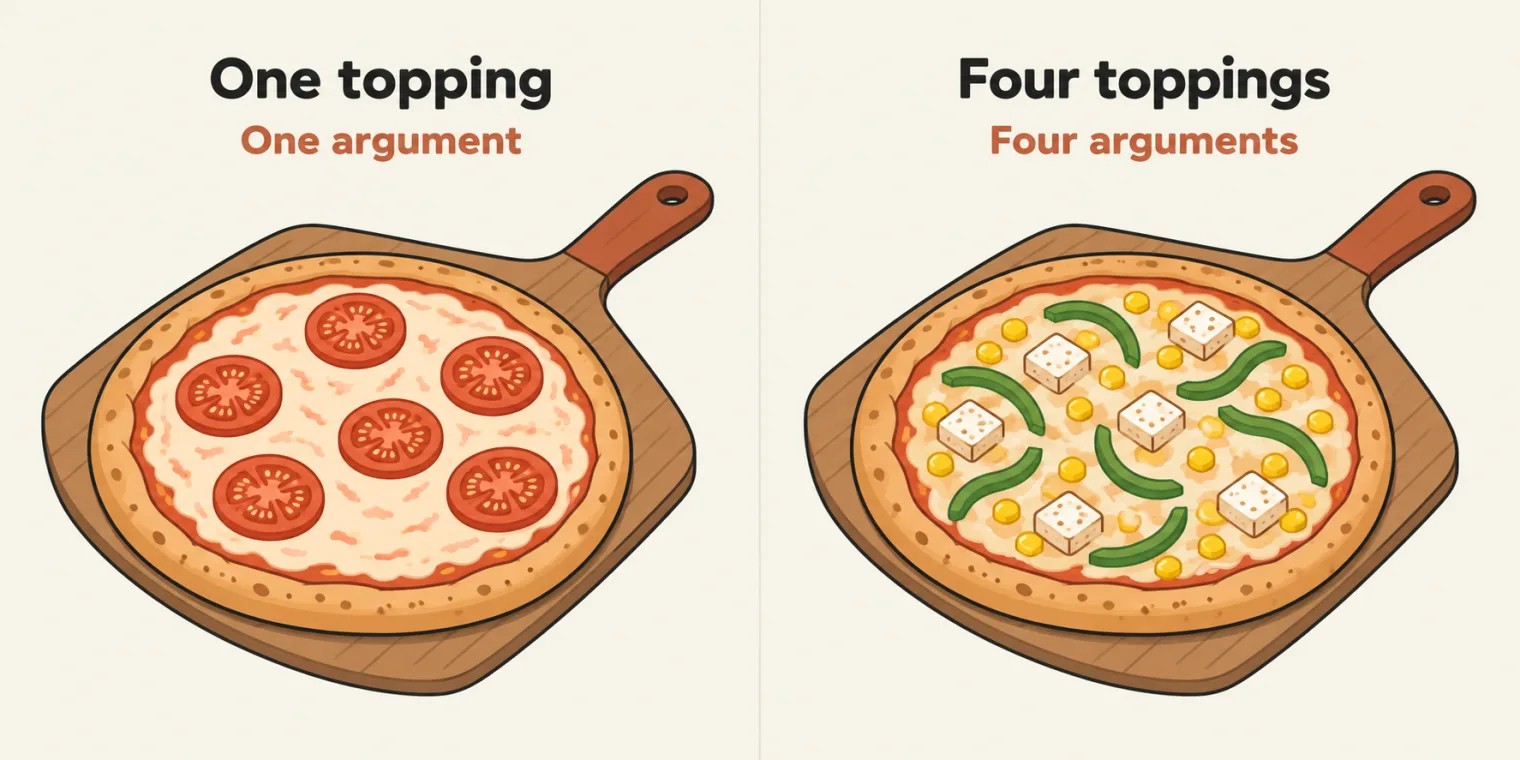
make_pizza function takes one topping or four: the star collects whatever arrives.File 79:
def make_pizza(*toppings):
    print(toppings)


pramod = make_pizza("cheese","corn")
yoga = make_pizza("cheese","corn","paneer","capsicm")
vinay = make_pizza("tomato")
('cheese', 'corn')
('cheese', 'corn', 'paneer', 'capsicm')
('tomato',)
Use the star when you do not know in advance how many arguments will come. make_pizza only prints, so the three names on the left of the calls all hold None, as with type 3.
A tuple, not a list. In class, and in the comment in file 78, the arguments arrive "as a list". The output of file 79 shows round brackets: Python packs them into a tuple, a sequence like a list that cannot be changed. You loop over it the same way, as file 78 does. ('tomato',) is a tuple with one item, and the comma is what makes it a tuple. The repo's README says tuple too.
Scope: local, global and nested functions
The last folder, ex_11_Functions_Global, is about where a variable can be seen, which CrewAI code relies on too. File 80:
pb_global_b = 12

def my_function():
    pb_a = 10
    print(pb_a)
    print(pb_global_b)


print(pb_global_b)
# print(pb_a) # NameError: name 'pb_a' is not defined
my_function()
12
10
12
pb_global_bis created at the top of the file: a global variable. The file prints it, 12, and so does the function.pb_ais created insidemy_function: a local variable. The function prints it, 10.
Line 10 tries to print pb_a outside the function. Switched on:
12
Traceback (most recent call last):
  File "chapter_15_Python_PyTest/ex_11_Functions_Global/80_Fn.py", line 10, in <module>
    print(pb_a) # NameError: name 'pb_a' is not defined
          ^^^^
NameError: name 'pb_a' is not defined
Outside its function, pb_a does not exist. Python's answer, in the class's words: not allowed.
The public and the private toilet. The class's analogy: a public toilet is open to everyone. A home has a private toilet: if you are in the home, you can use both, but a stranger can use only the public one. A global variable is the public toilet; a variable created inside a function is the private toilet in that home.
File 81 puts it in code:
public_toilet = "PB"


def home():
    private_toilet = "PT"
    print(public_toilet)
    print(private_toilet)

def stranger():
    print(public_toilet)
    # print(private_toilet)
As pushed, it prints nothing.
File 81 prints nothing. It defines home() and stranger() but never calls them, so neither runs: the same reason a definition alone printed nothing in file 64. The repo's README says so too, and suggests adding the two calls at the bottom.
With the two calls added at the bottom:
public_toilet = "PB"


def home():
    private_toilet = "PT"
    print(public_toilet)
    print(private_toilet)

def stranger():
    print(public_toilet)
    # print(private_toilet)


home()
stranger()
PB
PT
PB
home() prints both, the global and its own local. stranger() prints the public one. Its commented line, print(private_toilet), is the stranger trying the private one. Switched on, the call to stranger() fails:
PB
PT
PB
Traceback (most recent call last):
  File "chapter_15_Python_PyTest/ex_11_Functions_Global/81_ScopreFn.py", line 15, in <module>
    stranger()
  File "chapter_15_Python_PyTest/ex_11_Functions_Global/81_ScopreFn.py", line 11, in stranger
    print(private_toilet)
          ^^^^^^^^^^^^^^
NameError: name 'private_toilet' is not defined
home(): stranger() cannot reach it.Nested functions, file 82: a function inside a function.
def outer_function():
    var1 = 30 # local

    def inner_function():
        var2 = 90
        print(var1)

    def inner_function2():
        var1 = 100
        print(var1)
        # print(var2)


    inner_function()
    inner_function2()

outer_function()
30
100
inner_function reads var1 from the function around it, outer_function, and prints 30. inner_function2 assigns its own var1 = 100 and prints that. Both are called from inside outer_function. The commented print(var2), switched on, fails as well: var2 belongs to inner_function, and inner_function2 cannot see it.
30
100
Traceback (most recent call last):
  File "chapter_15_Python_PyTest/ex_11_Functions_Global/82_Nested_Fn.py", line 17, in <module>
    outer_function()
  File "chapter_15_Python_PyTest/ex_11_Functions_Global/82_Nested_Fn.py", line 15, in outer_function
    inner_function2()
  File "chapter_15_Python_PyTest/ex_11_Functions_Global/82_Nested_Fn.py", line 11, in inner_function2
    print(var2)
          ^^^^
NameError: name 'var2' is not defined. Did you mean: 'var1'?
The verdict from class: nested functions exist, but you will not use them in automation or in building AI agents.
Tasks and announcements
- Three programs for today's task: a prime number checker, a palindrome checker and a factorial program. Meeti adds them as the batch task. With them, the instructor counted eight coding questions so far: put all eight on your GitHub profile.
- 50 practice questions by 25 November. The platform's coding practice has 150 interview questions. Between 25 October and 25 November, solve at least 50 of them; today's topics, conditions, loops and functions, are what they need. Practise in your own editor first, then submit in the platform's editor once your answer works.
- Why bother with coding. Interviews still ask for code, for AI roles too, and candidates who can only drive GitHub Copilot or Claude Code are failing them. The instructor's tip: Python is the easiest language for a coding round, and the one the instructor uses.
- Advanced QA skill creation, part two: Friday 30 October, 8 PM IST, unless it falls on a holiday.
- The advanced MCP session moves to around 13 or 14 November, because of the festive season.
- Doubts go in the doubt thread.
- Coming up: decorators and lambda, held over to keep this class simple, then type conversion; lists, tuples, sets and dictionaries; and object-oriented programming: classes, objects, constructors, inheritance, encapsulation, polymorphism, abstraction, static members, exceptions and modules. Pyramid patterns come later too. After Python: CrewAI, DeepEval, LangChain and LangGraph. DeepEval is taught instead of Ragas, because it covers RAG pipelines, AI agents, MCP servers and chatbots in one tool.
Task 1, prime number checker. Write a program that checks whether a number is prime.
Task 2, palindrome checker. Write a program that checks whether its input is a palindrome.
Task 3, factorial. Write a program that prints the factorial of a number. Then add all eight programs to your GitHub profile.
Practice. Solve at least 50 of the 150 interview questions in the coding practice by 25 November.