01Real-world example
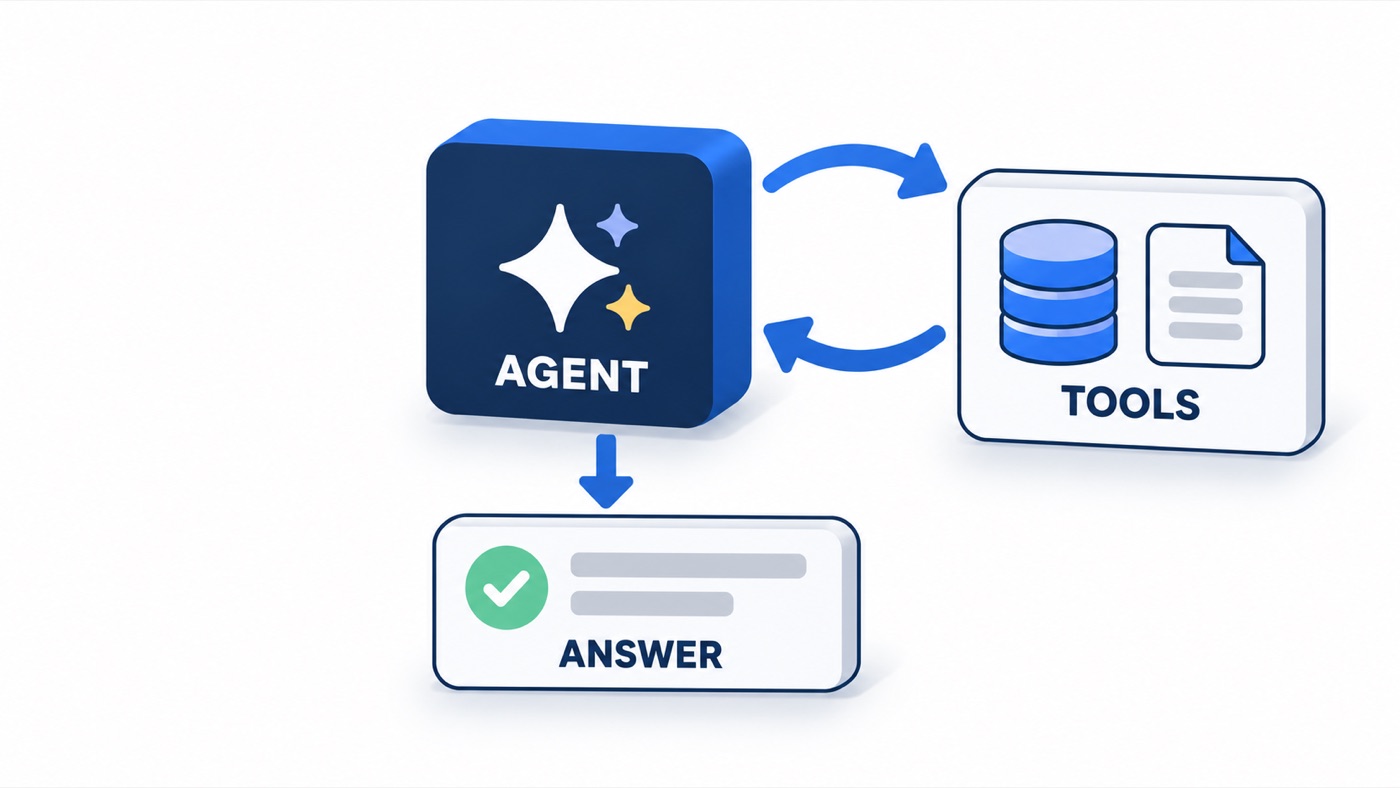
The model reasons, calls a tool, reads the result, and repeats until it can answer.
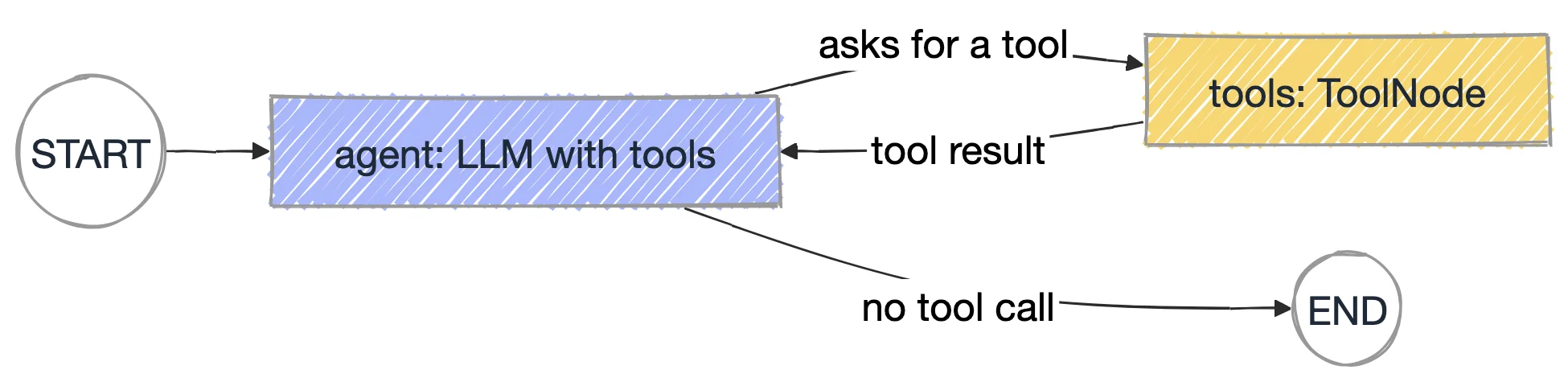
@tool turns a Python function into a tool; the docstring is what the model reads to decide when to call it.bind_tools(TOOLS) lets the model ask for tools; ToolNode(TOOLS) runs whatever it asked for.tools_condition routes to tools when the last message has tool calls, otherwise to END: two nodes and one loop.{"recursion_limit": 12} caps the loop because the default on 1.2.12 is 10007 steps.cd chapter_18_LangGraph/src/chapters
python 009_ReAct_Agent_Tools.py[agent] calls get_test_history({'test_name': 'login_redirect'})
[tools] get_test_history -> passed, failed, passed, passed, failed, passed
[agent] calls get_test_history({'test_name': 'checkout_pay'})
[tools] get_test_history -> failed, failed, failed, failed, failed, failed
[agent] answer: ...chapter_18_LangGraph/.env.sample to .env and add a free Groq key from console.groq.com.Work in chapter_18_LangGraph/src/chapters. Change one thing, run it, and compare with the expected result.
Change the question to "Is cart_total flaky?".
get_test_history, sees six passes and says it is stable.Add get_owner(test_name) that returns a team name, then ask who owns checkout_pay.
get_owner on its own because the docstring says what it does.Set recursion_limit to 2.
GraphRecursionError: agent, tools, agent needs at least three steps before an answer.The exact file from the course repo, plus the output it printed when this page was written.
"""009 - Build the agent loop yourself: model -> tools -> model -> ... -> answer.

This is what create_agent (chapter 17) does under the hood. The loop is just
two nodes and a conditional edge:
    agent --(asked for a tool?)--> tools --> agent
    agent --(no tool call)-------> END
tools_condition is the prebuilt router; ToolNode runs whatever tools were asked for.
"""
from langchain_core.messages import HumanMessage, SystemMessage
from langchain_core.tools import tool
from langgraph.graph import END, START, MessagesState, StateGraph
from langgraph.prebuilt import ToolNode, tools_condition

from llm import get_llm

HISTORY = {
    "login_redirect": ["passed", "failed", "passed", "passed", "failed", "passed"],
    "checkout_pay": ["failed", "failed", "failed", "failed", "failed", "failed"],
    "cart_total": ["passed"] * 6,
}
LAST_ERROR = {
    "login_redirect": "TimeoutError: waiting for URL /dashboard (5000ms). Passed on retry.",
    "checkout_pay": "AssertionError: order total expected $120.00, got $0.00",
    "cart_total": "none",
}


@tool
def get_test_history(test_name: str) -> str:
    """Return the last 6 CI results (oldest first) for a test by name."""
    runs = HISTORY.get(test_name)
    return ", ".join(runs) if runs else f"no history for {test_name}"


@tool
def get_last_error(test_name: str) -> str:
    """Return the most recent error message for a test by name."""
    return LAST_ERROR.get(test_name, f"no error recorded for {test_name}")


TOOLS = [get_test_history, get_last_error]
model = get_llm().bind_tools(TOOLS)

SYSTEM = SystemMessage(
    "You are a QA assistant. Use the tools to look up facts; never guess results. "
    "A test is flaky if it both passes and fails across runs with no code change. "
    "Answer in 2-3 sentences."
)


def agent(state: MessagesState) -> dict:
    return {"messages": [model.invoke([SYSTEM] + state["messages"])]}


builder = StateGraph(MessagesState)
builder.add_node("agent", agent)
builder.add_node("tools", ToolNode(TOOLS))
builder.add_edge(START, "agent")
builder.add_conditional_edges("agent", tools_condition, ["tools", END])
builder.add_edge("tools", "agent")          # the loop back
app = builder.compile()

if __name__ == "__main__":
    question = "Is login_redirect flaky or genuinely broken? Compare it with checkout_pay."
    print("Q:", question, "\n")
    # Cap the loop explicitly: the 1.2.12 default is 10007 steps.
    config = {"recursion_limit": 12}
    for step in app.stream({"messages": [HumanMessage(question)]}, config, stream_mode="updates"):
        for node, update in step.items():
            msg = update["messages"][-1]
            if node == "agent" and msg.tool_calls:
                for c in msg.tool_calls:
                    print(f"[agent] calls {c['name']}({c['args']})")
            elif node == "tools":
                for m in update["messages"]:
                    print(f"[tools] {m.name} -> {m.content}")
            else:
print(f"\n[agent] answer: {msg.content}")"""Shared LLM factory for scripts 008-010. Reads chapter_18_LangGraph/.env."""
import os
from pathlib import Path
from dotenv import load_dotenv
CHAPTER_ROOT = Path(__file__).resolve().parents[2]
load_dotenv(CHAPTER_ROOT / ".env")
load_dotenv()
def has_llm() -> bool:
return bool(os.getenv("GROQ_API_KEY"))
def get_llm(**settings):
if not has_llm():
raise SystemExit(
"GROQ_API_KEY is not set. Copy chapter_18_LangGraph/.env.sample to .env "
"and add a free key from https://console.groq.com/keys"
)
from langchain_groq import ChatGroq
return ChatGroq(model=os.getenv("LLM_MODEL", "openai/gpt-oss-120b"), temperature=0, **settings)[agent] calls get_test_history({'test_name': 'login_redirect'})
[tools] get_test_history -> passed, failed, passed, passed, failed, passed
[agent] calls get_test_history({'test_name': 'checkout_pay'})
[tools] get_test_history -> failed, failed, failed, failed, failed, failed
[agent] answer: ...