What this class covered
!=versus!==, and the!===that does not exist- Strings:
+=joins, commas inconsole.logonly print - The ternary operator: syntax, and the Goa example
- Ternaries in automation code: pass or fail, base URL, headless on CI, an SLA check
- Template literals: backticks and
${} - Nested ternaries: Goa and drink, the status-code question from Bingify, the temperature trap
typeofonce more, and the data types diagram- Increment and decrement: pre and post
- Divide and conquer: three interview questions, including Zeta's
- Nullish coalescing (
??) - Bitwise operators, which automation never uses
- Recap: the ten groups of operators
- Tasks: 45 exercises on GitHub, three QA battles, attendance
!= versus !==, and the operator that does not exist
The warm-up picked up where the last class stopped. The class's file:
console.log(5 != "5");
console.log(5 !== "5");
// console.log(5 !=== "5");
false
true
!= is the loose not-equal: it converts "5" to the number 5 first, finds the two sides equal, and answers false. !== is the strict not-equal: a number and a string are different types, so it answers true.
The commented-out third line is the point: there is no !===. Strict not-equal is !==, two equals signs after the !. Uncomment the line and the file does not even start:
console.log(5 !=== "5");
                 ^

SyntaxError: Unexpected token '='
Strings: += joins, commas only print
let s = "Hi, ";
console.log(typeof s);
s += "Dev";
console.log(s);

console.log("HELLO", "Prrammod");
console.log("Hello" + "World");

console.log(1, 2, 3, 4, "Hello", true);
string
Hi, Dev
HELLO Prrammod
HelloWorld
1 2 3 4 Hello true
typeof sis"string". The interview version of the question is just "what is the type ofs?"s += "Dev"is short fors = s + "Dev". With strings,+concatenates, sosbecomes"Hi, Dev"."Hello" + "World"makes one new string,"HelloWorld", with no space, because none was in either string.- Commas do not join anything.
console.log("HELLO", "Prrammod")handsconsole.logtwo separate values, and it prints them with a space between. That is why the last line can mix numbers, a string and a boolean: it is printing, not concatenation.
The ternary operator
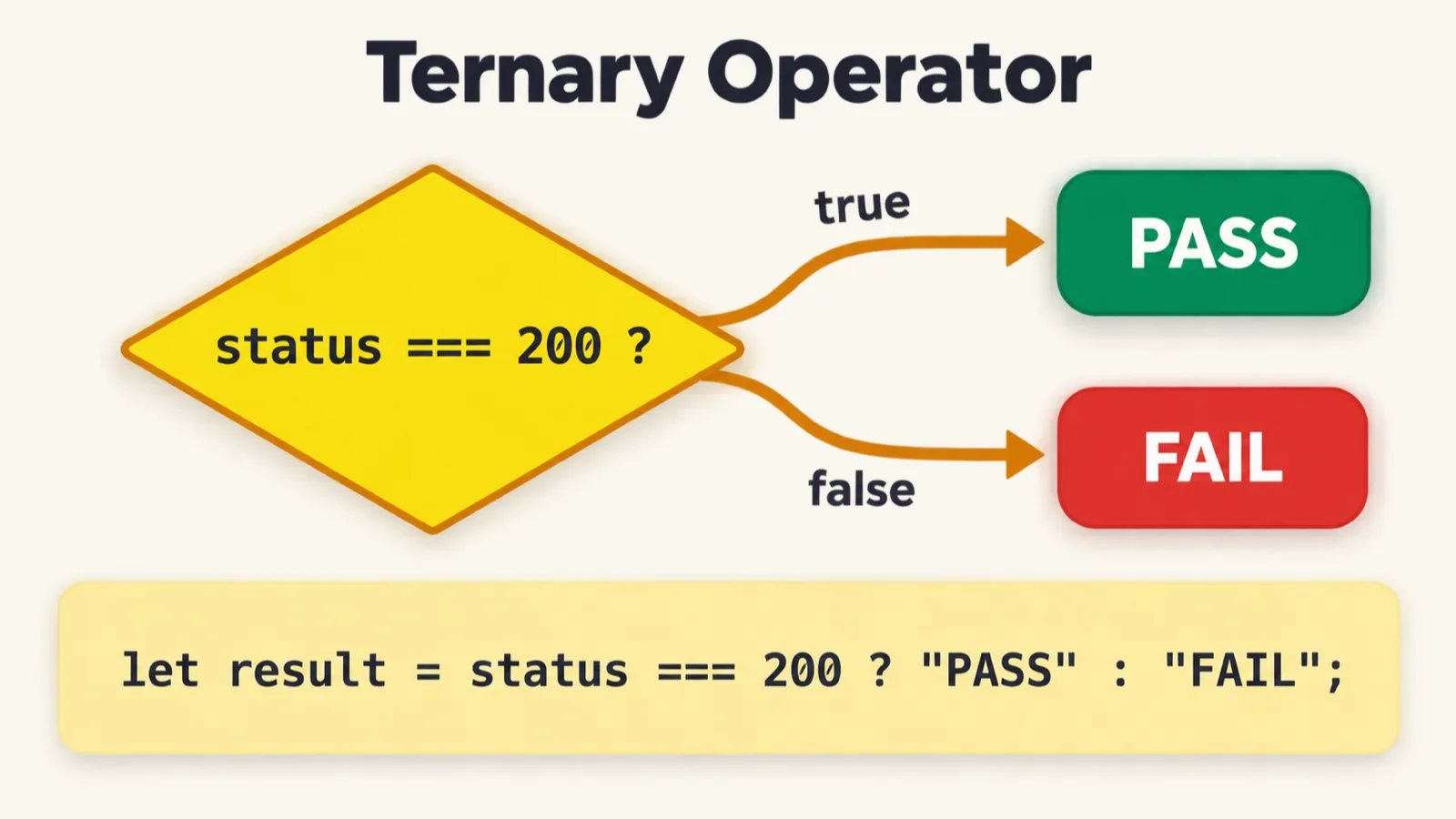
A ternary operator is a condition with two possible answers: either this or that. The syntax, from the class notes:
condition ? value1 (if true) : value2 (if false)
The class's example: can I go to Goa? Only if my age is over 18. With an age of 20 the answer was "Yes". Change it to 17, as the file now has it:
let age = 17;
let can_I_go = age > 18 ? "Yes" : "No";
console.log(can_I_go);
No
age > 18 is checked first. It is false, so the value after the colon, "No", is the one stored in can_I_go. It comes up in interviews, so know the order: condition, question mark, value if true, colon, value if false.
Ternaries in automation code
"Where is this used?" Four examples, each a pattern you will meet in real test code.
Pass or fail from a status code, in API testing, where the actual and expected status codes are both 200:
let actualStatusCode = 200;
let expectedStatusCode = 200;
let testResult = actualStatusCode === expectedStatusCode ? "✅ PASS" : "❌ FAIL";
console.log(testResult);
✅ PASS
Base URL by environment:
let environment = "staging";
let baseUrl = environment === "prod"
    ? "https://api.example.com"
    : "https://staging-api.example.com";
console.log(baseUrl);
https://staging-api.example.com
environment === "prod" is false for "staging", so the second URL is the one stored.
Headless on CI: CI is continuous integration, the server that runs your tests on every change.
let isCI = true;
let browserMode = isCI ? "headless" : "headed";
console.log("Launching browser in:", browserMode, "mode");
Launching browser in: headless mode
One question from the room: does isCI ? ... set isCI? No. The condition is only read; the chosen value is assigned to browserMode, the variable on the left of the =.
An SLA check, where an SLA (service level agreement) says a response must arrive within 1000 ms:
let responseTime = 850;  // ms
let sla = 1000;          // ms
let slaStatus = responseTime <= sla ? "Within SLA ✅" : "SLA breached ❌";
console.log(`Response: ${responseTime}ms - ${slaStatus}`);


// Template Literal
console.log(`What is the SLA time ? - ${sla}`);
Response: 850ms - Within SLA ✅
What is the SLA time ? - 1000
850 is less than or equal to 1000, so slaStatus is "Within SLA ✅".
Template literals
The strings in that last file use backticks, not quotes. That makes them template literals: each ${...} is replaced by the value of what is inside it. In the first line, ${responseTime} becomes 850 and ${slaStatus} becomes "Within SLA ✅"; in the second, ${sla} becomes 1000.
let condition = true;
let isSKMale = condition ? true : false;
console.log(isSKMale);
console.log(`Value is , ${isSKMale}`);
true
Value is , true
The condition is true, so isSKMale is true, and the template literal prints it inside a sentence.
Can you use double quotes instead? Only when nothing needs replacing. Inside double quotes, ${isSKMale} is just text and prints exactly as typed. Backticks are for strings with values in them.
Nested ternaries
A nested ternary is a ternary inside a ternary, for when there is more than one condition. Over 18, you can go to Goa. In the class's example, over 25 as well and you can also drink, the age limit in Maharashtra. Two conditions, so the true branch of the first ternary holds a second one:
// Nested Ternary
// Multiple Conditions
// age = 26
// age > 18 -> Go Goa, age > 25 -> Drink

let age = 26;

let is_pramod_enjoy = ( age > 18) ? (age > 25 ? "Goa & Drink" : "No Drink,ONly Goa") : "No Goa";
console.log(`Pramod can Enjoy ${is_pramod_enjoy}`);
Pramod can Enjoy Goa & Drink
26 is greater than 18, so the inner ternary runs. 26 is greater than 25 as well, so the value is "Goa & Drink".
The interview question, asked at Bingify: a ternary within a ternary within a ternary.
let statusCode = 404;
let category =
    statusCode < 300 ? "Success" :
        statusCode < 400 ? "Redirect" :
            statusCode < 500 ? "Client Error" : "Server Error";


console.log(`Status ${statusCode}: ${category}`);
Status 404: Client Error
It looks crazy, and it is simple once you take it one condition at a time:
? : pair asks one question. The first two say false, so their values are skipped; the third says true, so "Client Error" is assigned and the last branch never runs.One more, to confuse you on purpose:
let temp = 35;
let feel = (temp >= 40) ? "Very Hot" :
    (temp >= 30) ? "Hot" :
        (temp >= 20) ? "Warm" :
            (temp >= 10) ? "Cool" : "Cold";
console.log("7. Temperature:", temp, "| Feel:", feel);
7. Temperature: 35 | Feel: Hot
35 is not 40 or more, so "Very Hot" is skipped. 35 is 30 or more, so the value is "Hot", and the chain stops there. temp >= 20 and temp >= 10 are also true for 35, but they are never checked: the first true condition wins.
typeof, once more
console.log(typeof "hello");
console.log(typeof 123); // number
console.log(typeof 31.4); // number

// typeof true
//typeof undefined
// typeof null -> object
string
number
number
There is no float type in JavaScript: 123 and 31.4 are both number. The commented lines were answered aloud, and the class notes add arrays. They print:
| Expression | typeof says |
|---|---|
typeof true |
"boolean" |
typeof undefined |
"undefined" |
typeof null |
"object", the exception to remember |
typeof [] |
"object", an array is an object |
The data types diagram went up next. The primitive types: number, BigInt, string, boolean, null, undefined and symbol, and symbol is not used in automation. The non-primitive types: objects, arrays, functions, dates and regular expressions. The full operator notes, with an example for every operator, are linked at the top of the SDET Club.
Increment and decrement: pre and post
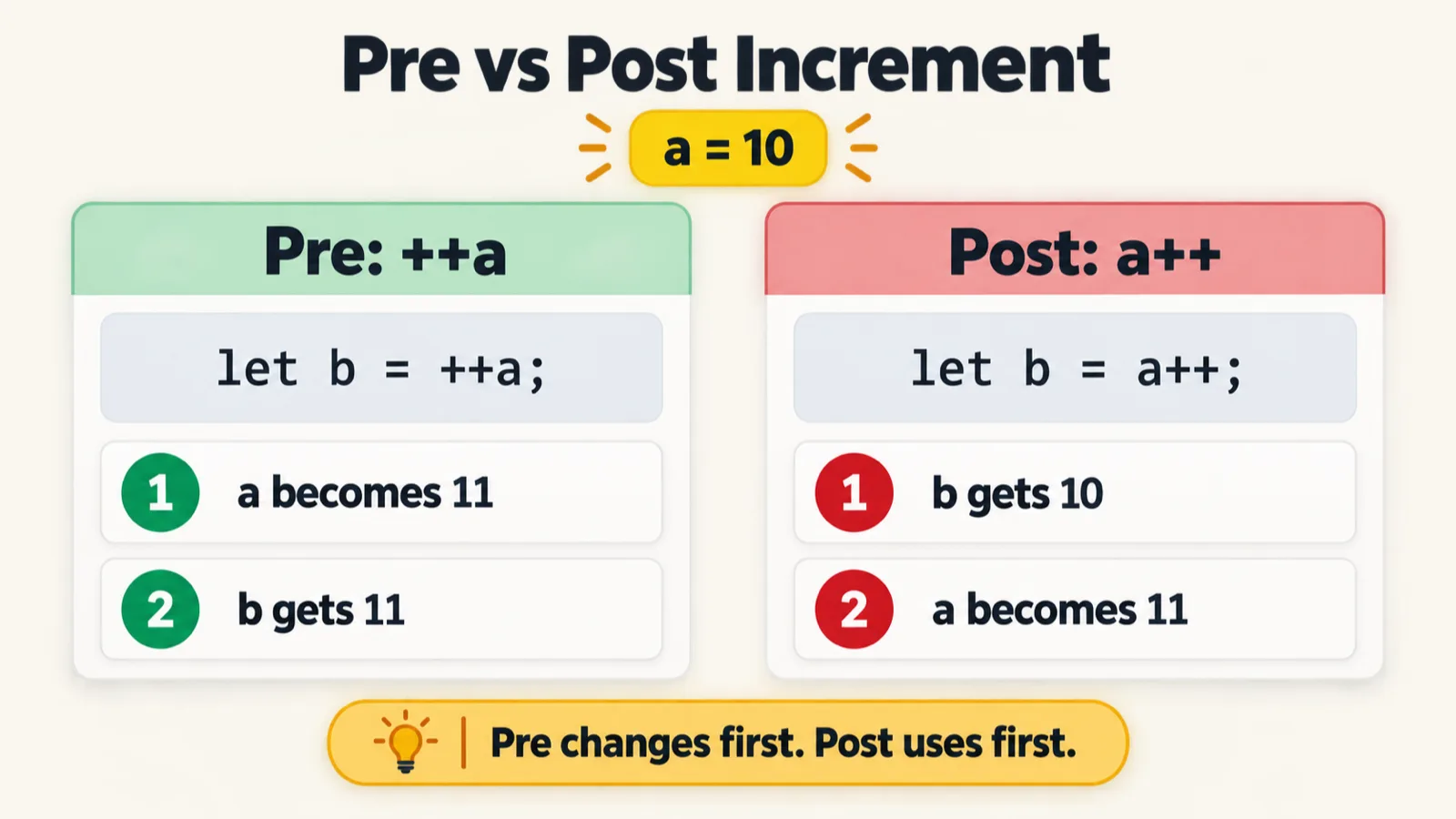
++ adds 1 to a variable and -- subtracts 1. Each comes in two forms, and the difference is the whole topic:
- Pre (
++a): first increase the value by 1, then use it. - Post (
a++): first use the value, then increase it by 1.
Pre-increment, the first file of a new chapter:
// Pre Increment
let a = 10;
let b = ++a;
console.log(b);
console.log(a);
11
11
++a makes a 11 first, then assigns 11 to b. Post-increment:
// Post Increment
let a = 10;
let b = a++;
console.log(b);
console.log(a);
10
11
a++ assigns the current value, 10, to b first, then makes a 11.
Decrement works the same way. Pre-decrement:
let a = 10;
let b = --a;
console.log(b);
console.log(a);
9
9
Post-decrement:
let a = 10;
let b = a--;
console.log(b);
console.log(a);
10
9
The class also opened the batch's coding-exercise platform here: 150 interview questions for SDETs and automation testers, worth points for every program you solve. The first one, printing Hello World, was solved live with a plain console.log.
Divide and conquer: the interview questions
The easy cases are easy. Questions mix pre and post increment in one expression, and that is where people get confused. The method borrows its name from the British in India, divide and rule:
- Split the expression at every
+into parts: A, B, C. - Work out the parts left to right, writing down the value of the variable after each one.
- Add the parts.
First question:
let a= 10;
console.log(++a + a);
console.log(a);
22
11
| Part | Code | Value of the part | a afterwards |
|---|---|---|---|
| A | ++a |
11 | 11 |
| B | a |
11 | 11 |
| Total | A + B |
22 | 11 |
The real one, asked at Zeta. Answers in the chat ranged over 33, 32 and 12, and plenty of people get it wrong in interviews:
let a = 10;
console.log(++a + a + a++);
console.log(a);
33
12
+, work out each part in order, and keep track of a after each one. Pre-increment changes a before it is used; post-increment uses it first."Why is a 12 at the end?" Because part C is a post-increment: it hands over 11 first, and only then increases a to 12.
One more, with i:
let i = 1;
let result = i++ + ++i;
console.log(result,i );
4 3
| Part | Code | Value of the part | i afterwards |
|---|---|---|---|
| A | i++ |
1 | 2 |
| B | ++i |
3 | 3 |
| Total | A + B |
4 | 3 |
console.log(result, i) prints two values separated by a comma, which console.log shows with a space: 4, then 3.
Nullish coalescing (??)
The last operator of the day, and a difficult one to pronounce: nullish coalescing, written ??. The class notes put it simply: if the value on the left is null, the value on the right is assigned.
The class's analogy: you want Amul milk, but there is none, so Nandini milk it is.
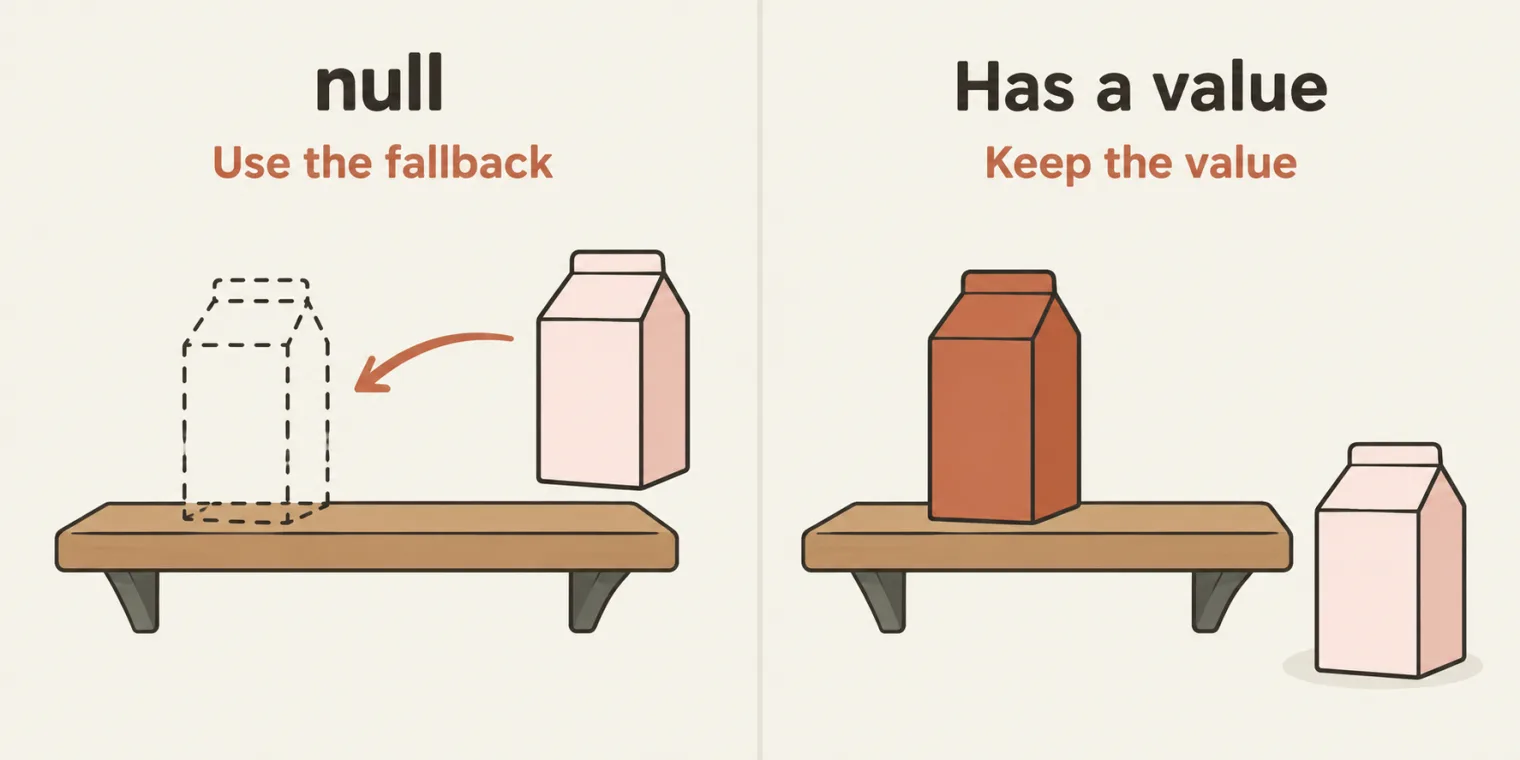
?? reaches for the fallback only when the left side is missing.The file, with the first two examples still commented out:
// let amul = null;
// let val = amul ?? "NANDANI Milk";
// console.log(val);


// let api_response = null;
// let responsedata = api_response ?? "{}";
// console.log(responsedata);

let api_response1 = "Pramod";
let responsedata1 = api_response1 ?? "{}";
console.log(responsedata1);
Pramod
api_response1 holds "Pramod", which is not null, so ?? changes nothing. Uncomment the first two examples and the file prints their fallbacks first:
NANDANI Milk
{}
Pramod
"{}" is in quotes, so here it is a two-character string, not an empty object.Null or undefined. In class, ?? was described as a check for null. It also catches undefined: ?? uses the right side when the left side is null or undefined, so let u; console.log(u ?? "fallback"); prints fallback. Any other value is kept as it is, even 0 or "". The repo's README gives the full rule, with a comparison against ||.
Bitwise operators: know they exist
Bitwise operators work on the binary bits of a number: AND, OR, XOR, NOT, left shift and right shift, the gates from electronics. They are never used in automation, and the class did not cover them. The examples from the class notes, if you are curious:
5 & 1    // 1  (AND)
5 | 1    // 5  (OR)
5 ^ 1    // 4  (XOR)
~5       // -6 (NOT)
5 << 1   // 10 (Left shift)
5 >> 1   // 2  (Right shift)
All six results check out when run. To learn more, RapidTables covers them.
What you do need is the difference in the symbols. A single & is bitwise AND. A double && is logical AND, the one you will actually use. Do not mix them up.
The ten groups of operators
The recap, as the class notes list them:
- Assignment
- Logical (
&&,||) - Arithmetic
- Comparison
- String concatenation
- Type (
typeof) - Bitwise (
&,|) - Ternary
- Increment and decrement
- Nullish coalescing
The class also showed cheat-sheet diagrams for revision, a style the instructor calls handwritten notes, made with ChatGPT. The batch repo's README now carries one cheat-sheet image per chapter, including the two on this page.
Tasks and announcements
- 45 exercises on GitHub. The class's own push was done by AI with one prompt: "Please update the parent README file with images also. Also commit the changes and push the code to repo." Push yours, 45 or more, to your Playwright repository. The instructor runs a GitHub agent over every learner's repository today and reads the report.
- QA battles. Sign-in is LinkedIn only, no Gmail, to keep spam out, and the instructor can see who is winning. There are battles just for the Playwright batch. Use your real name on your profile.
- Coding exercises. Work through the 150 questions over the next 90 to 100 days, in JavaScript.
- Audio conversations in class start slowly this week.
- Questions from the end of class.
consoleis not a keyword. A warning in VS Code thatnameis deprecated can be ignored. Backticks are only needed when a value is substituted in. And a broken GitHub token is fixed by deleting it and creating a new one. - Next class: conditions, the if statement and for loops.
Task 1, attendance. Mark today's attendance, with what you learned.
Task 2, the exercises. Push files 01 to 45, or more, to your GitHub repository.
Task 3, three QA battles. Complete three battles this week.
Task 4, the hard increment questions. Meeti posts today's task: long chains that mix ++ and --, pre and post. Solve them with the divide-and-conquer method. Doubts go in today's doubt thread.