What this class covered
- A recap of arrays so far
- sort(): alphabetical by default, and it changes the original array
- Why [10, 1, 21, 2] sorts to [1, 10, 2, 21]: lexicographic, or dictionary, order
- Asking AI to explain a method, and keeping the answer as a notes file
- Compare functions: a - b, b - a, and localeCompare for text
- slice: start, end, negative indexes, and why slice(-3, -5) is empty
- Combining arrays: concat and spread
- Array.isArray
- every and some
- Copy versus reference
- Destructuring: by position, rest and skipping
- Lab 100: swapping two variables, and what comes next
- Tasks: the practice list, five array tasks, and tonight's Agent Skills for QA session
A recap of arrays so far
The last class covered length and indexes, at(), typeof an array (an object), mixed types, four ways to create an array, changing items by index, push, pop, shift, unshift and splice, indexOf, lastIndexOf, includes and find, four ways to loop, and map and filter: filter keeps only the items that pass a test, and map keeps the length but transforms every item.
Today: the rest of the array chapter. Sorting, slicing, combining and copying arrays, and destructuring them.
sort(): alphabetical by default
Lab 90:
let fruits = ["banana", "apple", "cherry"];
console.log(fruits);
fruits.sort();
console.log(fruits);
//  alphabetical by default
[ 'banana', 'apple', 'cherry' ]
[ 'apple', 'banana', 'cherry' ]
sort() is built in. Hover over it in VS Code and the editor shows its documentation: it sorts the array in place, changing the array itself, and returns a reference to that same array. So the same fruits prints twice: banana, apple, cherry before, and apple, banana, cherry after, ordered by their first characters.
One point from the AI explanation the class read: the brackets matter. fruits.sort without them only refers to the method and never runs it.
let fruits = ["banana", "apple", "cherry"];
fruits.sort;
console.log(fruits);
[ 'banana', 'apple', 'cherry' ]
Why numbers sort as text
Lab 91:
// let score = [4,3,2];
// console.log(score.sort());

let nums = [10,1,21,2];
nums.sort();
console.log(nums);
// Natural Sorting, Lexicographic Sort


let n = [11,-11];
console.log(n.sort())
[ 1, 10, 2, 21 ]
[ -11, 11 ]
The commented example at the top, [4, 3, 2], gives [ 2, 3, 4 ] when switched on: single digits come out right. Two digits do not. The class expected 1, 2, 10, 21 and got 1, 10, 2, 21.
With no compare function, sort() turns every item into a string and compares the strings one character at a time, from the left. That is lexicographic order, the order of a dictionary:
"10"against"2": the first characters are"1"and"2", and"1"is smaller, so"10"comes first. The0is never looked at."1"against"10": they match on the"1", then"1"runs out of characters. The shorter one comes first, the way car comes before cart in a dictionary.- When the first characters match, the second decides: 10 comes before 11, and 21 before 23.
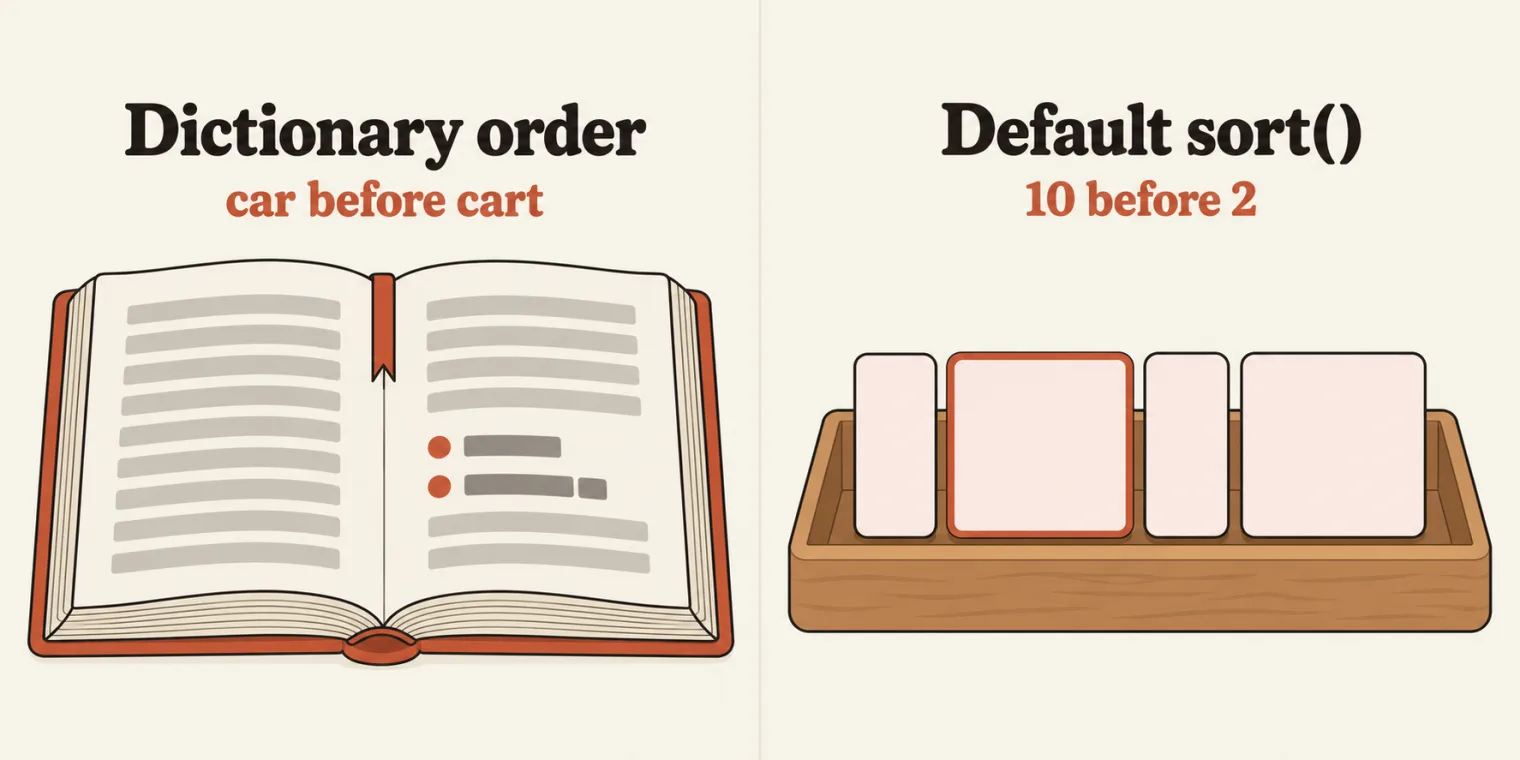
sort() files numbers the way a dictionary files words, one character at a time: 1, 10, 2, 21.Lexicographic, not natural. The class also called this order "natural sorting", and so does the comment in the file. The repo's README points out that natural sorting usually means the number-aware order people expect, file2 before file10. What sort() does by default is plain lexicographic order.
[11, -11] comes out as [ -11, 11 ]. That looks properly sorted, but it is still text order: "-" has the character code 45 and "1" has 49, as the README notes. Two negative numbers show it:
console.log([-1, -2].sort());
[ -1, -2 ]
-2 is the smaller number, but as text "-1" comes first.
Character codes. The class asked AI to explain lexicographic order and kept the answer as 91_Lexicographic_Explain.md, beside the code. Its table of codes:
| Characters | Codes |
|---|---|
"0" to "9" |
48 to 57 |
"A" to "Z" |
65 to 90 |
"a" to "z" |
97 to 122 |
So digits come before uppercase letters, and uppercase letters come before lowercase ones. The notes file's two examples, run with console.log:
console.log(["banana", "Apple", "cherry"].sort());
console.log(["b", "B", "a", "A"].sort());
[ 'Apple', 'banana', 'cherry' ]
[ 'A', 'B', 'a', 'b' ]
![A cheat sheet titled sort(): Text vs Numbers. On the left, [10, 1, 21, 2].sort() with a red arrow down to four red-outlined cells, 1, 10, 2 and 21, labelled compared as text. On the right, .sort((a, b) => a - b) with a green arrow down to four green-outlined cells, 1, 2, 10 and 21, labelled compared as numbers. A banner at the bottom reads: sort() changes the original array.](/class/images/javascript-array-sort-slice-spread-copy-every-some-destructuring-sorttext.webp)
Asking AI to explain a method, and keeping the answer
How the instructor works out a method they do not know, step by step:
- Hover over the method in VS Code to read its built-in documentation.
- Select the code and ask GitHub Copilot, for example "explain sort in short".
- Ask follow-up questions until the idea is clear. Here: what does lexicographic mean, and why does
slice(-3, -5)print an empty array? - Keep the answer as a markdown file beside the code, numbered with its lab:
91_Lexicographic_Explain.mdand93_Slice_Explain.md. Right-click the file and choose Open Preview to read it formatted. - Code inside markdown goes between two lines of three backticks, with the language name after the first three: javascript.
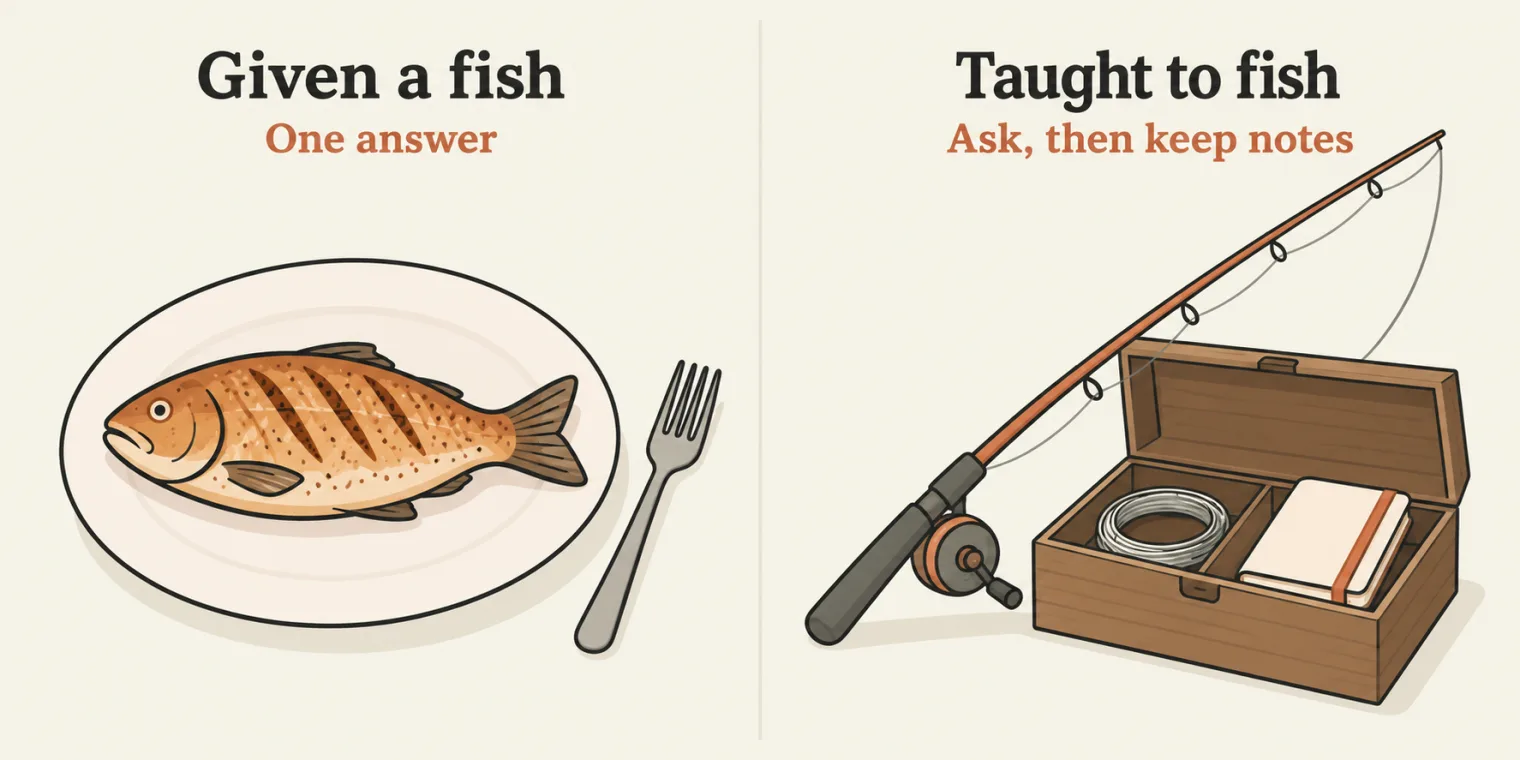
"I am teaching you how to fish," as the instructor put it: learn the concept in class, then use AI to research it, and keep what you learn as notes. Asked whether the notes belong in a separate folder, the class chose the same folder as the code, where they are easier to remember.
Compare functions: a - b, b - a and localeCompare
Lab 92:
let nums = [10,1,21,2];
nums.sort((a,b) => a-b);
console.log(nums);
nums.sort((a,b) => b-a);
console.log(nums);

let fruits = ['apple','banana',"cherry"];
fruits.sort((a, b) => a.localeCompare(b))


// arrow Functions
[ 1, 2, 10, 21 ]
[ 21, 10, 2, 1 ]
Pass sort() a function and it stops comparing text. The function receives two items, a and b, and returns a number:
- negative: a goes first
- zero: keep their order
- positive: b goes first
a - b is negative whenever a is the smaller number, so the smaller number goes first: ascending. b - a flips every sign, so the largest comes first: descending. A question from class: decimals work the same way.
console.log([1.5, 0.25, 10.75, 2].sort((a, b) => a - b));
[ 0.25, 1.5, 2, 10.75 ]
On the iPad, the class walked through it as pairs being compared and swapped, again and again, until every pair is in order. The detail that matters: sort() decides which two items to compare, and in what order; the function only answers "which of these two goes first?". Add a console.log inside it to watch the questions Node asks:
let nums = [10, 1, 21, 2];
nums.sort((a, b) => {
  console.log(a, b, a - b);
  return a - b;
});
console.log(nums);
1 10 -9
21 1 20
21 10 11
2 10 -8
2 1 1
[ 1, 2, 10, 21 ]
| Question | a | b | a - b | Answer |
|---|---|---|---|---|
| 1 | 1 | 10 | -9 | negative: 1 goes before 10 |
| 2 | 21 | 1 | 20 | positive: 1 goes before 21 |
| 3 | 21 | 10 | 11 | positive: 10 goes before 21 |
| 4 | 2 | 10 | -8 | negative: 2 goes before 10 |
| 5 | 2 | 1 | 1 | positive: 1 goes before 2 |
Five answers, and the order is settled: 1, 2, 10, 21. Which pairs get compared is up to the JavaScript engine; the rule for each answer is the same everywhere.
sort() compares text. With one, it only asks "which of these two goes first?", and the sign of the answer decides.(a, b) => a - b is an arrow function, a short way to write a function. Functions are the next chapter, and the class will come back to this line then.
Text: localeCompare. For strings, the class used a.localeCompare(b), a built-in that compares two strings the way people expect. The fruits line in file 92 sorts but never prints. With console.log(fruits); added after it, the file prints:
[ 1, 2, 10, 21 ]
[ 21, 10, 2, 1 ]
[ 'apple', 'banana', 'cherry' ]
The fruits were already in order, as the class noted, so nothing moves. The notes file describes localeCompare as sorting text "ignoring case the way people expect". Strictly, it puts each letter's two cases together and lets the case break the tie. The same four letters as before:
console.log(["b", "B", "a", "A"].sort((a, b) => a.localeCompare(b)));
[ 'a', 'A', 'b', 'B' ]
Compare [ 'A', 'B', 'a', 'b' ] from the default sort.
slice: copy part of an array
Lab 93:
// Slice & Combining

let arr = [1, 2, 3, 4, 5];
// slice(start, end) - returns new array,
// does NOT mutate actual -> ( start, end-1) = index = 0
// Don't give the end, it will automatically
// take from start to end.

// console.log(arr.slice(1, 3));
console.log(arr);

// console.log(arr.slice(2));

// console.log(arr.slice(-2));
// console.log(arr.slice(-3));

// console.log(arr.slice(0));

// console.log(arr.slice(-5));

console.log(arr.slice(-3,-5));
[ 1, 2, 3, 4, 5 ]
[]
Only two lines run: the array itself, and arr.slice(-3, -5), which prints an empty array. The class switched the other examples on one at a time. Each one, run on its own:
| Call | With positive indexes | Result | What it takes |
|---|---|---|---|
arr.slice(1, 3) |
slice(1, 3) |
[ 2, 3 ] |
index 1 up to, not including, 3 |
arr.slice(2) |
slice(2, 5) |
[ 3, 4, 5 ] |
no end: from index 2 to the last item |
arr.slice(-2) |
slice(3, 5) |
[ 4, 5 ] |
the last two |
arr.slice(-3) |
slice(2, 5) |
[ 3, 4, 5 ] |
the last three |
arr.slice(0) |
slice(0, 5) |
[ 1, 2, 3, 4, 5 ] |
the whole array, as a copy |
arr.slice(-5) |
slice(0, 5) |
[ 1, 2, 3, 4, 5 ] |
the whole array, as a copy |
arr.slice(-3, -5) |
slice(2, 0) |
[] |
start after end: nothing to copy |
The rules, as the class put them:
slice(start, end)returns a new array. It never changes the original.- It takes the items from start up to end minus 1: the end itself is not included, because slice works on indexes.
- Leave the end out, and it takes everything from the start to the last item.
- Negative indexes count from the end: -1 is the last item, and on this five-item array -5 is the first.
- slice always moves forward, from left to right.
Why is slice(-3, -5) empty? The class asked AI and kept the answer as 93_Slice_Explain.md. Its rule of thumb: turn each negative number into length plus that number. -3 becomes 5 + (-3) = 2, and -5 becomes 5 + (-5) = 0, so the call is slice(2, 0): a start after the end. slice never goes backwards and never throws an error; it returns []. To get [1, 2], put the smaller number first, as the notes file shows:
let arr = [1, 2, 3, 4, 5];
console.log(arr.slice(-5, -3));
console.log(arr.slice(-3, -1));
[ 1, 2 ]
[ 3, 4 ]
length + n first; if the start is not before the end, the copy is empty.slice and splice look alike and are completely different. splice, from the last class, removes and inserts items in the original array. slice copies, and leaves the original alone.
Combining arrays: concat and spread
Lab 94:
let a = [1, 2];
let b = [3, 4];
let c = a.concat(b);
console.log(c);

// spread (modern way) - concatenation. (...)
let d = [...a,...b];
console.log(d);
[ 1, 2, 3, 4 ]
[ 1, 2, 3, 4 ]
a.concat(b) joins two arrays, the way strings are concatenated. The modern way is the spread operator, three dots: ...a means all the items of a, so [...a, ...b] builds one new array from all of a followed by all of b. Both give the same result, and neither changes a or b.
Array.isArray
Lab 95:
let result = Array.isArray([1, 2, 3]);
let result1 = Array.isArray("a");
console.log(result);
console.log(result1);
true
false
Array.isArray() answers one question: is this an array? true for [1, 2, 3], and false for "a", which is a plain string. It is the check to use because typeof an array only says "object", as the last class found.
every and some
map and filter, from the last class, transform an array. every and some answer one question about the whole array, with a single boolean.
Lab 96:
// Map and Filters


// every vs some

// every - ALL must pass
// console.log([80, 90, 85].every(i => i >= 70));
// console.log([80, 60, 85].every(i => i >= 70));


// some - AT LEAST ONE must pass
console.log([80, 60, 85].some(s => s < 70));
console.log([80, 90, 85].some(s => s < 70)); // false
true
false
The two every lines are commented out. Switch them on and the file prints all four answers:
true
false
true
false
| Call | Each item checked | Result |
|---|---|---|
[80, 90, 85].every(i => i >= 70) |
80 true, 90 true, 85 true: all passed | true |
[80, 60, 85].every(i => i >= 70) |
80 true, 60 false: stops here | false |
[80, 60, 85].some(s => s < 70) |
80 false, 60 true: stops here | true |
[80, 90, 85].some(s => s < 70) |
80 false, 90 false, 85 false: none passed | false |
- every: all must pass. One failure makes the answer
false. - some: at least one must pass. One success makes the answer
true.
A comparison from the chat, which the class agreed with: every is like an AND, and some is like an OR. The repo's README adds that both stop as soon as the answer is known, which the table shows: every stops at the first false, and some at the first true. i and s are only names for the current item; any name works.
Copy versus reference
Lab 97:
let original = [1, 2, 3];
let copy1 = [...original];
// console.log(original);
// console.log(copy1);

let copy2 = original.slice();
copy2.push(92);
copy1.push(93);
console.log(original);
console.log(copy1);
console.log(copy2);


// Deep cOPY
let deep_copy_array = original;
// Deep copy

deep_copy_array.push(91);
console.log(original);
console.log(deep_copy_array);
[ 1, 2, 3 ]
[ 1, 2, 3, 93 ]
[ 1, 2, 3, 92 ]
[ 1, 2, 3, 91 ]
[ 1, 2, 3, 91 ]
copy1 = [...original]andcopy2 = original.slice()are new arrays. Pushing 93 into one and 92 into the other leavesoriginalas[ 1, 2, 3 ].deep_copy_array = originalcopies nothing. Both names now point at one array, so pushing 91 throughdeep_copy_arraychangesoriginaltoo: the last two lines print the same[ 1, 2, 3, 91 ].
Arrays are mutable, and this is one of the places JavaScript surprises people. To copy an array, use slice or spread. The instructor uses spread throughout.
Not a deep copy. The file labels deep_copy_array = original a deep copy, and the class used the same words. It is no copy at all: one array with two names, which is why original gets the 91 too. The repo's README makes the same correction. In interview terms, spread and slice() make a shallow copy, a new array whose nested arrays are still shared, and a deep copy duplicates nested arrays too. The README's tool for that is structuredClone().
![A cheat sheet titled Copy vs Reference. The left panel, Reference, shows let ref = original; with two labels, original and ref, both pointing at one array of 1, 2, 3, and the line: one array: change one, both change. The right panel, Copy, shows let copy = [...original]; with original and copy each pointing at its own array of 1, 2, 3, and the line: two arrays: changes stay separate. A banner at the bottom reads: Nested arrays need structuredClone().](/class/images/javascript-array-sort-slice-spread-copy-every-some-destructuring-copyref.webp)
= shares one array; spread makes a second one.Destructuring
Lab 98:
let [first, second, third] = [10, 20, 30];

console.log(first);
console.log(second);
console.log(third);
10
20
30
Destructuring unpacks an array into variables by position: 10 goes to first, 20 to second, 30 to third.
Lab 99:
let [a, b, ...rest] = [10, 20, 30, 40, 50];
console.log(a);    // 10
console.log(b);    // 20
console.log(rest); // [30, 40, 50]


let [, , thirdOnly] = [10, 20, 30];
console.log(thirdOnly);
10
20
[ 30, 40, 50 ]
30
...rest collects every item left over: 30, 40 and 50, as a new array. An empty slot skips a position, so [, , thirdOnly] skips 10 and 20 and takes the 30. The class called it a very unique concept.
Rest, not spread. The class called ...rest spread. It is the same three dots doing the opposite job. In [...a, ...b] they spread an array out into separate items; on the left of = they collect the remaining items into a new array, and that is called the rest element. The repo's README uses that name.
Lab 100: swapping two variables
// Swapping
let p = 1, q = 2;
[p, q] = [q, p];
console.log(p, q);
2 1
The right side is worked out first: [q, p] is the array [2, 1]. Destructuring then fills the left side by position, so p becomes 2 and q becomes 1. That was lab 100: a hundred exercises so far, and congratulations from the instructor.
...rest takes everything left over.What comes next. Multi-dimensional arrays, 2D and 3D, are still to come; they need for loops. First the chapter on functions, which explains the arrow functions used today, then closures, then multi-dimensional arrays.
Tasks and announcements
- The practice list. Everyone should finish the practice programs up to the triangle classifier: Hello World, taking user input, printing, FizzBuzz and the grade calculator are on it too. Meeti is sharing the list as a screenshot.
- Five array tasks, to try on your own before the next class, which works through them: the largest item, the smallest item, the sum and the reverse of an array. The list on screen also had frequency and duplicates. Meeti is sharing the exact five. A hint from class: filter helps.
- Doubts go in today's doubt thread, which Meeti posts.
- Tonight, 8 PM IST: Agent Skills for QA. What a skill is, how one is structured, how to build one from scratch with AI, and more than 36 ready-to-use skills, with notes. The Playwright 4x batch is invited. The usual club-class link goes live around 6 PM. There is a recording, but come live if you can.
- More AI sessions will be added alongside the course. The Playwright course's own AI part covers Playwright MCP, Playwright AI agents and the Playwright CLI. For AI in depth, a separate weekend batch, AI Architect QA, starts on Sunday, 25 October; the team has the details.
- Attendance: on app.thetestingacademy.com, open My Progress and use "Add today's learning".
- The push. Files 90 to 100, the two notes files and two cheat-sheet images went up to the batch repo as the class ended.
Task, five array tasks. Write programs that find the largest and the smallest item in an array, add up its items, reverse it, and count how often each item appears or find the ones that repeat.
The question the class flagged as important. After let b = a; b.push(1);, has a changed? And after let c = [...a]; c.push(2);? Explain why, using lab 97.