4. Build the framework, folder by folder
Eight steps. Each step explains the folder, gives the mkdir / touch commands, and shows one representative file in full.
Step 1 - package.json + tsconfig.json + playwright.config.ts
Spin up the repo. npm init -y, install Playwright + TypeScript + dotenv, then scaffold the three root config files.
playwright.config.ts is the heart - it defines the test directory, projects (browsers), reporters, retries, workers,
and the default baseURL.
commands
mkdir advance-playwright-framework && cd advance-playwright-framework
npm init -y
npm i -D @playwright/test @types/node typescript dotenv
npx playwright install --with-deps
touch playwright.config.ts tsconfig.json .env .gitignore
mkdir -p src/{api,config,fixtures,modules,pages,testdata,tests,utils}
package.json
{
"name": "advance-playwright-framework",
"version": "1.0.0",
"description": "TTA Advance Playwright Framework - TypeScript + POM + fixtures",
"scripts": {
"test": "playwright test",
"test:headed": "playwright test --headed",
"test:ui": "playwright test --ui",
"test:debug": "playwright test --debug",
"test:chromium": "playwright test --project=chromium",
"test:firefox": "playwright test --project=firefox",
"test:webkit": "playwright test --project=webkit",
"test:smoke": "playwright test --grep @Smoke",
"test:regression": "playwright test --grep @Regression",
"test:p0": "playwright test --grep @P0",
"test:report": "playwright show-report",
"test:ci": "playwright test --reporter=list,json",
"lint": "eslint src/**/*.ts",
"lint:fix": "eslint src/**/*.ts --fix",
"format": "prettier --write \"src/**/*.ts\"",
"build": "tsc",
"clean": "rm -rf dist test-results playwright-report tta-report"
},
"keywords": ["playwright", "typescript", "testing", "automation", "e2e"],
"author": "The Testing Academy",
"license": "ISC",
"type": "commonjs",
"devDependencies": {
"@playwright/test": "^1.57.0",
"@types/node": "^25.0.6",
"dotenv": "^17.2.3",
"typescript": "^5.9.3"
}
}
tsconfig.json
{
"compilerOptions": {
"target": "ES2020",
"lib": ["ES2020", "DOM"],
"module": "commonjs",
"moduleResolution": "node",
"strict": true,
"esModuleInterop": true,
"skipLibCheck": true,
"resolveJsonModule": true,
"outDir": "./dist",
"baseUrl": ".",
"paths": {
"@pages/*": ["src/pages/*"],
"@modules/*": ["src/modules/*"],
"@utils/*": ["src/utils/*"],
"@fixtures/*": ["src/fixtures/*"],
"@api/*": ["src/api/*"],
"@config/*": ["src/config/*"],
"@testdata/*": ["src/testdata/*"]
}
},
"include": ["**/*.ts"],
"exclude": ["node_modules", "dist"]
}
playwright.config.ts
import { defineConfig, devices } from '@playwright/test';
import * as dotenv from 'dotenv';
dotenv.config();
export default defineConfig({
testDir: './src/tests',
timeout: 60000,
expect: { timeout: 10000 },
fullyParallel: true,
forbidOnly: !!process.env.CI,
retries: process.env.CI ? 2 : 0,
workers: process.env.CI ? 2 : 3,
reporter: [
['./src/utils/CustomTTAReporter.ts'],
['html', { open: 'never' }],
['json', { outputFile: 'test-results/results.json' }],
['list'],
],
use: {
baseURL: process.env.BASE_URL || 'https://app.thetestingacademy.com',
screenshot: 'only-on-failure',
video: 'retain-on-failure',
trace: 'retain-on-failure',
},
projects: [
{ name: 'chromium', use: { ...devices['Desktop Chrome'] } },
{ name: 'firefox', use: { ...devices['Desktop Firefox'] } },
{ name: 'webkit', use: { ...devices['Desktop Safari'] } },
{ name: 'mobile-chrome', use: { ...devices['Pixel 5'] } },
],
});
Why three reporters? html is the built-in one for local debugging, json feeds CI dashboards
like Currents/Allure-TestOps, and CustomTTAReporter is the branded student-facing report. list just prints to stdout.
Step 2 - src/pages/ Page Object Model
One file per page. Locators are declared as arrow functions returning a fresh Locator on every call - this avoids the stale-locator
problem when SPAs re-mount. Actions and assertions are instance methods. The Page object is injected via the constructor.
src/pages/LoginPage.ts
import { expect, Page } from '@playwright/test';
export class LoginPage {
private page: Page;
constructor(page: Page) {
this.page = page;
}
// ============================================
// LOCATORS (arrow functions return fresh Locator)
// ============================================
usernameInput = () => this.page.locator('#username');
passwordInput = () => this.page.locator('#password');
loginButton = () => this.page.locator('button[type="submit"]');
errorMessage = () => this.page.locator('[data-testid="error-message"]');
rememberMeCheckbox = () => this.page.locator('#remember-me');
forgotPasswordLink = () => this.page.locator('a:has-text("Forgot Password")');
signUpLink = () => this.page.locator('a:has-text("Sign Up")');
// ----- actions -----
async navigate() {
await this.page.goto('/playwright/multiple_element_filter.html');
}
async enterUsername(value: string) { await this.usernameInput().fill(value); }
async enterPassword(value: string) { await this.passwordInput().fill(value); }
async clickLogin() { await this.loginButton().click(); }
async toggleRememberMe() { await this.rememberMeCheckbox().click(); }
async getErrorMessage() { return (await this.errorMessage().textContent()) || ''; }
// ----- assertions -----
async expectOnLoginPage() { await expect(this.page).toHaveURL(/multiple_element_filter/); }
async expectUsernameVisible() { await expect(this.usernameInput()).toBeVisible(); }
async expectPasswordVisible() { await expect(this.passwordInput()).toBeVisible(); }
async expectErrorVisible() { await expect(this.errorMessage()).toBeVisible(); }
async expectLoginButtonEnabled() { await expect(this.loginButton()).toBeEnabled(); }
}
Why arrow-function locators? A method like usernameInput = () => this.page.locator(...) returns a fresh Locator
every time it's called. That means if the page re-renders (e.g. after a React state change), the locator re-queries the DOM. A field like
readonly usernameInput = this.page.locator(...) would also work because Playwright locators are lazy, but the arrow style makes
the intent explicit.
Step 3 - src/utils/UtilElementLocator.ts + helpers
A thin wrapper that accepts either a string selector or a Locator object, centralises timeouts, and provides familiar
action / read / assertion verbs. Drop it next to Logger.ts, WaitHelper.ts, DataGenerator.ts,
ApiHelper.ts, and CustomTTAReporter.ts.
src/utils/UtilElementLocator.ts
import { Page, Locator } from '@playwright/test';
type Flex = string | Locator;
export class UtilElementLocator {
private page: Page;
private defaultTimeOut: number;
constructor(page: Page, timeOut: number = 30000) {
this.page = page;
this.defaultTimeOut = timeOut;
}
private getLocator(locator: Flex): Locator {
return typeof locator === 'string' ? this.page.locator(locator) : locator;
}
// actions
async click(loc: Flex) { await this.getLocator(loc).click({ timeout: this.defaultTimeOut }); }
async fill(loc: Flex, text: string) { await this.getLocator(loc).fill(text, { timeout: this.defaultTimeOut }); }
async type(loc: Flex, text: string, delay = 50) {
await this.getLocator(loc).pressSequentially(text, { delay, timeout: this.defaultTimeOut });
}
async clear(loc: Flex) { await this.getLocator(loc).clear({ timeout: this.defaultTimeOut }); }
async selectByValue(loc: Flex, value: string) {
await this.getLocator(loc).selectOption({ value }, { timeout: this.defaultTimeOut });
}
// reads
async getText(loc: Flex) { return (await this.getLocator(loc).innerText()).trim(); }
async getValue(loc: Flex) { return await this.getLocator(loc).inputValue(); }
async getAttr(loc: Flex, name: string) { return await this.getLocator(loc).getAttribute(name); }
// waits
async waitForVisible(loc: Flex, timeout = 5000) {
try { await this.getLocator(loc).waitFor({ state: 'visible', timeout }); return true; }
catch { return false; }
}
async waitForPageLoad(state: 'load' | 'domcontentloaded' | 'networkidle' = 'load') {
await this.page.waitForLoadState(state);
}
}
src/utils/Logger.ts
export enum LogLevel { DEBUG = 'DEBUG', INFO = 'INFO', WARN = 'WARN', ERROR = 'ERROR' }
export class Logger {
private static logLevel: LogLevel = LogLevel.INFO;
constructor(private context: string) {}
static create(context: string) { return new Logger(context); }
static setLogLevel(level: LogLevel) { Logger.logLevel = level; }
private fmt(level: LogLevel, message: string) {
return `[${new Date().toISOString()}] [${level}] [${this.context}] ${message}`;
}
info(m: string) { console.info(this.fmt(LogLevel.INFO, m)); }
warn(m: string) { console.warn(this.fmt(LogLevel.WARN, m)); }
error(m: string, e?: unknown) { console.error(this.fmt(LogLevel.ERROR, m), e || ''); }
step(n: number, desc: string) { this.info(`Step ${n}: ${desc}`); }
}
Step 4 - src/testdata/ JSON fixtures + types
Test data lives next to the tests, version-controlled, typed. users.json holds valid users, invalid users with expected error
messages, a locked-out user, and a new-user template. types.ts turns it into autocomplete-friendly interfaces.
src/testdata/users.json
{
"validUsers": [
{
"id": "user-001",
"username": "[email protected]",
"password": "SecurePass123",
"firstName": "Test",
"lastName": "User",
"role": "customer"
},
{
"id": "user-002",
"username": "[email protected]",
"password": "AdminPass456",
"firstName": "Admin",
"lastName": "User",
"role": "admin"
},
{
"id": "user-003",
"username": "[email protected]",
"password": "PremiumPass789",
"firstName": "Premium",
"lastName": "Member",
"role": "premium"
}
],
"invalidUsers": [
{ "username": "[email protected]", "password": "wrongpassword", "expectedError": "Invalid credentials" },
{ "username": "[email protected]", "password": "anypassword", "expectedError": "User not found" },
{ "username": "", "password": "somepassword", "expectedError": "Username is required" },
{ "username": "[email protected]", "password": "", "expectedError": "Password is required" }
],
"newUserTemplate": {
"username": "newuser_{timestamp}@tta.dev",
"password": "NewUserPass123",
"firstName": "New",
"lastName": "User"
},
"lockedUser": {
"username": "[email protected]",
"password": "LockedPass123",
"expectedError": "Account is locked"
}
}
src/testdata/types.ts
export interface ValidUser {
id: string;
username: string;
password: string;
firstName: string;
lastName: string;
role: string;
}
export interface InvalidUser {
username: string;
password: string;
expectedError: string;
}
export interface UsersData {
validUsers: ValidUser[];
invalidUsers: InvalidUser[];
newUserTemplate: { username: string; password: string; firstName: string; lastName: string };
lockedUser: { username: string; password: string; expectedError: string };
}
Step 5 - src/modules/ reusable multi-page flows
Page objects know about one page. Modules combine multiple page objects into a business flow - "login", "buy a product", "complete checkout".
Specs call modules, not raw page objects, so the test reads like a story.
src/modules/LoginModule.ts
import { Page } from '@playwright/test';
import { LoginPage } from '../pages/LoginPage';
import { HomePage } from '../pages/HomePage';
import { Logger } from '../utils/Logger';
export class LoginModule {
private page: Page;
private loginPage: LoginPage;
private homePage: HomePage;
private log: Logger;
constructor(page: Page) {
this.page = page;
this.loginPage = new LoginPage(page);
this.homePage = new HomePage(page);
this.log = Logger.create('LoginModule');
}
async doLogin(username: string, password: string): Promise<boolean> {
this.log.step(1, 'Navigate to login page');
await this.loginPage.navigate();
this.log.step(2, 'Enter username');
await this.loginPage.enterUsername(username);
this.log.step(3, 'Enter password');
await this.loginPage.enterPassword(password);
this.log.step(4, 'Click login button');
await this.loginPage.clickLogin();
this.log.info('Login successful');
return true;
}
async attemptInvalidLogin(username: string, password: string): Promise<string> {
await this.loginPage.navigate();
await this.loginPage.enterUsername(username);
await this.loginPage.enterPassword(password);
await this.loginPage.clickLogin();
await this.loginPage.expectErrorVisible();
return await this.loginPage.getErrorMessage();
}
}
Step 6 - src/fixtures/ custom Playwright fixtures
Extend the base test() with your page-objects and modules. After this, every spec gets { loginPage, loginModule, authenticatedPage }
injected directly - no manual new LoginPage(page) in beforeEach.
src/fixtures/index.ts
import { test as base, Page } from '@playwright/test';
import { LoginPage } from '../pages/LoginPage';
import { HomePage } from '../pages/HomePage';
import { LoginModule } from '../modules/LoginModule';
import { config } from '../config';
export type TestFixtures = {
loginPage: LoginPage;
homePage: HomePage;
loginModule: LoginModule;
authenticatedPage: Page;
};
export const test = base.extend<TestFixtures>({
loginPage: async ({ page }, use) => { await use(new LoginPage(page)); },
homePage: async ({ page }, use) => { await use(new HomePage(page)); },
loginModule: async ({ page }, use) => { await use(new LoginModule(page)); },
// Pre-authenticated page - perform login once per test that requests it
authenticatedPage: async ({ browser }, use) => {
const context = await browser.newContext();
const page = await context.newPage();
const loginPage = new LoginPage(page);
await loginPage.navigate();
await loginPage.enterUsername(config.testUser.username);
await loginPage.enterPassword(config.testUser.password);
await loginPage.clickLogin();
await use(page);
await context.close();
},
});
export { expect } from '@playwright/test';
Step 7 - .env + src/config/ environment layering
The .env file holds non-secret defaults. src/config/index.ts reads them via dotenv and exposes a typed
config object. getEnvironmentConfig() layers staging / prod overrides on top.
.env
# TTA practice host
BASE_URL=https://app.thetestingacademy.com
API_BASE_URL=https://app.thetestingacademy.com/api
# Default test credentials
[email protected]
TEST_PASSWORD=SecurePass123
# Timeouts
API_TIMEOUT=30000
DEFAULT_TIMEOUT=30000
# Logging
LOG_LEVEL=INFO
# Retry
RETRY_COUNT=3
src/config/index.ts
import * as dotenv from 'dotenv';
dotenv.config();
export interface AppConfig {
baseUrl: string;
apiBaseUrl: string;
apiTimeout: number;
testUser: { username: string; password: string };
logLevel: string;
retryCount: number;
}
export const config: AppConfig = {
baseUrl: process.env.BASE_URL || 'https://app.thetestingacademy.com',
apiBaseUrl: process.env.API_BASE_URL || 'https://app.thetestingacademy.com/api',
apiTimeout: parseInt(process.env.API_TIMEOUT || '30000', 10),
testUser: {
username: process.env.TEST_USERNAME || '[email protected]',
password: process.env.TEST_PASSWORD || 'SecurePass123',
},
logLevel: process.env.LOG_LEVEL || 'INFO',
retryCount: parseInt(process.env.RETRY_COUNT || '3', 10),
};
export function getEnvironmentConfig(env?: string): Partial<AppConfig> {
const environment = env || process.env.NODE_ENV || 'development';
switch (environment) {
case 'production':
return { baseUrl: 'https://app.thetestingacademy.com', retryCount: 5 };
case 'staging':
return { baseUrl: 'https://staging.thetestingacademy.com', retryCount: 3 };
case 'development':
default:
return { baseUrl: 'https://app.thetestingacademy.com', retryCount: 2 };
}
}
export default config;
Step 8 - src/utils/CustomTTAReporter.ts + tta-report/
Implements Playwright's Reporter interface. Captures per-test steps, screenshots, retries, and tags, then writes
a branded HTML page into tta-report/index.html. The reporter is registered at the top of playwright.config.ts.
src/utils/CustomTTAReporter.ts (signature)
import {
FullConfig, FullResult, Reporter,
Suite, TestCase, TestResult, TestStep,
} from '@playwright/test/reporter';
import * as fs from 'fs';
interface StepData {
title: string; duration: number;
status: 'passed' | 'failed' | 'skipped';
screenshot?: string; error?: string;
}
class CustomTTAReporter implements Reporter {
private outputFile = 'tta-report/index.html';
private stats = { total: 0, passed: 0, failed: 0, skipped: 0 };
onBegin(config: FullConfig, suite: Suite) {
this.stats.total = suite.allTests().length;
}
onTestEnd(test: TestCase, result: TestResult) {
if (result.status === 'passed') this.stats.passed++;
if (result.status === 'failed') this.stats.failed++;
if (result.status === 'skipped') this.stats.skipped++;
}
async onEnd(result: FullResult) {
fs.mkdirSync('tta-report', { recursive: true });
const html = `<!doctype html><html><head><title>TTA Report</title></head>
<body><h1>TTA Playwright Report</h1>
<p>Total: ${this.stats.total} | Pass: ${this.stats.passed} | Fail: ${this.stats.failed}</p>
</body></html>`;
fs.writeFileSync(this.outputFile, html);
}
}
export default CustomTTAReporter;
Production version handles per-test screenshots, per-step duration timelines, video clip start/end, console logs, file-group stats,
and dark-mode CSS. The signature above is enough to get a working report; expand onEnd to emit a full template literal.
Step 9 - src/tests/ spec files (tagged + sharded-ready)
Specs import test from ../fixtures, not @playwright/test directly. Title-prefix tags like @P0,
@Smoke, @Regression let you grep-filter at run-time: npx playwright test --grep @P0.
src/tests/login.spec.ts
import { test, expect } from '../fixtures';
import usersData from '../testdata/users.json';
import { UsersData, InvalidUser } from '../testdata/types';
const typed = usersData as UsersData;
const validUser = typed.validUsers[0];
const invalidUsers: InvalidUser[] = typed.invalidUsers;
test.describe('@P1 @Regression @Login Login Feature', () => {
test.describe('@P0 @Smoke Valid Login', () => {
test('should login with valid credentials', async ({ loginModule, page }) => {
await test.step('login + verify URL', async () => {
await loginModule.doLogin(validUser.username, validUser.password);
expect(page.url()).toContain('multiple_element_filter');
});
});
});
test.describe('@P1 @Regression Invalid Login', () => {
test('shows error with bad credentials', async ({ loginModule }) => {
const [u] = invalidUsers;
const error = await loginModule.attemptInvalidLogin(u.username, u.password);
expect(error).toContain(u.expectedError);
});
});
test.describe('@P2 Login Page Elements', () => {
test('login form is fully rendered', async ({ loginPage }) => {
await loginPage.navigate();
await loginPage.expectUsernameVisible();
await loginPage.expectPasswordVisible();
await loginPage.expectLoginButtonEnabled();
});
});
});
test.describe('@P0 @Smoke Login - via fixture', () => {
test('authenticated page is ready to use', async ({ authenticatedPage }) => {
await expect(authenticatedPage).toHaveURL(/multiple_element_filter/);
});
});
5. Worked scenario - TTACart end-to-end checkout
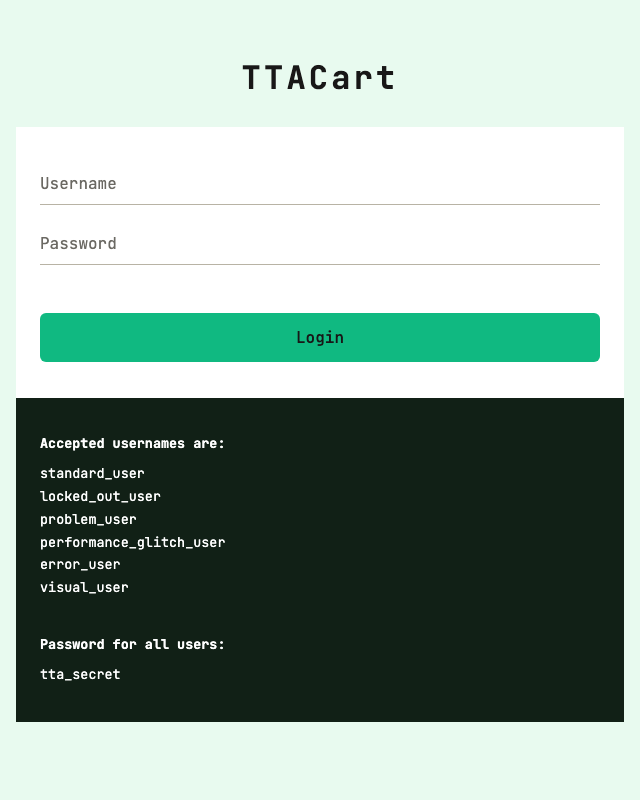
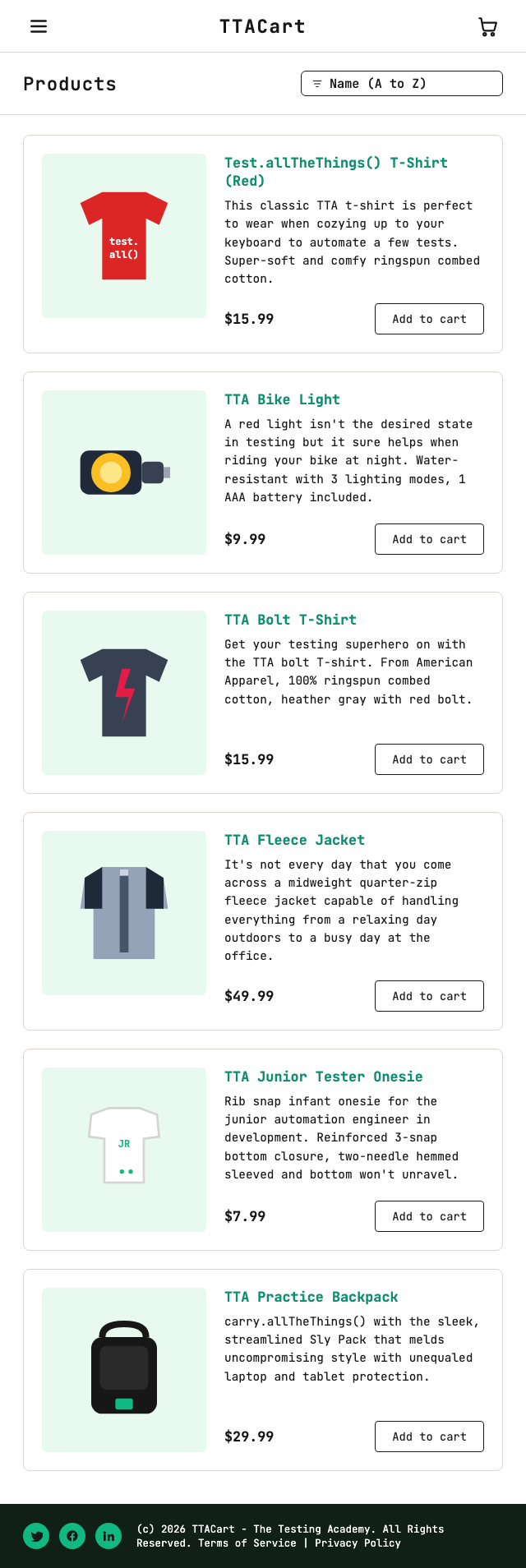
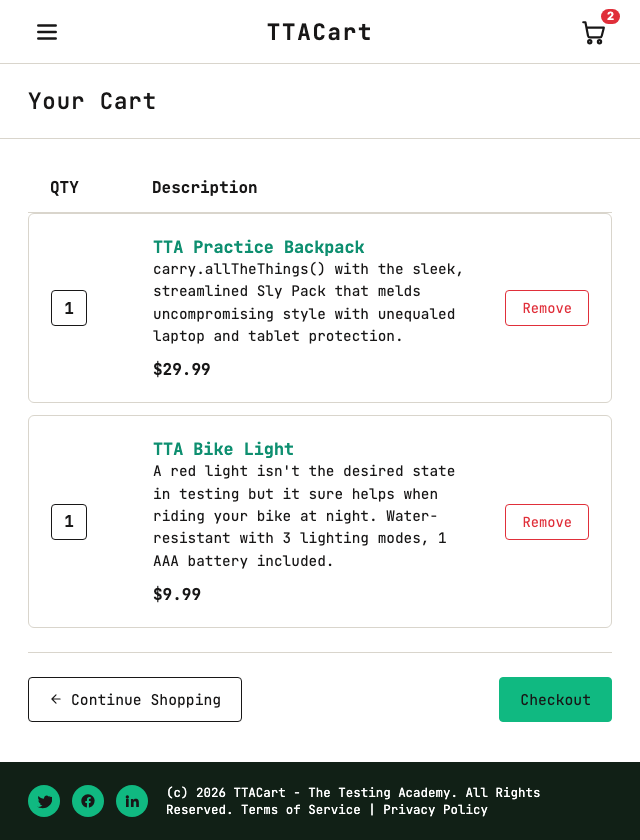
One spec that ties every box of the diagram together: log in as standard_user, add 2 items, walk through both checkout steps, finish, then assert the thank-you screen. Targets the live TTACart pages.
- Login page:
https://app.thetestingacademy.com/playwright/ttacart/index.html
- Inventory:
/playwright/ttacart/inventory.html
- Cart:
/playwright/ttacart/cart.html
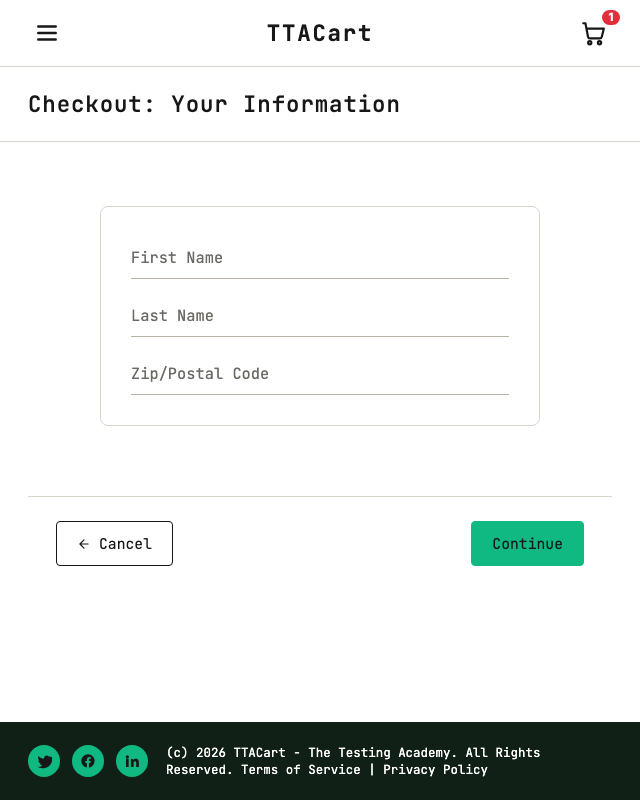
- Checkout step 1:
/playwright/ttacart/checkout-step-one.html (guest info)
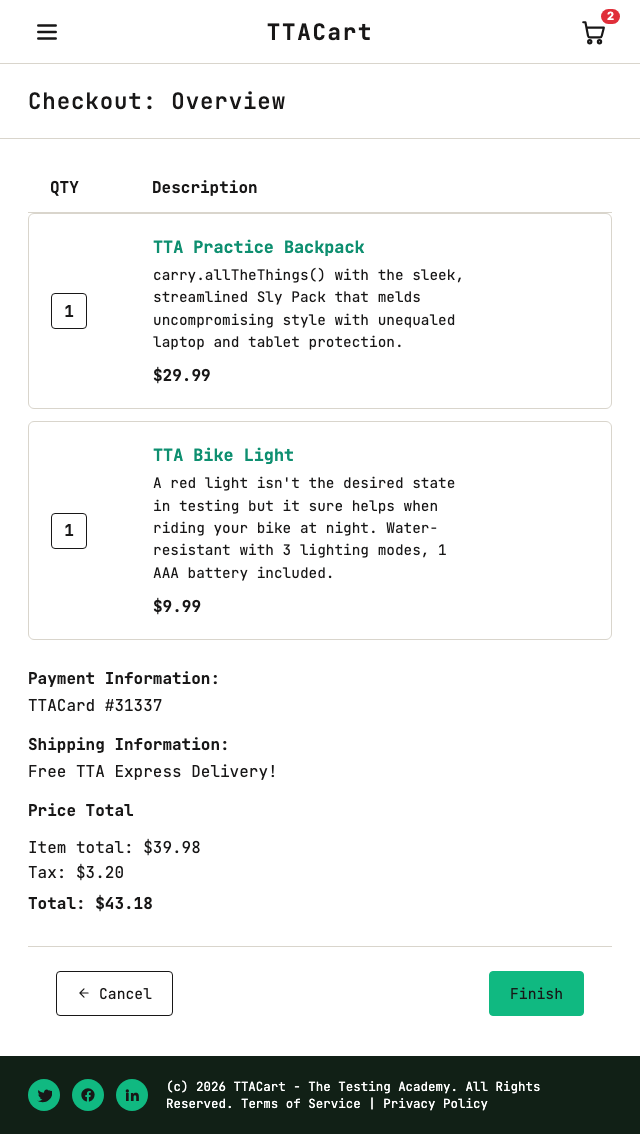
- Checkout step 2:
/playwright/ttacart/checkout-step-two.html (totals)
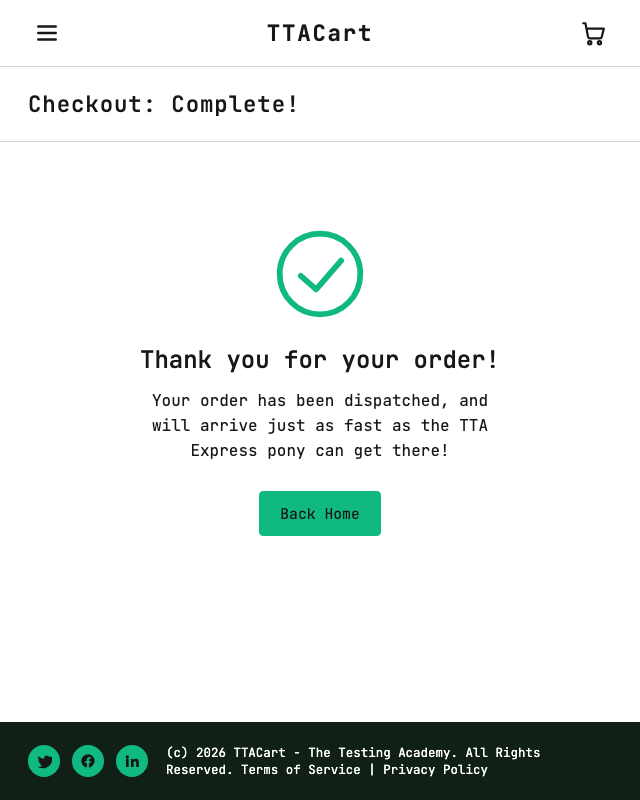
- Complete:
/playwright/ttacart/checkout-complete.html
Test users live in a JSON fixture. The spec uses the fixture-based test runner from src/fixtures/test-base.ts.
src/testdata/users.json
[
{ "username": "standard_user", "password": "tta_secret", "kind": "ok" },
{ "username": "locked_out_user", "password": "tta_secret", "kind": "blocked" },
{ "username": "problem_user", "password": "tta_secret", "kind": "broken-ui" },
{ "username": "performance_glitch_user", "password": "tta_secret", "kind": "slow" },
{ "username": "error_user", "password": "tta_secret", "kind": "flaky" },
{ "username": "visual_user", "password": "tta_secret", "kind": "visual" }
]
src/pages/LoginPage.ts
import { expect, Locator, Page } from '@playwright/test';
import { UtilElementLocator } from '../utils/UtilElementLocator';
export class LoginPage {
private readonly u: UtilElementLocator;
readonly username: Locator;
readonly password: Locator;
readonly loginBtn: Locator;
readonly errorBanner: Locator;
constructor(private page: Page) {
this.u = new UtilElementLocator(page);
this.username = page.getByTestId('username');
this.password = page.getByTestId('password');
this.loginBtn = page.getByTestId('login-button');
this.errorBanner = page.getByTestId('error');
}
async open() {
await this.page.goto('/playwright/ttacart/index.html');
}
async loginAs(username: string, password: string): Promise<void> {
await this.u.fill(this.username, username);
await this.u.fill(this.password, password);
await this.u.click(this.loginBtn);
}
async expectErrorContains(text: string): Promise<void> {
await expect(this.errorBanner).toContainText(text);
}
}
src/pages/InventoryPage.ts (excerpt)
async addToCart(productId: string): Promise<void> {
await this.page.getByTestId(`add-to-cart-${productId}`).click();
}
async cartCount(): Promise<number> {
const badge = this.page.getByTestId('shopping-cart-badge');
if (!(await badge.isVisible())) return 0;
return Number(await badge.innerText());
}
async openCart(): Promise<void> {
await this.page.getByTestId('shopping-cart-link').click();
}
src/tests/checkout.spec.ts
import { test, expect } from '../fixtures/test-base';
test('@e2e standard_user buys two items', async ({
page, loginPage, inventoryPage, cartPage, checkoutOne, checkoutTwo, completePage,
}) => {
// 1) login
await loginPage.open();
await loginPage.loginAs('standard_user', 'tta_secret');
await expect(page).toHaveURL(/inventory\.html/);
// 2) add 2 items, assert cart badge
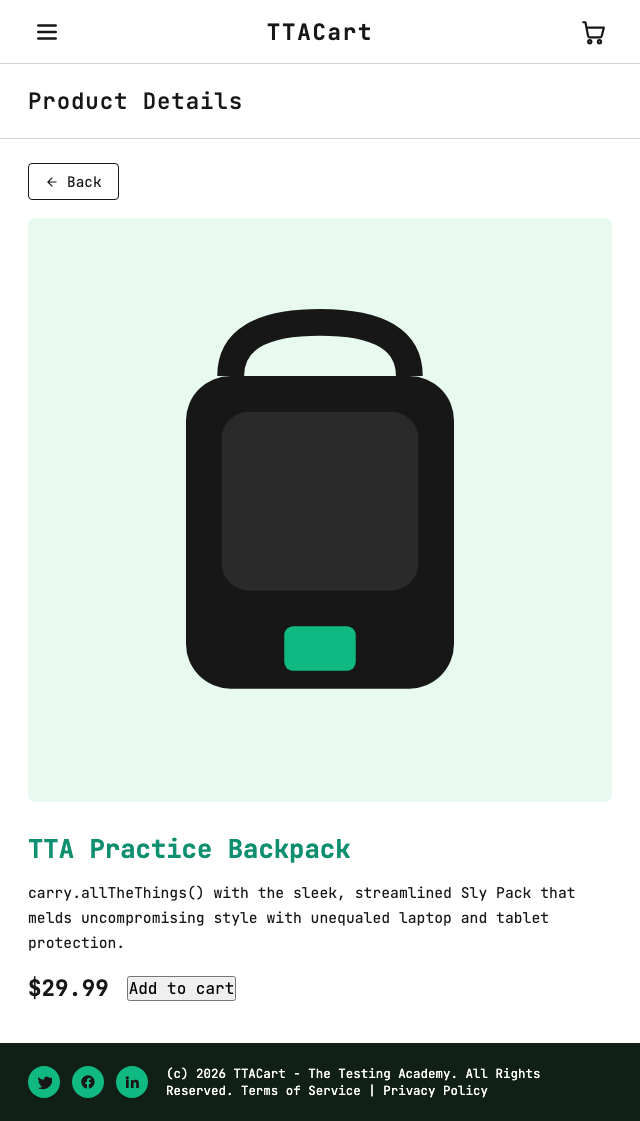
await inventoryPage.addToCart('tta-practice-backpack');
await inventoryPage.addToCart('tta-bike-light');
expect(await inventoryPage.cartCount()).toBe(2);
// 3) cart -> checkout step 1
await inventoryPage.openCart();
await cartPage.assertLoaded();
await cartPage.checkout();
// 4) guest details
await checkoutOne.fillGuest({ firstName: 'Aarav', lastName: 'Sharma', postalCode: '560001' });
await checkoutOne.continue();
// 5) overview totals math
const subtotal = await checkoutTwo.subtotal(); // 29.99 + 9.99
const tax = await checkoutTwo.tax(); // 8% of subtotal
const total = await checkoutTwo.total(); // subtotal + tax
expect(total).toBeCloseTo(subtotal + tax, 2);
// 6) finish + assert thank-you
await checkoutTwo.finish();
await expect(page).toHaveURL(/checkout-complete\.html/);
await expect(completePage.headerText()).resolves.toContain('Thank you');
});
src/tests/negative.spec.ts (one case)
test('@regression locked_out_user sees the locked-out error', async ({ loginPage }) => {
await loginPage.open();
await loginPage.loginAs('locked_out_user', 'tta_secret');
await loginPage.expectErrorContains('locked out');
});
Full source lives on the ttacart branch - look under src/tests/ for the rest (login.spec.ts, inventory.spec.ts, cart.spec.ts, data-driven.spec.ts).