The Testing Academy · Masterclass · QA Automation
DeFlaky for QA.
Measure inconsistent tests with repeatable commands, interpret the shipped analyzer honestly, diagnose the system behind the signal, and prove a repair without hiding failures.
Before you begin
Bring a suite that emits a real report.
Use a synthetic test whose timing you can control. DeFlaky analyzes JUnit XML or supported JSON files; console output alone is not enough for a trustworthy score.
Open the first lesson- Runtime
- Node.js 20+, npm, Git, and DeFlaky CLI 1.1.2 or the reviewed current version.
- Reporter
- JUnit XML or supported Jest, Mocha, or Playwright JSON written to a searchable path.
- Automation
- A deterministic focused command and unique test names.
- Safety
- Synthetic data, no production load, and separate functional pass gates.
Part 1 · Foundations
Measure Flakiness Reproducibly
Define the signal, run the actual current CLI, produce parseable reports, and interpret the implemented classifier and score exactly.
Flake Taxonomy and Why Retries Hide Information
Separate inconsistent outcomes from deterministic failures and bad measurements.
1.2Install and Run the Current CLI Safely
Pin and inspect the shipped run/serve commands before integrating them.
1.3Repeat a Command and Produce Parseable Reports
Write supported reports to a clean path and verify the parsed test count.
1.4Read the Current Classifier and FlakeScore
Interpret grouping, categories, empty data, and score from analyzer.ts.
The operating map
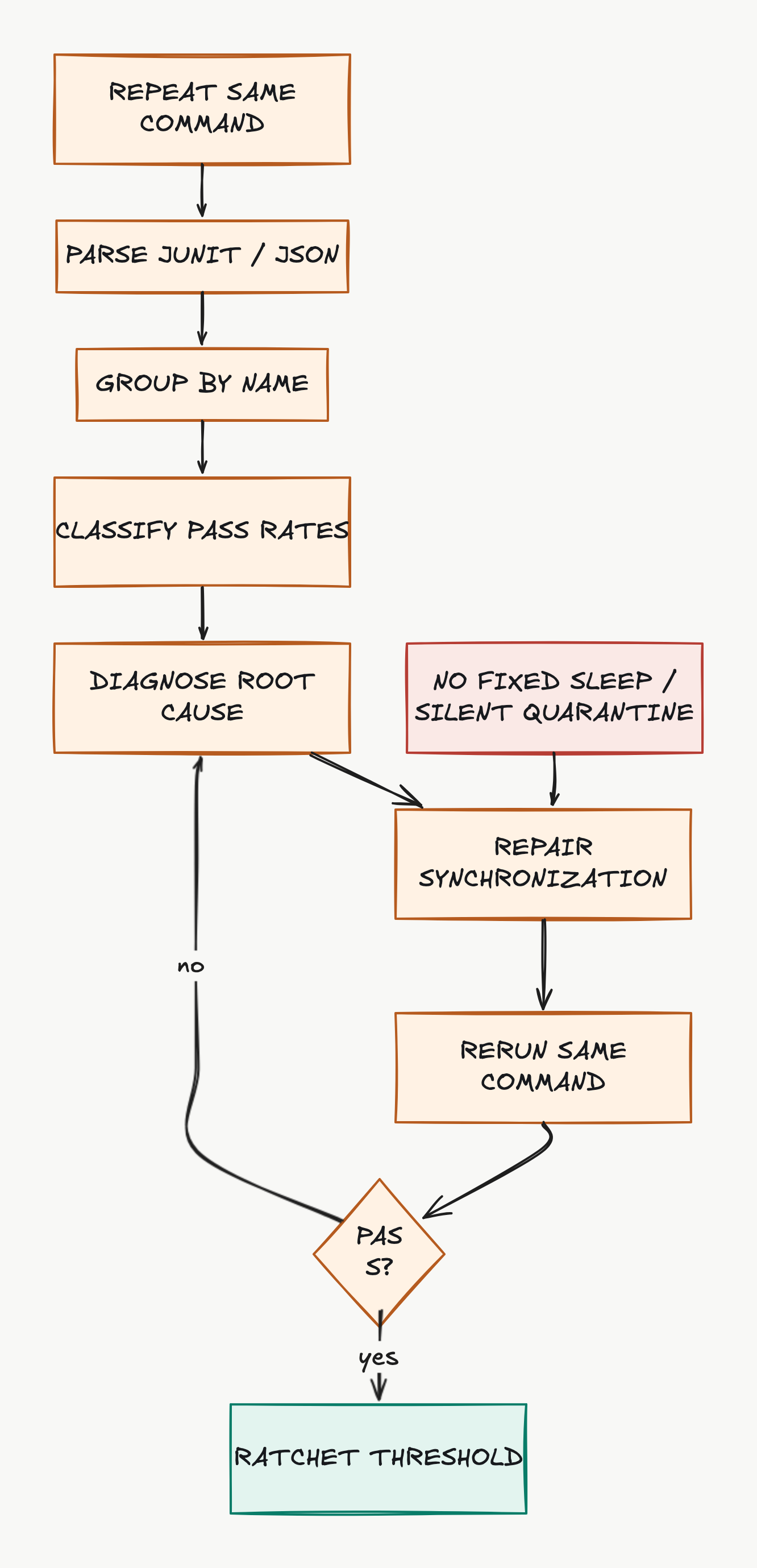
Measure, diagnose, repair, then rerun the same experiment.
DeFlaky repeats a command and classifies parsed outcomes. The engineering work begins after detection: preserve the counterexample, repair the root cause, rerun unchanged conditions, and ratchet the gate.
Part 2 · Evidence and cause
Diagnose Without Hiding Risk
Make reporter identity trustworthy, classify root causes, inspect saved data locally, and add push and threshold behavior without weakening functional gates.
Reporter Contracts and Unique Test Identity
Prevent file, project, stale-report, and duplicate-title histories from merging.
2.2Separate Test, Product, Data, and Environment Causes
Use raw passing/failing evidence to locate the earliest divergence and owner.
2.3Inspect last-run.json and the Local Dashboard
Audit the saved JSON first, then use the local dashboard as a view.
2.4Push Results and Configure a CI Threshold Securely
Combine secure push and score threshold with independent validity gates.
Completion evidence
Finish with artifacts another SDET can audit.
Submit the exact command, reporter configuration, non-empty report check, before/after last-run data, root-cause classification, repair diff, and separate functional test result.
{
  "course": "deflaky-masterclass",
  "artifacts": 4,
  "deterministic_check": true,
  "human_review": "required"
}Part 3 · Operations
Operate a Flake-Reduction Program
Configure supported frameworks, establish a defensible baseline, account for current implementation limits, and prove one synchronization repair end to end.
Playwright, Cypress, Jest, Mocha, Pytest, and JUnit Recipes
Prove the exact reporter shape, path, identity, and status before scale.
3.2Establish a Baseline and Ratchet the Threshold
Fix the experiment, preserve per-test history, and ratchet transparently.
3.3Audit Current Limitations and Docs/Source Mismatches
Turn source-audit findings into explicit CI validity checks.
3.4Capstone: Reproduce, Classify, Repair, and Prove Stability
Prove one synchronization repair with an unchanged, validated experiment.
Source of truth
Current product behavior, not remembered shortcuts.
The curriculum was checked against official documentation and current source code where available. The lessons page contains the complete source list and implementation caveats.
Open all primary sources- DeFlaky Product
- Product positioning, dashboard, and current public entry points.
- DeFlaky Documentation
- Published setup and integration guidance; verify examples against the CLI source.
- DeFlaky Repository
- Current open-source implementation and package metadata.
- CLI README
- Install command, current flags, and dashboard workflow.