The Testing Academy · Masterclass · QA Automation
Cursor for QA.
Use an agentic editor to produce traceable test assets, run the right checks, and preserve human ownership of product intent and release risk.
Before you begin
Start in a branch you can throw away.
Use a synthetic application and test account. Keep production credentials, customer data, signing keys, and release authority outside the editor and every connected tool.
Open the first lesson- Editor
- A current Cursor installation and a disposable Git branch.
- Automation
- Node.js 20+, Playwright, and one focused test command.
- Working knowledge
- Read requirements, locator failures, terminal output, and Git diffs.
- Safety
- Synthetic data, least-privilege tools, and a human reviewer.
Part 1 · Foundations
Establish a Safe QA Workspace
Place Cursor inside explicit data, tool, branch, and review boundaries before asking it to create or change a test.
Cursor's Place in SDLC and STLC
Map agent work to lifecycle artifacts, checks, and accountable owners.
1.2Install, Index, Privacy, and .cursorignore
Configure indexing and privacy without using real secrets as test data.
1.3Ask, Agent, Manual, and Custom Modes
Match Ask, Agent, Manual, or Custom mode to the required authority.
1.4Project Rules for Playwright and Selenium
Replace legacy .cursorrules advice with scoped MDC project rules.
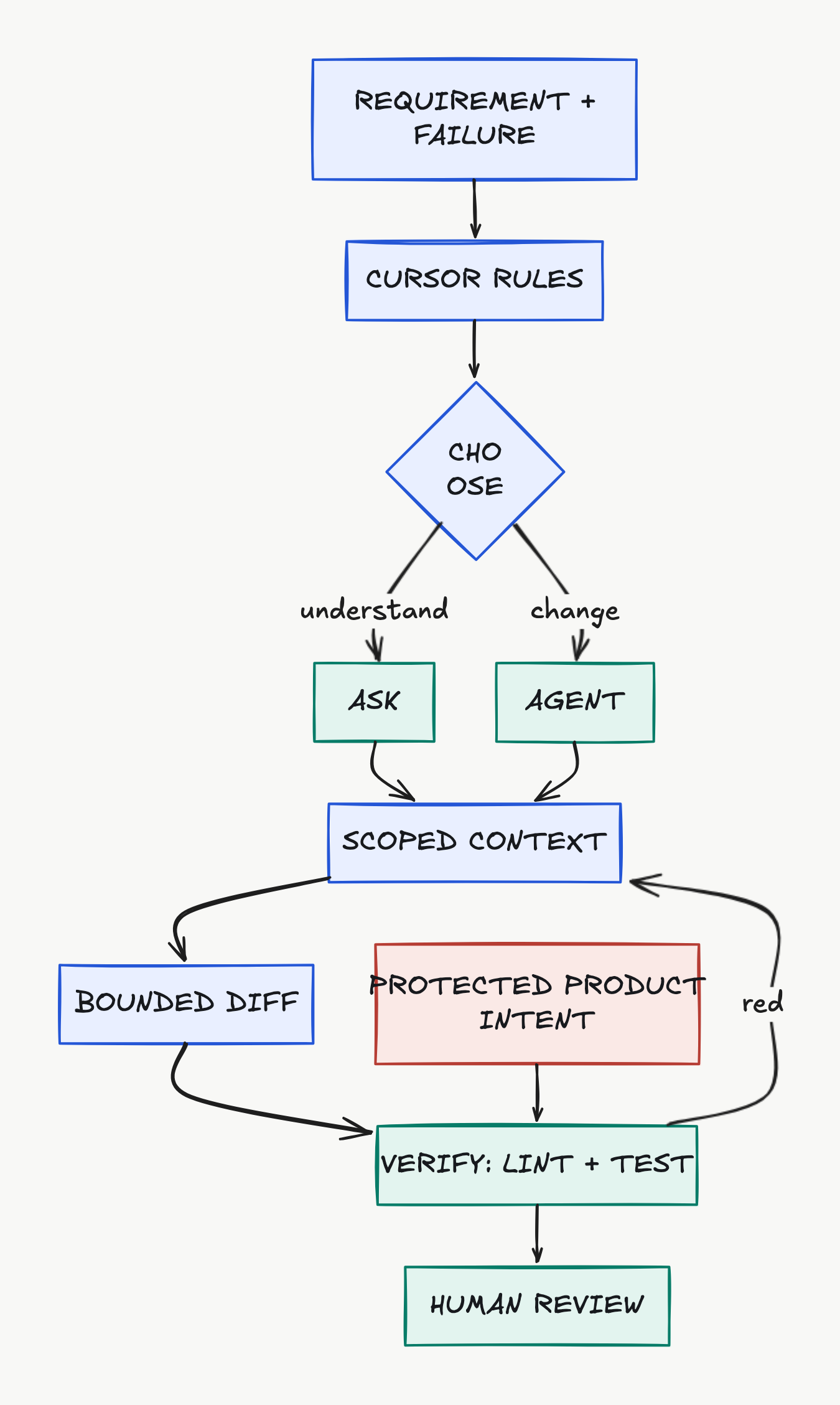
The operating map
Context enters. A bounded diff leaves.
Rules and scoped evidence shape the work. Deterministic commands evaluate the diff. Product intent stays protected, and a person decides whether the candidate is acceptable.
Part 2 · Artifact production
Produce Reviewable QA Assets
Feed Cursor a small evidence bundle, demand structured outputs, and verify every generated plan, fixture, page object, and test outside the chat.
Context Architecture for QA
Assemble intent, evidence, conventions, scope, and a verifier.
2.2Risk-Based Test Plans and Traceable Cases
Turn requirements into risk-ranked cases with machine-checkable IDs.
2.3Page Objects, Fixtures, and Test Data
Generate framework-aligned automation without weakening locators or data isolation.
2.4The Edit-Run-Diagnose Loop
Use fixed commands, one candidate scope, and preserved red-to-green evidence.
Completion evidence
Finish with artifacts another SDET can audit.
The agent's explanation is not completion evidence. Submit the rule, traceability artifact, focused diff, exact command output, and reviewer decision together.
{
  "course": "cursor-masterclass",
  "artifacts": 4,
  "deterministic_check": true,
  "human_review": "required"
}Part 3 · Integration and governance
Scale With Review Boundaries
Connect external tools and automation only after defining credentials, read/write authority, branch scope, audit evidence, and a human decision point.
MCP Without Leaking Secrets or Authority
Inventory MCP tools, credentials, data classes, write effects, and evidence.
3.2Cursor CLI in a Constrained CI Job
Keep scripted agent review advisory and deterministic CI checks authoritative.
3.3Bugbot and Pull-Request Review Policy
Focus pull-request review on false green, evidence, and secret exposure.
3.4Background-Agent Capstone: Repair One Login Test
Prove a complete synthetic repair with repeated checks and human acceptance.
Source of truth
Current product behavior, not remembered shortcuts.
The curriculum was checked against official documentation and current source code where available. The lessons page contains the complete source list and implementation caveats.
Open all primary sources- Cursor Rules
- Project rules, MDC files, scopes, and legacy .cursorrules guidance.
- Cursor Agent
- Agent, Ask, Manual, and Custom modes.
- Agent Tools
- Search, edit, terminal, MCP, and tool controls.
- Working With Context
- Context selection and MCP practices.