What QA Jobs Board is
QA Jobs Board is a job board for software testers, run by The Testing Academy. Pramod Dutta has hired a few HRs who post jobs on it regularly, so what you see is a curated list of QA roles rather than every job on the internet. It is built for people who want the right openings without wasting time searching.
Browsing and applying are free, and you do not need an account. Here is what it gives you:
| Feature | What it does |
|---|---|
| Job alerts | Curated jobs by email, daily or weekly, for the categories and job types you pick. |
| Filters | Search by title or company, then narrow by type, category, location, salary range and remote only. |
| Job pages | The full description, when it was posted, and an Apply now button to the employer's own application. |
| More jobs | Similar openings at the bottom of every job page. |
| Share and report | Send a job to a friend on WhatsApp, LinkedIn, X, Facebook or Reddit, or report a listing. |
The roles cover manual and automation testing, SDET, QA leads and AI testing. There are two categories, Automation Tester, SDET and Remote QA Jobs, and six job types: full-time, part-time, contract, temporary, volunteer and internship.
Get job alerts by email
The best part, as the video puts it: subscribe with your email once, and the curated jobs come to you.
- On the home page, find the Job alerts box.
- Enter your email and click Subscribe.
- Open the email you receive and confirm your address.
- The confirmation opens your preferences. Choose daily or weekly, select your categories and job types, and click update.
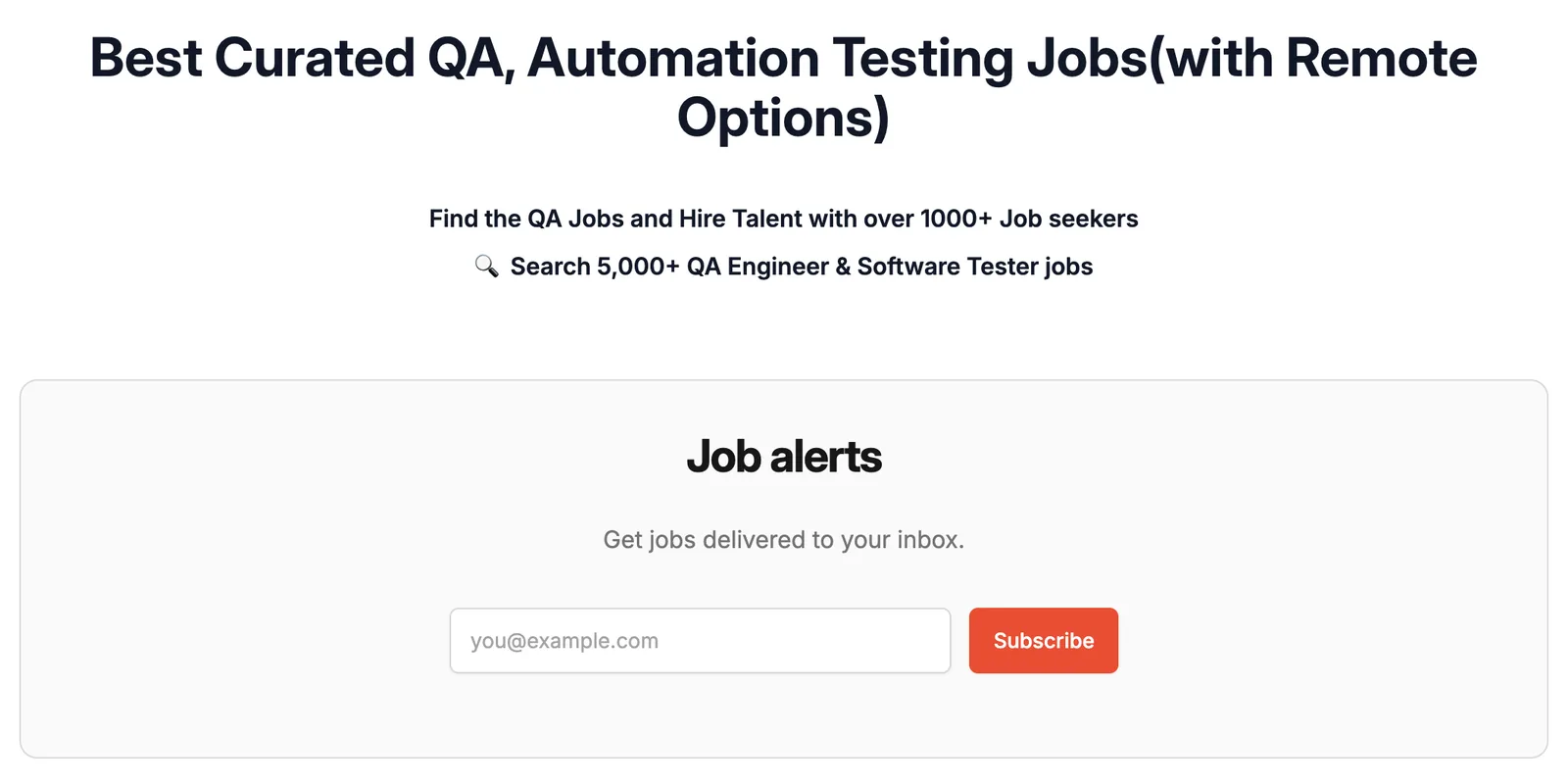
While you are actively looking, choose daily, so you see new openings while they are fresh. Once you have a job and only want to watch the market, switch to weekly.
Filter the job list
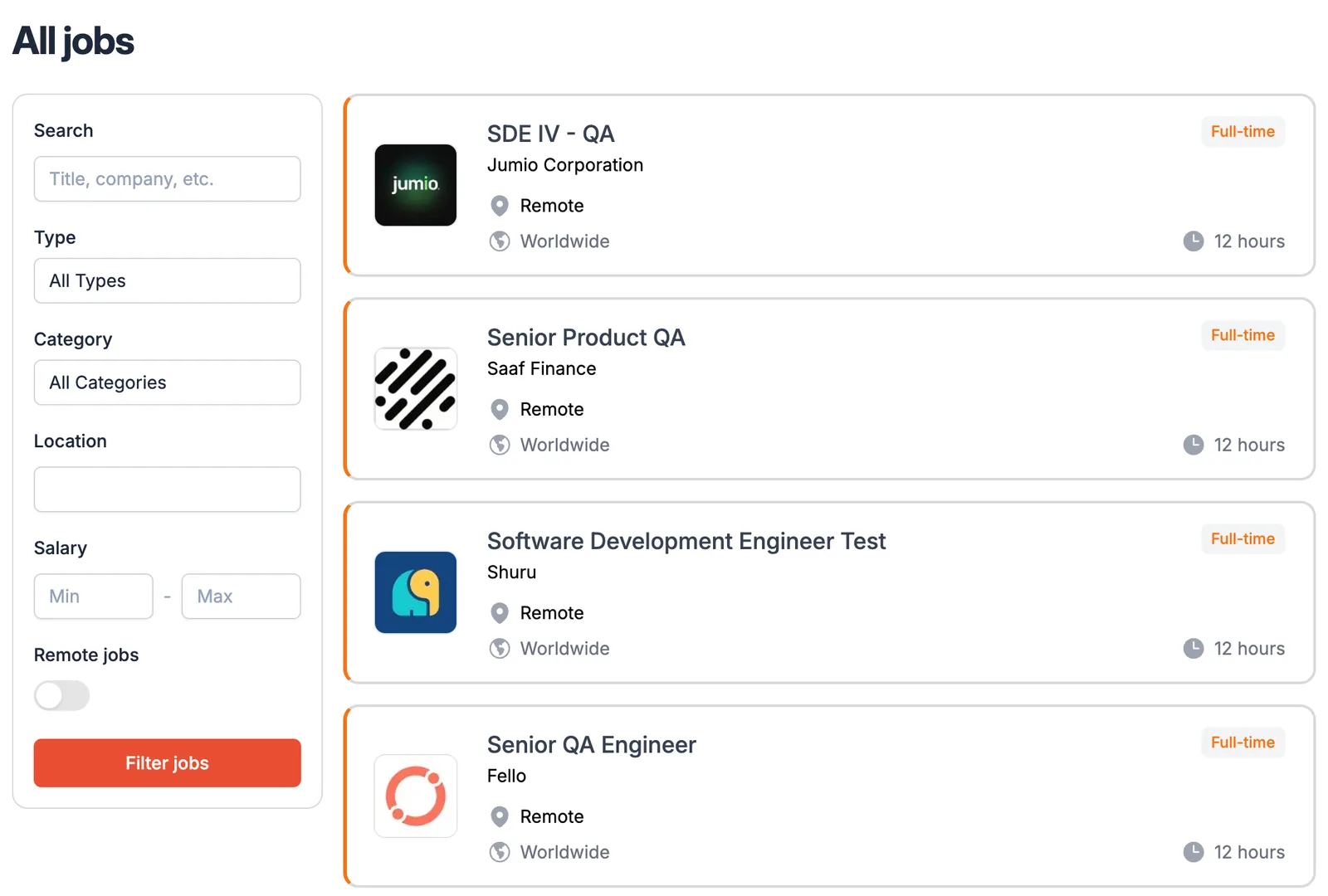
Open All jobs, or scroll down the home page. The filters sit on the left:
- Search by job title, company, or a word such as Playwright.
- Type: full-time, part-time, contract and the rest.
- Category: Automation Tester, SDET, or Remote QA Jobs.
- Location: a city or country.
- Salary: a minimum and a maximum.
- Remote jobs: a toggle for people who want remote work only.
Set what you need and click Filter jobs. For remote roles only, switch the Remote jobs toggle on and filter; switch it off and filter again to see everything.
Read a job and apply
- Click any job card to open the job page. It shows when the job was posted, the type, the location, the category and the full description under About the job.
- Read the description and check it against your skills before you apply.
- Click Apply now. Depending on the job, it opens either the LinkedIn job page or the company's own careers page, and you apply there.
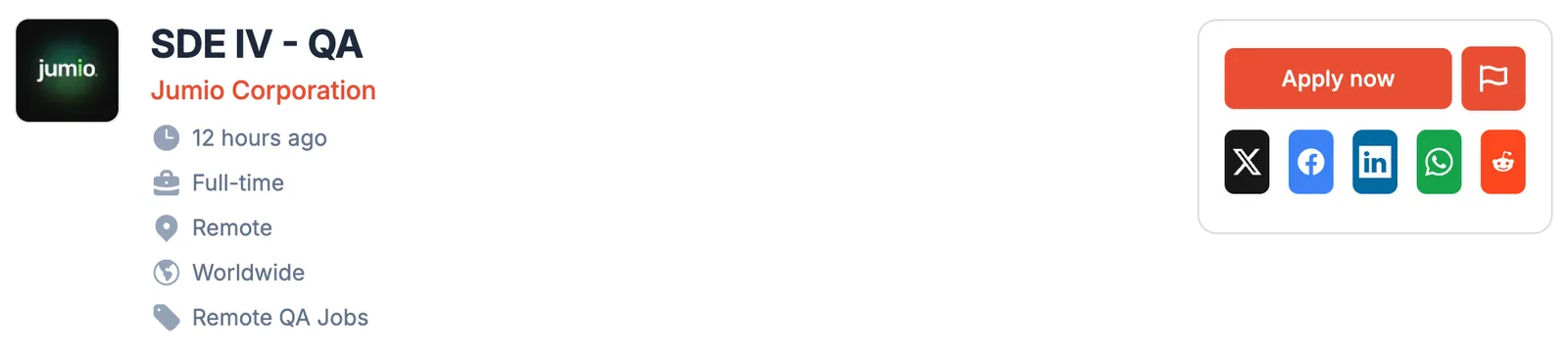
Both routes are common. Of the latest 24 listings when this guide was written, 8 opened LinkedIn and 16 opened the company's careers page or its hiring system, such as Greenhouse, Ashby, Workday or Keka. QA Jobs Board does not take your application itself: you always apply on the employer's side.
Reach the hiring team on LinkedIn jobs
When Apply now opens LinkedIn, look for Meet the hiring team on the job. It shows the HR or recruiter responsible for the role. Apply first, then connect with them or send a short message directly.
Keep the message short and specific. For example:
Hi <name>, I have applied for the <role> opening at <company>.
I work with <two skills from the description> and have <one result
or project>. Happy to share more if it helps. Thank you.
When Apply now opens a company careers page instead, there is no hiring team to message there. The Top 100 Companies page on the board (section 06) suggests finding the company's HRs on LinkedIn and approaching them with a personalised resume or a video resume.
More jobs, and the extras on the board
At the bottom of every job page, More jobs suggests similar openings. When one job fits, the next one usually sits right below it.

The menu at the top has four more things worth knowing:
- Learn Automation opens The Testing Academy's Job Ready Automation Tester program, for the skills the job descriptions keep asking for.
- Resume & LinkedIn Hacks, for getting your profile ready before you apply.
- Top 100 Companies, a list of more than 115 companies grouped by sector (mobility, e-commerce and more), for applying directly on their careers pages.
- Post a job for free, for recruiters and hiring managers with a QA opening.
A routine to keep applying
The board brings the jobs to you; the rest is applying steadily, a few good matches at a time, rather than in one big burst every few weeks. A loop for every morning:
- Open the alert. Start from the daily email, or from All jobs with your filters set. The newest jobs are at the top, and each card says how long ago it was posted.
- Filter. Use the same filters every day, so you only see what you would actually take.
- Shortlist. Read each description and keep the roles where you match most of what is asked. A handful of good matches beats a long list of long shots.
- Apply now. Apply the same day you shortlist, and match your resume to each description: the tools, the kind of testing, and the domain it names.
- Reach out. On LinkedIn jobs, send the hiring team a short note after you apply.
- Log it. Keep a simple tracker, so you know what you applied for and when to follow up.
| Company | Role | Link | Applied on | Status | Next follow-up |
|---|---|---|---|---|---|
| <company> | QA Automation Engineer | the QA Jobs Board page | <date> | Applied | <a week later> |
| <company> | SDET | the LinkedIn job | <date> | Messaged HR | <a week later> |
A few habits that keep the loop going:
- Use More jobs on every job you apply to: it lists similar openings while you are already in the flow.
- Work the Top 100 list on quieter days: pick a few companies and check their careers pages directly.
- Share what is not for you. The share buttons send a job to a friend on WhatsApp or LinkedIn in one click.
- Close the gaps the descriptions keep naming. If every second job asks for Playwright or API testing, that is the next thing to learn.
Reference links
- QA Jobs Boardqajobsboard.com
- All jobs, with filtersqajobsboard.com/jobs
- Video walkthroughloom.com/share/4edc3e33321045c0b0b2f5c4bcb46d2d
- Top 100 Companiesthe company list on QA Jobs Board
- Learn AutomationJob Ready Automation Tester
- Hiring? Post a job for freeqajobsboard.com/jobs/new