What this class covered
- The batch's first class: the roadmap, laptop and tools, and the private group
- What changed with ChatGPT, and what an AI engineer does
- AI, machine learning, deep learning and LLMs, and which engineer you become
- Classic software versus an LLM feature: fixed output versus evaluation
- Chatbots, AI coding agents, and what an LLM is not
- How an LLM picks the next token: autocomplete and softmax
- Temperature, in the guide's toy model
- Temperature means creativity, and why testers keep it low
- Open and closed models, and Hugging Face
- Which models companies use, and what they cost
- Local LLMs: Ollama, LM Studio and Gemma 3 1B
- A coding agent in VS Code, by budget
- Tokens, cost and the context window
- The chapter's HTML guide, the task, and what comes next
- An AI engineer builds applications on an existing foundation model: give it instructions and context, check its answers, connect it to real systems. Training the model is not this course's job.
- Classic software gives the same output for the same input; an LLM feature does not, and can be fluently, confidently wrong. So an AI feature is evaluated, not tested against one exact result.
- An LLM writes by predicting the next token: it scores every candidate, turns the scores into chances (softmax), picks one and repeats.
- Temperature decides how the pick is made. At 0 the top token always wins, so the answer repeats; higher values give different answers to the same prompt. Keep it low when testing AI.
- Closed models (GPT, Claude, Gemini, Grok) are for coding, generative AI and research; open models, run locally in Ollama or LM Studio, are for repetitive work at scale, with no bill per token and no data leaving the machine.
- A token is a piece of text, not a word: about three quarters of a word in English. You pay for every token sent and received, and the context window caps how many fit.
- Logs, JSON, IDs and non-English text cost more tokens, so do not paste logs into an AI tool blindly.
Roadmap, laptop and the private group
A learner asked whether this was the first class of the batch, and the instructor said yes. Chapter 00, agent skills, was built in the two classes before it, the kickoff and advanced skills. This class starts chapter 01, which the instructor calls LLM basics, or AI foundations.
The roadmap is the one from the kickoff page, and the full version is on the AI Tester Blueprint page. The sequence on the deck today: LLM basics (today), prompt engineering, generative AI, AI agents, RAG, MCP, Python basics and pytest, LLM evaluation, AI testing tools, 28+ projects, LangChain and LangGraph, and certifications. The instructor noticed that Python and pytest were missing from the roadmap on screen, and said they would be added; in the sequence they come after RAG and MCP, before evaluation.
Laptop and tools. 8 GB of RAM and a 256 GB disk are more than enough, in the instructor's words. Install Visual Studio Code, and if you can, take a Claude subscription ($20) or OpenCode ($10) for this month; the section on coding agents has the options.
The private group. Doubts and tasks live in the private AI Tester 5X space on SDET Club. Anyone not in it yet gets an invitation. Ask your questions in today's doubt thread, which the instructor asked Meeti to create, so the instructor can take them in one go; if you have no access yet, use the Zoom chat, where your messages reach only the instructor.
What an AI engineer does
Before ChatGPT, AI models were like smart calculators, good at one thing. After it, they became like super interns: they can write, code, explain, summarise and even reason. AI itself is not new, as the class heard; what changed is access. Using AI used to mean buying a supercomputer, out of reach for most people. Then ChatGPT, Gemini, Midjourney and Anthropic opened their models to the public.
The deck sums up the change as scale. The models are extremely large and consume massive compute, electricity and data, with two consequences:
- A capability explosion. Models now do many tasks well, so coding, writing, planning and vision applications became possible.
- Model as a service. Training large models is expensive and centralised, so a few organisations build them and everyone else uses them through APIs.
The result: demand for AI applications went up while the barrier to entry came down. That is where AI engineering comes from: building applications on top of existing foundation models.
A foundation model is the pre-built brain, the thing most people call a large language model. People who know AI call it a foundation model, the instructor said. Building one from scratch is not a cup of tea: it takes a huge amount of data, a huge amount of computing power and a lot of money, so not everyone can do it. Small language models exist too; they come later.
You do not train that brain. Your job, in the deck's words: giving it instructions, giving it context, checking its answers, and connecting it to real systems.
Why is AI engineering growing so fast? Powerful models already exist (the instructor named Opus 5.5 and the GPT models), APIs make them simple to use, little infrastructure is needed, and even non-engineers can build AI apps. It is one of the fastest-growing engineering disciplines, and one to add to your resume.
Where do testers stop? In the instructor's view, at the basics: knowing what AI is, prompting, and tools such as GitHub Copilot, Cursor, Windsurf or Claude Code. That, in the instructor's words, is about 10% of AI. The course covers the remaining 90%.
AI, machine learning, deep learning and LLMs
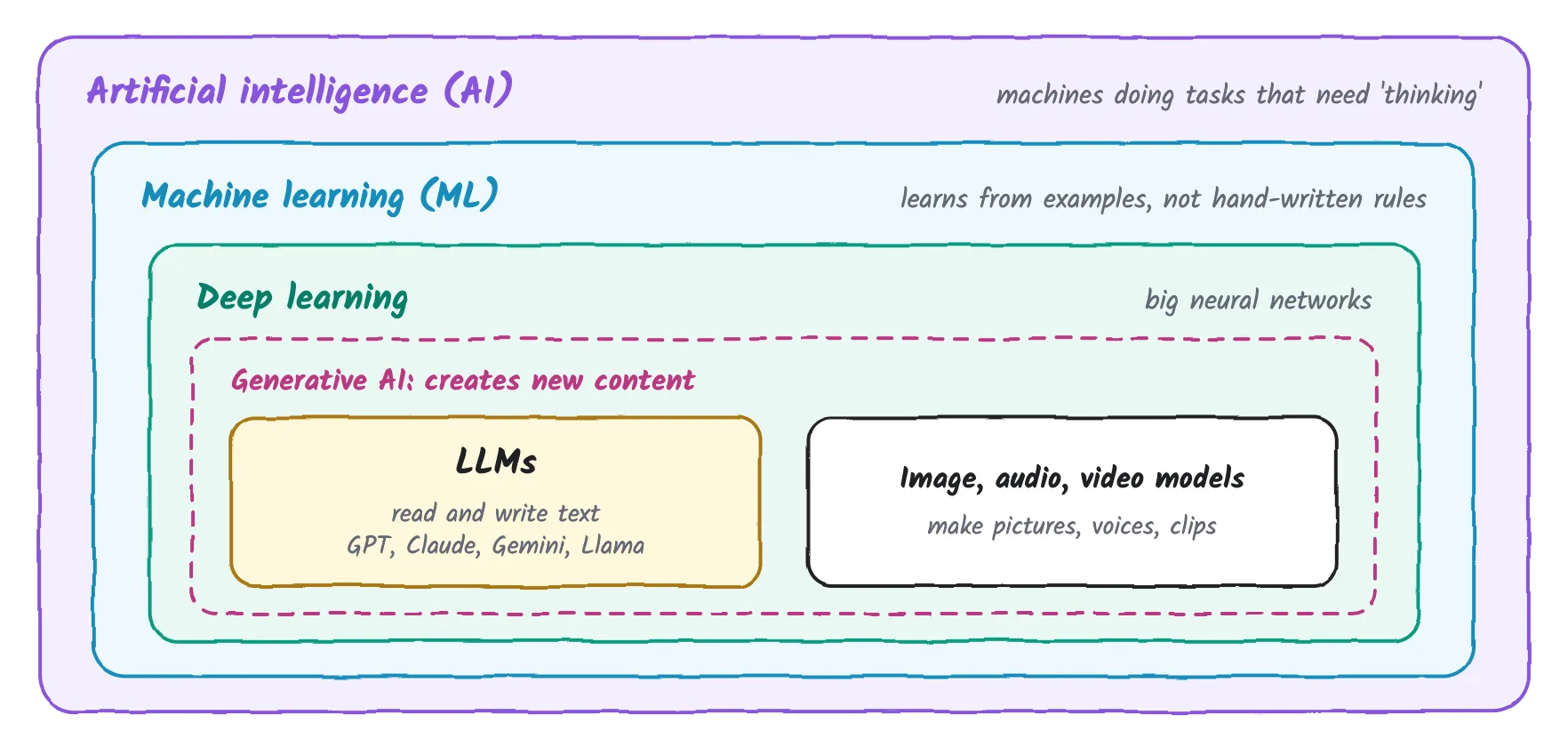
The instructor called this one of the important diagrams, one that gives clarity: AI, machine learning and deep learning as boxes inside boxes, from lesson 01 of the chapter's guide.
- Artificial intelligence is the umbrella: a machine doing tasks that need thinking.
- Machine learning is part of AI: the machine learns from examples, not from hand-written rules.
- Deep learning sits inside it: big neural networks. Neural networks, as the class put it, are programs that find similarities, and the name comes from the networks in our own brain. Close your eyes and think of your mother, and her face comes back to you: a network in your memory finds the match.
- Generative AI is the part that creates new content. Inside it are LLMs, which read and write text, such as GPT, Claude, Gemini and Llama, and image, audio and video models, which make pictures and voices.
Which of these do you become? Not a machine learning or deep learning engineer: they are the people who create the models.
- A machine learning engineer collects data, say a million hospital patient records, and labels it: this image belongs to diabetes, that one to a headache. Then they index it, train a model and tune it until it becomes a foundation model.
- A deep learning engineer does similar work: research, training, and making sure the foundation model replies properly.
From this first class on, the instructor said, the course will never discuss machine learning or deep learning. The focus is the AI engineer: take the brain that already exists and build applications that solve real problems, QA problems included. If an application needs some training of the model, a small part of that may come up. Mostly it is proper prompting and building applications. The site's guide ML engineer vs AI engineer vs deep learning engineer compares the three roles in more depth.
Classic software versus an LLM feature
Every company is adding AI to its products now, the instructor said, and judging by the chat, so are most of the class's companies. That changes how software behaves, and how it is checked. The guide's lesson 01 puts the difference in four questions:
| Question | Classic software | An LLM feature |
|---|---|---|
| How is it built? | A developer writes every rule: "lock after 5 wrong passwords". | It learned patterns from a huge amount of text. |
| Same input twice? | Same output, every time. | Often a different output. |
| How does it fail? | A crash, an error, a wrong value. | A fluent, confident answer that is wrong. |
| How do you test it? | Check the exact result. | Check what must be true, over many runs. |
An LLM feature fails fluently and confidently gives a wrong answer, in the instructor's words, so you cannot test it; you have to evaluate it. Classic software is deterministic: a fixed input gives a fixed output. An LLM feature is non-deterministic: the same input can give a different output. The kickoff page has the instructor's longer case for calling it evaluation.
A recap from the webinar: a large language model is like a brain, trained on a huge amount of data, and an AI agent has a brain, a memory and access to tools, the BMT framework. The advanced skills page has that picture.
Chatbots, coding agents, and what an LLM is not
Software is changing shape. A traditional app, such as the Razorpay dashboard the instructor showed, has a left-hand menu and lots of options to click. More and more apps are turning into a chat screen where you upload something and ask questions. The instructor named Swiggy, Uber and IRCTC, and many in the chat said it is already happening; the instructor expects every company to get there soon.
Two kinds of AI tools get mixed up:
- AI coding agents: Cursor, Windsurf, Claude Code, Codex, Kiro, OpenCode, Command Code, Antigravity and GitHub Copilot. Asked which category Codex belongs to: an AI coding agent.
- Chatbots: ChatGPT, Claude.ai, chat.deepseek.com and Microsoft Copilot.
A chatbot has a chat screen, a history, a memory and safety checks. Your prompt goes to a large language model, the reply comes back, and it can use tools when it needs them. So chatbots are really AI agents with something extra, as the instructor put it. A chatbot is one way to reach an AI agent; an API is another.
What an LLM is not: not a search engine, not a database, not a calculator, and not up to date. Think of it as a brilliant intern: fast, fluent and confident, but it cannot check its own facts unless you give it a way to check a source.
The model only turns text into text, and the app around it does the rest. So, the instructor said, a tester has to test the whole path: what was sent and what came back. The guide adds a third check: what the app did with the reply.
How an LLM picks the next token
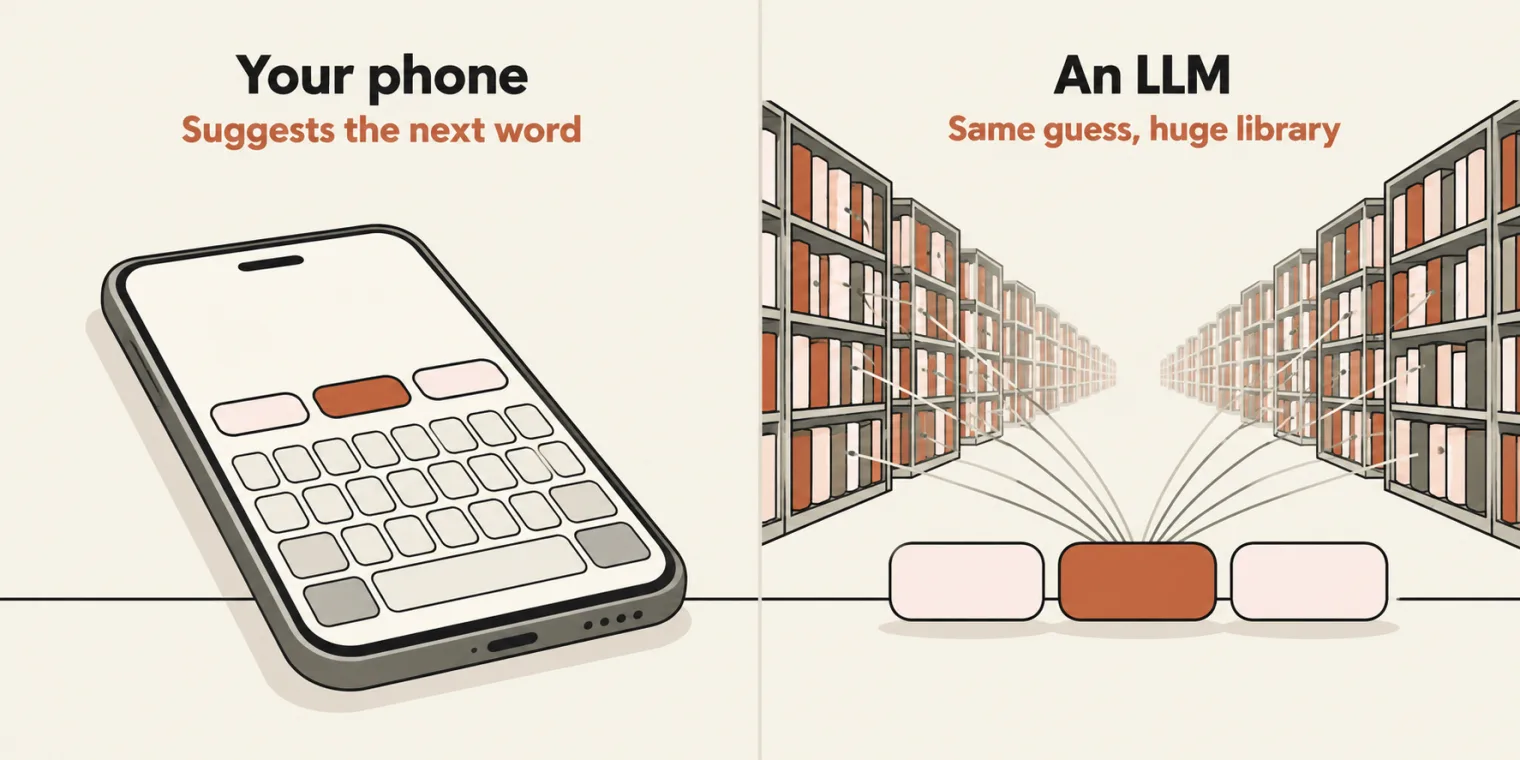
It started as a language model, not a large one: something that fixes your grammar, reads comments, and writes essays or blog posts, all work with language. It writes by predicting the next word. Ask for a 500-word essay on bananas, and it predicts one word after another: yellow, nutrition, vitamin C, and so on.
So an LLM is autocomplete at a huge scale. Your phone's keyboard suggests the next word as you type; an LLM does the same. The difference is scale: it learned from a huge library of text, so its guess is very good, and it writes a whole answer one small piece, one token, at a time.
How it picks. Take "The cat will sit on the ___". The model gives every possible next token a score, and the higher the score, the better it fits. Then three steps turn the scores into chances:
- Make every score positive: e to the power of the score.
- Add them all up to get a total.
- Divide each one by the total.
The guide's lesson 02 uses eight candidates. Recomputed from its scores:
| Next token | Score | e to the score | Chance |
|---|---|---|---|
| mat | 5.0 | 148.4 | 61.5% |
| floor | 3.5 | 33.1 | 13.7% |
| table | 3.0 | 20.1 | 8.3% |
| chair | 2.7 | 14.9 | 6.2% |
| sofa | 2.3 | 10.0 | 4.1% |
| bed | 2.0 | 7.4 | 3.1% |
| roof | 1.6 | 5.0 | 2.1% |
| keyboard | 0.9 | 2.5 | 1.0% |
| Total | 241.3 | 100% |
This step is called softmax. "mat" has the highest score, and "keyboard" the lowest, about 1%. Are testers concerned with this logic? No, the instructor said: as AI engineers, the question is whether the output is correct. For how a real model scores its tokens inside, which the class left out, the site's guide How a transformer predicts the next token goes step by step.
A learner asked what happens when two candidates have exactly the same chance; the answer in class was that it picks whichever has the higher chance. For an exact tie, the guide's toy model, coming up next, shows what happens: it has two ties, after "button" and after "page", 50% each. At temperature 0 it takes the candidate listed first; at any higher temperature it picks either one, half the time each.
Temperature
The class watched temperature at work in the guide's lesson 02 lab, Watch it write, one token at a time. A toy language model continues the prompt "The login test", scoring the candidates and picking one, with a slider for temperature. To keep it simple, the toy looks only at the last word; a real LLM looks at every word. The whole toy is a table of next-word chances and one function:
    const TRANS = {
      test: [['failed', .55], ['passed', .30], ['is', .10], ['crashed', .05]],
      failed: [['because', .45], ['on', .20], ['after', .20], ['.', .15]],
      passed: [['on', .40], ['after', .30], ['.', .30]],
      is: [['flaky', .60], ['slow', .25], ['green', .15]],
      crashed: [['because', .50], ['on', .30], ['.', .20]],
      because: [['the', .70], ['a', .30]],
      the: [['password', .35], ['server', .30], ['button', .20], ['page', .15]],
      a: [['timeout', .55], ['typo', .25], ['bug', .20]],
      on: [['Chrome', .45], ['staging', .30], ['Firefox', .25]],
      after: [['5', .50], ['the', .30], ['a', .20]],
      '5': [['attempts', .80], ['seconds', .20]],
      password: [['was', .45], ['field', .35], ['expired', .20]],
      server: [['timed', .60], ['was', .40]],
      timed: [['out', 1]],
      button: [['was', .50], ['did', .50]],
      page: [['did', .50], ['was', .50]],
      did: [['not', 1]],
      not: [['load', .70], ['respond', .30]],
      was: [['wrong', .50], ['slow', .30], ['empty', .20]],
      field: [['was', .60], ['.', .40]],
    };
    const START = ['The', 'login', 'test'];
    let toks = START.slice();
    const temp = () => Number($('ww-temp').value);
    const cands = () => { const last = toks[toks.length - 1]; return last === '.' ? null : (TRANS[last] || [['.', 1]]); };
    function shaped(c) {
      const t = temp();
      if (t === 0) return c.map(([w], i) => [w, i === 0 ? 1 : 0]);
      const w = c.map(([n, p]) => [n, Math.pow(p, 1 / t)]), s = w.reduce((a, [, v]) => a + v, 0);
      return w.map(([n, v]) => [n, v / s]);
    }
TRANSis the model: after each word, the possible next words and their chances. A word with no row, such as "wrong", ends the sentence.shaped()applies the temperature. At 0, the first candidate in the row, which is always a top one, gets 100%. Otherwise each chance is raised to the power of 1 divided by the temperature, and the results are scaled back to add up to 100%: at 1.0 the chances stay as written, and at 2.0 they flatten.
The chances after "test", from that function, match what the lab's own bars showed in the headless run:
| Next word | At 0 | At 1.0 | At 2.0 |
|---|---|---|---|
| failed | 100% | 55.0% | 40.5% |
| passed | 0% | 30.0% | 29.9% |
| is | 0% | 10.0% | 17.3% |
| crashed | 0% | 5.0% | 12.2% |
What the class saw: at temperature 0, "The login test failed because the password was wrong." Turned up to 1 and higher, the same prompt gave sentences such as "The login test failed on Firefox", "passed on staging" and "passed after 5 attempts". Same model, same prompt, different sentences. Run for these notes, Write to the end gave:
temperature 0: The login test failed because the password was wrong.
temperature 0: The login test failed because the password was wrong.
temperature 0: The login test failed because the password was wrong.
temperature 1.0: The login test failed because the server timed out.
temperature 1.0: The login test passed.
temperature 1.0: The login test failed after 5 seconds.
temperature 1.0: The login test failed because the password expired.
temperature 1.0: The login test failed on Firefox.
temperature 1.0: The login test failed because the server timed out.
temperature 2.0: The login test passed on Firefox.
temperature 2.0: The login test passed on Firefox.
temperature 2.0: The login test crashed because a bug.
temperature 2.0: The login test is slow.
temperature 2.0: The login test failed.
temperature 2.0: The login test is slow.
The toy's whole table, walked through every branch:
| Temperature | Possible sentences | The temperature-0 sentence | Most common sentence |
|---|---|---|---|
| 0 | 1 | 100% | the same one, 100% |
| 1.0 | 119 | 1.4% | "The login test passed.", 9.0% |
| 2.0 | 119 | 0.4% | "The login test passed.", 9.5% |
At 1.0, even the commonest sentence comes out less than one time in ten.
Keep the temperature low
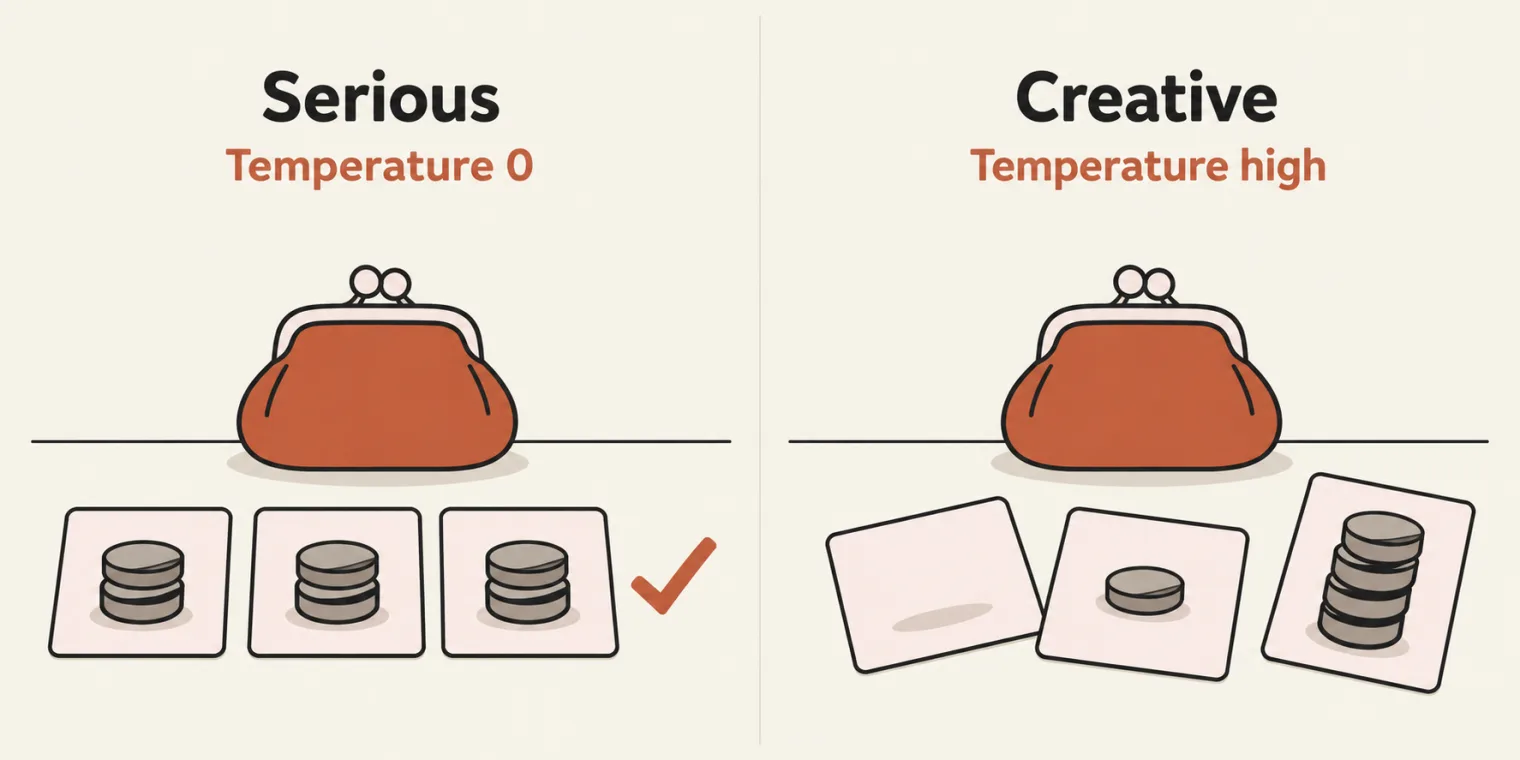
Temperature means creativity, in the instructor's words. The lower it is, the less creative the model, and it goes by the scores. The higher it is, the more often the same prompt gets a different answer.
The instructor's analogy: ask two people how much money they have. One is serious and answers directly: 100 rupees. That is temperature 0. The other is creative, or as the instructor put it, a confident liar: no money, 10 rupees at most, 50 rupees, whatever God has given me, but never the real answer.
So as a QA testing an AI application, do you want creativity high or low? Low, very low. Keep the temperature low when you test any AI: that was the one thing to take from today, in the instructor's words.
Low is consistent, not correct. The chapter's README puts the catch in one line: "Temperature 0 is not accuracy, it can repeat the same wrong answer every time." A low temperature makes answers repeatable, which a test needs; whether the answer is right still has to be checked.
Can you set the temperature yourself? Not in the ChatGPT app; the old OpenAI playground had a setting for it. A learner suggested Google AI Studio, but a search of its settings in class did not turn the option up, and the instructor would search for it and let the batch know, if it can be found.
Open and closed models
After the break, the class sorted the models into two types:
- Open source: the weights are public. DeepSeek, Mistral, Kimi K3, Qwen and GLM.
- Closed source: private companies that never share their weights or details. The GPT models, Claude models such as Opus and Sonnet, Gemini, and Grok, which is paid.
Some names from the chat are not models at all:
| Name | What it is |
|---|---|
| Hugging Face | a website that hosts models |
| DeepEval | an evaluation framework |
| Ollama | an application that runs LLMs on your machine, or in the cloud |
| PyTorch | a library |
Hugging Face is like a GitHub for models, the instructor said: it hosts them, most of them open source, and you can host and run your own there. It lists millions of models, which the site lets you narrow by task (text generation, image to text, text to image, text to video, text to speech), by number of parameters, and by the app or library that runs them; the instructor looked for the ones that run on Ollama or llama.cpp. To judge a model, look at its rating: one with 4,000 is a good one, in the instructor's example. You can also try a model on the site; when the instructor tried, it asked for credits first. The deck links the model list.
A learner asked why a company that spent so much would give a model away. There will always be open source and closed source, the instructor answered, and if everything were closed, nobody would learn anything at all. Free means openness: anyone can use it. The instructor compared it with teaching testing concepts such as smoke testing: if they were never shared, they would not be available to everyone.
Which models companies use
Does a company use open or closed models? It depends on the job, in the instructor's answer. Closed models are the best at coding, generative AI and research, and companies use them for that. The problem is the price. The instructor's example: analysing 12,000 test cases every day, a repetitive task, came to $120 a day, or $3,600 a month, on a closed model, and paying that much for repetitive work was "not possible".
The alternative the instructor described: a free, open-source model, such as Mistral's 12-billion-parameter model, hosted on a company's own server (a VPS) and running 24 hours a day with unlimited use. The only cost is the machine, in that example a DGX Spark of about $8,000, bought once. Can you build the same in your company? You can. VPS stands for virtual private server.
And open source does not mean someone steals your data: the model runs 100% locally, on your own machine or server, and no data leaves it.
The rule of thumb from class: closed models for coding and research; open models, run locally, when you need a massive task done at scale.
Local LLMs: Ollama, LM Studio and Gemma 3 1B

To run an open model on your own machine you need an app: Ollama, or an alternative such as LM Studio or llama.cpp. A local LLM is just an open-source model running on your system, so your machine's configuration matters. With less than 8 GB of RAM it will not run, and while a local LLM runs, your computer can hang or slow down.
Personal laptop only. Do not install Ollama, LM Studio or any other local app on an office laptop until you have permission: your IT team may object to software that is not allowed. The instructor gave this as a disclaimer from the start. On a personal laptop there is no problem.
Installing. Get Ollama from ollama.com/download: there is a one-line command for Mac, Linux and Windows, or a download button, which is the way the instructor prefers. LM Studio is at lmstudio.ai/download. Open Ollama and it looks like a local version of ChatGPT.
Which model fits your RAM, from the deck:
| RAM | Model size |
|---|---|
| 64 GB | 8B parameters |
| 32 GB | 4B parameters |
| 16 GB | 3B |
| 8 GB | 1B; 2B and 3B hang a lot |
| 4 GB | time to buy a new laptop |
B means billions of parameters; what a parameter is comes later in the course. The instructor's way to picture it: models are like classes in school. A 1-billion-parameter model is a child in the first class, and bigger models are in the 20th or the 26th class. The more billions, the better the answer.
The demo: Gemma 3 1B, Google's small model. On 8 GB of RAM the instructor skipped the bigger versions, the 4-billion one included, and took the smallest; the advice was not to go beyond 4 billion. In Ollama's model dropdown, a model that shows the download option is not on your machine yet; click download and it starts. Its details, run again for these notes:
ollama show gemma3:1b | head -16
  Model
    architecture        gemma3
    parameters          999.89M
    context length      32768
    embedding length    1152
    quantization        Q4_K_M
    requires            0.30.0

  Capabilities
    completion

  Parameters
    temperature    1
    top_k          64
    top_p          0.95
    stop           "<end_of_turn>"
The 1B is the parameter count: 999.89 million. The context length, 32,768 tokens, is its context window (more in the tokens section), and its default temperature is 1.
In class, the instructor asked it "what is smoke testing in three lines", and pointed out how fast it was, and that it can be used without limit. Run twice for these notes, the same question gave two different answers:
ollama run gemma3:1b "what is smoke testing in three lines"
Smoke testing involves simulating a fire to assess a building's ability to contain and
suppress flames. It utilizes sensors to detect smoke, heat, and flame spread, evaluating
the effectiveness of fire suppression systems like sprinklers and extinguishers.
Ultimately, it determines if the building can safely withstand a simulated fire
scenario.
ollama run gemma3:1b "what is smoke testing in three lines"
Smoke testing involves using equipment to detect and quantify the amount of smoke
released during a fire. It assesses if the fire can create enough smoke to pose a
hazard, like triggering alarms or creating dangerous conditions. Ultimately, it verifies
compliance with safety regulations regarding fire resistance.
Both answers are fluent and confident, and both describe smoke testing for buildings and fire safety, not software. Over eight runs the wording changed every time and the subject never did: every answer was about smoke, fire safety or ventilation, and none about software. That is the trade-off the class named for local models, below. It is also why the AI engineer's job, in the deck's words, includes giving the model context and checking its answers.
The second demo pasted a JSON of users and asked the model to find the invalid user. Asked again to give only the value, it answered with just that: "Wrong password". You can run a task like that an unlimited number of times, free of cost, and Ollama also serves an API, so the same model can be called from your own program: a solved problem becomes a utility. ChatGPT can answer the same question, but there are two problems, the instructor said: you have to go to ChatGPT to get each answer, and you cannot use it directly in your program. Local models do a repetitive task again and again, with unlimited tokens: 100% free and available 24 hours a day, where ChatGPT has limited tokens.
The disadvantage: local models are less trained, so they have less accuracy and knowledge. Hence the split again. For code generation, use the closed models; for work at scale, in manual testing or in automation, use a local LLM. Asked whether it can write test cases too: of course. Download the free models only: Ollama also lists some cloud models, which the class does not want.
LM Studio looks almost the same. Load a model (the instructor loaded Gemma 3) and say hi, and it replies, a little more slowly, showing the speed and the time it took. The task is to install both.
A coding agent in VS Code
The other set-up for the chapters ahead: install Visual Studio Code, then the Claude Code extension from its Extensions panel. Which plan, by budget, from the deck and the class:
- Buying one: Claude's $20 a month plan is the instructor's recommendation, and VS Code with Claude Code is what the instructor will be using.
- Already have Codex or GitHub Copilot? Do not buy anything.
- A limited budget: Cursor's 649-rupee plan, Command Code's $1 plan, or Antigravity, which gives some tokens with a Google account.
- About $10: OpenCode or Command Code.
- Nothing to spend: Freebuff, a free coding agent that shows ads.
- GitHub Copilot's free tier will not be enough, the instructor said: its tokens run out.
The site's batch setup guide walks through Ollama, VS Code, Antigravity, Command Code and OpenCode. If possible, keep these tools off your office laptop, and do not run the local LLM on it; for RAG and the topics after it, an office laptop can be used, the instructor said.
Tokens, cost and the context window
Everyone talks about tokens: my GitHub Copilot tokens are finished, my tokens ran out. A token is a small piece of text: a whole word, part of a word, a space plus a word, punctuation, or part of an emoji. It is not a word. If tokens were English words, Hindi, Chinese or Japanese could not be handled.
A tokenizer is the tool that cuts text into tokens and gives each one a number, its token ID; the class looked at OpenAI's online tokenizer. Computers work with numbers, so step one is always the same: cut the text into tokens and swap each one for its ID. The model only ever sees those numbers.
The guide's lesson 03 lab loads a real tokenizer: the open-source gpt-tokenizer, with OpenAI's vocabularies. Loaded and run headless, it cut the guide's English test case and "strawberry" like this, using o200k_base, the vocabulary of GPT-4o and later:
"Verify that the user can log in with a valid email and password."
Verify|·that|·the|·user|·can|·log|·in|·with|·a|·valid|·email|·and|·password|.
14 tokens: 37762, 484, 290, 1825, 665, 2142, 306, 483, 261, 4529, 3719, 326, 6088, 13

"strawberry"
st|raw|berry
3 tokens: 302, 1618, 19772
So "strawberry" is neither one word nor ten letters to the model: it arrives as st, raw and berry. Common words are usually one token; rare words, names and IDs are cut into several pieces. The rule of thumb for English, from the deck: 1 token ≈ 4 characters ≈ ¾ of a word, so 100 tokens is about 75 words.
Why care? Every token costs money. You pay per token for what you send and for what you get back. The instructor's example: send a hundred thousand tokens to a model such as OpenAI's GPT-6 and get ninety thousand back, and you are charged for both, say a dollar for the input and a dollar for the output. You are renting their brain. The guide's lab puts numbers on it: its price box starts at $2 per million input tokens, and at that price, 1,000 calls with the 14-token English test case cost $0.028.
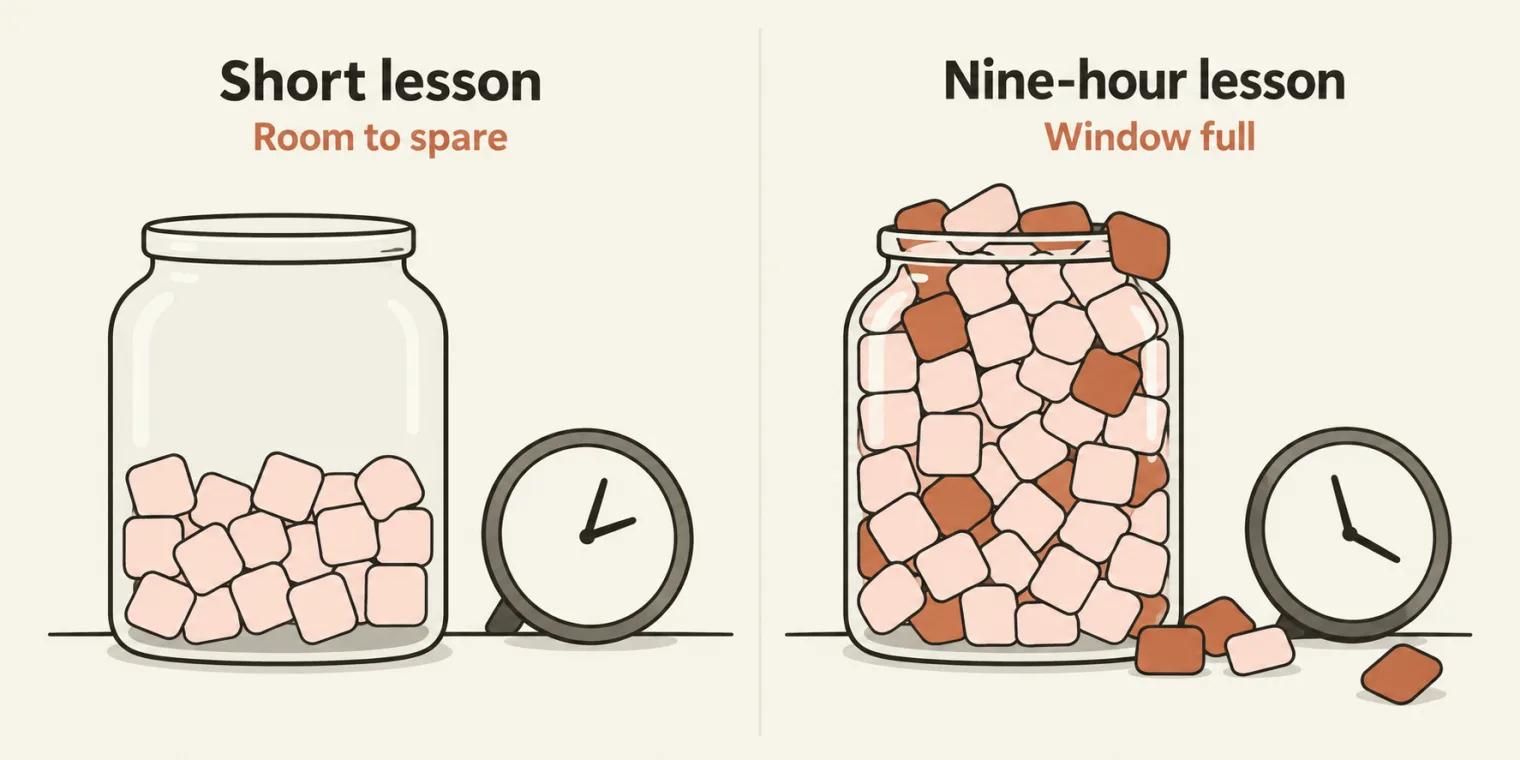
There is a limit, too: the context window, the most tokens a model can take in at once. Give it more and it will not take it in. The instructor's analogy: teach someone AI for nine hours straight and their context window is full. Two hours into this class, the instructor said, most people's already was. The instructor's example of a big one: Opus 5.5 has a context window of one million tokens, put at nearly a hundred-plus PDFs, or the instructor's Playwright and Selenium repositories together.
How many tokens a text takes depends on the language and the format. The guide's counter, run on its own examples after loading the real tokenizer:
| Example | Characters | Newer GPT tokenizer | GPT-4 era tokenizer |
|---|---|---|---|
| English test case | 64 | 14 | 14 |
| Hindi | 69 | 24 | 71 |
| Hinglish | 68 | 15 | 16 |
| JSON | 80 | 20 | 19 |
| Log line | 123 | 46 | 46 |
| UUID | 36 | 27 | 27 |
| strawberry | 10 | 3 | 3 |
| Emoji | 15 | 5 | 7 |
The newer tokenizer is o200k_base and the GPT-4 era one is cl100k_base. The same test-case sentence takes 14 tokens in English and 24 in Hindi with the newer one, 71 with the older; a 36-character UUID takes 27. It changes with the language, as the instructor said, and every model family has its own tokenizer, as the guide notes, so Claude, Gemini and Llama count a little differently.
Images, audio and video count too. Asked about images and files, the instructor said they are converted into tokens behind the scenes, and showed that an image can even be written as text: a base64 data URL, a long string of random-looking characters.
That string is how an image travels, not what the model reads. A data URL is the image's bytes written out as text, so that it can ride inside a request. The model turns the image into tokens of its own, and those are what count toward the bill and the context window.
For testers: logs, IDs, timestamps and JSON take more tokens, so do not paste logs into ChatGPT or Claude blindly: they burn through your tokens. To sum up, in the instructor's words: a token is a piece of text, almost 75% of a word in English, and tokens decide the cost, the limits and some odd mistakes, because the model sees pieces, not letters.
The chapter's HTML guide
The chapter's notes are one file, Chapter_01_LLM_Basics/LLM_Fundamentals.html, pushed to the batch repository at the end of class with a README. It is a 13-lesson guide in plain words, from "what is a token?" to how a tester checks LLM output, with a quick check and a practice exercise for every lesson, and hands-on labs. Download it and open it in Chrome, as the class was told. From a clone, the README's own steps:
git clone https://github.com/PramodDutta/AITesterBlueprint5x.git
cd AITesterBlueprint5x

# Chapter 01: no build step, just open the guide
open Chapter_01_LLM_Basics/LLM_Fundamentals.html
open is the macOS command; on Windows, double-click the file. The class went through lessons 01 to 03. Lesson 04, foundation, base and chat models, moved to the next class, so as not to overload the first one. The deck links the file on GitHub.
Tasks and announcements
- Task 1, a local LLM: on a personal laptop, install Ollama and LM Studio, download Gemma 3 1B, and ask it for a test plan built from the instructor's company template, which the instructor said will be shared. Share screenshots of both, and the answer, in the comments.
- Task 2, a coding agent: install VS Code and the Claude Code extension, and pick a plan to suit your budget.
- Task 3: make sure you have an account on app.thetestingacademy.com.
- Doubts go in today's doubt thread in the private AI Tester 5X space on SDET Club; the instructor will try to answer all the questions asked. From the next class, questions can be asked by voice as well.
- Access, notes and links: Deepak helps on WhatsApp, on the number shared in the class chat. WhatsApp only, no calls.
- Recordings: under My Courses on courses.thetestingacademy.com: today's live video and the previous batch's recordings.
- Notes: the HTML guide is in the batch repository. The Eraser deck link was shared in class, and the instructor will share the iPad notes too.
- Still to come from the instructor: where temperature can be set, and Python and pytest added to the roadmap.
- Next class, tomorrow, Sunday 1 November, at the same time, 11 AM IST: foundation, base and chat models.
Task 1, a local LLM. On a personal laptop, install Ollama and LM Studio, download Gemma 3 1B, and ask it for a test plan built from the instructor's company template. Share screenshots of both, and the answer.
Interview questions the instructor named. What is temperature? What is a token? What is a context window?
Show the answer
Answer. Temperature controls how the model picks its next token from the chances it gives every candidate: at 0 it always takes the top one, so the same prompt gives the same answer, and higher values give different answers to the same prompt. When testing AI, keep it low. A token is a small piece of text, not a word: a whole word, part of a word, a space plus a word, punctuation or part of an emoji, about three quarters of a word in English. The context window is the most tokens a model can take in at once: one million for Opus 5.5, 32,768 for Gemma 3 1B.