What this class covered
- The interview question: what happens between your source code and the CPU
- The engine pipeline: tokens, the parser and the abstract syntax tree
- Ignition, hot code, the profiler and TurboFan, plus de-optimization and the garbage collector
- Source code, bytecode and machine code, and seeing real bytecode with --print-bytecode
- The parts of let x = 10;: keyword, identifier, operator, literal
- Keywords, and the three ways to declare a variable: var, let and const
- The rules for identifiers, with the valid and invalid cases
- Naming styles: camelCase, PascalCase, snake_case and SCREAMING_SNAKE_CASE
- Comments, and the shortcut to toggle them
- Tasks: attendance, research, and the nine exercises on GitHub
From source code to the CPU
A common interview question, Playwright roles included: what is source code, what is bytecode, what is machine code, and how does a JavaScript engine get from one to the other?
The code you write, such as console.log("Hello World!");, is source code: human-readable, and meaningless to a CPU, which only runs 0s and 1s. Converting it is the job of the JavaScript engine: V8, SpiderMonkey, Chakra or JavaScriptCore, the engines from the last class. They all follow much the same pipeline, and most programming languages work in a similar way.
Tokens, the parser and the syntax tree
Tokens first. To understand anything, you first break it into smaller parts. The engine's scanner splits your code into tokens, the smallest pieces that mean something: in let x = 10;, the keyword let, the identifier x, the operator =, the number 10 and the semicolon.
Then the parser. It checks the tokens against the rules of the language. A syntax error is caught at this stage: delete a bracket and the program never runs.
Then the tree. The parser builds an abstract syntax tree (AST), sorting the code into what each part is: a variable declaration, an expression, a function, a class. The class's picture: if a hundred people walked in, you would sort them into groups, then sort each group again, and the result is a tree.
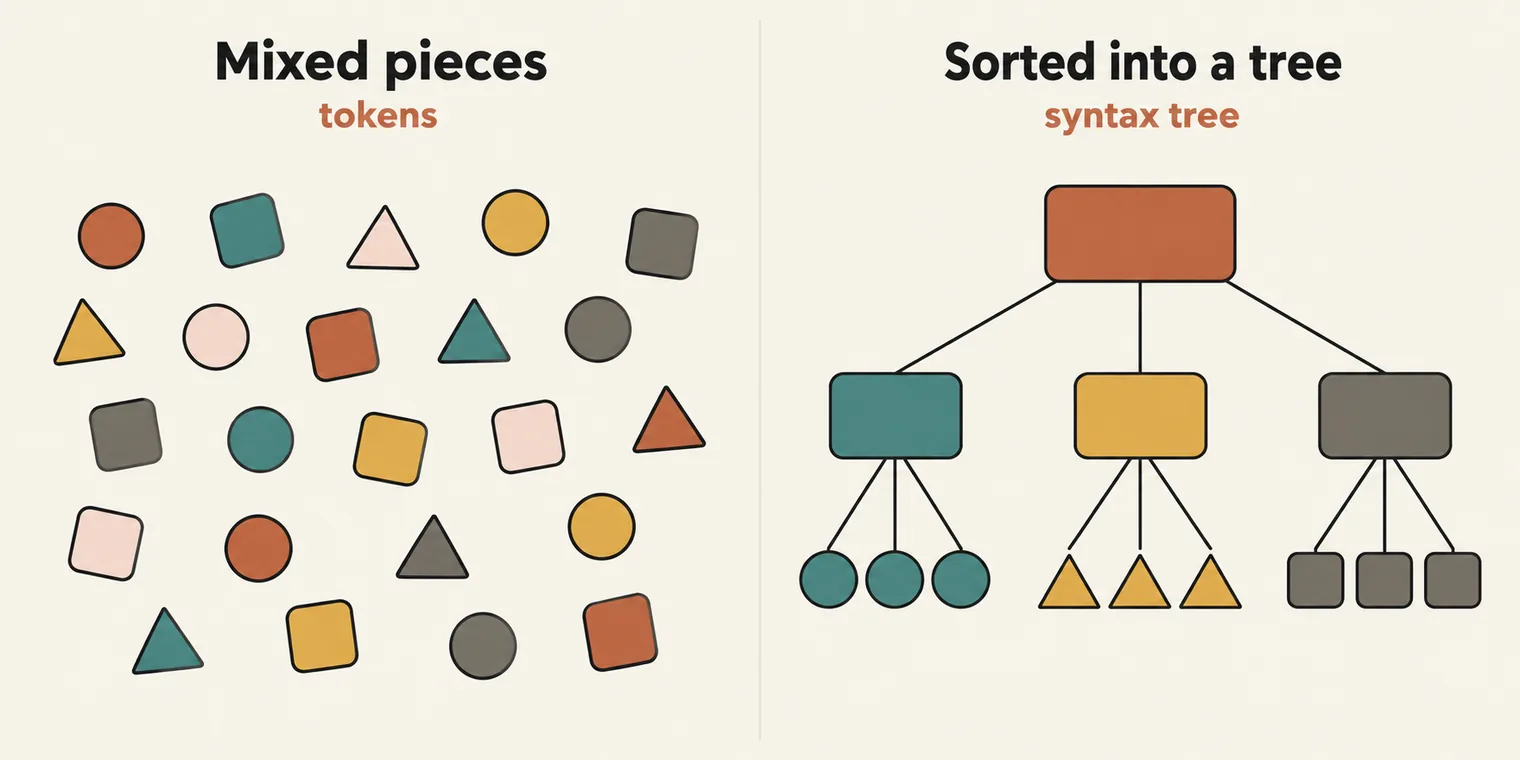
To see a real tree, paste your code into AST Explorer. let x = 10; comes out as a Program holding a VariableDeclaration, which holds an identifier and a literal, much like the DOM tree of a web page.
Ignition, hot code and TurboFan
After the tree, V8 hands over to Ignition, its interpreter, which turns the tree into bytecode and runs it. Most code stays there.
Some code runs over and over, such as a function called 100,000 times inside a loop. That is hot code, and a profiler watches for it while the program runs. Hot code goes to TurboFan, the just-in-time (JIT) compiler, which compiles that bytecode into optimized machine code for the CPU. Code that runs once or twice is cold, and the profiler leaves it alone.
- De-optimization. TurboFan optimizes on a guess about how the code behaves. When the guess turns out wrong, V8 throws the optimized version away and goes back to the bytecode. The class's picture: you sorted a hundred people and put one in the wrong group, so you move them back.
- The garbage collector runs alongside, freeing memory used by objects that nothing refers to any more, which prevents memory leaks.
- Why "both"? Interpretation and compilation both happen, which is why the answer to "compiled or interpreted?" is both.
TurboFan's tricks (inline caching, function inlining, dead code elimination, constant folding and more) are compiler-design material; you do not need them. The file from class, with the hot-code example commented out:
let a = 10;
console.log(a);

// Hot Code
//  for (let a = 0; a < 100000; a++) {
//     console.log(a);
//     badCodeFn();
// }

// function badCodeFn() {
//     console.log("Hello");
// }
10
Source code, bytecode and machine code
- Source code is written by people, in your
.jsfile. The engine parses it; the CPU never runs it directly. - Bytecode is an intermediate code the engine generates from the parsed program. It is not readable by people, it is not assembly, and it is specific to the engine. It is smaller than machine code, uses less memory, and lets the program start faster.
- Machine code, also called binary code, is the instructions for the CPU itself. Bytecode and binary code are not the same thing.
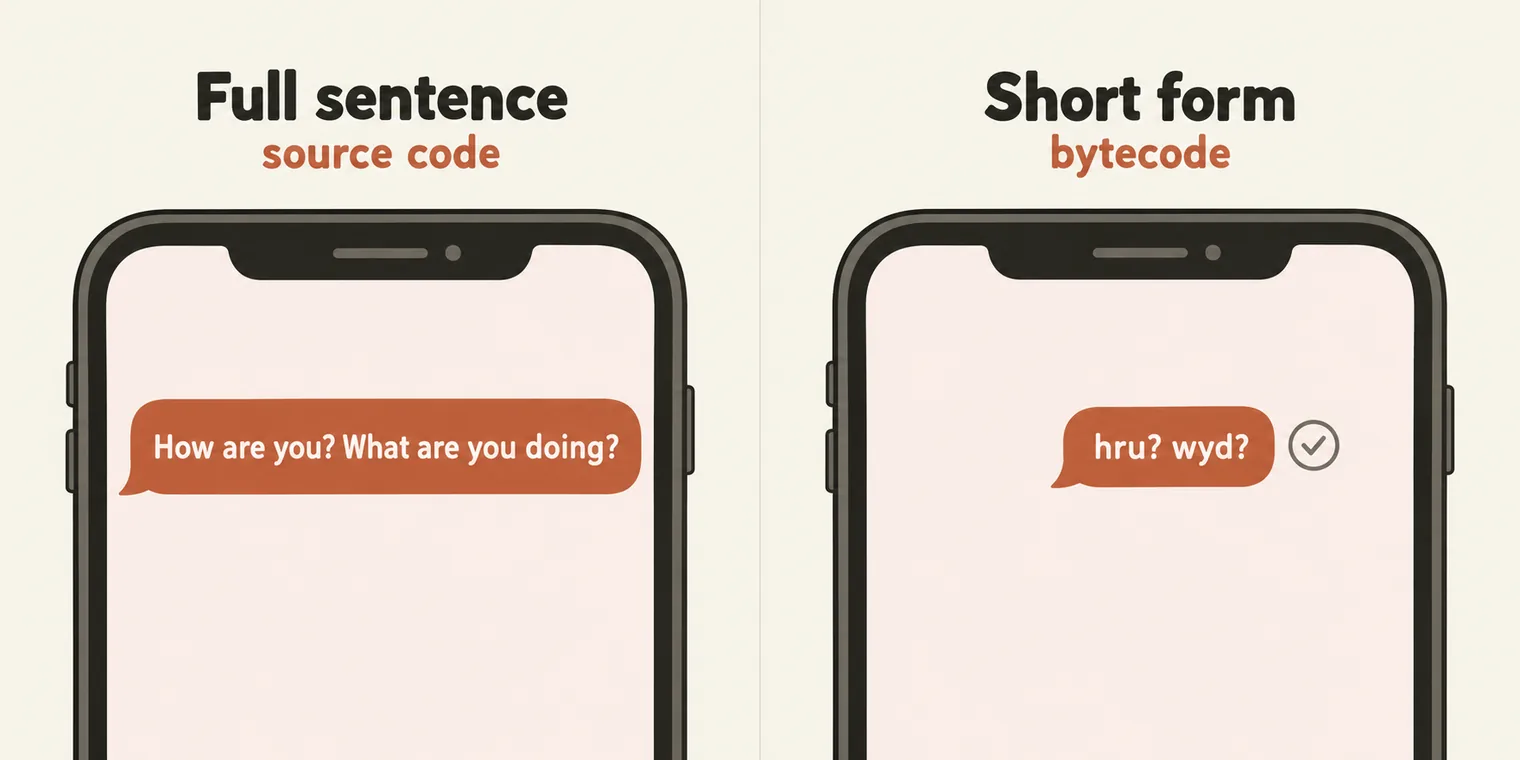
The class's picture for bytecode: the short forms you use with friends. "How are you, what are you doing?" becomes two or three letters, and the other person still understands. In the example shown in class, 38 bytes of source became 6 bytes of bytecode and 264 bytes of machine code.
You can see the bytecode V8 generates with the --print-bytecode flag:
node --print-bytecode 02_chapter_JS_Keywrods_Identifiers/04_letengine.js
The output is long and, as the class said, not meant for people. Near the end is the part for the file's one line, let x = 10;:
Bytecode length: 5
    8 S> 0xb65fd2c1ee0 @    0 : 0d 0a             LdaSmi [10]
         0xb65fd2c1ee2 @    2 : c9                Star0
         0xb65fd2c1ee3 @    3 : 0e                LdaUndefined
   11 S> 0xb65fd2c1ee4 @    4 : ae                Return
A 12-byte source file became 5 bytes of bytecode: load the small number 10, store it, and return. The addresses in the middle change on every run.
The parts of let x = 10;
let x = 10;
A keyword is a word the language has given a fixed meaning, the way "cup" means a cup and nothing else. JavaScript has keywords for control flow (if, else, for, while, switch, return), for variables (var, let, const), for functions (function), for objects (new, this, class), and for modules (import, export), plus words reserved for the future. You cannot use any of them as a name.
A variable is a container that stores a value to use later, and its name is the identifier. The = operator assigns the value on its right to the name on its left, and that value, 10, is a literal.
var, let and const
There are three ways to declare a variable:
var v = 10;

let l = 10;

const c = 10;

// var vs let vs const
// which one we are going use?

// QA
// let - 96%
// const - 3%
// var - 1%
The instructor's rule of thumb for test code: let about 96% of the time, const about 3%, and var almost never, because it is not trustworthy. The differences between them come in a later class. One is already clear: a const cannot be given a new value. Reassigning one fails:
TypeError: Assignment to constant variable.
Rules for identifiers
var a = 10;
console.log(a);

var $ = 10;
console.log($);

var _a = 23;
var pp = 34;

var ab123 = 23;
// var 45 = 34;
var _ = 10;

var Name = "pramod";
var name = "Amit";

var pramod_dutta = "hello";
var pramod$dutta = "hello";
var pramodu1232 = "hello";

// var pramod dutta = "hello";
10
10
The rules, from the class and the interview-question file:
| Allowed | Not allowed |
|---|---|
Letters, $ and _, anywhere: $, _a, pramod$dutta |
Starting with a digit: 1stPlace |
Digits after the first character: ab123, item1 |
A space: my name |
Unicode letters and escapes: café, 变量, A |
A hyphen, @, # or !: my-name, my@name |
Any length: This_is_a_very_long_name_variable |
A keyword: function |
JavaScript is case-sensitive: Name and name are two different variables. Each invalid line fails before anything runs. These are the errors from Node:
let 1stPlace = 1   SyntaxError: Invalid or unexpected token
let my-name = 1    SyntaxError: Unexpected token '-'
let my name = 1    SyntaxError: Unexpected identifier 'name'
let my@name = 1    SyntaxError: Invalid or unexpected token
let function = 1   SyntaxError: Unexpected token 'function'
In class, let Function = "..." was called invalid because function is a keyword. With a capital F it is valid: Function is the name of a built-in object, not a reserved word, so let Function = "built-in name"; runs. The repo's file was corrected the same morning. Only lowercase function is reserved.
The interview-question file, valid lines live and invalid lines commented out:
// ============================================
// JavaScript Identifier Rules - IQ
// ============================================

let validName = "starts with letter";
let _private = "starts with underscore";
let $jquery = "starts with dollar sign";


let item1 = "letter then digit";
let _temp2 = "underscore then digit";
let $var123 = "dollar then digits";
let a1_b2 = "mixed letters digits underscore";

// let 1stPlace = "invalid";
// let 2ndItem = "invalid";

// let Function = "invalid";
// let Function = "invalid"; but it actually works. Function is a built-in name, not a reserved word
let MyVar = "uppercase M";
let myvar = "lowercase v";


let café = "Unicode letter é";
let 变量 = "Chinese characters";
let \u0041 = "Unicode escape for A";
let \u005f = "Unicode escape for _";

// let my-name = "invalid";
// let my name = "invalid";      // SyntaxError: Unexpected identifier
// let my@name = "invalid";      // SyntaxError: Unexpected token '@'
// let my#name = "invalid";      // SyntaxError: Unexpected token '#'
// let my!name = "invalid";      // SyntaxError: Unexpected token '!'


// 1. camelCase (standard for JS variables and functions)
let userName = "camelCase";
let totalPrice = 99.99;
let isLoggedIn = true;

// 2. PascalCase (standard for JS classes and constructors)
let UserProfile = "PascalCase";
let ShoppingCart = "class name style";
function Person() { return "constructor"; }

// 3. snake_case (underscore separated)
let user_name = "snake_case";
let total_price = 49.99;
let is_logged_in = false;

// 4. SCREAMING_SNAKE_CASE (constants)
const MAX_SIZE = 100;
const API_KEY = "abc123";
const DATABASE_URL = "localhost";
Naming styles
var name = "Pramod";

var firstName = "Pramod";
var This_is_a_very_long_name_variable = "Pramod";

var lastName = "Dutta"; // CamelCase

// Naming Conventions (Cases)
// ============================================
// 1. camelCase (standard for JS variables and functions)
let userName = "camelCase";
let totalPrice = 99.99;
let isLoggedIn = true;

// 2. PascalCase (standard for JS classes and constructors)
let UserProfile = "PascalCase";
let ShoppingCart = "class name style";

// 3. snake_case (underscore separated)
let user_name = "snake_case";
let total_price = 49.99;
let is_logged_in = false;

// 4. SCREAMING_SNAKE_CASE (constants)
const MAX_SIZE = 100;
// MAX_SIZE  =90;
const API_KEY = "abc123";
const DATABASE_URL = "localhost";

// 5. Hungarian Notation (prefix with type - older style)
let strName = "string prefix";
let bActive = true;       // boolean
let nCount = 5;           // number
let arrItems = [];        // array
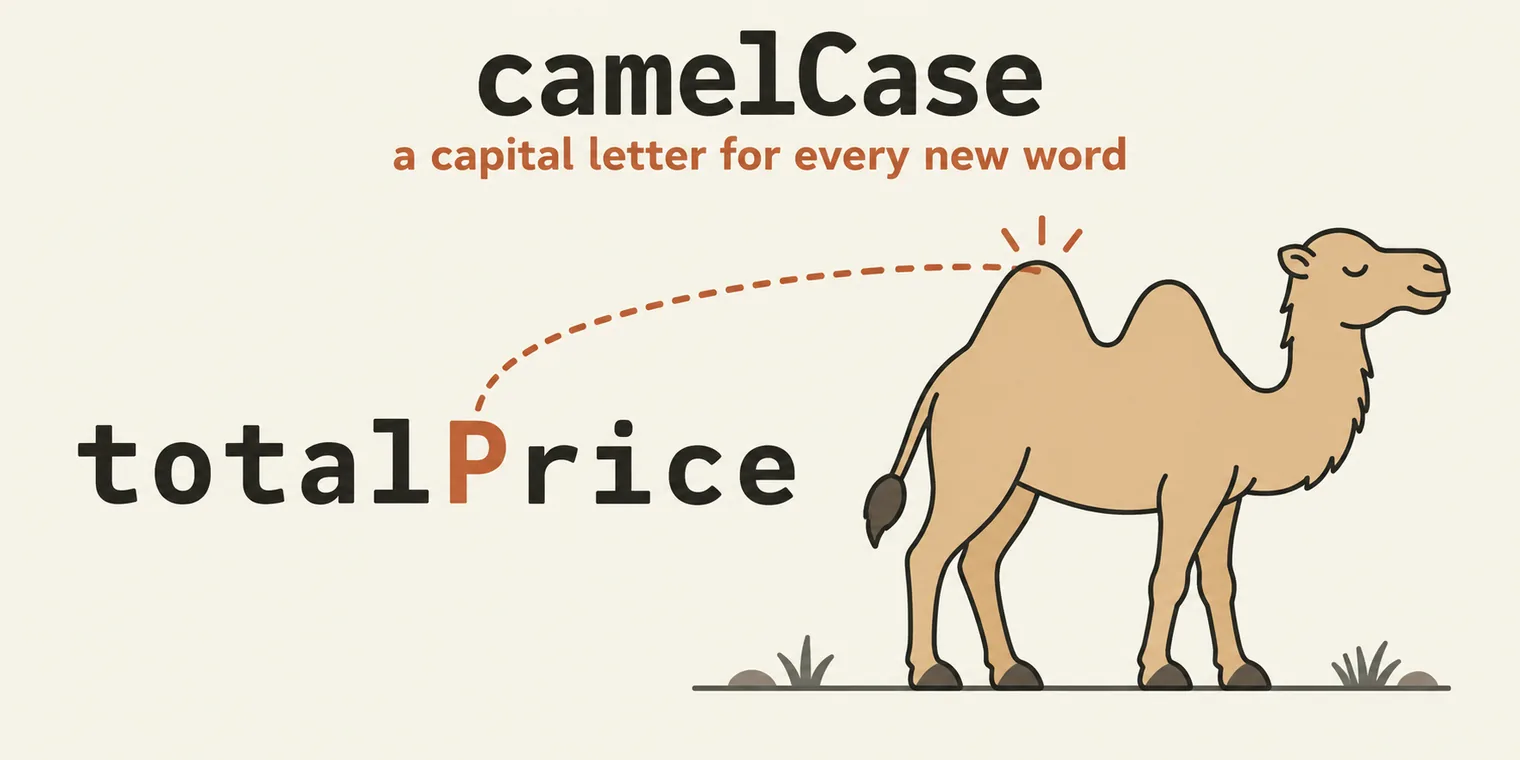
- camelCase is the standard for variables and functions in JavaScript: the first word in lower case, every following word with a capital letter, like the humps on a camel.
- PascalCase capitalises every word, and is for classes and constructors. Rarely used otherwise.
- snake_case joins words with underscores. Rare in JavaScript, but you will see it.
- SCREAMING_SNAKE_CASE is for constants, whose value cannot change: uncommenting
MAX_SIZE = 90;gives the TypeError above. - Hungarian notation puts the type in front (
strName,bActive). An older style; not used here.
Comments
A comment is a line the engine ignores. There are single-line comments, multi-line comments, and documentation comments that start with /**. The class's file (the two date lines are left out here):
// This is sinle comment this will be ignore
// this line will be not executed

/*
 *  This is multi line
 *  Author : Prrmmod Dutta
 */


/**
 *  This is multi line
 *  Author : Prrmmod Dutta
 **/

var g = 10; // cmd + /, ctr + /
To comment or uncomment the selected lines in VS Code, press Cmd+/ on a Mac or Ctrl+/ on Windows.
Tasks and announcements
- The class link is the same every day. Add it to your calendar; you do not need a new link for each class.
- Next class: Friday. Questions go in the doubt thread.
Task 1, attendance. Mark today's attendance on app.thetestingacademy.com, under My Progress.
Task 2, research. Read up on JavaScript keywords and the rules for identifiers.
Task 3, the nine exercises. Replicate all nine files, 01 to 09, from this class and the last one, and push them to your GitHub repository.
Two short videos show how to do the push: Part 1, push your VS Code code to GitHub and Part 2, commit and push your daily code.