What this class covered
- The plan: JavaScript first, then TypeScript, then Playwright
- What a programming language does: source code in, binary out
- HTML, CSS and JavaScript, and the DOM
- What JavaScript is: object-oriented, functional, event-driven and asynchronous
- Java and JavaScript are unrelated
- TypeScript is JavaScript plus rules
- Interview question: is JavaScript compiled or interpreted?
- JavaScript engines: V8, SpiderMonkey, JavaScriptCore and Chakra
- Node.js: V8 outside the browser, on servers, desktops and devices
- Package managers: npm, pnpm, Yarn and Bun
- Installing Node.js and checking the version
- Editors: VS Code only for now, and why the AI editors wait
- VS Code, the Code Runner extension, and a first file run two ways
- Tasks: research the DOM, set up, run two files, mark attendance
JavaScript first, then TypeScript, then Playwright
This batch writes its Playwright tests in TypeScript, and many people assume TypeScript is all they need to learn. It is not: you will not understand TypeScript until you understand JavaScript. So the next 30 to 90 days go on JavaScript and TypeScript, with a lot of exercises, and Playwright with TypeScript comes after that.
Asked whether Playwright needs Java: no. JavaScript and TypeScript are the only two languages this batch needs.
The class assumes zero JavaScript knowledge and goes slowly. The instructor's advice for the next 100 days: build the habit of waking up around 6:00 or 6:30.
What a programming language does
A computer does not understand English. It understands binary, 0s and 1s: a switch that is on or off. You write source code, it is translated into binary, and the machine runs that. A programming language is the means of telling the machine what to do in a form that can be translated.
Source code is what humans write; in this batch, files with the .js extension in VS Code. Machine code, binary code and bytecode are the forms it gets translated into, and those come in an upcoming class.
HTML, CSS and JavaScript
Every website is built from three core technologies:
- HTML is the structure and the content: what is on the page.
- CSS is the styling, the makeup: how it looks.
- JavaScript is the interactivity and behaviour: what happens when you use it.
JavaScript was designed to run in web browsers. Today it also runs in mobile apps, desktop apps and even IoT devices, through Node.js, covered further down.
The page itself is the DOM, the document object model: the HTML page as an object that can be changed. JavaScript can manipulate the DOM: click a button, read a value, change text, add or remove parts, without reloading the page.
What JavaScript is
JavaScript is object-oriented (it follows the concepts of OOP), functional, and event-driven: when something happens, it does something. When I feel hungry, I eat: the event is hunger, the response is eating. Clicks, requests, responses and file reads are all events.
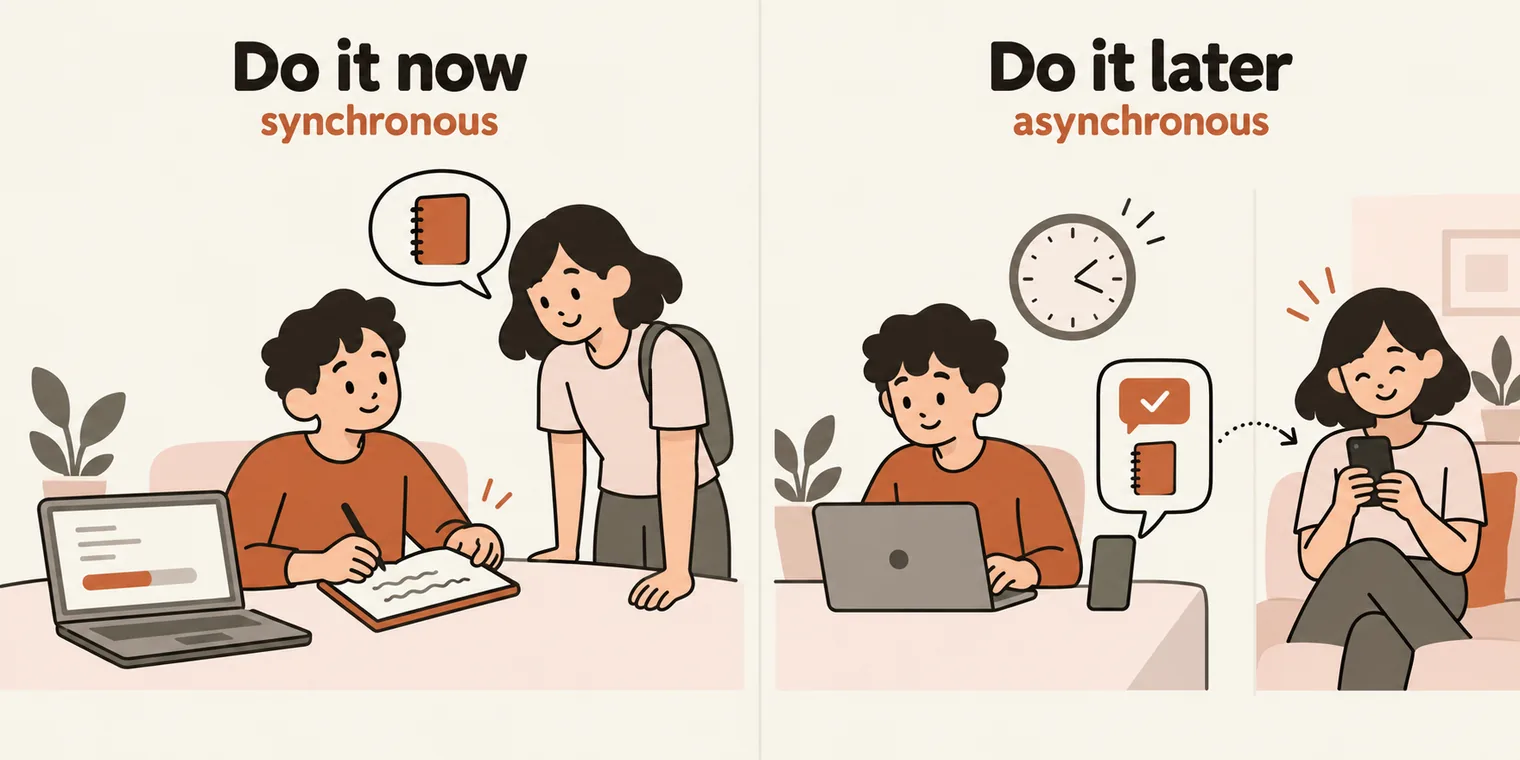
The most important feature to remember is asynchronous programming: some work happens later. It runs on callbacks, promises, and async and await, the keywords that will make your life a nightmare if you do not understand them. You have already seen them in Playwright tests, and they get a proper explanation later in the batch.
The class's example of asynchronous: you are busy and a friend asks you for some notes. You have two choices. Stop what you are doing and do it right now, or do it later, when you are free, and send a WhatsApp message when it is done. The second is asynchronous. A learner offered another: a friend asks you to do a mobile recharge, you do it at 5 PM, and tell them when it is done.
JavaScript also has a huge ecosystem: React, Angular, Vue.js, Express and Next.js, plus npm, the package manager that comes with Node.js.
Java and JavaScript are not related
There is no relationship between Java and JavaScript. When JavaScript was created, Java was popular, so it borrowed the name, the way everyone copied the hairstyle from the film Tere Naam because it was popular.
JavaScript was created by Brendan Eich, who went on to co-found Mozilla, the home of Firefox, and later Brave, the company behind the Brave browser.
One visible difference for now: in Java you must declare a variable's data type. In JavaScript you write let (or another keyword) and give no type at the start. That comes up properly in later classes.
TypeScript is JavaScript plus rules
The only difference between JavaScript and TypeScript is rules. In JavaScript you write:
let a = 10;
In TypeScript you say what type a is. a: number reads "a is a number":
let a: number = 10;
The class's picture of it: at a junction in Whitefield, Bangalore, with no traffic police, nobody follows the rules. That is JavaScript. Start following the rules and it is TypeScript.
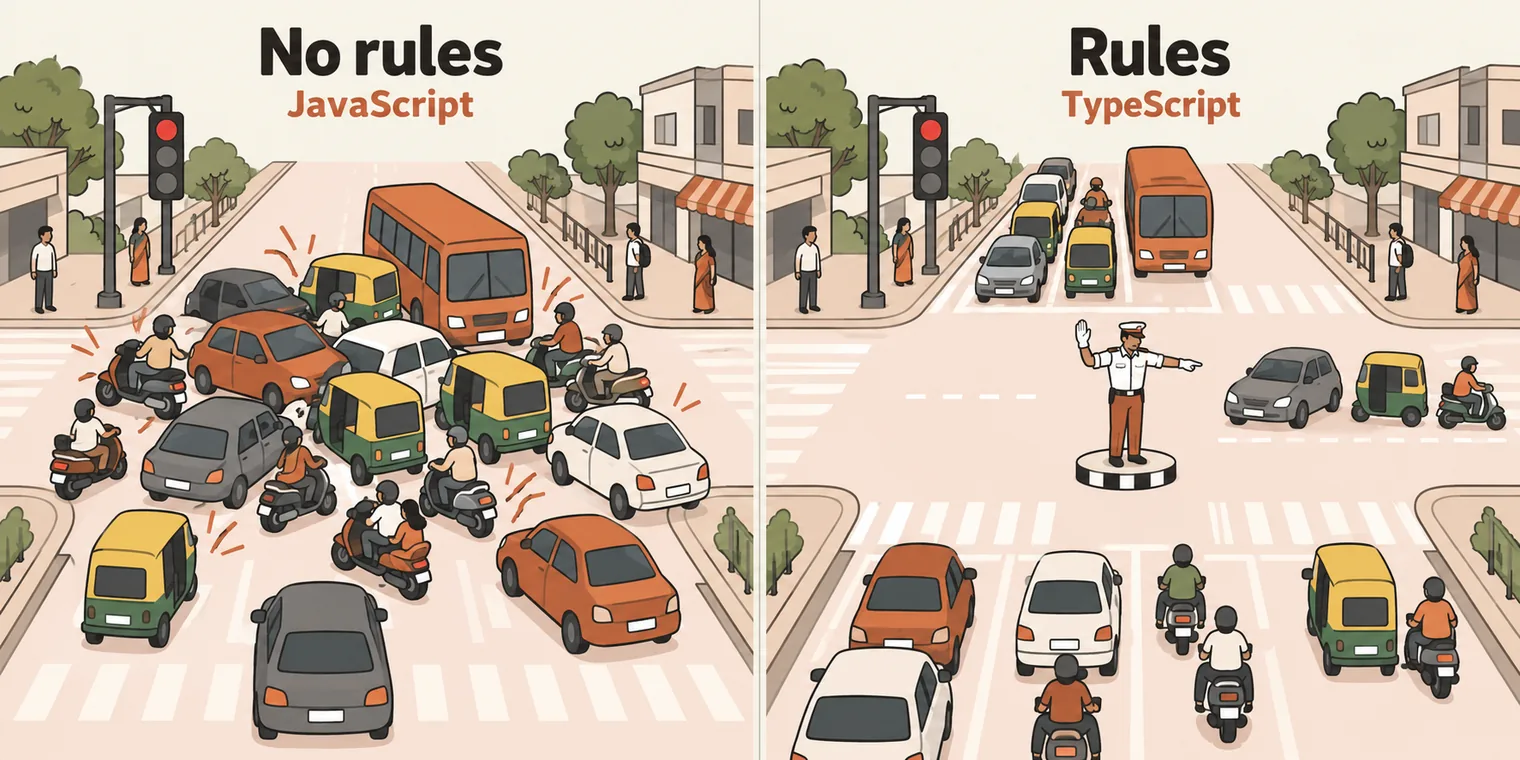
Without strict rules JavaScript can be a confusing language, though it is still one of the easiest languages to learn. So TypeScript is JavaScript, with strict rules on top.
Interview question: is JavaScript compiled or interpreted?
A common interview question. Is JavaScript a compiled language or an interpreted language?
To explain the two words, the class used a translator at a summit between two leaders who share no language. The translator can work line by line, translating each sentence as it is spoken: that is interpretation. Or the translator can take the whole speech and translate it in one go: that is compilation.

- Compiled languages are translated into machine code before they run, all at once. They are generally faster to run, take longer to build, and the result is specific to a platform. C, C++, Rust and Go are compiled.
- Interpreted languages are executed line by line. They are generally slower, more portable and more flexible. Python, Ruby and JavaScript are the usual examples.
Answer "interpreted" and the interviewer will say you are wrong. JavaScript is both: primarily interpreted, executed line by line by the engine, with just-in-time (JIT) compilation in between. Java and Python mix the two as well: the three most popular languages all do. How the engine does it is a topic for later.
JavaScript engines
The engine is the program that executes JavaScript, and each browser maker built its own:
- V8, made by Google, is the most famous. It is open source and written in C++, and it runs WebAssembly as well as JavaScript. It is named after the V8 car engine. Chrome uses it, and so do the browsers built on Chrome's code: Edge, Brave and Opera.
- SpiderMonkey is Mozilla's engine, in Firefox.
- JavaScriptCore is Apple's engine, in Safari. The class called it Nitro, the name Apple once marketed it under. Bun also runs on JavaScriptCore.
- Chakra was Microsoft's engine in Internet Explorer.
You can see V8 at work in any Chrome window: right-click, Inspect, open the Console tab and type a line of JavaScript. V8 runs it on the spot. console.log() prints to the console:
console.log("Hello World");
Hello World
Node.js: JavaScript outside the browser
At first, JavaScript ran only in the browser, because that is where the engines lived. Then Ryan Dahl took V8 out of the browser and built Node.js: an open-source, cross-platform JavaScript runtime that runs outside the browser. Now JavaScript runs on servers, desktops, phones and IoT devices, even the coffee machine at the office.
Node.js is an application that extends V8. Underneath, it is still V8, with some extra capabilities added: Node.js = JavaScript + V8 + extras.
The class also credited Ryan Dahl with creating TypeScript. He did not: TypeScript comes from Microsoft. Ryan Dahl created Node.js and, later, Deno.
A few terms that come with Node.js, explained properly over the coming weeks:
- Server-side JavaScript: JavaScript running on a server, not in a browser.
- Non-blocking I/O: it handles many requests asynchronously, without waiting for each one to finish.
- Single-threaded: it uses one thread and an event loop for concurrency. Ignore this one for now.
- Event-driven: it responds to events such as clicks, requests, responses and file reads.
- npm: the Node package manager, the largest collection of open-source libraries.
- Cross-platform: it runs on Windows, macOS and Linux.
Node.js is used for web servers, real-time apps such as chat, microservices, command line (CLI) tools, streaming audio and video, and IoT. Popular frameworks: Express.js, Next.js, NestJS, Fastify and Socket.IO.
In web terms there is a client, the page you see, built from HTML, CSS and JavaScript, and a server that handles the requests the page sends and talks to a database such as MySQL. With Node.js, JavaScript runs on both sides, so you do not have to learn a different language for each.
Package managers: npm, pnpm, Yarn and Bun
A package manager gives you a curated library of ready-made code. On npmjs.com you can search for anything you need, such as working with Excel or PDF files, and use a library someone has already built instead of writing it from scratch. Playwright is there, and so is Selenium.
- npm comes with Node.js. It is the default, and sometimes slow.
- pnpm was built to be faster.
- Yarn was created at Facebook, also for speed.
- Bun is the fastest of the four. On the benchmark shown in class it installed in under a second.
Anaconda and uv are Python tools, not JavaScript ones. For JavaScript, it is these four.
Installing Node.js and checking the version
Go to nodejs.org, pick your operating system (on Windows, the MSI installer) and click Next until it finishes. Then restart your computer. There is no environment variable to set, unlike Java: the installer does it all.
To check that it worked, open a terminal (CMD on Windows, Terminal on macOS or Linux, or the terminal inside VS Code) and run:
node --version
npm --version
v22.22.3
10.9.8
Your numbers will differ; any recent version is fine for today's files.
The class said any Node.js version above 11 will do. That holds for today's two files, but the Playwright version these batches use requires Node.js 20 or newer (it says so in its package.json), so install the current LTS release from nodejs.org rather than an old one.
If you need several Node.js versions side by side, nvm (Node Version Manager; on Windows, nvm-windows) installs them and switches between them.
Editors, and why the AI ones wait
You can write JavaScript in Notepad, Notepad++ or Sublime Text, but the batch uses an integrated development environment (IDE). The options are VS Code, WebStorm from JetBrains, and Eclipse. This batch uses Visual Studio Code, and nothing else.
- Agentic development environments, such as Cursor, Windsurf, VS Code with GitHub Copilot, Antigravity, Kiro, Kilo Code and Amazon Q in VS Code: avoid them for at least the first month.
- Full coding agents, such as Codex, Claude Code and Antigravity: avoid them for at least two months. Used from day one, in the instructor's words, they will make you dumb.
The instructor's later recommendation is Cursor, for its low-cost plan in India, probably about six weeks in.
VS Code, Code Runner and your first file
A workspace is just a folder. Create a folder, open it in VS Code, and create your files inside it. The batch keeps one folder per chapter, in sequence, and today's two files sit in the first JavaScript one:
LearnJSTSPlaywright4x/
├── 00_chapter_Prompt_Eng/
├── 01_chapter_JS_Basics/
│   ├── 01_HelloWorld.js
│   └── 02_Math.js
└── 02_chapter_JS_Keywrods_Literals/
Ignore the .gitkeep file inside each folder; it is explained in the next class.
A quick tour. The bar down the left side has Explorer (your files), Search, Extensions, Run and Debug, and Source Control for Git, which comes later. The Terminal menu at the top opens a terminal at the bottom, where you run commands and see output; right-click its tab to rename it. The panel on the right is for AI agents, which wait.
Install Code Runner. Open Extensions, search for Code Runner, and click Install. It adds a Run button for JavaScript files.
Your first file. In Explorer, right-click, choose New File, and give it a number and a name with the .js extension, as in 01_HelloWorld.js. Write one line:
console.log("Hello World!");
Semicolons are optional in JavaScript, but use them: it is good practice. console.log() prints to the output.
There are two ways to run it, and both give the same result:
- Click Run (the button Code Runner adds). The result appears in the Output panel.
- Type
nodeand the path to the file in the terminal:
node 01_chapter_JS_Basics/01_HelloWorld.js
Hello World!
The second file. Copy the first file, paste it, and rename the copy to 02_Math.js. JavaScript does arithmetic, adding and multiplying here:
console.log(1+2);
console.log(2*2);
3
4
The repo's README has a short guide to each file, with a diagram and a few questions and answers.
Tasks and announcements
- Questions go in the doubt thread in the private group, not in the Zoom chat, so every answer is saved where everyone can see it. Audio questions start in later classes.
- Recording: available an hour after class at courses.thetestingacademy.com/mycourses.
- No access to the SDET Club yet? Fill in the access form shared in class, with your phone number. The notes, recordings and tasks are all in the private group.
- Books: Head First JavaScript, and JavaScript: The Definitive Guide, both from O'Reilly, in the book section of the platform.
- Next class: Wednesday. Sessions on Git and GitHub are coming soon.
- Slow and steady wins the race. This is a 90 to 100 day marathon, not a sprint. If a question is ahead of the syllabus, hold it: it will be answered.
Task 1, research the DOM. Find out what the document object model is, in more depth than "an HTML page you can change".
Task 2, set up and run two files. Install Node.js (then restart and check both versions), VS Code and the Code Runner extension. Create the hello world file and the math file, and run them.
Task 3, mark attendance every day. On app.thetestingacademy.com, open Log learning, write what you learned, and click Save entry, with a screenshot. Your entries show under My Progress and on the dashboard, and the leaderboard is coming.