What this class covered
- The Ollama models to use, and a personal laptop
- How an LLM is made: from a library of text to a chat model
- Parameters: the model's billions of knobs
- Pre-training, and why a base model only continues text
- Fine-tuning, RLHF and the chat model
- Foundation, base, chat and fine-tuned models
- Small versus large language models, and two jobs for a tiny model
- Training versus using: chatting never changes the model
- System prompt, user message and assistant message
- Prompt engineering and the RICE-POT framework
- Project 2: a RICE-POT prompt for a Selenium framework
- What the coding agent generated from it
- Zero-shot, few-shot and chain of thought
- Temperature again, and the Groq playground
- The task, and what comes next
- An LLM is made in two training stages. Pre-training turns a huge library of text into a base model, which only continues text; fine-tuning, with example answers and human ratings (RLHF), turns it into a chat model that follows instructions.
- A foundation model is the big, general model that many products are built on: GPT, Claude, Gemini and Llama.
- Parameters are the model's learned knobs, billions of them. Closed models never share their weights or their parameter counts.
- Every chat is inference: the knobs stay frozen, so a correction lasts only as long as that chat.
- Small models are cheaper and faster, good enough for narrow, repeated jobs such as turning a test result into a pass rate.
- A chat request is a list of messages: the system prompt (the app's role and rules), the user's messages and the assistant's replies. Every one of them costs tokens.
- A RICE-POT prompt answers seven questions before the model has to guess: role, instructions, context, example, parameters, output and tone, plus guardrails against hallucination.
The Ollama models to use, and a personal laptop
The last task was to install Ollama and run a model in it, and many in the chat had done it. One learner saw only a 12-billion-parameter Gemma offered after installing. The answer: you can use Llama. The fallback, in the deck's order, is Gemma 3 1B (gemma3:1b), then any version of Llama, such as Llama 3.2 (llama3.2, which comes in 1B and 3B), then DeepSeek's 1.5-billion-parameter version (deepseek-r1:1.5b). Meeti has shared where to find the models. You can also install a model from the command line: open a terminal, on Windows too, and run the command shown on the model's page, and it installs automatically. For which size your RAM can run, see the table on the previous class's page.
A learner who already has Gemini Pro asked whether they also need to buy OpenAI. No, you do not have to buy it.
A personal laptop. The instructor's request to everyone: have a personal laptop of your own, and do not depend on your office laptop, because office laptops have a lot of issues. If possible, invest in one; the instructor's suggestion was an older, refurbished machine.
How an LLM is made
Every large language model goes through the same steps. This is the high-level view; as AI engineers, the class does not go in depth.
- The library. The internet already holds a huge library: books, websites, code and forums.
- Pre-training. A company, OpenAI for example, since this all started with OpenAI, trains a model on that library. It learns to guess the next token, and everything it learns is turned into numbers, its weights.
- The base model. The result is great at continuing text, but it does not follow orders. It can go here and there.
- Fine-tuning. People give it human-like answers and ratings.
- The chat model. Now it follows instructions, it is a little polite, and it is safer to use.
- Inference. You use it, and the knobs stay frozen. Your application comes in at the end.
Is the base model useful? It is, the instructor said, but it does not follow orders and it can give you wrong answers. Take a base model, fine-tune it, and you reach what the class called the foundation model, the useful one. Each step gets its own section below.
Parameters: the model's billions of knobs
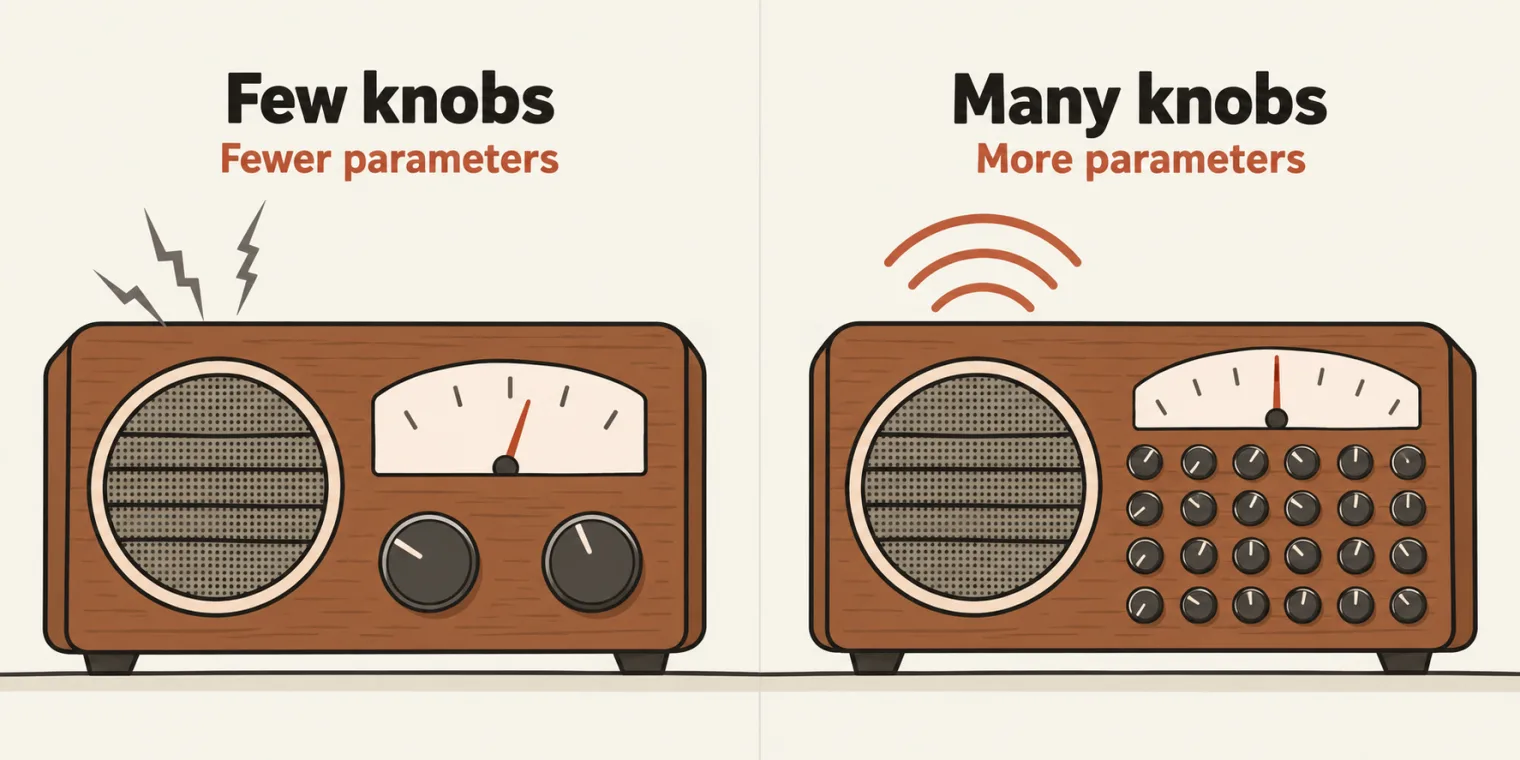
Training is the long, expensive process where a model learns by adjusting its parameters. What is a parameter? The instructor's picture is a knob, like the tuning knob on an old radio: turn it to set the frequency, and the sound comes through properly. A model has billions of these knobs, and training turns every one of them a little until the answers are good. Gemma 3 from the last task has 1 billion parameters; an 8B model has 8 billion knobs, a 70B model 70 billion.
The class put it another way too. Say you have to tell 100 students apart. One parameter, such as gender, already splits them into groups. Add location, 36 states, then age, then the colour of their eyes, and you know each student better. Asked for the students who belong to New Delhi, you can find them at once. The more parameters, the better the model can guess the next token.
Do not confuse a parameter with a token. A token is a piece of text; a parameter is one of the knobs the model uses to judge the tokens.
A learner asked whether parameters and weights are the same. No, in the instructor's answer: parameters are the knobs, and weights are their values.
The guide lists them as one thing. The chapter 01 guide, which the class read from, has a single entry, "Parameters (weights)": the model's learned numbers, billions of tiny knobs. The class's answer separates the knob from the value it is set to; the guide counts them as the same learned number.
Pre-training, and why a base model only continues text
Pre-training, as the class drew it on the iPad: take one book of, say, 100 pages. Take the first page, then its first paragraph, say "King loves queen". That paragraph is split into tokens, not words. Each token is given numbers, based on the parameters, and the numbers are stored as weights. Repeat that until the book is finished. The deck sums it up: one book, one page, one paragraph, parameters, convert them into weights, store them. The algorithm behind it comes from the paper the deck links, Attention Is All You Need.
The deck's own summary of the loop: the model reads trillions of tokens of books, websites and code, and practises one thing. It hides the next token, guesses it, checks the real one, and turns its knobs a tiny bit. That repeats billions of times and takes months on thousands of GPUs. The class's example: for "King loves ___" the answer should be queen. If it says banana, something is wrong, so the knobs are adjusted again until "King loves queen" comes out.
Seeing the weights. An open model's weights are files you can download. On Hugging Face, open a model's files: the class looked at DeepSeek V4.1 Flash, the model the deck names, whose weights are split across 48 .safetensors files. Can you see the weights of Claude Opus 5.5? No. It is a closed model, its weights are proprietary, and they will never share them; if they did, in the instructor's words, Opus would become free. So that is the race: who has the better weights and the better parameters.
To see who is ahead, the class opened two leaderboards. On Arena's, Claude Opus 5.5 was almost winning, with Google's Gemini 4 second (recently added, the instructor thought); on BenchLM, Gemini was ahead. Rankings like these are called benchmarks. Closed models do not disclose their parameter counts either, while open-source models show theirs. Asked how you can know a closed model's parameter count, the instructor said you can only guess: they will never tell you.
The result is a base model. It knows the language, but it only continues text: ask it a question and it may carry on with more questions. In the instructor's picture, a base model is like a horse that can go any path. It can generate, but what it generates can be random, so if you use a base model directly, you will not get a proper answer. Ask one to "write a test case for a login page", and it carries on: "Write a test case for logout. Write a test case for signup. Write a test case for search." It is only predicting the next words.
Fine-tuning, RLHF and the chat model

The instructor's analogy for the next step. From the first class to the 12th, you learn a lot: that is the base model. But in the 12th class, do you know anything a real company can use, such as programming or UI/UX? No. Then you go to college, and learn a programming language such as Python, UI/UX and QA. That is fine-tuning. After college you follow instructions, you are a little polite, and you are safer: that is the chat model, and the college's fine-tuning is the reason.
A base model does not care about you, to be honest, the instructor said: it only does next-token prediction. Fine-tuning teaches it to answer the request instead of continuing it. And fine-tuning is narrow. Fine-tune a model only for QA tasks, then ask it "Give me a medicine for cold", and it will not answer; it predicts something random, such as "Give me a medicine for hot". So fine-tuning is always required, and it is the most expensive step, in the instructor's words: OpenAI used thousands and thousands of engineers to train its models for all the different kinds of tasks.
How fine-tuning works, from the deck: first, thousands of example conversations show the model what a good answer looks like, which is called instruction tuning. Then people rate pairs of answers, and the model learns to prefer the better ones. That is RLHF, reinforcement learning from human feedback. In class, the instructor described it as thousands of people telling the model, question by question, what the answer should be. The result is a chat model, like the ones inside ChatGPT or Claude.
So ChatGPT is a fine-tuned model with access to tools, the instructor said. Its base model is not available to you, and if it were, you would not be able to use it.
A learner asked whether fine-tuning never ends, since the data and the parameters keep changing. You can say that, the instructor answered: the more you train, the better it becomes. That is what the companies are doing now. They have a pre-trained base model, they keep fine-tuning it, and they give you access as ChatGPT or Claude. You help too: when ChatGPT asks which of two answers is better and you pick one, that goes back into fine-tuning. Asked whether fine-tuning is done per person or per region: mostly not per person, it is done at a generic level.
Foundation, base, chat and fine-tuned models
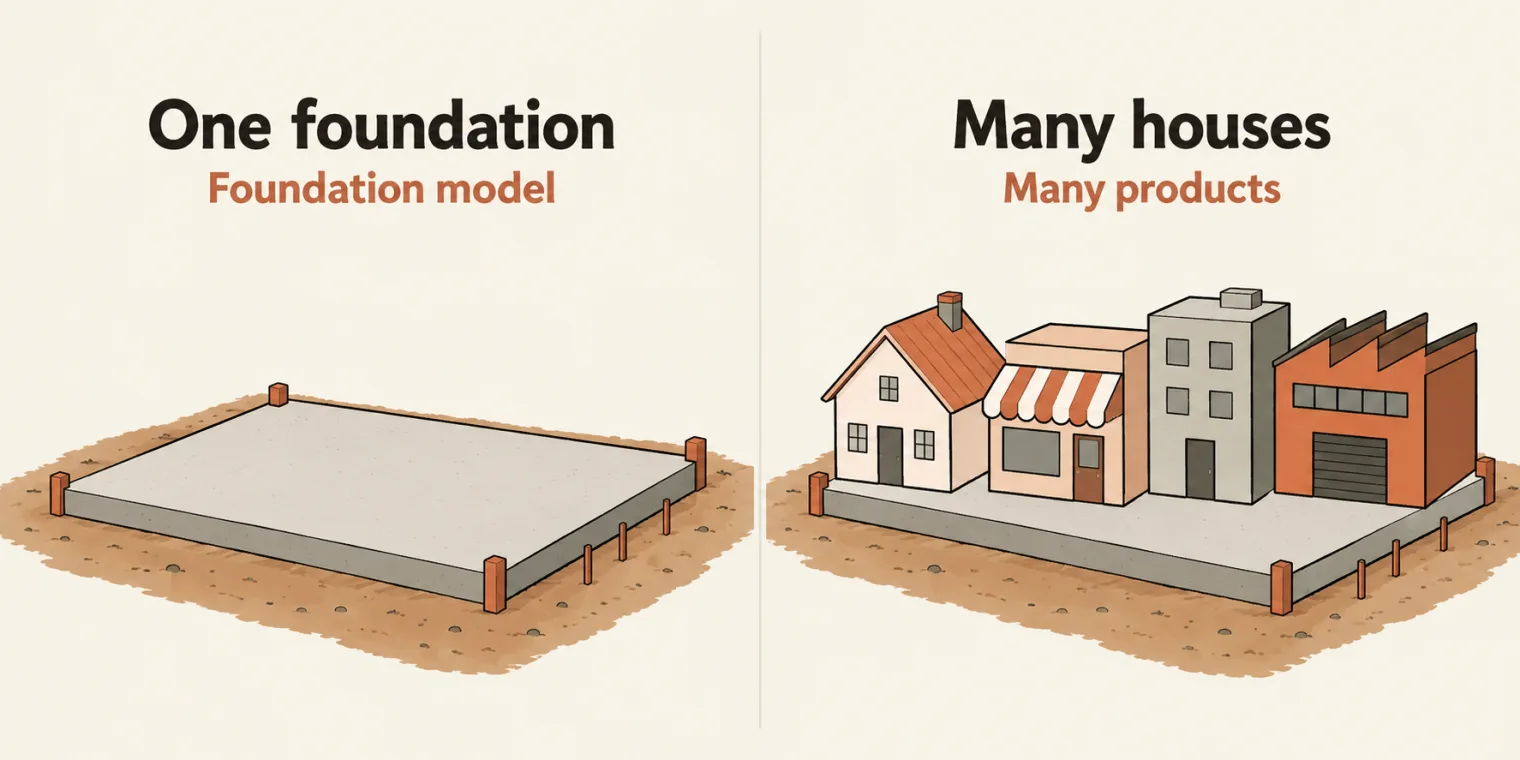
A foundation model is a large, general-purpose model that many different products are built on, like one foundation under many houses. GPT, Claude, Gemini and Llama are all foundation models. In the instructor's words, a base model can do only a few tasks; fine-tune it for QA, for doctors, for lawyers and for real estate, and it can do many. The four names, as the class went through them:
| Name | What it is | Example from class |
|---|---|---|
| Foundation model | a big, general model trained on broad data, the base for many products | GPT, Claude, Gemini, Llama |
| Base model | the raw pre-trained version, which continues text | models marked base on Hugging Face |
| Chat model | fine-tuned to follow instructions and chat | the model inside ChatGPT |
| Fine-tuned model | trained further for one task or one style | a model for bug triage |
Finding base models. On Hugging Face, go to Models and tick the base filter: what is left are base models, free and open source, such as DeepSeek's, and you can fine-tune them further. Can you take one and make it your own, an IndieSeek instead of DeepSeek? Yes, the instructor said, though the point will remain which model you built on.
Fine-tuning on your own data. Can you fine-tune a model on your company's data, your QA data? Yes, you can. OpenAI's platform has offered fine-tuning, and the instructor has fine-tuned there; the platform page shown in class said fine-tuning is no longer available to new organisations, while existing fine-tuned models remain available. The other route, from the deck: take an open-source base model and fine-tune it on your company's data with Python libraries, and it will then answer questions about your company. That is 100% possible, in the instructor's words, and the instructor recalled one such project that took a Mistral model and fine-tuned it on some of a company's own context. The course is not teaching fine-tuning now: it comes later, and the instructor will show some demos of fine-tuning with vibe coding.
Small versus large language models
An interview question the instructor shared, asked in an AI QA interview: what is the difference between an SLM and an LLM? A small language model has less than 1 billion parameters and a large language model more than 1 billion. That is the only difference, in the instructor's answer.
Two numbers for one idea. The chapter 01 guide, read later the same morning, says small language models "have a few billion parameters". Both agree on the point: a small model is cheaper and faster, and good enough for simple, narrow tasks.
Is there anything below 1 billion parameters? Yes: Hugging Face has lots of tiny LLMs. The one the class opened, Tiny-LLM, describes itself as having just 10 million parameters, trained on 32 billion tokens.
Where would you use a small model? The instructor gave two ideas.
- A test result to a pass rate. Every Selenium or Playwright run gives you a JSON file: an id, how many passed, how many failed. Pass it to a tiny LLM through its API, and it replies with the pass percentage in a table. The model is 100% open source, so you can use an unlimited number of tokens, and run the same job thousands of times. A frontier model, or any costly one, is not needed for a task this small. Different use case, different LLM.
- A PDF to text, 24 by 7. OCR, optical character recognition, reads a PDF or an image and turns it into text. With a frontier model such as Opus, that would take something like $2 for one PDF, the instructor estimated. Instead, take a tiny OCR model from Hugging Face; the deck links TinyOCR, which describes itself as offline CPU OCR in 3.10 MB of model files. Give it an image, and it gives you text. It can run 24 by 7 on a Jenkins job: your Playwright or Selenium test calls it through the API, gets the text back, and verifies it. A 100% free, 24 by 7 solution, as the instructor put it.
The deck calls the second one the PDFTextExtractorAI agent. The class will vibe code it, which means creating the agent through prompting, after the BLAST framework, which the course covers first. Can you use it in your company? 100% yes, the instructor said.
A learner with more than 80,000 test cases asked whether a tiny model could find the duplicates. Yes, you can, if you give it a proper instruction on how to find a duplicate.
Training versus using
The big training happens before you ever use the model. A team at a company can also fine-tune a model on its own data, but that is a separate project, not something a chat does. Everything you do in a chat is inference, and the knobs are frozen. Tell a chatbot "our lockout is five attempts, not three" and it agrees, but the model has not changed; in a new chat it may say three again.
The instructor showed it in ChatGPT. Told "today is 31st of October, please remember", it replied that it had noted it. In a new chat, asked for today's date, it gave the real one: Sunday, 1 November, India time. The first chat acted as if it were 31 October, but the parameters had not changed. Using a chat model does not touch its parameters, which are already trained. The company takes the conversations, modifies the model, and gives you a newer version.
One more point the class read: open-weight models, such as Llama and Qwen, can be downloaded and run on your own computer, while closed models are used over the internet and will not let you download them.
The quick check from lesson 04. 1. You ask a base model "Write a test case for login". What will it most likely do: write a clean, complete test case, continue the text with similar lines, like a document, refuse, or ask a clarifying question? 2. Which of these is a foundation model: Jira, Claude, your regression suite or Playwright? 3. You correct a chatbot in a chat. Next week, in a new chat, it repeats the old mistake. Why?
Show the answer
Answer. 1. It continues the text with similar lines, like a document. 2. Claude, a large, general model; the others are tools. 3. Chatting does not change the model's parameters: the knobs stay frozen.
The exercise is in the notes the instructor taught from, the LLM fundamentals guide, which is the same guide as the chapter 01 file in the batch repository.
System prompt, user message and assistant message
Everyone has used prompts. But what is the difference between a system prompt and a user message? Many in the chat said they did not know. You should, the instructor said: it is a question the instructor asks in interviews, and people get rejected for not knowing it.
- A prompt is the text, or the set of instructions, you send to a model.
- A user message is whatever the person types: the input.
- A system prompt is the instruction to the app itself, to the fine-tuned model rather than the base model. It is a role plus rules. If a user asks what smoke testing is, the system message might be: you are a QA with 15 years of experience, and you give answers to user prompts. Change that system prompt to a doctor, and the same question will not get that answer. The user never sees it.
- An assistant message is the model's reply.
- Prompt engineering is writing prompts that give reliable, checkable results.
A learner said the system prompt cannot be edited. It can be edited too, the instructor said, depending on you.
ChatGPT has a very big system prompt of its own. The versions you find online are a guess, not accurate, because OpenAI will never give it to you: writing proper prompts and system prompts is what such companies do full time, their bread and butter.
On every call, the app sends the list again. The class's example, read from the chapter 01 guide: a system prompt saying the model is a QA assistant that replies in JSON; a user asking for three tests for the login page; the assistant's reply, three tests in JSON; and the user's follow-up, asking for one more test. System message, user message and assistant message: those are the three to remember.
A learner asked whether the system prompt also consumes tokens. Of course: everything you send and everything you receive is tokens.
To show the roles, the instructor opened OpenAI's API platform and its playground, where the system prompt can be changed if the API allows it. How to use the APIs is part of the course, and comes later.
Prompt engineering and the RICE-POT framework
Prompt engineering is a skill: writing the prompt so that you get the maximum, accurate result, the desired output, from a large language model. There are more than 15 prompt frameworks a QA can use. The instructor teaches the best one first, the one the instructor personally prefers, RICE-POT; you can use whichever you want. Next week's prompt engineering session covers each of the others, one by one. The Playwright 4x batch's RICE-POT page shows the same framework from another class.
Is "write a test plan for app.vwo.com" a good prompt? Not at all, the instructor said. By RICE-POT, a good prompt has seven parts:
| Letter | Part | What it answers |
|---|---|---|
| R | Role | who the model should be |
| I | Instructions | what to do, and what it must never do |
| C | Context | the product, the story and the rules |
| E | Example | a sample of the output you want |
| P | Parameters | the limits on quality and accuracy |
| O | Output | the exact shape of the answer |
| T | Tone | professional or not, technical or plain |
Why bother? Because bad prompts do not give you the desired result. The blank template the class pushed is a markdown file, since an .md file is good to share. Copy it and fill each part:
### R - Role
[Who should the AI act as? e.g., "expert QA tester with 15 years' experience"]

### I - Instructions
1. [First step]
2. [Second step]
...
Do NOT:
- [What the AI must never do]
- [Another hard rule]

### C - Context
- [Product / system / background the AI needs]
- [What inputs or files you are attaching]

### E - Example
[One sample row or snippet showing the ideal output]

### P - Parameters
- [Quality / accuracy / style constraints]
- [Determinism, traceability, length limits, no hallucination, etc.]

### O - Output
- Format: [CSV / JSON / Markdown table / code]
- Columns / structure: [exact spec, in order]

### T - Tone
[Technical / plain / formal / output-only]
Under it, the template adds a Recommended Parameters block for factual or technical output. The instructor calls these rules, safety rules or anti-hallucination rules; some people call them guardrails:
- Output must be deterministic (same input → same output).
- Every assertion must be traceable to a provided input.
- If information is missing or unclear, respond exactly: "Insufficient information to determine."
- If a detail is inferred, label it exactly: "Inference (low confidence)".
- Do not invent features, IDs, APIs, error codes, UI elements, or behavior.
- Do not assume default or "typical" system behavior.
In short: the same input gives the same output, every claim traces back to something you gave it, and when information is missing it says so instead of inventing or assuming anything.
Is this template a skill, like a SKILL.md? No, the instructor said: it is just a template, or a prompt. But you can convert it into a skill by following a skill template: a proper name, a description, what to use and when to use it, and the trigger mechanism. The kickoff page covers prompt versus skill.
Project 2: a RICE-POT prompt for a Selenium framework
The deck calls it Project #2, a production-ready Selenium framework: create one from scratch for the Salesforce login page, assuming zero coding knowledge.
First, everyone typed the prompt they would use. Many answers were the objective itself, or a line such as "Write a test case for a Salesforce functionality" or "You are a senior QA engineer". One asked for BDD, which the class does not want for now. One answer went deeper, and the instructor liked parts of it, but was still not convinced. The instructor's verdict on the one-liners: not a prompt.
Then the instructor filled the template live, in a new prompt engineering folder (Chapter_02_Prompt_Engineering in the repo). The role and the instructions, as pushed:
### R - Role
You are a QA automation tester with 15 years of experience. You have a very good understanding of IT, CRM projects, especially Salesforce.com. You are also an expert in these Salesforce terminologies. You know about everything in Salesforce, like login, dashboard, opportunity, leads, and many more.


### I - Instructions
- Generate a Complete Selenium with Java automation script following the standard of enterprise level standards.
- Automate and verify the results of the login page login.salesforce.com/?locale=in, ensure that UI is thoroughly tested with valid and invalid testcases.
[Critical] - Apply the TestNG annotations, @Test, @BeforeTest and others and and necessary setup/teardown logic.
[Critical] Implement robust exception handling within both Page Object model and test scripts using structured try–catch blocks or explicit exception signatures.
[Mandatory] Use Page Object Model with PageFactory, including @FindBy, constructor initialization, and reusable action methods.
[Mandatory] - It is important that you use only the xpath not the css selectors.
[Mandatory] - Please add an Allure report with test engine.
[Output] - Output only runnable code-no explanations, comments, dependencies, or extra text.
[Don't] - Don't use the css selectors, ID, name and others things.
[Don't] - Don't add comments, Thread.sleep and other bad coding practice.
[Generate] - Generate the 2 scritps only with the valid and invalid testcases of the login page.
[DoNOTuse] Thread.sleep() anywhere; rely on WebDriverWait or implicit waits.

Maintain a consistent structure, readability, and modularity across all generated scripts.
What the class said about them:
- Role. Say exactly who the model is. "QA engineer" on its own will not work, in the instructor's words.
- Instructions. Name the stack, Selenium with Java, and the standard, enterprise level. The objective said neither, and that, the instructor said, is the difference between you and an AI architect. The model should create the framework and also test it: automate and verify the login, with valid and invalid cases.
- Tags. Square-bracket tags such as
[Critical]and[Mandatory]flag the hard requirements: the TestNG annotations, exception handling, the page object model with PageFactory. - XPath only, no CSS selectors. That is the instructor's company policy.
- Allure, a free, open-source reporter.
- That was only 10%. Then the output rules: runnable code only, with no explanations and no comments, because AI adds comments whenever it creates something; no
Thread.sleepor other bad coding practice; and exactly two scripts, one valid and one invalid.
The rest of the prompt:
C - Context
You are creating a login page scripts with proper framework for the sales force login, where we are writing for a Testingvalid and invalid login page where in the login page you have the email, password and submit buttin with remember me fucntionality.

E - Example
Example structure for PageFactory:

public class LoginPage {
    @FindBy(xpath = "//input[@id='username']") WebElement username;
    @FindBy(xpath = "//input[@id='password']") WebElement password;
    @FindBy(xpath = "//input[@id='Login']") WebElement loginButton;

    public LoginPage(WebDriver driver) { PageFactory.initElements(driver, this); }

    public void doLogin(String user, String pass) {
        username.sendKeys(user);
        password.sendKeys(pass);
        loginButton.click();
    }
}


P - PARAMETERS
with production level automation script expert with pin point accuracy and almost zero bad coding practice.


O - Output
Provide only:
1 Page Object file
2 TestNG test scripts
Maven project
No explanations or additional content.

T - Tone
Technical, precisly, enterprise-grade, code-one.
- Context. The Salesforce login page has the email, the password, a submit button and Remember me. Spelling mistakes are fine; they can be fixed later.
- Example. The instructor's company's PageFactory structure, which is how the team's frameworks are built.
- Parameters. Production level, pinpoint accuracy, zero bad practice.
- Output. One page object file, two TestNG scripts, a Maven project, no explanations.
- Tone. Technical, precise, enterprise grade.
Under the tone, the file repeats the template's guardrail block, word for word (lines 66 to 71).
Then the prompt went to a coding agent in the editor: drag the file into the chat, or mention it with an at sign and its name, and press Enter. To read a markdown file comfortably, right-click it and open the preview. You are free to use the template and this prompt in your company, the instructor said: they are yours.
What the coding agent generated
Asked why the agent was using Playwright for a Selenium job, the instructor said it is because the Playwright MCP is available on that machine; a Selenium MCP would work too. The agent used it to check the live login page, and it took time, around 10 minutes, the instructor estimated. Meanwhile the instructor showed what the end product looks like: two test files, valid and invalid, nothing extra, with the configuration properties under resources.
Near the end of class, with the agent still re-running the tests, the instructor asked it to commit, update the README and push. The code landed at 13:00 IST. The README records the agent's last run: 9 tests, 8 passed and 1 skipped (the valid-login test), in headless and headed Chrome. The README also maps each RICE-POT block to the code it produced:
| Block | What the prompt asked for | Where it lives |
|---|---|---|
| R · Role | Senior Salesforce QA automation tester | Allure Epic / Feature / Story / Severity on every test |
| I · Instructions | TestNG, POM + PageFactory, XPath only, try-catch, Allure, no sleeps | LoginPage.java, BaseTest.java, pom.xml |
| C · Context | Username, password, submit, Remember me | @FindBy(xpath = ...) fields in LoginPage |
| E · Example | PageFactory LoginPage with a doLogin() method |
LoginPage.doLogin(), extended for the two-step flow |
| P · Parameters | No invented UI, "Insufficient information to determine." | Error strings copied from the live page; the valid-credential test skips with that exact text when no credentials are given |
| O · Output | 1 page object, 2 TestNG scripts, a Maven project | LoginPage, ValidLoginTest, InvalidLoginTest, pom.xml |
| T · Tone | Code only | No comments anywhere in the source |
The page object. Every locator is an XPath behind @FindBy, as the prompt demanded:
    @FindBy(xpath = "//img[@id='logo']")
    private WebElement logo;

    @FindBy(xpath = "//input[@id='username']")
    private WebElement usernameInput;

    @FindBy(xpath = "//input[@id='password']")
    private WebElement passwordInput;

    @FindBy(xpath = "//input[@id='Login']")
    private WebElement loginButton;

    @FindBy(xpath = "//input[@id='rememberUn']")
    private WebElement rememberMeCheckbox;

    @FindBy(xpath = "//a[@id='forgot_password_link']")
    private WebElement forgotPasswordLink;

    @FindBy(xpath = "//span[@id='idcard-identity']")
    private WebElement identityCard;

    @FindBy(xpath = "//div[@id='error']")
    private WebElement errorMessage;

    @FindBy(xpath = "//a[contains(@class,'gid-username-link')]")
    private WebElement logInWithUsernameLink;
The prompt's example showed a one-step form: username, password, submit. The live page has two steps, the username first and then the password, so the login method grew a step. The README calls this the gotcha: the prompt is not the truth, the live page is.
    @Step("Submit username {username} to reach the password step")
    public LoginPage submitUsername(String username) throws FrameworkException {
        enterUsername(username);
        clickLogin();
        waitForVisible(passwordInput, "Password field");
        return this;
    }

    public LoginPage doLogin(String username, String password) throws FrameworkException {
        Allure.step("Log in as " + username, () -> {
            enterUsername(username);
            if (!isPasswordFieldDisplayed()) {
                clickLogin();
                waitForVisible(passwordInput, "Password field");
            }
            enterPassword(password);
            clickLogin();
        });
        return this;
    }
submitUsername() clicks Log In and waits for the password field. doLogin() takes that first step only when the password field is not already showing, then enters the password and clicks Log In again.
The guardrail, in code. The prompt's rule, "If information is missing or unclear, respond exactly: Insufficient information to determine.", became a skip. Without credentials, the valid-login test stops there:
    @Test(priority = 5, groups = {"smoke", "regression"}, description = "Valid credentials log the user in")
    @Story("Valid login")
    @Severity(SeverityLevel.BLOCKER)
    @Description("Requires -Dsf.username and -Dsf.password, or SF_USERNAME and SF_PASSWORD. Inference (low confidence): a successful login leaves the login form without an error.")
    public void verifyLoginWithValidCredentials() throws FrameworkException {
        String username = secret("sf.username", "SF_USERNAME").orElseThrow(() -> new SkipException(INSUFFICIENT_INFORMATION));
        String password = secret("sf.password", "SF_PASSWORD").orElseThrow(() -> new SkipException(INSUFFICIENT_INFORMATION));
        loginPage.doLogin(username, password);
        Assert.assertTrue(loginPage.isLoginFormDismissed(), "Login form is still displayed after submitting valid credentials");
        Assert.assertFalse(loginPage.isErrorMessageDisplayed(), "Login error is displayed after submitting valid credentials");
    }
INSUFFICIENT_INFORMATION, on line 22, holds those exact words, and the test's description labels its success check "Inference (low confidence)", the guardrail's other label.
The negative tests compare the page against the exact error text, captured from the live page rather than paraphrased:
public class InvalidLoginTest extends BaseTest {

    private static final String UNKNOWN_USERNAME = "atb5x.unknown.user@example.com";
    private static final String EMPTY_USERNAME_ERROR = "Error: Please enter your username.";
    private static final String EMPTY_PASSWORD_ERROR = "Error: Please enter your password.";
    private static final String INVALID_CREDENTIALS_ERROR =
            "Error: Please check your username and password. If you still can't log in, contact your Salesforce administrator.";
Three tests use them: an empty username, an empty password, and wrong credentials, which run for two made-up users on the reserved example.com and example.org domains.
Credentials. Asked whether credentials can be given to it, the instructor said yes, with a .env file. The pushed code reads them from the sf.username and sf.password system properties, or the SF_USERNAME and SF_PASSWORD environment variables:
    protected Optional<String> secret(String propertyKey, String environmentKey) {
        return Optional.ofNullable(System.getProperty(propertyKey))
                .or(() -> Optional.ofNullable(System.getenv(environmentKey)))
                .map(String::trim)
                .filter(value -> !value.isEmpty());
    }
A .env file alone is not read. Nothing in the pushed framework loads a .env file: secret() looks only at system properties and environment variables. Put the values into the environment, as the README's run steps do, or the valid-login test keeps skipping. The configuration file holds no login details at all.
The configuration it does read:
base.url=https://login.salesforce.com/?locale=in
browser=chrome
headless=false
explicit.wait.seconds=20
page.load.timeout.seconds=60
These notes compiled the framework, without running a single test:
cd Chapter_02_Prompt_Engineering/RICE_POT/SeleniumFramework
mvn -DskipTests clean test-compile | grep -E "Compiling|BUILD"
[INFO] Compiling 2 source files with javac [debug parameters release 17] to target/classes
[INFO] Compiling 3 source files with javac [debug parameters release 17] to target/test-classes
[INFO] BUILD SUCCESS
It needs Java 17 or later, Maven and Chrome; Selenium Manager downloads the driver, as the README notes. Running the tests opens Chrome on Salesforce's live login page. The README's run steps:
cd Chapter_02_Prompt_Engineering/RICE_POT/SeleniumFramework

mvn clean test                          # headed Chrome (default in config.properties)
mvn clean test -Dheadless=true          # headless, for CI
mvn clean test -Dbrowser=firefox        # chrome | firefox | edge
Zero-shot, few-shot and chain of thought
Why the long prompt? Take "write a test case for a login page". Which rules? How many test cases? Positive or negative? Which format? May the model invent whatever you have not mentioned? Every gap is a guess, which is why the class uses RICE-POT.
- Zero-shot means you give no examples. "Fix the grammar" needs none.
- Few-shot means you give examples, as the E in RICE-POT does. Examples are one of the strongest signals in a prompt.
- Chain of thought, in the instructor's demo, means the model asks you questions. Asked for test cases for app.wingify.com, it came back with questions first.
The guide defines chain of thought differently. The chapter 01 guide says chain of thought means asking the model to "think step by step" before it answers, which helps on multi-step problems, and that newer reasoning models do it by themselves. A model that asks you clarifying questions before it starts is a separate behaviour.
A learner asked how to write prompts for functionality other than login. Use the template: for login, for the dashboard, for whatever you need. You can have hundreds of them.
Temperature, and the Groq playground
Temperature was the last class's topic: the dial between always the same and surprise, which is creativity. The recap used "The cat will sit on the ___". At a low temperature, 0.2, the answer is mat. At 1, the normal setting, the answer can change. Turn it up and the surprises come: the cat will sit on the cloud. The lower the temperature, the lower the hallucinations, in the instructor's words. In the guide's lab, asked ten times at temperature 2, the model answered mat four times, chair twice, floor twice, and other words the rest of the time.
A learner checked: a lower temperature gives a more accurate answer, with less creativity? Yes, the instructor said, and asked the class whether a QA keeps it high or low. The deck's note answers it: as a QA, keep the temperature low; we do not want the creativity high, we want the most accurate answer from the knowledge base. The guide's lesson adds the limit, temperature changes the variety, not the truth, which is why the last class's notes say low is consistent, not correct.
Can you put the temperature in a RICE-POT prompt? No, the instructor answered: RICE-POT is a prompt, and there is no relationship between the prompt and the temperature.
Can you set it at all? Nowadays most LLM apps do not let you change it, the instructor said, but a few websites still do. One is Groq, spelled with a q: a website that gives you open-source models, and not the Grok chatbot. In its playground the class picked GPT OSS 120B and looked at the settings: the temperature, the maximum tokens (2048), streaming, and the reasoning effort (medium). The role was user, and the query "What is smoke testing?". The instructor then found where a system message goes, "You are a QA with 15 years of experience", sent with the role system, and pointed to the temperature, which was 1 at the time. Changing these from your own code needs an API key. How to use the APIs to access LLMs comes later, probably in the next session.
Tasks and announcements
- The task, a RICE-POT prompt for Playwright. Do the same as the class, but for Playwright, on app.wingify.com instead of salesforce.com, with the requirement shared for the task. Hand in two things: the complete RICE-POT prompt, and the generated Playwright framework, pushed to your GitHub.
- Where to submit: only in the task's comment thread. Anything posted outside it will be deleted, the instructor said.
- VWO and Wingify are the same: app.vwo.com and app.wingify.com open the same application.
- The last task, Ollama, from the start of class: if Gemma 3 1B is not available, use any Llama, such as Llama 3.2, or DeepSeek 1.5B.
- Doubts go in today's doubt thread; the instructor will try to answer all of them.
- Notes: the theory came from the LLM fundamentals guide. The prompt, the template and the framework are in the batch repository, and the RICE-POT template was also shared in the class chat.
- Extra sessions: there might be some, probably on a Friday or Tuesday, and the instructor will let the batch know. It is the festive season, so there might be delays.
- Still to come: next week's prompt engineering session takes the other frameworks one by one; how to use APIs to access LLMs comes later, probably next session; the PDF extractor agent will be built after the BLAST framework; and fine-tuning demos with vibe coding come later.
- Not reached today: the plan read out at the start also listed the context window, memory and its limits, RAG, tools and MCP, agents, why LLMs get things wrong, and how a tester checks LLM output. In the chapter 01 guide, they are lessons 07 to 13.
Task. Write a complete RICE-POT prompt for a Playwright framework on app.wingify.com, using the requirement shared for the task. Run it, push the framework to your GitHub, and post the prompt and the repository link in the task's comment thread only.
Interview questions. What is the difference between an SLM and an LLM? What is the difference between a system prompt and a user message?
Show the answer
Answer. An SLM, a small language model, is the smaller one: under 1 billion parameters in the class's answer, a few billion in the chapter 01 guide. Either way it is cheaper and faster, and good enough for simple, narrow, repeated tasks; an LLM is the larger model. A system prompt is set by the app: a role plus rules that the user never sees, sent on every call. A user message is whatever the person types, the input. Both count as tokens.