What this class covered
- SDET Club access, and Claude 101 as the week's certification
- The context window: everything the model sees for one reply
- Compacting, when the window fills up
- How big a window is, in pages, and the desk lab at 8K, 32K and 1M
- Bigger is not always better: the middle gets lost
- Stateless: every call starts fresh, like a bank queue
- Memory and its limits: chat history, saved memory, training knowledge
- The recap quiz: the LLM fundamentals in one line each
- Generative AI versus agentic AI
- The tools the course will use
- Prompting: tell, do not ask
- Four core principles of a good prompt
- Seven steps for effective prompting
- The anti-hallucination demo on a PRD
- The rules file in the repo, tried on two local models
- Tasks, and what comes next
- The context window is everything the model can see for one reply, counted in tokens, and it includes the answer.
- When the window fills up, the app must cut, summarise or refuse. The tools compact the history into a summary, at some cost in accuracy.
- A big window is a limit, not a promise: facts in the middle of a long input get lost, and the answers get worse as the window nears full.
- The model is stateless: every call starts fresh. The app fakes memory by re-sending the chat history and adding saved notes.
- Generative AI answers one request; agentic AI plans and runs the steps by itself, end to end.
- Tell the AI what to do, do not ask: be specific, give context, define the output and set constraints.
- Add the anti-hallucination rules wherever people will trust the output: only facts from your input, the gaps listed, inferences labelled.
SDET Club, and one certification a week
The class opened with a walkthrough from the team on getting into SDET Club, the platform where the batch's discussions, tasks and doubt threads live, along with any tests, notes and certification details. Open the link you were given, enter your email address and click Continue, then enter the OTP sent to that address. Then message the WhatsApp number you were given, and access follows in some time. If Continue shows a validation error, double-click it, or refresh the page, enter the email again and click Continue again. Some tests are being planned for this week too, the instructor said.
One certification, one week. That is the instructor's target for the batch, and this week's is Claude 101, on Anthropic's Claude Academy. The team's tutorial comes in two videos, part 1 and part 2, which the team was to release after the class. Watch them, complete the course, then take its test: 10 multiple-choice questions, and a very basic one, the instructor said. Then post your certificate on LinkedIn (the course page calls it a completion badge), tag the instructor, and reply in the certification thread on SDET Club. The links come in the chat and the group, and in the certification sheet, whose first tab lists Claude 101 with a link to each of the two recordings.
Done Claude 101 already, as some learners from the Playwright batches have? Then take the second course on the sheet, AI Fluency: Framework & Foundations. Everyone else gets it the week after next, the instructor said.
The context window
The term comes up all the time when you use GitHub Copilot or any AI agent, and it will come up in your interviews too, the instructor said. Two words first, from lesson 07 of the guide the class read:
- Context is everything the model can see for one reply.
- The context window is the maximum size of that context, counted in tokens. It includes the answer.
The guide's picture: imagine the model works at a desk. Everything it needs for one reply must be on the desk at the same time: the rules, the chat so far, the documents, your question and space to write the answer. The size of the desk is the context window. In the guide's example, the five things fill 15,600 of a 16,000-token desk, with 400 free. Another log file will not fit, so the app must cut the old messages, summarise something, or show an error.
The instructor showed where to see it in the Claude desktop app: hover over the context indicator in a long conversation, and it shows how much of the window is used. Opus 5.5, the model the instructor was using, can handle 1 million tokens at once, and 1 million is 10 lakh tokens. On it go the system prompt, the chat history with the earlier conversations, the PRD, your questions and room for the answer. Can you add your logs, 6,000 tokens more, with Opus? Yes. And if you use more than 1 million? It will skip the information, the instructor said.
Compacting
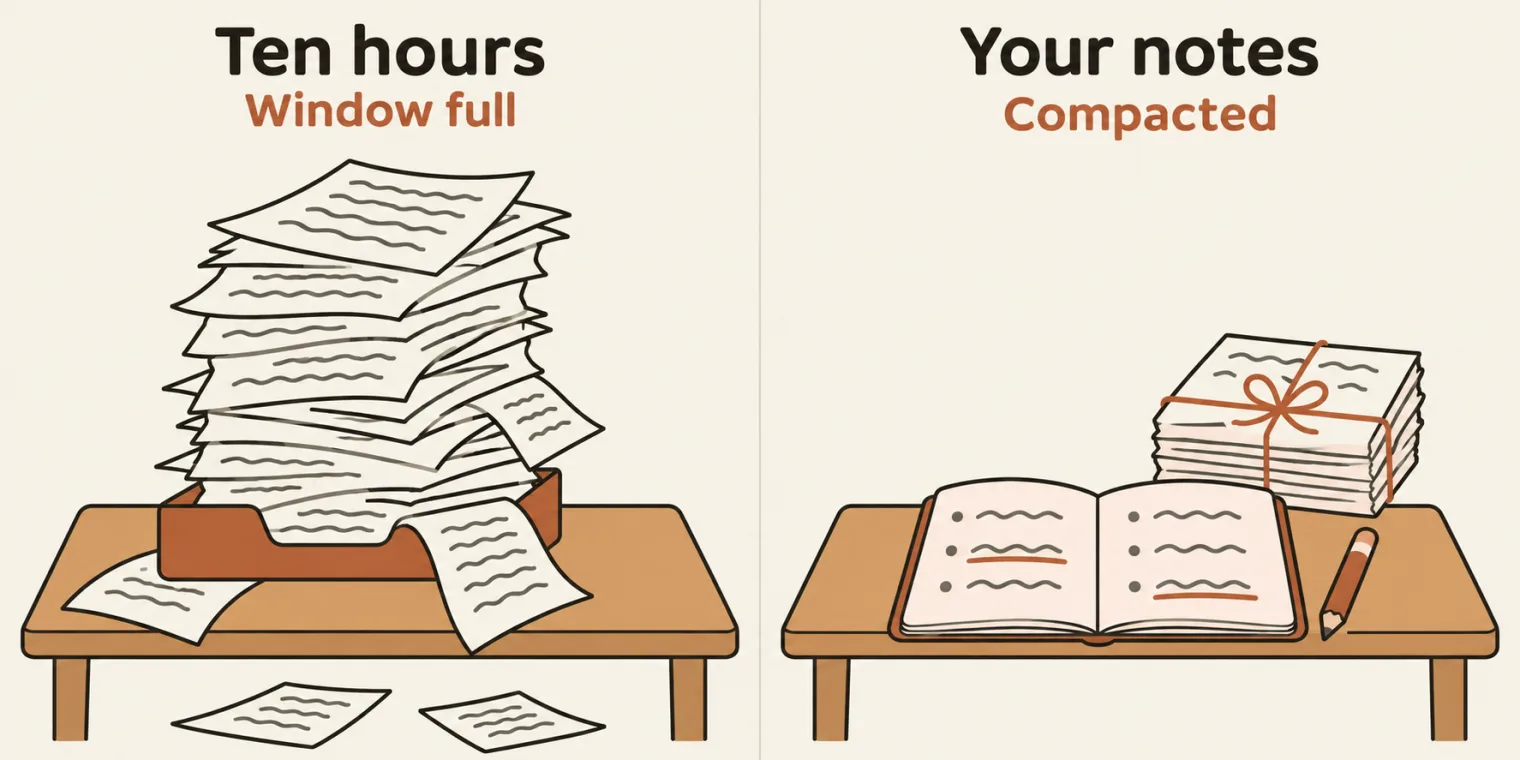
What happens as you reach the limit? The tool compacts: ChatGPT and Claude tell you they are compacting. Compacting means the history is summarised, and the documents too, such as the PRD, to save tokens, so that you still get your answer.
In Claude you can also run it yourself: the command is /compact, and the conversation starts summarising. By default you do not have to: Claude, Sonnet, Opus, Cursor and most of the others compact automatically, most of the time. In GitHub Copilot the command has a different name, compress; the rest works the same. For Kiro, look up its command.
A learner asked where compacting is used in a company. It is not for you, the instructor said: it is for the LLMs and the AI agents. The instructor's analogy: teach you for 1 hour and you understand; teach you for 10 hours and your context window is full, and you feel overloaded. So the class takes 2-hour sessions, and you make notes. Those notes are the compacting: a summarised version of what you learned, so that you do not forget the earlier parts.
The class's other questions about it:
- Does compacting follow some priority? No, it is just summarising.
- Does it affect the quality? Yes.
- Can compacting lose information? It loses some of the accuracy, but it will still be okay.
- How many times can you compact? An unlimited number of times.
- What happens to an attached photo? A summarised version of the image is created, most of the time, and if nothing in it is needed, it is deleted.
- Does it compact automatically every time you reach 1 million? True.
How big is a window?
Rough sizes, from the guide's table, which the class read: 8K tokens is about 12 pages, 128K about a 190-page book, and 1 million tokens about 1,500 pages. Why does a tester need this? When you create a test plan or test cases, you need to know it, the instructor said.
A learner asked why pages and not words. A wrong question, the instructor said: the pages are only an example, a rough estimate, not accurate. They assume a page holds 500 words, and a token is about three quarters of a word:
| Window | Tokens | Words, at ¾ of a word a token | Pages, at 500 words a page |
|---|---|---|---|
| 8K | 8,000 | 6,000 | 12 |
| 128K | 128,000 | 96,000 | 192 |
| 1M | 1,000,000 | 750,000 | 1,500 |
The desk lab. The guide's lab 04, Fill the desk, lets you pick a window size and switch items on and off, and the class went through it. The lab at the same settings, run for these notes:
| Window | On the desk | Tokens | What the lab says |
|---|---|---|---|
| 8K | system prompt, question, answer room, chat history | 8,600 | Over by 600 tokens: 8,600 needed, 8,000 available. |
| 32K | the same four | 8,600 | Used 8,600 of 32,000 tokens (27%). It fits, with 23,400 to spare. |
| 1M | all eight, the whole product wiki too | 1,001,600 | Over by 1,600 tokens: 1,001,600 needed, 1,000,000 available. |
| 1M | all but the product wiki | 101,600 | Used 101,600 of 1,000,000 tokens (10%). It fits, with 898,400 to spare. |
At 8K, the system prompt, the question, the room for the answer and the chat history overload the window, so a small model cannot be used properly, in the instructor's words. At 32K the chat history fits, with tokens to spare. At 1 million, you can include the PRD, the whole test suite and last night's log, and there is still room for the answer: that is why 1-million-token models are the ones used most of the time, the instructor said. Even the product wiki was on offer, but it is definitely not required, the instructor said, and the lab shows the limit: with the 900,000-token wiki on, the total is 1,600 tokens over.
Most of you use a 1-million-token model in GitHub Copilot, the instructor said: Opus 5.5 and Sonnet 5.5 both have 1 million tokens. A learner asked how many tokens you get in Claude: it depends on your company.
Bigger is not always better
Even when everything fits, the model uses the facts at the start and the end of a long input well, and the ones in the middle less well: in the middle, the quality drops. The guide calls this lost in the middle, and the instructor called it a well-known fact that all of you will have noticed. Start a conversation in GitHub Copilot, say to create a test plan, and it works very well; in the middle of the session it stops giving proper answers. That happens slowly, after some time, when the context window is nearly full, say at 90% or so: then the answers are very bad. That is where you compact. The model's performance always goes like this, in the instructor's words: it does its best work, then the quality suddenly drops, and after compacting it performs well again.
So compacting is something you always have to do, the instructor said: it improves your context window as well as your quality. Most of the time the tools do it for you.
The lesson's summary, read in class:
- The context window holds everything for one reply, including the answer.
- When it overflows, the app must cut, summarise or refuse.
- A big window is a limit, not a promise: the middle gets lost.
The guide adds what to do about the middle: put the most important rule first, repeat it in one line just before the question, and send only the parts that matter.
What is a context window? The instructor flagged it as a question that will come up in interviews.
Worth practising too: A model has a 1-million-token window. Does it remember a million chats? Your key rule sits on page 37 of a 70-page PRD, and the model ignores it: what do you try first?
Show the answer
Answer. The context window is the maximum size of the context, everything the model can see for one reply, counted in tokens, and it includes the answer. A 1-million-token window is the size of one request, about 1,500 pages, not a memory of chats. For the buried rule, move it to the top or send only the relevant section: facts in the middle of a long input are the ones that get lost.
Stateless: every call starts fresh
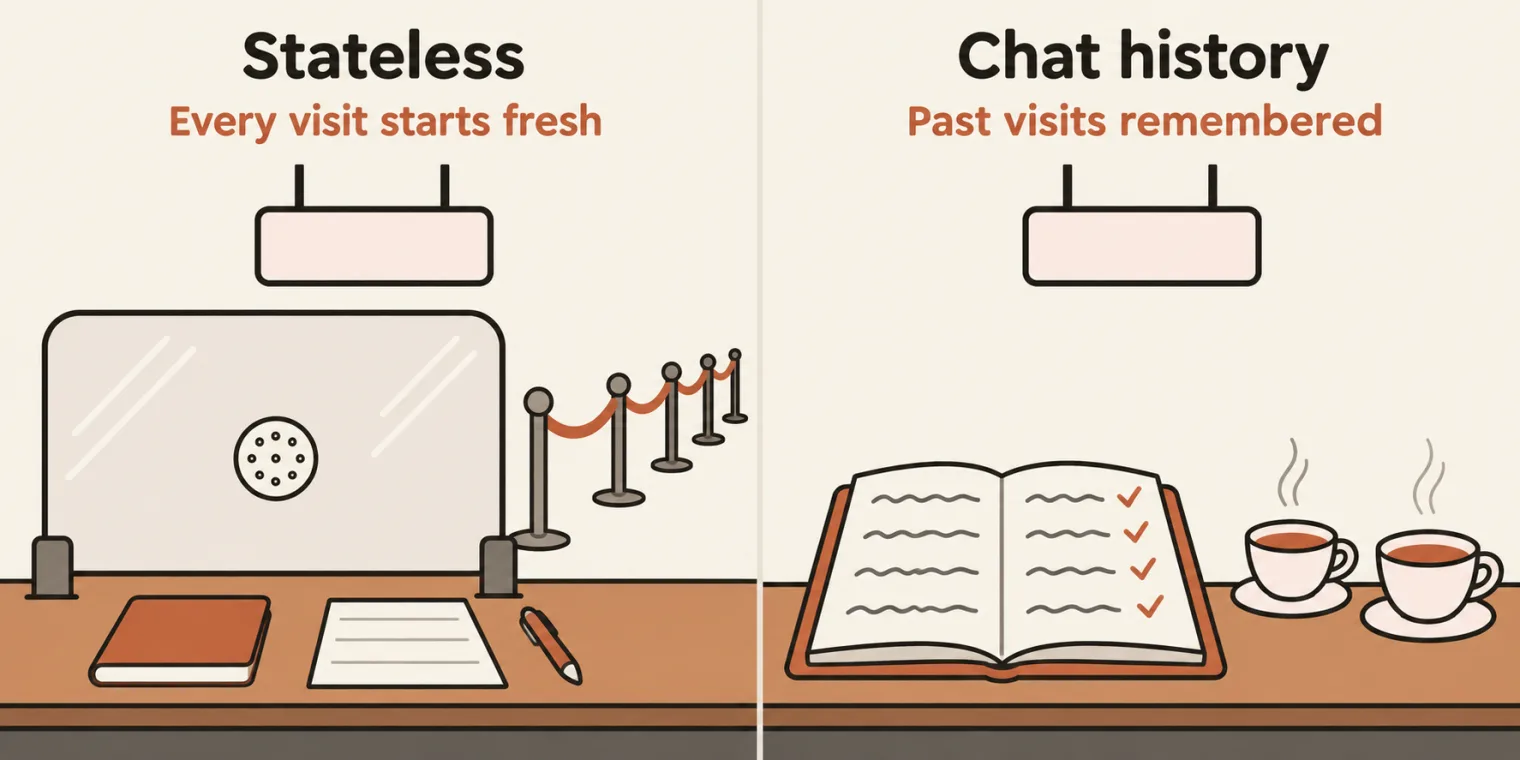
Do large language models have a memory? No, the instructor said: they have weights, not a memory. Memory in an AI app comes with a few words to learn: stateless, chat history, memory, the memory limit, and short-term and long-term memory.
Stateless means each request starts fresh, and nothing is kept from the last one. The instructor's analogy: you go to the bank to withdraw 10,000 rupees, and the queue is huge. When your turn comes, the cashier asks for your passbook, then the form, validates them, and gives you the money. On your way out, you need more. So you start again: the passbook, the form, the validation. Will the cashier remember you, with a queue that long? No. That is stateless: ask an LLM a question and you get an answer, but it remembers nothing.
The second half of the analogy: a cashier who knows you, such as your bank's relationship manager. There is a proper conversation, over tea, because you have a previous chat history: last time you took 1,000 rupees, 10,000 or 20,000. That is the chat history: the earlier messages, which the app re-sends with each new message. Memory is different: notes the app saves about you and adds back into later chats, such as where you are from. Every AI app you create will have a memory, in the instructor's words.
Memory and its limits
Without the history, the model remembers nothing. The guide's example, which the class read: you say "I'm Priya" and the model says "Hi Priya!"; in the next call you ask for your name, and it does not know. When the app re-sends the history, the second call carries all three messages, and the model answers that your name is Priya. The model keeps nothing between calls. A chat only seems to remember because the app re-sends the earlier messages, and the model is always stateless.
Short-term and long-term memory. Short-term memory is within the conversation; long-term memory goes back through earlier chats. The instructor showed the difference in ChatGPT. In a chat, the instructor gave a different name and asked for it back, and ChatGPT used the name given. Told that this was not the real name, it replied that it knew who the instructor really was, and had used the other name only because it was given earlier in that conversation. A learner asked how far back it goes. It depends on the model, the chat history and ChatGPT, the instructor said: we do not know.
The memory limit. A long chat still has to fit in the context window. Whatever still fits is in the window: the oldest messages fall out, and the newest stay. The guide's lab 05, which the class went through, asks "What's my name, and when does the account lock?" after six messages. At the settings the class used, run for these notes:
| The app | Sent with the system prompt | The model's reply |
|---|---|---|
| Re-sends the history | messages 1 to 6, then the question | You're Priya, and the account locks after 5 wrong attempts. |
| Small window, last 5 messages | messages 3 to 6, then the question | The account locks after 5 wrong attempts. But I don't know your name: it is not in what I was sent. |
| Small window, plus a saved memory | the saved note, messages 3 to 6, then the question | You're Priya, and the account locks after 5 wrong attempts. |
| No history | only the question | I don't know your name or your lock rule. I can only see this one message. |
When the app re-sends the history, the model remembers you are Priya. With a small window, the app forgets about you. With a saved memory, the long-term kind, it remembers you, and the lock rule as well. Long-term memory helps with what you want in every conversation; short-term memory is per session.
Three kinds of memory, from the guide's table:
| Kind | Where it lives | How long it lasts | A test idea |
|---|---|---|---|
| This chat | the chat history, re-sent by the app | until the chat is too long | after 50 messages, ask about message 1 |
| Saved memory | the app's database, added to the prompt | across chats | correct or delete a memory, then check the next chat |
| Training knowledge | the model's parameters, its weights | until a new model | ask about something after the knowledge cutoff |
Long-term memory is an app feature: some apps save notes about you, such as that you prefer short answers, and insert them into new chats. It is still just text in the context window, chosen by the app. The lesson's summary, read in class: the model is stateless, and the app re-sends the history to fake memory; long chats hit the memory limit, and the oldest messages fall out; saved memory is text the app adds back, so test it for correctness and privacy.
A learner asked whether you can save something to memory by giving a prompt. Yes, you can.
Do large language models have a memory?
Worth practising too: Why does a chatbot remember your name later in the same chat, but forget it in a very long one? Where does a chat app's saved memory live?
Show the answer
Answer. No: a model has weights, not a memory. It is stateless, so every call starts fresh. A chatbot remembers your name in the same chat because the app re-sends the chat history with each message. In a very long chat, the history no longer fits the context window, so the oldest messages fall out, and the name with them. Saved memory lives in the app's database, and the app adds it back into the prompt: it is not inside the model.
The recap quiz
Before the break, the instructor ran a quick recap of the LLM fundamentals, as if taking interviews, and the chat answered. The deck's one-liners for the words the quiz covered:
| Term | In one line, from the deck |
|---|---|
| AI | machines performing tasks that normally require human intelligence |
| Machine learning | systems learning patterns from data |
| Deep learning | machine learning using multi-layer neural networks |
| LLM and SLM | a large or a small language model; the line between them is 1 billion parameters |
| Foundation model | a broadly trained model, adaptable to many tasks |
| Base model | the pre-trained model |
| Chat model | a base model, fine-tuned |
| Pre-training | the initial training on large datasets |
| Fine-tuning | additional training to adapt a model to a specific purpose, with human feedback (RLHF) |
| Token | a unit of text, such as a word or a word fragment: about three quarters of a word |
| Tokenizer | software that converts text into token IDs |
| Context window | the most input and generated tokens a model can handle in one context |
| Max output tokens | the most tokens permitted in one generated response |
| Temperature | the setting for creativity, or randomness, in picking the tokens |
| System prompt | high-priority instructions that define the model's behaviour |
| User prompt | the user's request |
| Zero-, one-, few-shot | no example, one example, several examples |
| Chain of thought | reasoning through intermediate steps |
| Prompt template | a reusable prompt with placeholders |
| Structured output | output in a set format, such as JSON |
| Prompt injection | malicious instructions hidden in lower-trust content |
| Jailbreaking | attempts to bypass the model's safety restrictions |
| Hallucination | information that is false or unsupported |
| Red teaming | testing an LLM with different prompts to make it reveal company information |
| Transformer and attention | a neural network architecture based on attention, which finds the relationships between tokens |
| AI agent | BMT: a system that uses a model to decide and execute steps towards a goal |
What the class added to them:
- The RICE-POT prompt of the last class gave only one example, so it was one-shot prompting.
- The system prompt is the highest-priority instruction, and an interview question.
- A token is not a word: it is about three quarters of a word, always. OpenAI's tokenizer page shows the pieces and their IDs: the instructor typed "Hi, I am cool" to show it.
- Prompt injection is an instruction such as "ignore previous instructions", hidden in what the model reads. Jailbroken LLMs do exist, mostly used for hacking or other bad things: do not jailbreak.
- Transformers have not been covered yet.
- Top-K, top-P, latency, TTFT, throughput and the KV cache come later, with RAG: explained now, they would not make sense.
- A glimpse of RAG's words: embedding, vector, embedding model, vector database, semantic search, cosine similarity, chunking, chunk overlap, retriever, reranker, hybrid search, BM25, metadata filtering and top-K retrieval. You will understand them only when you work with RAG, which comes after two weeks, the instructor said.
The recap quiz: what is a foundation model, what is a base model, what is a chat model, and what is fine-tuning?
Worth practising too: What is the difference between a system prompt and a user prompt? A RICE-POT prompt gives one example: which kind of prompting is that?
Show the answer
Answer. A foundation model is broadly trained and adaptable to many tasks. A base model is the pre-trained model. A chat model is a base model that has been fine-tuned. Fine-tuning is additional training to adapt a model to a specific purpose, with human feedback, RLHF. A system prompt is the high-priority instruction that defines the model's behaviour; a user prompt is the user's request. One example makes it one-shot prompting.
Generative AI versus agentic AI
An AI agent is BMT, as the class learned earlier: a system that uses a model to decide and execute towards a goal, with a brain, memory and tools. Agentic AI is where a lot of people get confused, the instructor said: an AI capable of planning and performing multiple steps by itself.
Ask GitHub Copilot "Give me a test plan", and it gives you a test plan. Is that agentic AI? Not at all, the instructor said: that is generative AI, which generates a text or something else. Agentic means it reads a Jira ticket, prepares the test cases, executes them and gives you the result: a system capable of doing everything by itself, complete, end to end.
Are we going to build agentic AI in the end? Yes: with LangGraph or LangChain. Reaching agentic AI is the course's ultimate goal, and the course covers n8n too.
You ask GitHub Copilot for a test plan, and it writes one. Is that agentic AI?
Show the answer
Answer. No, it is generative AI: one request, one output. Agentic AI plans and runs the steps by itself: it reads the Jira ticket, writes the test cases, executes them and gives you the result.
The tools the course will use
After the break, a map of the frameworks and tools the course will use, part of the LLM fundamentals too:
- Three ways to build an AI agent. Directly, by vibe coding; with the low-code or no-code tools, n8n and LangFlow; and the advanced way, LangChain and LangGraph, plus CrewAI. LangChain is used to build LLM-powered applications. LangGraph builds stateful, agentic workflows, end to end, and can combine several LangChain flows. CrewAI is a multi-agent system, where one AI agent can call another.
- LLM evaluations with DeepEval: an open-source framework to test almost all kinds of MCP servers, AI agents, and voice or chat bots, and very popular. RAGAS has limited options, and DeepEval is very mature in comparison.
- Red teaming, which means testing the prompts, with promptfoo, a very popular tool. It has a free community edition; the enterprise level is paid.
- MLflow, for observability and traceability: a very popular open-source tool with an evaluation part, and evals are where QAs are involved. It is not included in the course, but the instructor will try to include it, maybe as extra sessions. LangSmith is skipped for now: MLflow will be more than enough.
- MCP: the class will create MCP servers with FastMCP, in Python. FastAPI is a different thing.
A learner asked what an LLM eval is: testing the LLMs. Slowly, over the next 90 days or so, the class will cover all of it.
Prompting: tell, do not ask
Then the start of prompt engineering, in a version the instructor modified for QA out of the hundreds of courses and templates around. It is not only for QA: a BA, a developer or DevOps can use it with the prompt changed. The class has already seen chain of thought, few-shot and RICE-POT; three more frameworks, STAR, CRISP and CLEAR, are on the list. So is a file of anti-hallucination rules, given out in this class: don't let the AI fool you; you should know what you are doing. That is the statement for next year, as the instructor put it.
Why prompt? Prompting is needed to get the desired result from the large language model: a better way to ask it. Type "Build me a Burj Khalifa", and the AI offers to build a 3D interactive building game, or a realistic image. That is not the desired result.
Tell, do not ask. The instructor's rule from the start: always tell the AI what to do. Ask, and the LLM gives you 20% of what it knows; tell it what to do, and it does 80% of your task. The instructor learned this in a Google lecture on prompting, two to three hours long. Asking is only for research. And to get 100% out of a large language model, you have to master three things: prompt engineering, RAG and fine-tuning. The class is on prompt engineering now.
The deck's definitions: prompting is providing specific instructions or input to an AI model to obtain the desired response, and prompt engineering is designing and refining those prompts to communicate with LLMs effectively and achieve the desired outputs. The desired result is the most important thing, the instructor said.
Why it matters for QA: without good prompts, you get hallucinations, vague results, unusable test cases and wasted time. With good ones, you get precise results, a standard output, grounded, production-ready test cases, and efficiency. The mindset to take from today: you are not asking the AI, you are instructing it precisely.
Four core principles
Four principles to remember whenever you create anything with GitHub Copilot, Claude, ChatGPT, Claude Code or Codex. The deck's examples:
- Be specific. Not "Write test cases for login", which will never work, the instructor said, but "Write 5 functional test cases for email/password login, covering valid login, invalid email, invalid password, empty fields, and SQL injection attempt. Use the Proper JIRA format: Test ID, Description, Steps, Expected Result."
- Provide context, as a PDF, CSV, JSON or text. Not "Test the API", but "Given this API endpoint documentation: [paste docs], write test cases covering happy path, error scenarios, and edge cases." As a QA, if you are not providing the context, you are already lagging behind.
- Define the output format. "Generate bug report" gets you a basic bug report. "Generate a bug report using JIRA format: Title, Environment, Steps to Reproduce, Expected Result, Actual Result, Severity, Attachments." gets a structured one, much more like the Jira format the class wants.
- Set constraints, because given "Help me test", the AI gives you unlimited things. Instead: "Using ONLY the PRD provided, generate test cases. Do NOT assume any features not mentioned. If information is missing, state 'Not specified in PRD'." Set the rules, and do not let the AI go crazy.
Seven steps for effective prompting
Then seven steps to follow, to get the maximum out of a model. The usual way, in the instructor's sketch: a quick request, done, then you keep fighting with the AI. That is not how real companies do it, the instructor said: they follow certain patterns and rules.
1. Define the goal. Ask yourself what exactly you need, what you will do with the output, and what success looks like. With AI, it is 95% planning and 5% action, the instructor said. Not "Help me with testing", but "Generate 10 test cases for login validation", in the deck's pair. The class's goal for app.vwo.com, as typed in the deck:
I have a website which is app.vwo.com. My objective is to basically write the 10 test cases related to valid and invalid scenarios. This is also called functional test cases in the Jira format. In the Jira format, make sure that we include all the columns which are required so that i can import to the jira easily.
A prompt enhancer helps with the rest. The Testing Academy's dashboard has one, under the AI Tester prompts: it asks a few questions, such as the target audience, the style, any specific requirement and the desired output, then writes a proper prompt. You can do the same in ChatGPT: just say "enhance my prompt". The class's enhanced prompt from ChatGPT, linked in the deck, gives the model a role, a senior QA engineer with 15+ years of experience, then the objective, an application analysis step, the positive and negative scenarios, a Jira-compatible table of 20 columns, quality standards, CSV import rules and a final validation. Enhancing is a one-time activity, the instructor said.
A learner asked whether this beats RICE-POT. No: nothing is better than RICE-POT, the instructor said. The enhancer is only for people who write one-liners. Do not use one-liners.
2. Gather the context. The deck's checklist: the PRD or requirements document, API documentation, screenshots or UI mockups, error logs, previous test cases, constraints and limitations, and Jira IDs, stories, epics, the BRD, Confluence pages, wireframes, Figma files, architecture diagrams and Miro boards. The rule: more context, better output.
3. Choose the prompting strategy. Zero-shot gives no example, for a very simple task such as a summary, a grammar fix or an email. One-shot gives one example, and few-shot one or two, so that the AI understands what you want: this is how my test case should look. Chain of thought, in the instructor's words, is talking to the AI for further clarification, one or two times, to make it think more; the guide's definition, think step by step, is on the last class's page. These are the basic techniques, along with role-based prompting.
4. Structure the prompt. This is where the prompt frameworks come in: the instructor has 17-plus for QA, and has already recommended the best one, RICE-POT, shown last class.
5 to 7. Add the constraints, test and iterate to a final version, then document it and reuse it. When your prompt is good and generic in nature, it becomes a SKILL.md file in the end, used by other people too: the ultimate way of effective prompt engineering, in the instructor's words.
The deck's quick checklist for a good prompt: the goal is clearly defined; all the relevant context is included; an appropriate strategy is chosen; the prompt is well structured; anti-hallucination constraints are added; the output format is specified; and the task instruction is specific.
The anti-hallucination demo
Step 5's constraints have a name in this course: the anti-hallucination rule, which sets the boundaries. The deck's version, written for bug reports:
- Do: use only the provided evidence; mark the unknowns explicitly; request clarification for the gaps.
- Do not: assume the root cause; invent error messages; guess the system's behaviour; fill the gaps with assumptions.
The demo. A real example: the product requirements document for the login dashboard of app.vwo.com, which has since been replaced by app.wingify.com, the instructor said. The PRD is linked in the deck, for the homework. The instructor uploaded it to ChatGPT and asked for test cases from the PRD, in Jira format, and it wrote 20. One of them, the instructor said, was a perfect hallucination. At times it has even added a test case about dark mode, the instructor said, with no mention of it, and the reason was hallucination; the deck's note on the demo says the same.
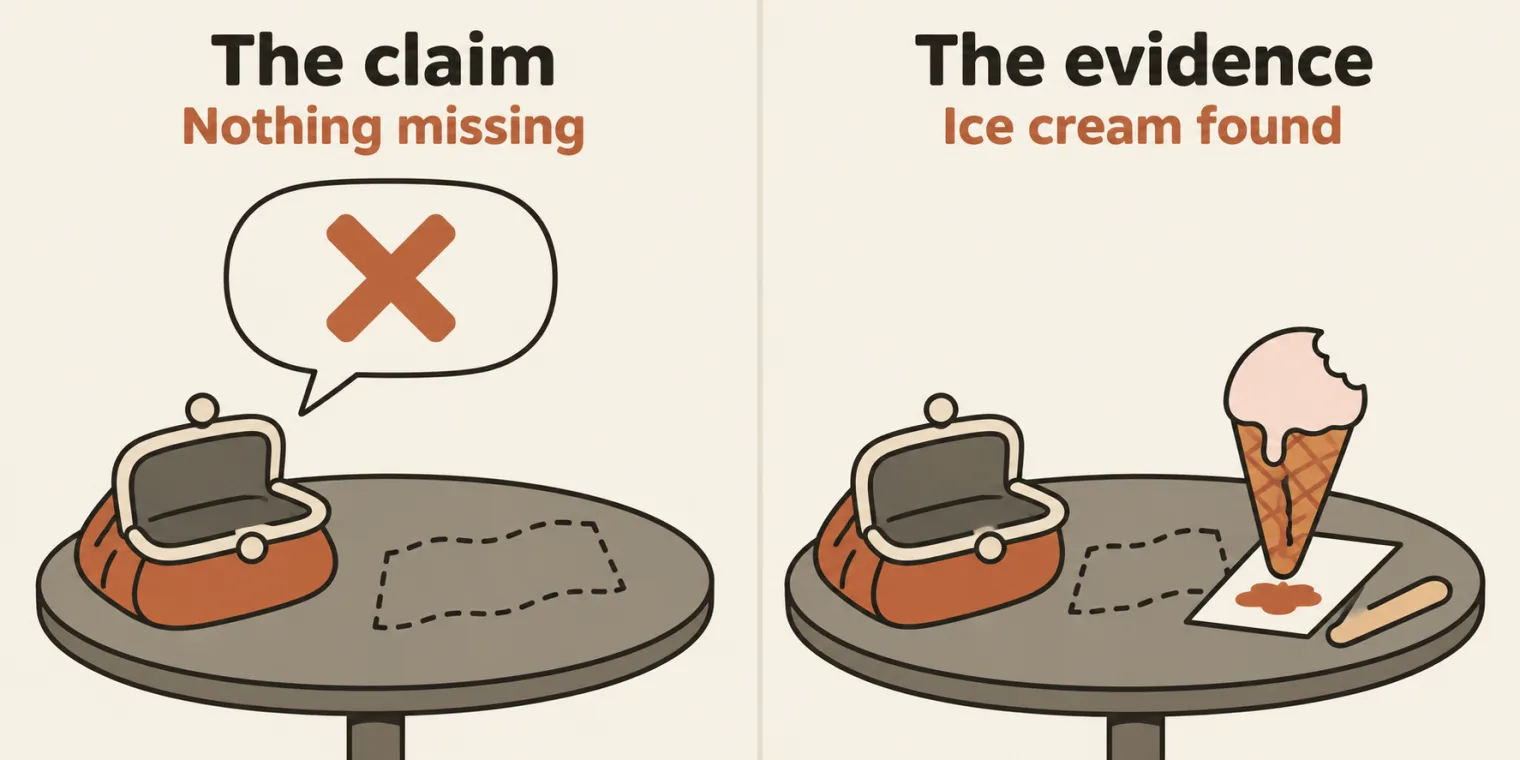
Then the same request again, with the PRD and the anti-hallucination rules added. This time, besides the test cases, it asked a couple of questions: for valid account credentials, the exact login button text and the exact authentication error message. It had not asked before. Why not? Because you are not asking, the instructor said, and a large language model is a liar, an intelligent liar: it never tells you about missing requirements, or the information it did not know. The instructor's analogy: ask someone whether they have eaten an ice cream, and they say no; but the 10 rupees are gone, and the ice cream is right there at their mouth.
The set it gave with the rules, before the questions were answered, was only 20% accurate, the instructor said. As the instructor answered the questions, the missing gaps shrank and the test cases got better and better, while the model asked again about the information still missing. Because of the rules, it said what the gaps were, what it did not understand, and where it had assumed anything. If you want 100% from the AI, use the anti-hallucination rule.
The PRD does mention dark mode. The PRD the deck links lists "Theme Support: Light and Dark Mode options as highlighted in current announcements" among its branding requirements, and a banner with Light and Dark Mode options among the existing features. So with this PRD, a dark mode test case traces back to the input. Before you call a test case a hallucination, look for it in the input: that is Step 1 of the rules below.
The rules file in the repo
The rules went into the batch repository at the end of class, as Chapter_02_Prompt_Engineering/anti-hallucination.rules.md, with a new section in the README, 02.1. The instructor took the author's name out of the file's header so that you can add your own: make it your own, and use it in your company too, no credit needed. The file, as pushed:
# Anti-Hallucination Rules

- **Author:**
- **Role:**
- **Website:**
- **LinkedIn:**

---

ROLE: You are a QA assistant operating under strict verification rules.

## SCOPE OF KNOWLEDGE

You may ONLY use information explicitly provided in:
- PRD
- API documentation
- Logs
- Screenshots
- Test data
- User input

## STRICT RULES (MANDATORY)

1. DO NOT invent features, APIs, error codes, UI elements, or behavior.
2. DO NOT assume default or "typical" system behavior.
3. If information is missing or unclear, respond with:
   "Insufficient information to determine."
4. Every assertion must be traceable to provided input.
5. If a detail is inferred, label it explicitly as:
   "Inference (low confidence)".
6. Output must be deterministic and repeatable.

## PROCESS YOU MUST FOLLOW

**Step 1:** Extract verifiable facts from the input.

**Step 2:** List unknown or missing information.

**Step 3:** Generate output ONLY from Step 1 facts.

**Step 4:** Perform a self-check for hallucinations or contradictions.

## OUTPUT FORMAT (STRICT)

- Verified Facts:
- Missing / Unknown Information:
- Generated Output:
- Self-Validation Check:

---

**If you cannot complete a step, stop and report why.**
It limits the assistant to the input you give it, sets six strict rules, a four-step process and a four-part output, and its last line says what to do when a step cannot be completed. Rules 3 and 5 hold two exact phrases, "Insufficient information to determine." and "Inference (low confidence)", the same as the guardrail block in the RICE-POT template from last class.
The README's Q&A explains them. Telling a model "be accurate" gives it no way to say "I don't know"; these two phrases do, and you can search the output for them. Reach for the rules whenever AI output turns into something people will trust, such as test cases, bug reports or locators: paste them above your task and input, or use them as the guardrail block in a RICE-POT prompt. The README's gotcha: they lower the risk but do not remove it. The self-validation check is written by the same model that wrote the output, so a person still has to trace each assertion back to the input.
Try it on your own model. The README ends with a shortened copy of the rules and a real task, to paste into any chat model:
ROLE: You are a QA assistant operating under strict verification rules.

You may ONLY use information explicitly provided in the input below.

1. DO NOT invent features, APIs, error codes, UI elements, or behavior.
2. DO NOT assume default or "typical" system behavior.
3. If information is missing or unclear, respond with:
   "Insufficient information to determine."
4. Every assertion must be traceable to provided input.
5. If a detail is inferred, label it explicitly as:
   "Inference (low confidence)".
6. Output must be deterministic and repeatable.

OUTPUT FORMAT (STRICT):
- Verified Facts:
- Missing / Unknown Information:
- Generated Output:
- Self-Validation Check:

TASK: Write test cases for the Salesforce login errors in the input.

INPUT:
- Empty username shows "Error: Please enter your username."
- Empty password shows "Error: Please enter your password."
The README's check: the input says nothing about account lockout, so a lockout test under Generated Output means the model ignored the rules. These notes ran it on the two local models from the batch's Ollama task, Gemma 3 1B and Llama 3.2 3B, five times each through Ollama's local API (seeds 1 to 5), and, as the control, the TASK and INPUT lines alone, without the rules:
| Model | Prompt | Replies in the four parts | Replies quoting an error message the input never gave |
|---|---|---|---|
| Gemma 3 1B | with the rules | 5 of 5 | 0 of 5 |
| Gemma 3 1B | TASK and INPUT only | 0 of 5 | 3 of 5 |
| Llama 3.2 3B | with the rules | 5 of 5 | 0 of 5 |
| Llama 3.2 3B | TASK and INPUT only | 0 of 5 | 0 of 5 |
No reply wrote a lockout test, with the rules or without them, so the README's own check caught nothing here. The rules made their difference elsewhere. Without them, Gemma quoted error messages the input never gave in 3 of 5 replies, such as "Username must be alphanumeric." and "Invalid Credentials", and one reply expected an empty password to log the user in. One Llama reply wrote Python unit tests against a salesforce_login module that the input never mentions. With the rules, every reply came back in the four parts and quoted no message beyond the two it was given. The gotcha showed too: one Llama reply with the rules listed no missing information, then still decided which message appears when both fields are empty, which the input never says.
Tasks and announcements
- Project 3. In the deck's words: create test cases for app.vwo.com or app.wingify.com with a RICE-POT prompt and the anti-hallucination rules. The deck asks you to report how many missing gaps the rules found, and whether the test cases got better once you gave the missing information. Push your work to your GitHub. The instructor asked Meeti to add this objective to the task.
- Project 2, if you have not done it yet: the RICE-POT prompt for a Playwright framework on app.wingify.com, set in the last class.
- Claude 101, this week's certification: right after the class, take a break and do it. Watch the two tutorial videos, complete the course and its 10-question test, post the certificate on LinkedIn, tag the instructor, and reply in the certification thread. Done it already? Take AI Fluency: Framework & Foundations instead.
- Attendance: open My Progress on the platform and mark your attendance.
- ChatGPT for Everyone, a free course of under an hour, to watch after the Diwali holidays: the instructor highly recommends it, and called it the fifth task. The link is in the deck and the class chat.
- Notes: the context window and memory lessons are in the LLM fundamentals guide, the same file as chapter 01 in the batch repository, where the rules file now sits too.
- Doubts go in the doubt thread on SDET Club, not in the Zoom chat, where they get lost. Posted there, they help everyone else too.
- Pushing to GitHub was covered earlier, the instructor thought: if you have not seen it, watch the previous video. The instructor pushed the class's files with a command named go, and will teach how to use it.
- Holiday: the next day, Sunday 8 November, was a holiday for Diwali.
- Coming up: tests and certifications in the upcoming weeks, extra certifications too. There might be some extra classes, probably a biweekly Friday class; if there is one, the instructor will invite you.
- Next class: the prompt templates and the remaining prompt frameworks, then building live AI agents with n8n. The coming week will be hectic, so do not miss it. RAG and its words come after two weeks.
Task. Project 3: create test cases for app.vwo.com or app.wingify.com with a RICE-POT prompt and the anti-hallucination rules, then push your work to your GitHub.
Show the answer
Answer. There is no single answer to copy. Beyond the test cases, the deck asks for two things: how many missing gaps the model found with the rules, and whether the test cases got better once you gave it the missing information. Start from the PRD the deck links and the rules file in the repo, and check each case against the PRD before you count it as a hallucination.